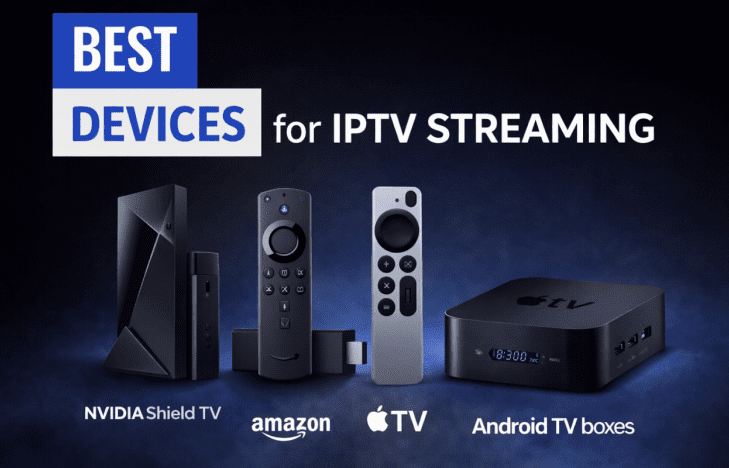
Your streaming experience is made significantly different by the selection of the right IPTV Devices. The performance, compatibility with IPTV apps, and support for high-resolution formats such as 4K are all dependent on the hardware that you are using. A powerful device provides a smooth channel loading with fast navigation and better stability while we watch our TV on demand or any live TV.
Not all devices can cope with the demands of modern IPTV services, so choosing one that is optimized for performance and app support is important. In this guide, we’re going to take a look at the best IPTV devices available for your TV, desktop, and mobile screen usage to help you select the best hardware for your needs. Along the way, you’ll also see one reliable IPTV provider recommendation that works well with too many of these platforms.
Best IPTV Devices for TV
When it comes to watching IPTV on a larger screen, the hardware you choose can make a huge difference. The right IPTV Device offers smooth playback, broad app compatibility, and the ability to handle high-resolution streams without lag. Below are some of the best options available today — from affordable sticks to premium set-top boxes — along with why each is suited for IPTV.
Amazon Fire TV Stick 4K / 4K Max
Processor & Performance
Both the Fire TV Stick 4K and 4K Max have fast quad-core processors designed for streaming. The 4K Max has a slightly better performance alongside better thermal management.
RAM & Storage
Typically having around 1.5-2GB RAM and 8-16GB internal storage capacity, these sticks are designed to run on streaming apps versus heavy multitasking.
4K Support
Built-in support for native 4K UHD resolution makes these devices great for high-definition IPTV channels, especially if your internet connection and IPTV service support it.
Why Good for IPTV Apps
Fire TV has an interface that makes it easy to install IPTV players such as IPTV Smarters Pro and other popular apps in the Amazon Appstore. The remote is Alexa-enabled, which makes navigation simple.
Who Should Buy
If you are looking for a cheap, plug-and-play IPTV Device with good support for 4K content, the line of Fire TV Sticks is a wise option, especially if you are a beginner or casual user.
Nvidia Shield TV/Nvidia Shield TV Pro
Tegra Processor
Both versions feature NVIDIA’s Tegra X1+ chip, which provides fast and efficient performance, great for heavy streaming and decoding high bitrate IPTV streams.
AI Upscaling
AI-enhanced upscaling helps increase the quality of pictures on HD content and makes it closer to 4K look without native 4K channels.
4K HDR Support
The Shield supports 4K HDR10 and Dolby Vision to make your TVs vibrant in colors and deep in contrast.
Ethernet Port
The Pro version features a built-in Ethernet port, which is great for constant IPTV streaming applications when Wi-Fi isn’t its forte.
Best For the Heavy Streaming User
This is the default IPTV device in case you are looking for top-notch performance, frequent updates, and compatibility with almost any media application.
Apple TV 4K
A15/A12 Chip
Depending on the generation, Apple TV 4K has the lengthy and visually competent Apple A15 or A12 chip, which takes care of streaming, multitasking, and interface movements simply.
tvOS Stability
Apple’s tvOS is reputed for stability, frequent updates, and optimized app performance. Many IPTV applications and players are supported either natively or through third-party applications.
IPTV App Compatibility
You can sideload or install compatible IPTV apps that support M3U playlists and Xtream Codes APIs, allowing you to seamlessly access channels and guides.
Best for Apple Ecosystem Users
If you are already using an iPhone, iPad, or Mac, AirPlay makes Apple TV 4K fit perfectly with your existing Apple HomeKit and other services.
Android TV Boxes (Generic & Branded)
Specs to Look For
RAM: Minimum 4GB to run smoothly while streaming and navigating.
Storage: 32GB or more for apps, cache
Processor: A mid-range processor (e.g., Amlogic S905X4 or better) will handle IPTV well.
Ethernet Port Importance
External Android TV boxes with Ethernet ports are generally better than those that only connect to Wi-Fi, especially for steady IPTV streaming.
Avoid Low-End Models
Many budget boxes cut corners and may have difficulty handling high-bitrate streams. Stick with well-known brands or new-age generic boxes with verified specs.
Why Consider Android TV Boxes
In order to install applications, IPTV players, media applications, and utilities, these devices often include the Google Play Store.
Smart TVs (Samsung, LG, Android TV)
Built-in App Stores
Smart TV’s of Samsung, LG, and Android TV manufacturers have their own inbuilt App Store. Android TVs may have apps that allow installation of IPTVs, while Samsung and LG may require compatible options or web players.
Limitations
Not all smart TV platforms have native support for every IPTV player/playlist type. Some require casting from mobile devices or other hardware.
When An External Device Is The Better Choice?
If you are using a smart TV and you’re finding that either the apps you want are absent from it, or if you are having poor lag times and limited codec support, then using a Fire TV Stick, Shield, or Android TV box in conjunction with your smart TV will often provide a better experience.
Best IPTV Devices to Use for Portable Streaming
You can stream live television and on-demand content anywhere if you have a stable internet connection. Performance is contingent on processing power, the quality of the display, and the compatibility with apps.
iPhone & iPad
Modern iPhones and iPads have powerful chips (A-series), high-resolution displays (Retina), and impressive hardware Acceleration. They process HD and 4K streams seamlessly and support reliable IPTV player applications.
Android Phones & Tablets
Mid-range and flagship Android devices with at least 4GB RAM provide smooth playing and flexible app installation from the Play Store.
Windows Laptop
Laptops with 8GB RAM and integrated graphics are efficient in handling IPTV, more so on wired connections.
MacBook
MacBooks with Apple Silicon chips provide excellent decoding performance and smooth high-resolution streaming.
FAQ – Best IPTV Devices
What device runs IPTV the smoothest?
High-performance devices such as Nvidia Shield TV and Apple TV 4K give the smoothest IPTV experience. Their powerful processors and improved RAM management field HD and 4K streams with very small lag.
Is Fire TV sufficient for 4K IPTV?
Fire TV Stick 4 K and 4 K Max support 4 K IPTV streaming? They work well for the majority of people, that is, if you have a stable and fast internet connection.
Do I need Ethernet for IPTV?
Ethernet is not required but is heavily recommended for a stable stream. Wired connections provide a lower level of buffering and offer greater consistent performance compared to Wi-Fi.
So which IPTV device performs the best?
NVIDIA Shield TV Pro and Apple TV 4K are great performers. They are ideal for heavy streaming, 4K content, and long viewing sessions.