
What Your Security Camera Sends Home — And How to Stop It

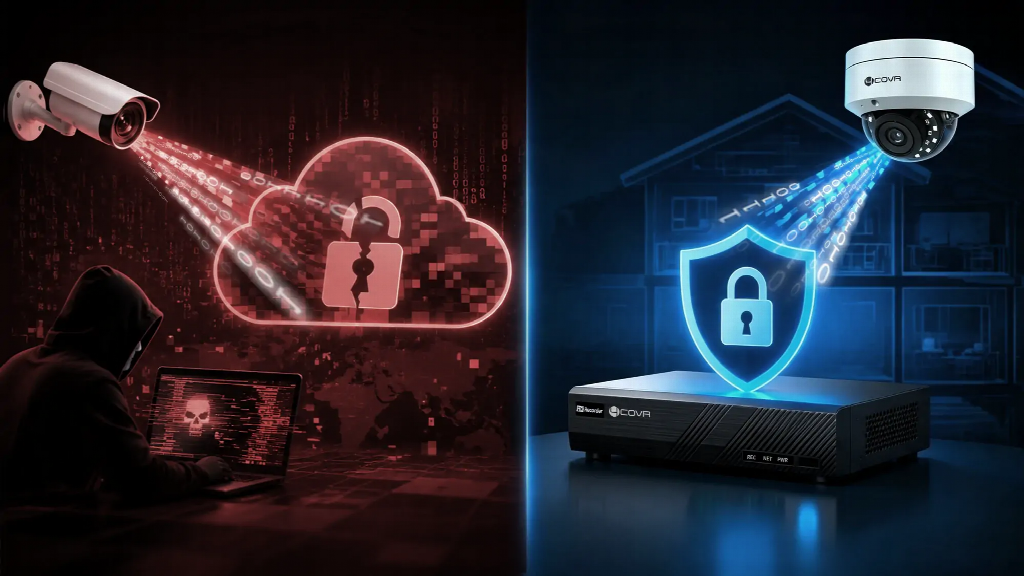
A homeowner installed a “local storage” NVR in 2022 because the product page said nothing left the premises. Three years later, the NVR was still dialing out every night at 3 AM to a server in another country. The homeowner never turned on remote access, never scanned the QR code, and never opened a single port. The NVR phoned home anyway, on the default.
That pattern is not a glitch. According to BitSight (2024), roughly 4 million internet-connected cameras run with default credentials exposed, and another 3.5 million sit on P2P relay infrastructure with unpatched vulnerabilities. The default behavior of “local” cameras is to dial out to vendor servers on boot. The data they ship back is not your recordings — it is metadata that tells a vendor exactly when you are home, how many cameras you own, and what firmware you run.
What follows covers how P2P cloud services work, what BitSight found in 2024, the four real risks of leaving P2P enabled, and the local-only configuration that takes back control.
What P2P Cloud Services Actually Work
P2P in the security camera world is not the file-sharing protocol of the early 2000s. It is a relay architecture — a vendor-operated middleman that brokers the connection between NVR and phone. When you scan the QR code on the back of the NVR, the device performs an enrollment handshake with the vendor’s cloud, registers with a unique device ID, and opens a persistent outbound TCP connection to a vendor server. That connection stays open even when you never use the vendor’s app.
The vendor sees everything that flows through that handshake: camera count, network topology, view schedule, camera model, firmware version, and the public IP of your network. Recordings stay on your drive; metadata leaves on every boot.
| Feature | P2P Cloud Service | Local-Only NVR |
| Remote Access Path | Via vendor relay | Direct VPN or port forward |
| Vendor Visibility | Full metadata | None |
| Outbound Connections | 2 to 5 vendor domains on boot | None by default |
| Default State | Enabled | Disabled (opt-in) |
| Attack Surface | Vendor server + your device | Your device only |
| Setup Difficulty | 30 seconds (QR code) | 20 to 30 minutes (router config) |
| Cloud Upload Security Camera | Yes (metadata through vendor) | No |
| Security Camera Privacy | Vendor sees metadata | Full local control |
The right column of that table is not a default — it is a configuration you have to choose.
What BitSight Found in 2024
BitSight’s 2024 study mapped the exposed footprint of consumer and prosumer security cameras. The headline numbers: 4 million cameras with factory-default credentials still reachable from the open internet, and 3.5 million P2P relay endpoints with vulnerabilities vendors had not patched. The dataset spans retail stores, warehouses, residential driveways, and small offices — not just consumer gadgets in living rooms.
The affected brand list is long. Reolink, Annke, and Lorex all appeared in the exposure dataset. Multiple white-label OEMs selling under different brand names but running the same vulnerable firmware showed up as well. Hikvision and Dahua continue to surface in independent disclosures; their exposure predates BitSight’s 2024 work and remains a separate category of risk.
At enterprise scale, the exposure multiplies. A 16 Channel Wired Camera System running default firmware in a single retail store does not just expose one camera — it exposes the entire 16-channel array on a single P2P relay endpoint. According to BitSight (2024), commercial deployments of this scale are the highest-value targets because the cameras are positioned to capture cash registers, stockrooms, and employee-only zones.
The pattern holds across the affected brands: a few seconds of setup convenience traded for years of outbound metadata leakage.
The 4 Real Risks of P2P
P2P is not a single risk — it is four risks stacked on the same outbound connection.
Credential exposure. Vendor servers store device IDs alongside the credentials owners set (or never changed). When those servers leak — and they have, repeatedly — attackers map device IDs to camera feeds and reach in directly. The NVR at home becomes reachable from anywhere without the homeowner ever opening a port.
Metadata leakage. Vendor servers collect view schedules, camera count, firmware versions, and access patterns. That dataset builds a household profile: when you leave for work, when the package arrives, when the house sits empty. Marketing teams pay well for that data.
Legal jurisdiction. An NVR phoning home to a server in another country ships metadata across borders. For a homeowner, that may not matter. For a small business handling employee footage or customer areas, data-exit compliance becomes a real issue, particularly under GDPR, CCPA, and similar frameworks.
Vendor lock-in. When the vendor raises prices, sunsets the cloud service, or shuts down, the cameras stop working remotely. Hardware is fine; relay infrastructure is gone. Owners are left with NVRs that record perfectly but cannot be viewed from outside the home network.
What Vendor Cloud Servers Can See
The metadata list is shorter than expected and more revealing than realized. Vendors see the public IP of the network, the device serial number, the MAC address, the number of connected cameras, the firmware version, and the view schedule — when owners open the app, how long they watch, which cameras they check, when they stop.
That data is enough to build a profile of a household or business. When does the family leave for work? When does the store close? When is the warehouse empty? Cameras never upload video; metadata alone paints a daily rhythm. The marketing line is “convenience.” The value exchange is “we watch what you watch, in real time.”
Local-Only NVR Setup — Take Control
A local-only configuration is not a hack or an advanced feature. It is the default state the NVR should have shipped in. Two pieces of hardware make it practical: a PoE NVR that records to a local drive, and a router that supports VPN or port forwarding. A complete PoE Camera System handles the camera-to-NVR wiring over a single Ethernet cable per camera, and the NVR sits on the local network with no outbound traffic.
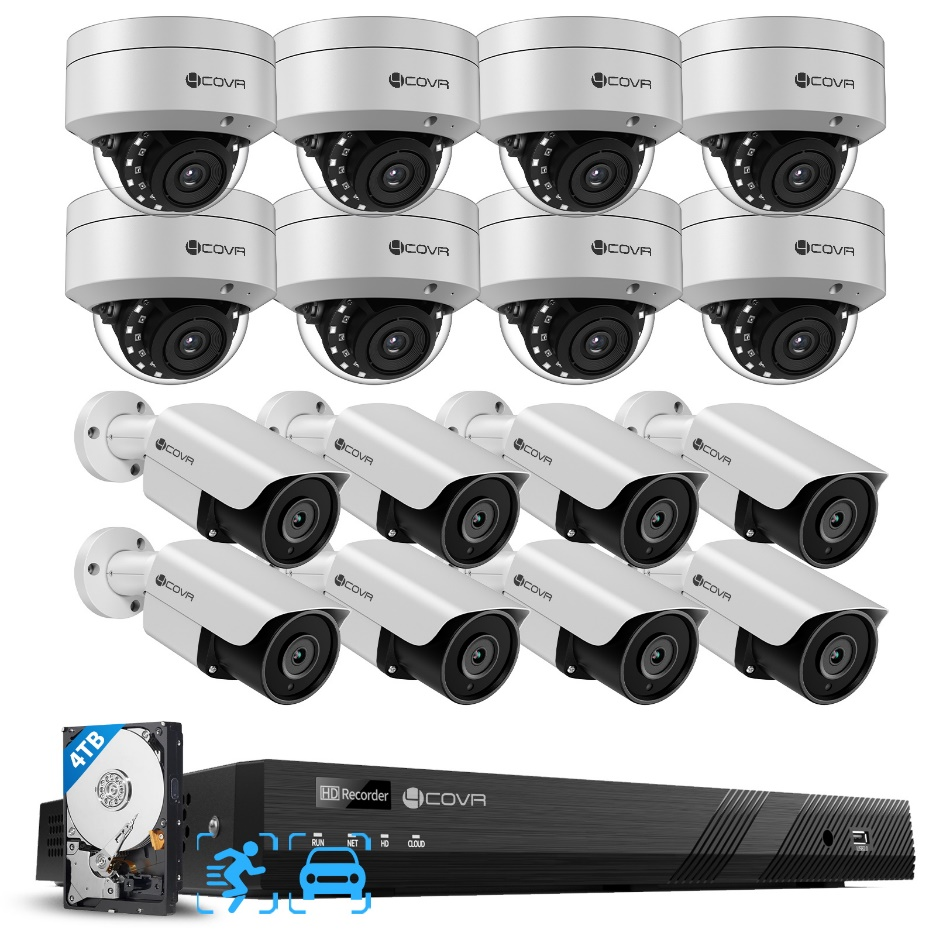
4COVR PoE Security Camera Kit
Four configuration steps take the NVR off the vendor relay.
1.On first boot, do not scan the QR code. Skip the vendor app entirely.
2.Find the NVR’s LAN IP from your router’s admin page. Log into the NVR’s web interface at that IP.
3.Find the P2P or cloud toggle. Brand names vary — EZCloud, Xmeye, Danale, SADP Cloud — but the toggle is in the Network Settings menu under most firmware.
4.Turn it off. Reboot. Then check your router’s outbound connection list — the NVR should show zero outbound connections to vendor domains.
That is the entire configuration. Local recording continues 24/7. Local playback works from any device on the same network. Mobile push notifications still fire when motion triggers, because the NVR handles them locally.
Remote Access Without P2P — VPN & Port Forwarding
Disabling P2P does not mean losing remote access. Two options cover the spectrum from DIY to plug-and-play.
WireGuard is the technical option. A lightweight VPN protocol that runs on most routers (OpenWrt, pfSense, ASUSWRT-Merlin) and on low-power devices like a Raspberry Pi. Setup takes 20 to 30 minutes: generate a key pair on the home router, install WireGuard on the phone, and route traffic through the home network. Once configured, the phone sees the NVR as if on the same LAN.
Tailscale is the simple option. A mesh VPN using identity-based authentication instead of IP routing — no router configuration required. Install Tailscale on the NVR (or on a small device that fronts the NVR), install it on the phone, and the two endpoints find each other automatically. Setup takes 10 minutes and survives network changes (ISP swap, router replacement, mobile carrier handoff).
Both options route traffic directly from phone to home network. No vendor relay in the middle. No metadata leakage.
Step-by-Step: Disable P2P on Your NVR
The six-step checklist for taking a P2P-enabled NVR fully offline.
1.Log into the NVR. Use the LAN IP from your router, not the vendor app. The web interface is usually at http://192.168.1.x or http://192.168.0.x.
2.Navigate to Network Settings. Look under “Network,” “Cloud,” or “Platform Access.”
3.Find the P2P toggle. Brand names differ: EZCloud (Hikvision), Xmeye (Annke, generic OEMs), Danale (Reolink), SADP Cloud (Hikvision Pro).
4.Turn it off. Save the setting before exiting.
5.Reboot the NVR. The persistent outbound connection closes on reboot.
6.Verify in your router. Check the outbound connection list — the NVR should not appear on any vendor domain.
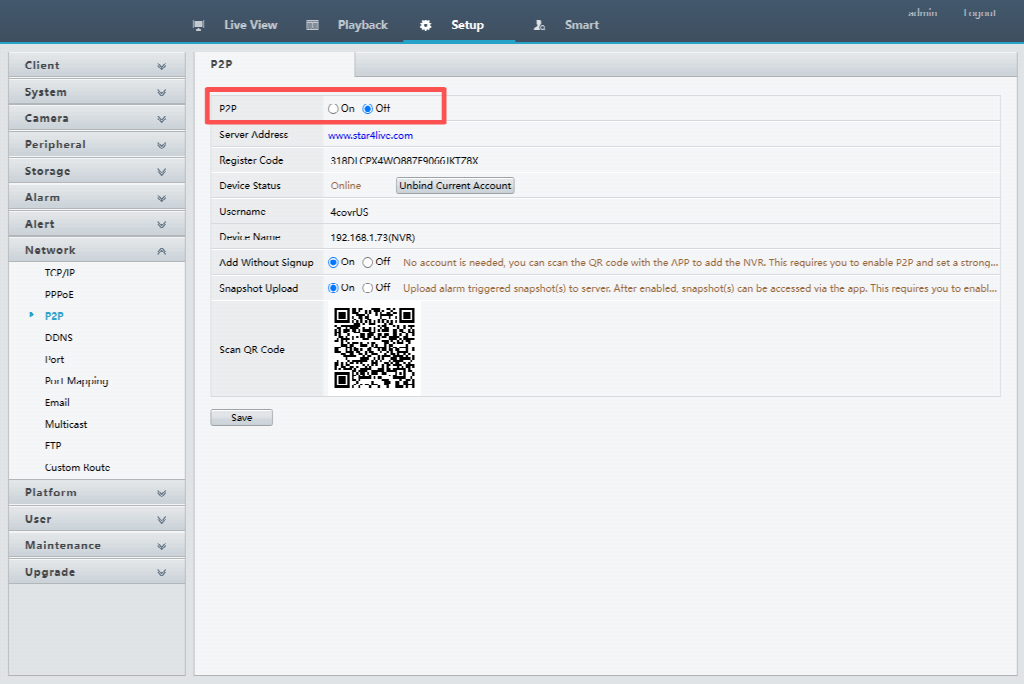
Disable P2P Connection
After these six steps, the NVR records locally, plays back locally, and reaches the phone only through the VPN you configured.
Does disabling P2P stop my cameras from recording?
No. P2P is only the remote access path. Local 24/7 recording continues regardless. Disabling P2P only removes vendor-mediated remote access; local playback, motion detection, and on-LAN push notifications all remain functional.
Can I still view my cameras remotely if I disable P2P?
Yes, by configuring port forwarding on your router or running a VPN like WireGuard or Tailscale. Both options take 15 to 30 minutes for first-time setup and route traffic directly from your phone to your home network.
Is P2P the same as cloud storage?
No. P2P is a real-time relay for remote viewing. Cloud storage is a separate service that uploads recorded footage to vendor servers for off-site backup. Disabling P2P does not affect any local recording; it only stops the live relay handshake.
Are all security camera brands using P2P with the same risks?
The architectural risk is the same across vendors that ship P2P by default — outbound handshake, persistent connection, vendor visibility into metadata. Implementation varies (key rotation policy, default password strength, firmware update cadence), but the metadata exposure pattern is consistent.
What is the safest way to access my cameras remotely?
VPN into your home network and access the NVR by its LAN IP. WireGuard and Tailscale both work for this and take about 20 minutes to set up. These routes traffic directly to the device with no vendor intermediary.
About 4COVR
With over 15 years in video surveillance, 4COVR evolved from component-level engineering to complete PoE security systems — cameras, NVRs, AI detection, and remote monitoring — delivered worldwide.
From pioneering low-power battery cameras, to leading PoE surveillance for home and business, to launching our official direct-to-consumer store — every step has been driven by one belief: learn what security demands.
Today, professional installers, business owners, and homeowners trust 4COVR to protect people, property, and performance — across retail, commercial, and residential environments globally.
4COVR — Covering What Matters. Built on Video Expertise. Designed for Real Security Needs.







Comment