A practical look at where AI video fits in the production workflow, where it saves time, and where human review still matters.
Short-form video used to have a simple bottleneck: you needed footage. A product photo could become an ad only after someone planned a shoot, captured clips, cut the sequence, added motion, checked the export, and made variants for every platform. That process still matters, especially for high-stakes campaigns. But for early concepts, social testing, product teasers, and creator experiments, the first version of a video no longer has to start with a camera.
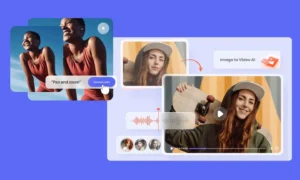
Image-to-video AI is changing that starting point. Instead of treating a still image as the end of a design process, creators can now treat it as the first frame of a moving asset. A product shot can become a short reveal. A portrait can become a subtle motion clip. A concept image can become a storyboard test. A poster can become the opening beat of a reel.
That shift is why tools such as a Seedance 2.5 AI are getting attention from creators, marketers, and small content teams. The value is not only that AI can generate motion. The value is that it gives teams a faster draft layer between a static idea and a finished video.
Why image-to-video is useful for short-form teams
Most short-form content does not need a cinematic production pipeline at the first draft stage. It needs speed, variation, and a clear visual hook. A brand might want to test five ways to introduce a product. A creator might want to animate a thumbnail concept before deciding whether to film a full scene. A small agency might need a motion mockup for client approval before booking production.
Image-to-video fits those moments well because it starts from something teams already have: a product photo, model image, brand key visual, concept frame, or campaign still. The AI does not have to invent everything from scratch. It can use the visual identity of the image as an anchor, then add motion around it.
That makes the workflow easier to control than a fully open text-to-video prompt. A text-only prompt can drift into a different product, face, layout, or environment. With image-to-video, the source image gives the model a stronger reference point. The result still needs review, but the first output often starts closer to the intended direction.
A practical production workflow
The best results usually come from treating AI video as a pre-production and iteration tool, not as a one-click replacement for editing. A simple workflow looks like this.
First, choose the right source image. It should be clean, high-resolution, and visually clear at the size you plan to publish. Product images need enough detail around the edges. Portrait images should have a natural expression and visible face structure. Posters and concept frames should not be overloaded with tiny text, since text is one of the hardest elements for AI video systems to preserve cleanly.
Second, write a motion prompt that describes camera movement and subject behavior separately. For example, do not write only “make this exciting.” A stronger prompt might say: slow push-in camera, soft fabric movement, product turns slightly toward the light, shallow depth of field, clean studio background. That gives the model more usable direction.
Third, generate short variations. For social testing, a four-to-eight-second clip is often enough to judge whether the hook works. Create a few versions with different camera moves: push-in, pan, orbit, tilt, or gentle handheld motion. Avoid changing too many variables at once.
Fourth, run a quality check before publishing. Look for warping, drifting product shape, inconsistent hands, distorted faces, fake text, broken logos, and unnatural background movement. If the clip is only for an internal storyboard, small flaws may be acceptable. If it is for a public campaign, they are not.
Where text-to-video still fits
Image-to-video is not the only useful mode. Text-to-video works better when the team does not yet have a visual asset or wants to explore a broad scene direction. It can be helpful for background concepts, surreal creative directions, mood tests, and visual brainstorming.
The tradeoff is control. Text-to-video gives the model more freedom, which can be useful during ideation but risky when the brand, product, person, or environment needs to stay consistent. Image-to-video is usually better when you care about preserving a specific source image. Text-to-video is usually better when you care about discovering a visual direction.
Reference-guided video sits between the two. It can use one or more visual references to steer style, character, product appearance, or motion. For teams building recurring content, this matters because consistency is often more valuable than surprise.
A quick decision guide
Use text-to-video when you need broad ideation, fictional scenes, background ideas, or early creative exploration.
Use image-to-video when you already have a product photo, portrait, poster, key visual, or concept image and want to animate it without rebuilding the scene.
Use reference-guided video when you need a repeatable style, a similar character direction, or a visual language that carries across multiple clips.
Use traditional filming when the content depends on exact product behavior, legal precision, human performance, physical comfort, live sound, or verifiable real-world details.
The strongest teams will not choose only one method. They will use AI for fast drafts, then use editing, design, and production judgment to decide what deserves a final pass.
How product teams can use AI video without overpromising
For ecommerce and product marketing, AI video is most useful before the expensive parts of production. A still photo can become a motion concept for a launch page. A product-on-white image can become a rotating teaser. A hero image can be tested as a reel opening. A seasonal campaign visual can become a short mood clip for internal approval.
This does not mean every AI-generated product video is ready for an ad account. Product shape, surface details, packaging text, labels, and logo placement must be checked carefully. If the AI changes a product in a way that misleads a buyer, the clip should not be published as a product claim.
A better use is concept validation. Teams can generate several directions, choose the strongest hook, then decide whether to refine with AI, recreate with real footage, or combine generated motion with conventional editing. That saves time without removing the need for accuracy.
Creators can use the same logic
For creators, the value is often speed. A still frame from a photoshoot can become a moving intro. A thumbnail idea can become a motion test. A portrait can become a subtle profile video. A mood board can become a short proof of concept before a larger shoot.
The key is restraint. Subtle motion often works better than dramatic movement. A slow push-in, moving light, floating fabric, drifting camera, or gentle environment motion can make a clip feel alive without breaking the source image. Big motion can be impressive, but it also increases the risk of warping and inconsistency.
Creators should also think about platform format before generating. A vertical clip for TikTok or Reels may need a different composition from a horizontal website hero. If the source image is too tightly cropped, the AI may have less room to create motion. Planning the crop early saves time later.
Where Seedance 2.5 fits in the workflow
Seedance 2.5 is useful when teams want a browser-based way to move from still visuals to short AI video tests. The Seedance 2.5 image-to-video workflow is especially relevant for product photos, portraits, concept art, and creator assets because it starts with a visual reference rather than forcing everything through a text prompt.
That matters because Seedance 2.5 is being discussed around longer native generations and heavy reference use, not just one short novelty clip. A 30-second product or creator clip needs a beginning, middle, and end; multiple references need a cleaner asset plan before generation. That changes the brief: teams should decide what the opening frame establishes, where the product or subject moves, and what detail must stay consistent before they press generate.
The practical workflow is simple: start with a clean image, describe the motion, choose the format, generate a short clip, and review the result before using it publicly. That makes the Seedance 2.5 video generator approachable for creators and marketers who need motion assets but do not want to build a full pipeline from scratch.
Quality checks before publishing AI video
AI video is improving quickly, but every clip still needs a human review. Before publishing, check these points:
- Identity: faces, people, and key subjects should not drift or become unrecognizable.
- Product accuracy: shapes, colors, labels, and packaging should stay consistent with the real product.
- Text: any readable words, logos, or UI elements should be checked frame by frame.
- Motion: camera movement should feel intentional, not random or seasick.
- Hands and edges: hands, straps, hair, sleeves, handles, shadows, and object edges are common failure points.
- Platform fit: confirm the clip works in the actual crop and length required by the target platform.
- Rights and consent: do not upload or animate people, brands, or assets you do not have permission to use.
This review step is where AI video becomes usable production material instead of a novelty. The tool can create motion quickly. The team still decides whether the motion is true, useful, and publishable.
What changes for small teams
The biggest change is not that AI video replaces production. It changes what small teams can test before production. A solo founder can mock up a product video concept. A creator can test a visual hook before filming. A marketer can generate variants for internal review. An agency can show a client several directions without booking a shoot for each one.
That is a meaningful shift. Short-form content rewards iteration, but traditional production makes iteration expensive. AI video lowers the cost of the first few drafts. Teams can be more selective about what they film, edit, or polish because they can see more options earlier.
Final takeaway
Image-to-video AI is becoming part of the short-form production stack because it solves a practical problem: turning static assets into motion quickly enough to test ideas. It is not a replacement for taste, strategy, filming, editing, or legal review. It is a faster draft layer.
The teams that benefit most will be the ones that use it carefully. Start with strong images. Write specific motion prompts. Generate short variations. Review the details. Publish only what holds up. Used that way, AI video can help creators and product teams move from idea to motion without treating every experiment like a full production day.