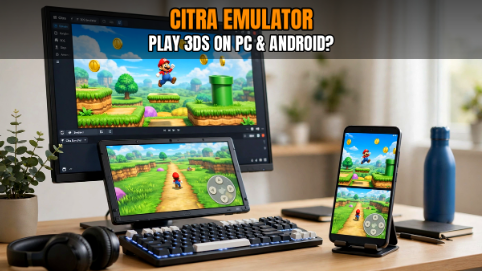
Remember games like Pokémon Sun and Moon, Animal Crossing: New Leaf, and The Legend of Zelda: A Link Between Worlds? These Nintendo 3DS classics are still loved by many players. However, finding a working console can be difficult, especially as the hardware gets older.
This is where emulation comes in. Citra became a popular way to play compatible Nintendo 3DS games on computers and supported Android devices. It offers useful options for graphics, controls, and screen layouts, making it easier to enjoy games on different screens.
If you’re ready to get started, you can download Citra Emulator and check if your device meets the requirements.
What Is Citra Emulator?
Citra is an open-source program designed to run compatible Nintendo 3DS games on other devices. It recreates parts of the original console’s behavior, allowing supported games to work without using the handheld itself.
One reason players liked Citra was its flexibility. You could adjust graphics settings, use a keyboard or controller, and change the screen layout to suit your preferences. Playing on a larger monitor could also make some games easier to see.
However, not every game runs perfectly. Performance depends on your computer or phone, the game itself, and the software configuration. Some titles may work smoothly, while others can have slowdowns or visual problems.
The original Citra project was discontinued in March 2024, so it is important to check the software information before getting started.
Why Do Players Enjoy Using Citra?
One of the biggest benefits is the ability to adjust the graphics. The original Nintendo 3DS has small screens, but a computer monitor gives you more room to enjoy the game. Depending on your hardware and the settings available, you may be able to increase the internal resolution for sharper images.
Controls are another advantage. On a computer, you may be able to use a keyboard or a compatible game controller. On a supported Android device, touchscreen controls can make playing more convenient.
Some versions also provide options for changing the screen layout and adjusting other settings. These features let users customize their experience instead of relying entirely on the original console’s setup.
Still, better graphics do not always mean better performance. Increasing the resolution can put more pressure on your hardware, so finding the right balance is important.
What Do You Need to Run Citra?
You do not necessarily need an expensive gaming computer, but your device should meet the requirements of the software and the games you want to play.
Playing on a PC
A reasonably modern processor, enough memory, and compatible graphics hardware provide a good starting point. The exact requirements depend on the game and the software version.
Keep your graphics drivers updated and close unnecessary applications if your computer struggles with performance. These simple steps can sometimes help reduce slowdowns.
Playing on Android
Your phone’s processor, graphics hardware, available memory, and temperature can all affect performance. Some games may run well on a mid-range device, while more demanding titles may need stronger hardware.
If your phone becomes hot during a long gaming session, performance may drop. Letting it cool down and closing background apps can help, although these steps will not fix every problem.
How to Get Started
First, check the software information and system requirements for your device. Make sure you understand which operating system and version are supported before installing anything.
After installation, open the emulator and review the available settings. Configure your keyboard, controller, or touchscreen controls according to your preferences.
Next, follow the software’s instructions for locating your legally obtained game files. If a game does not appear or start, check the file format and any error message before changing several settings at once.
Starting with the default configuration is often the easiest approach. Once everything works, you can experiment with additional options if needed.
Will Your Favorite Game Work?
This is one of the first questions most people ask when trying an emulator. Unfortunately, there is no single answer for every game.
Some Nintendo 3DS titles may run with few problems, while others can experience graphical glitches, sound issues, or crashes. A game that opens successfully may also have problems later in the story.
Before spending time changing settings, it helps to check the game’s reported compatibility. A Citra game compatibility list can help you research whether a particular title has known issues or may need extra attention.
When checking a game, look for its exact name and any available information about the tested software version. Results can vary between devices and configurations, so treat compatibility reports as helpful guidance rather than a guarantee.
Simple Ways to Improve Performance
If a game feels slow, do not change every setting at once. Try one adjustment, test the game, and see whether it helps.
- Lower the internal resolution: This can reduce the graphics workload and may improve performance on less powerful devices.
- Check graphics settings: Different options may work better on different hardware. If a change causes problems, return to the previous setting.
- Close background apps: Freeing up system resources may help, especially on phones and computers with limited memory.
- Watch your device temperature: Excessive heat can reduce performance during longer gaming sessions.
- Check your drivers: Compatible graphics driver updates may help with certain issues, although results vary.
Making one change at a time helps you understand what actually improves the experience.
Common Problems and Quick Checks
Sometimes, a game will not launch, the sound will break up, or the graphics will look unusual. These problems can have different causes, so start with the basics.
If a game will not open, check its compatibility and make sure the game file is valid. If gameplay is slow, try lowering the resolution and closing unnecessary applications. For visual glitches, review the available graphics options and check whether the problem is specific to that game.
If the emulator crashes repeatedly, note the error message, software version, and device specifications. This information can help you investigate the issue more effectively.
Avoid downloading random files that promise instant fixes. It is safer to troubleshoot carefully and use reliable software information.
A Quick Note About Game Files
Emulation software and copyrighted game files are separate matters. The rules governing them can vary depending on where you live and how the files are obtained.
Before playing, check the laws that apply to you and use game files you are legally entitled to access. Avoid downloading commercial games from unauthorized sources.
Final Thoughts
Citra made Nintendo 3DS emulation accessible to many players who wanted to enjoy their favorite games on different devices. Its graphics options, flexible controls, and compatibility with supported titles helped make it a popular choice.
For the best experience, check your device requirements, research game compatibility, and start with simple settings. If something does not work, make small changes and test the results rather than changing everything at once.
With a little patience, you can better understand how emulation works and whether your device is suitable for the games you want to play.