Gaming sessions that stretch into the early hours have become a badge of honor for dedicated players worldwide. But behind every marathon raid or ranked grind lies a silent threat: the slow, creeping damage of poor posture. Hunched shoulders, a strained neck, and a lower back screaming for relief are not just discomforts — they are performance killers that cut careers short and turn passion into pain.
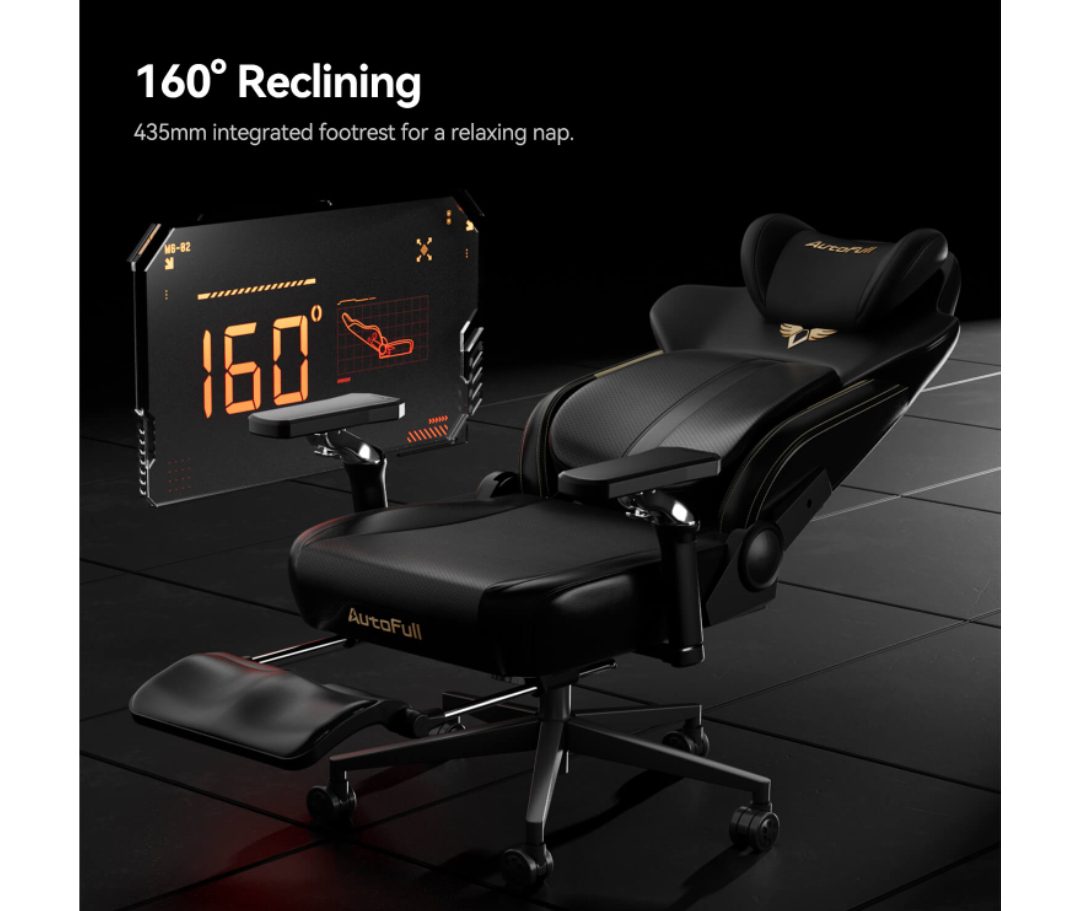
This is exactly where the best ergonomic gaming chair steps in as a game-changer. Designed with the human body in mind, these chairs are engineered to support your spine, align your joints, and keep you locked in at peak performance for hours on end. Achieving pro-grade posture is no longer reserved for professional esports athletes with sponsored setups — it is accessible to any serious gamer willing to invest in the right equipment.
Whether you are a tech enthusiast hunting for the latest innovations in seat design or a deal-savvy buyer looking to maximize value during a gaming chair sale, this guide has you covered. We will break down the essential features to look for, share smart strategies for finding the best prices, and walk you through a practical setup guide so you can start gaming smarter — and healthier — today.
Why Pro-Grade Posture is Non-Negotiable for Serious Gamers
Spend enough hours in a poorly designed chair and your body will send you the bill — usually in the form of chronic lower back pain, stiff shoulders, and a fatigue that no energy drink can fix. For serious gamers, these are not minor inconveniences. They are performance disruptors that slow reaction times, break concentration, and ultimately shorten the time you can spend doing what you love. Research consistently shows that musculoskeletal discomfort forces players to disengage from gameplay far earlier than mental fatigue alone would. The physical toll of poor posture is, in many ways, the hidden ceiling on gaming endurance.
Beyond comfort, posture has a direct and measurable impact on how well you actually play. Slouching compresses the diaphragm, reducing oxygen intake and leaving your brain running on less fuel precisely when it needs the most. Rounded shoulders create tension that travels up the neck and into the eyes, contributing to the headaches that many gamers mistakenly blame entirely on screen exposure. Correcting your seated position is not just a wellness choice — it is a competitive one.
The Science Behind Posture and Gaming Performance
Ergonomics, the science of designing environments to fit human physiology, has been applied in professional and medical settings for decades. When your spine maintains its natural S-curve and your joints are properly aligned, the body expends significantly less energy just holding itself upright. That conserved energy translates directly into sharper focus and faster cognitive processing — both critical during high-stakes gameplay. A study published in the journal Human Factors found that ergonomically supported workers reported not only reduced pain but measurably improved task performance. Esports coaches and sports physiotherapists increasingly echo this finding, recommending proper seated alignment as a foundational element of peak gaming performance. Investing in posture support is not optional for players who want to stay competitive long-term.
Key Features of the Best Ergonomic Gaming Chair: What to Look For
Knowing what separates a genuinely supportive chair from one that merely looks the part is the difference between a smart investment and an expensive mistake. The best ergonomic gaming chair is not defined by racing-style aesthetics or flashy RGB lighting — it is defined by the precision and range of its adjustability, the quality of its materials, and how thoughtfully its components address the specific demands of long gaming sessions. Before you commit to any purchase, these are the features that deserve your closest attention.
Adjustable Armrests: Customizing Your Comfort
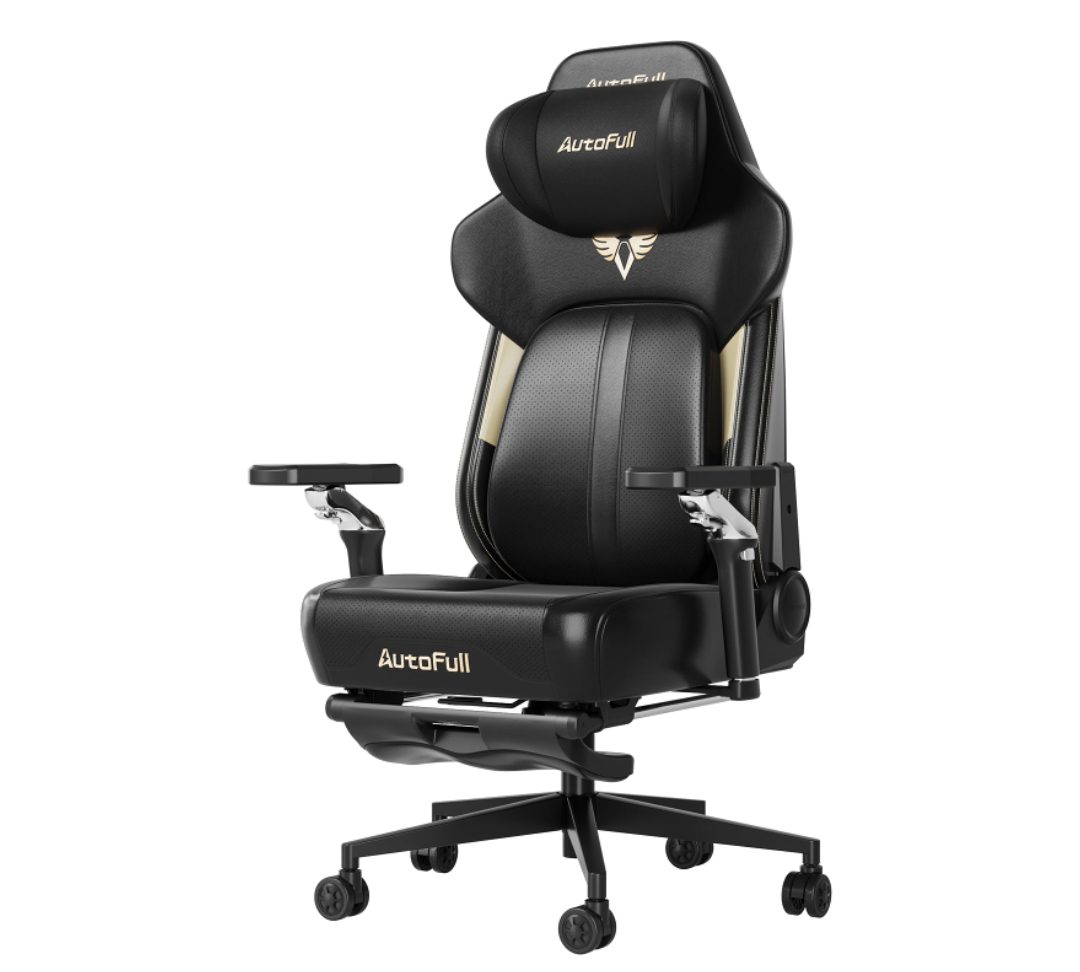
Armrests are far more critical than most buyers realize, and basic up-down adjustment simply does not cut it for serious gamers. Look for 4D armrests, which offer height, width, depth, and pivot adjustments. This level of customization allows your arms to rest at the exact angle your keyboard and mouse demand, eliminating the shoulder tension that builds up when your arms float unsupported or are forced into an unnatural position. Properly set armrests reduce the load on your trapezius muscles significantly, which is one of the primary sources of upper-body fatigue during extended play. Brands like AutoFull have made 4D armrest systems a standard feature across their ergonomic lineup, reflecting how central this adjustment is to genuine long-session comfort. If your elbows sit comfortably at roughly 90 degrees with your shoulders relaxed and down, your armrests are doing their job correctly.
Headrest and Lumbar Support: Pillars of Pro-Grade Posture
A quality headrest pillow should be height-adjustable and contoured to cradle the cervical spine, keeping your head from drifting forward into the screen-gazing position that strains neck muscles and accelerates fatigue. Memory foam headrest pillows have become a standout innovation in this space, conforming to your specific neck curvature rather than forcing a one-size-fits-all position. Lumbar support is equally non-negotiable. Whether built into the backrest as an adjustable lumbar mechanism or provided as a separate memory foam pillow, it must fill the natural inward curve of your lower back to prevent the pelvis from tilting backward — the root cause of the slouch that eventually becomes chronic lower back pain. Together, these two features form the structural backbone of any chair that genuinely earns the ergonomic label. Beyond these essentials, pay close attention to seat depth adjustment, recline tension control, and upholstery breathability, as each contributes meaningfully to how well the chair performs over a multi-hour session.
How to Find the Best Gaming Chair Sales and Deals
A premium ergonomic gaming chair is an investment, and like any significant purchase, buying at the right moment can save you a meaningful amount without forcing you to compromise on quality. The good news is that the market for gaming chairs is competitive enough that genuine discounts appear regularly — you just need to know where to look and when to act. Building a smart shopping strategy around a gaming chair sale means you can target the exact model that meets your ergonomic requirements and still land it at a price that makes sense.
Timing Your Purchase: When to Buy for Maximum Savings
The most reliable windows for deep discounts follow predictable patterns. Black Friday and Cyber Monday remain the single largest sale events for gaming peripherals and furniture, with major manufacturers and retailers routinely cutting prices by 20 to 40 percent on flagship models. Amazon Prime Day, which typically falls in mid-July, has grown into a second major opportunity, particularly for chairs sold through that platform. Beyond these headline events, pay attention to new model release cycles — when a manufacturer launches an updated version of a popular chair, the previous generation often drops significantly in price while remaining functionally excellent. Following brands directly on social media and subscribing to their email lists gives you early access to these clearance windows before stock runs out.
Evaluating Value: Balancing Cost and Quality
Chasing the lowest price without a framework for evaluating quality is how buyers end up with chairs that fail within a year. When assessing any deal, prioritize the adjustability range first — a heavily discounted chair with only basic height adjustment offers poor long-term value compared to a moderately discounted model with full 4D armrests and an adjustable lumbar mechanism. Check warranty terms carefully, as reputable manufacturers typically back their chairs with two to five year coverage, which signals confidence in build quality. Price comparison tools like Google Shopping and browser extensions such as CamelCamelCamel for Amazon-listed products let you verify whether a listed sale price represents a genuine reduction or a manufactured discount. Tech deal communities on Reddit, particularly subreddits dedicated to deals and battlestations, are also excellent real-time sources where experienced buyers flag legitimate markdowns and warn against inflated “original” prices.
Achieving Pro-Grade Posture: Step-by-Step Solutions and Setup Guide
Owning the best ergonomic gaming chair is only half the equation. The other half is knowing how to configure it precisely for your body and pairing it with habits that protect your posture across every session. Many gamers unbox a premium chair, make a few rough adjustments, and wonder why they still feel discomfort after an hour. The answer is almost always setup. A methodical approach to chair configuration, combined with intentional daily habits and the right technology, transforms a good chair into a genuine posture solution.
Step 1: Perfecting Your Chair Adjustments
Start from the ground up — literally. Set your seat height so your feet rest flat on the floor with your knees bent at approximately 90 degrees and your thighs parallel to the ground. If your feet dangle even slightly, a footrest is worth adding. Next, adjust seat depth so there is a two-to-three finger gap between the front edge of the seat and the back of your knees, which prevents pressure on the popliteal artery that causes leg fatigue. Dial in your lumbar support to fill the inward curve of your lower back without pushing your torso forward — you should feel gentle, consistent contact, not a hard shove. Set the headrest so it supports the base of your skull with your ears stacked directly above your shoulders, not jutting forward toward the screen. Finally, position your 4D armrests so your elbows rest at 90 degrees with your shoulders completely relaxed and down. Run through this sequence every time you sit down until it becomes automatic.
Step 2: Daily Habits for Sustained Posture Health
Even a perfectly adjusted ergonomic chair cannot compensate for sitting completely still for four hours straight. The spine needs movement to stay healthy, so build a micro-break routine into your sessions — stand, walk, or stretch for two minutes every 45 to 60 minutes. A simple habit is to use queue timers or loading screens as your cue to roll your shoulders backward, tuck your chin, and perform a brief hip flexor stretch. Keep your monitor at eye level so your gaze lands naturally at the top third of the screen without tilting your head up or down. Maintaining a screen distance of roughly an arm’s length reduces the instinct to lean forward, which is one of the most common ways good posture collapses mid-session. Hydration also plays a subtle but real role — dehydrated spinal discs lose their shock-absorbing capacity faster, so keeping water within reach is a legitimate ergonomic habit.
Step 3: Integrating Technology for Posture Monitoring
Tech enthusiasts have a genuine advantage here, because the tools for real-time posture feedback have matured considerably. Wearable devices like the Upright GO 2 attach to your upper back and vibrate gently whenever you slouch past a threshold you configure in its companion app, creating a feedback loop that retrains muscle memory over weeks. For a software-based approach, apps such as PostureScreen Mobile use your device’s camera to analyze your seated alignment and generate corrective recommendations. Some smart desk setups now integrate posture sensors directly into chair cushions, sending alerts to a paired smartphone when sitting patterns drift. Pairing any of these tools with your ergonomic chair setup creates a closed loop — the chair provides the structural support, and the technology holds you accountable to actually using it correctly. Within a few weeks of consistent monitoring, the corrective posture begins to feel natural rather than effortful.
Invest in Your Posture, Elevate Your Game
Pro-grade posture was never exclusively the domain of professional esports athletes with sponsored setups and dedicated physiotherapists on call. With the right ergonomic gaming chair and the knowledge to configure it properly, any serious gamer can build a setup that protects their body and elevates their performance simultaneously. The features that matter most — 4D adjustable armrests that eliminate shoulder tension, a contoured headrest pillow that cradles your cervical spine, and a responsive lumbar support system that keeps your lower back aligned — are not luxury additions. They are functional necessities for anyone who games with genuine intent.
Finding these chairs at the right price is equally achievable. By timing purchases around Black Friday, Prime Day, and new model release cycles, and by using price comparison tools to verify genuine discounts, you can secure a premium chair without overpaying. Once it arrives, the step-by-step setup process outlined in this guide, combined with consistent micro-break habits and posture monitoring technology, closes the loop between owning a great chair and actually benefiting from one.
The ergonomic gaming chair market continues to evolve rapidly, with manufacturers pushing innovations in adaptive lumbar systems, breathable material engineering, and sensor-integrated smart seating that responds dynamically to your body. The gap between what a consumer chair can offer and what a medical-grade ergonomic solution provides is narrowing every year. Invest in your setup today, apply what you have learned here, and your body — and your game — will reflect that decision for years to come.