Why I Tested It
Most AI image tools still make users work around the interface: write a prompt in one place, manage references somewhere else, then guess which quality setting is worth the cost. I wanted to see whether Nano Banana 2 Pro feels more like a production workspace than a random image button, especially for creators and small teams who need launch graphics, article visuals, thumbnails, and campaign concepts.
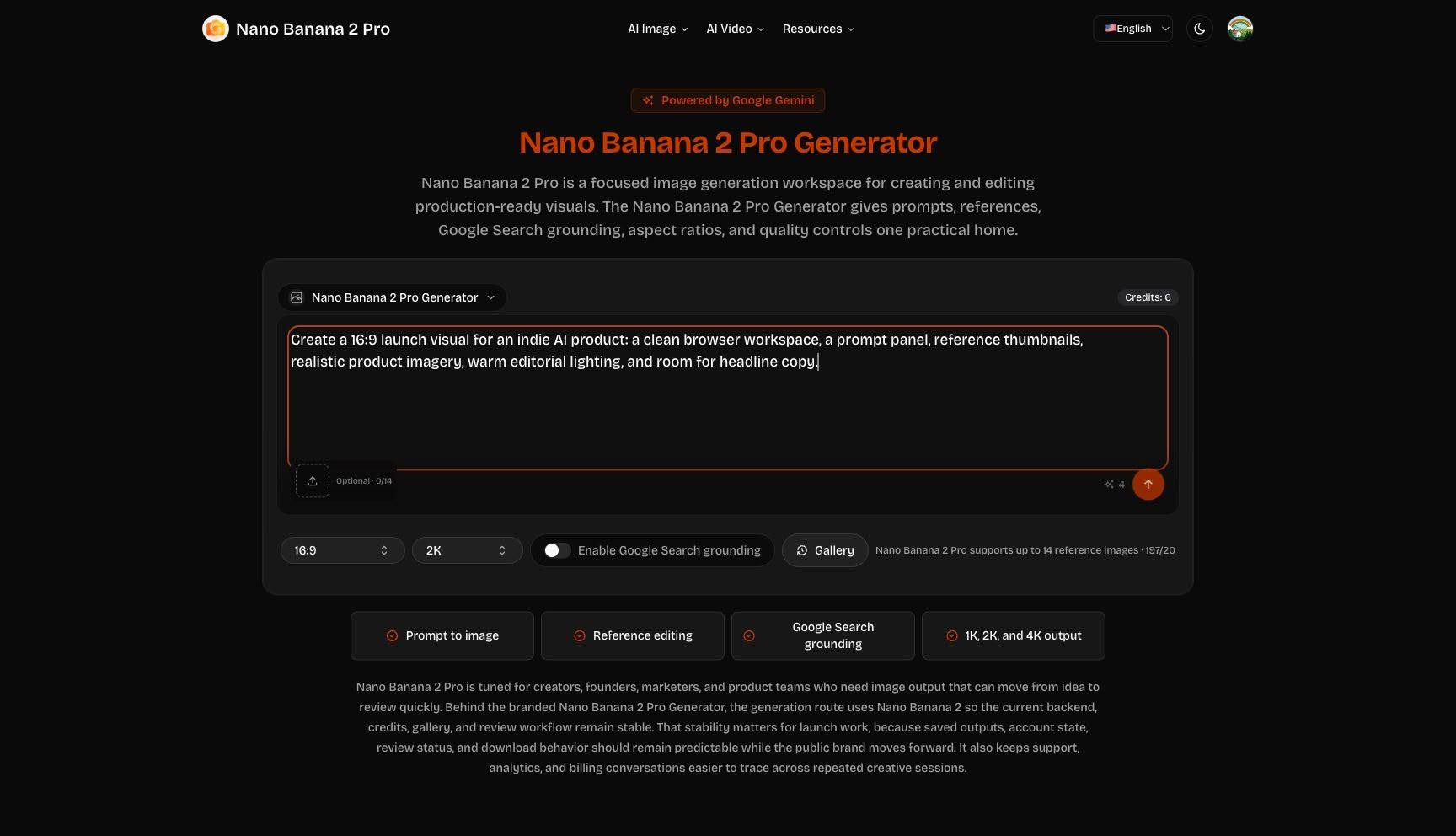
The logged-in generator view shows credits, prompt input, quality controls, and grounding in one panel.
I opened the product in Chrome using an existing logged-in session. The useful detail was that the homepage did not hide the tool behind a long sales page. The generator sat in the first viewport, with the page promise directly above it: prompts, reference images, Google Search grounding, aspect ratios, and 1K, 2K, or 4K quality choices in one place.

The review angle is about a real production workflow, not only model novelty.
First Impression of the Generator
The first thing I noticed was how compact the interface is. The prompt box is large enough for a proper creative brief, but the controls stay close: aspect ratio, quality, Google Search grounding, reference image count, and Gallery access. In my Chrome session the account showed Credits: 6, and the default 2K setting displayed a visible cost indicator of 4.
The interface keeps prompt writing and production decisions close together.
That credit visibility matters. A team can explore at lower quality, move to 2K for review, and reserve 4K for final assets instead of spending blindly. The page also states that the Nano Banana 2 Pro Generator supports up to 14 reference images, which is useful when a visual needs to preserve subject shape, mood, material detail, or layout direction.
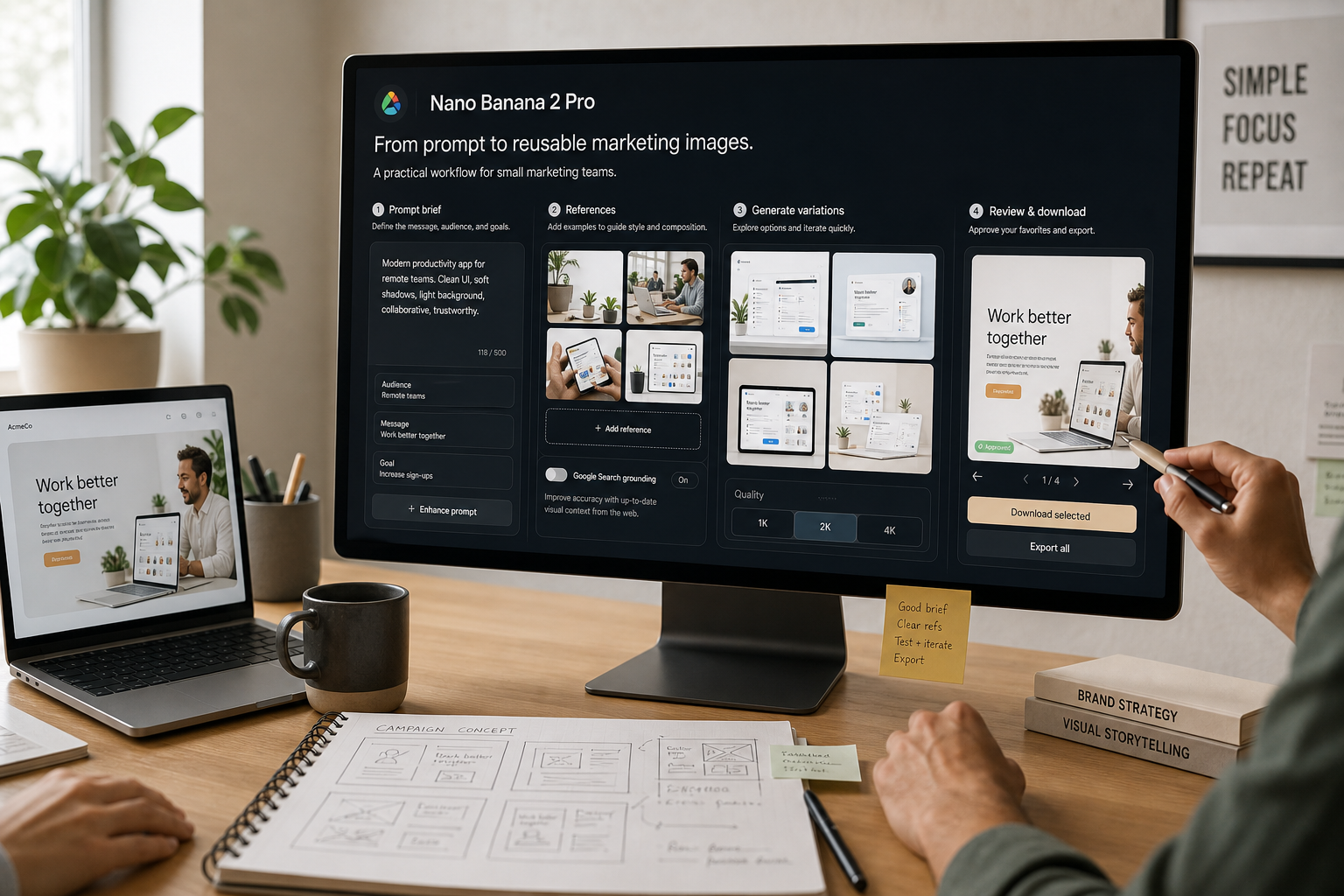
Reference-led editing is the strongest fit for teams that need controlled outputs.
What I Could Verify
For the test, I entered a realistic marketing prompt: a 16:9 launch visual for an indie AI product with a clean browser workspace, prompt panel, reference thumbnails, warm editorial lighting, and room for headline copy. I stopped before clicking Generate because the action would have consumed credits, and this review task did not include explicit approval to spend them.
The local reference upload attempt was blocked by Chrome extension permissions, so the article does not claim an uploaded reference result.
I also tried to attach a local reference image through Chrome. That step was blocked by the browser extension file-access permission, so I would not claim that I completed a reference-image generation in this run. What I can verify is the logged-in state, credit display, prompt entry, 16:9 and 2K defaults, Google Search grounding control, and the enabled generation flow after prompt input.
The strongest verified evidence is the logged-in generator state and its visible production controls.
The Prompt Tool Adds a Second Workflow
The related Nano Banana Pro Prompt Generator gives the product another angle. It is not positioned as the final image generator. It is a prompt-planning layer where a user can enter an image topic, add up to three references, choose an image technique, and select a prompt model before moving into generation.
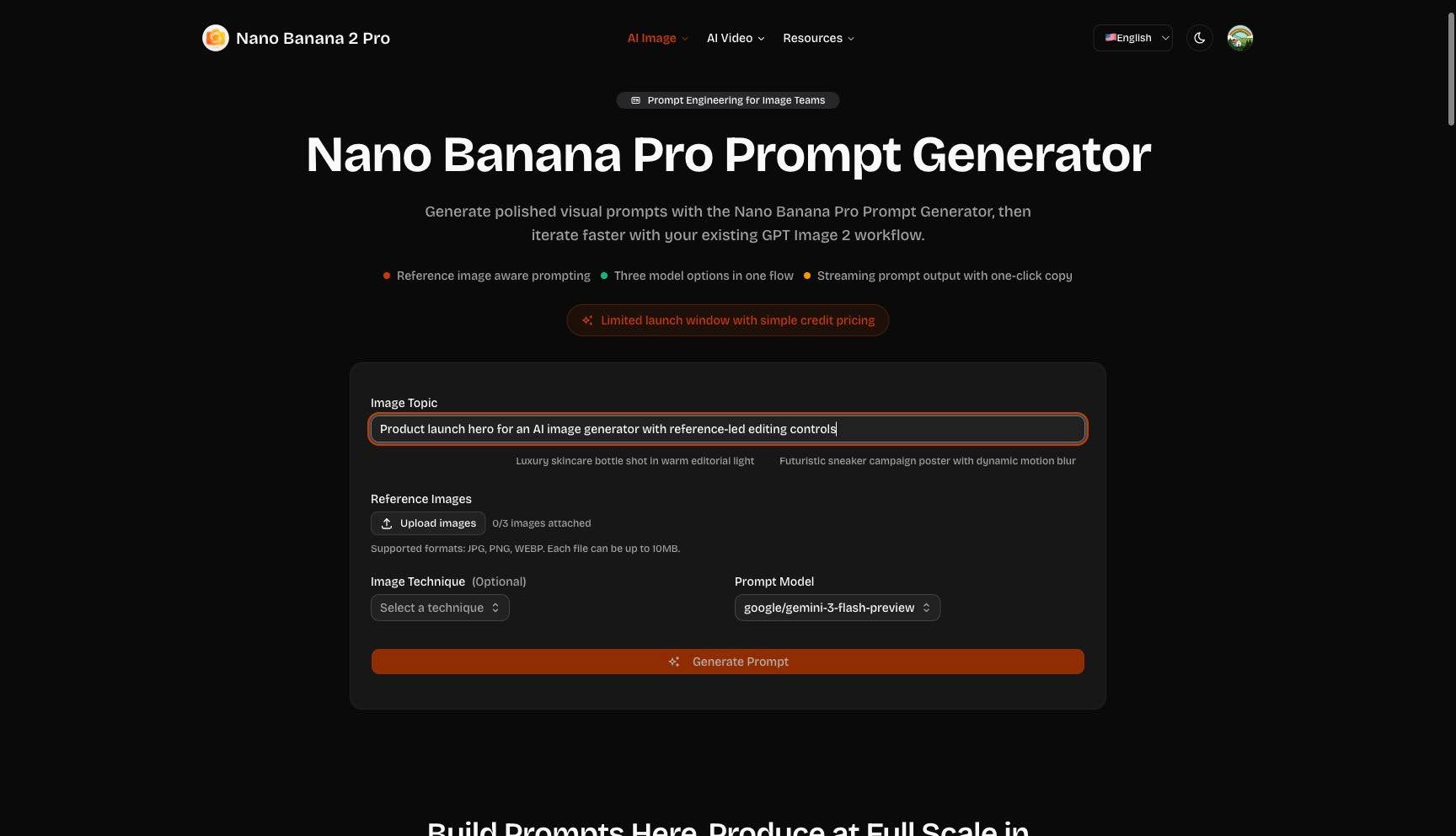
The prompt generator separates creative direction from downstream image production.
I filled the topic field with a product-launch image concept and confirmed that the page exposed model selection. The visible default model was google/gemini-3-flash-preview, and the page describes model options for different prompt behaviors. This is a practical addition for teams that want reusable prompt language before spending credits on final image output.
Prompt planning is especially useful when multiple people review the creative brief.
Best-Fit Users
Nano Banana 2 Pro makes the most sense for people who already know what job the image needs to do. A founder might need launch visuals. A marketer might need campaign variants. A content team might need article covers and social images. A product team might need a visual explainer grounded in current context.
The best use case is repeatable visual production, not one-off novelty art.
The product is less about typing a vague phrase and hoping for a surprise. Its interface encourages a brief: audience, channel, subject, references, grounding, quality, and review. That structure is what makes it interesting for publishing workflows, where images need to support a page, article, ad, or product announcement rather than simply look impressive.
The generator-first layout helps users move from brief to action quickly.
Where It Fits in a Content Stack
The most practical role for Nano Banana 2 Pro is not replacing a designer or marketer. It is reducing the empty-page stage that slows down visual production. A content team can turn a campaign brief into several usable directions, compare the results, then hand the strongest option to a human reviewer for copy fit, brand consistency, and final placement. That makes the tool more valuable as part of an editorial stack than as a standalone novelty generator.
The product fits best when visual ideas need to move from rough brief to review quickly.
It also gives smaller teams a clearer way to separate creative direction from final publishing decisions. One person can prepare prompts, another can review grounded context, and a third can decide whether the image is ready for a blog, newsletter, social post, or product page. That handoff is easier when the tool keeps the prompt, references, quality level, and credit cost visible instead of spreading the work across separate utilities.
A shared workspace helps teams discuss image direction before committing to final use.
What I Would Still Verify
Before using Nano Banana 2 Pro for a client deliverable, I would run a full generation with approved credit use, download the output, and compare 1K, 2K, and 4K quality for the same brief. I would also test reference-heavy editing after enabling Chrome file access, because reference behavior is one of the product’s most important promises.
The review stays honest about the step that was blocked during testing.
Verdict
Nano Banana 2 Pro presents image generation as a controlled workflow: write the brief, add references when needed, decide whether grounding matters, choose quality, and review the result. My Chrome session verified the product surface, account state, and prompt workflow, while credit spending and reference-output quality remain the next tests. For teams that care about repeatable visuals, that is a promising starting point.
The product is strongest when treated as a repeatable production workspace.