
Zens Opens Zapier Handoffs On Business Workspaces

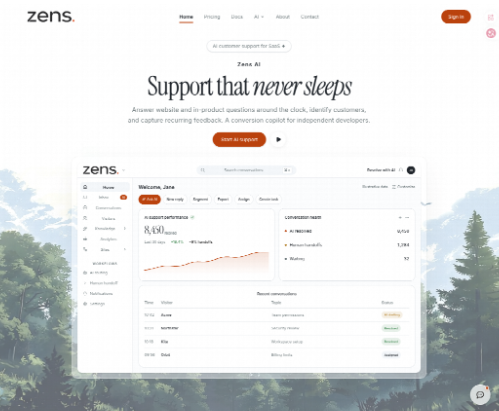
Night operators still paste a handoff into a channel and hope the next person finds the thread. Zens is publishing a Zapier integration that can notify a desk when a customer asks for a person, open a task from structured feedback, send an approved reply, or add reviewed copy to the knowledge base.
The old paste is the failure, not the missing bot. A signing secret used to verify browser identity ends up in a Zap field. A customer-facing sentence leaves without an approval step. The conversation ID never travels, so the morning agent reconstructs the case from memory. The first-release note is a Business API key with a site scope and a permission list, not another inbox tab.
Paste Handoffs Mix Secrets With Customer Text
A 2 a.m. visitor asks for a human. Someone copies the last three lines into Slack, then copies a backend string into a “connection” note so the night Zap can keep running. By breakfast the channel has a half story and a secret that should never have left the product server. Legal hold starts from that mix, not from a missing model.
Designers usually see the miss when the first export looks fine until a reviewer opens the Zap and could not defend a signing secret sitting next to a customer sentence. That single miss would never clear a security review that asks where identity signatures live. The paste felt faster. The rework is a same-day cycle of rotating secrets and apologizing for a reply nobody approved.
Older live-chat stacks treat automation as “send everything to the channel.” The channel then becomes a second, worse inbox. The launch is aimed at that leak.
Channel Pings Lose Conversation IDs Overnight
The second failure is thinner and more common. The ping says “customer wants a person.” It does not say which conversation, which site, or whether the thread is already in pending human handoff. The morning agent opens the wrong record, asks the customer to start over, and loses an hour that should have gone to the account that can convert.
Product feedback dies the same way. A bug and a pricing objection travel as one Slack paragraph. Engineering gets a title with no source conversation. The feedback record, if it ever existed, stays behind in the support tool. Sent back to support, the first version of the ticket is already unreadable.
A Zap that cannot carry the conversation ID and the subject is a notification, not a handoff. The public integration is useful only if those two fields survive the hop. A morning agent who still has to search by visitor name has already paid the old reconstruction tax, just with a prettier ping.
Business API Keys Replace Signing Secrets
The Zapier wire on Zens AI uses a Business API key. Credentials stay separate from the account password and can be limited to selected sites and permissions. The signing secret that verifies browser identities stays in the product backend. It does not belong in Zapier. Mixing those two strings is the install error the first-release note is written to stop.
Before anyone opens the Zap editor, the workspace has to be on the Business plan, a site has to exist, and the operator needs permission to manage API keys. The selected site also needs a real or test conversation so a trigger can return a record during setup. A key created for a site with an empty inbox will fail the test for a boring reason, then tempt someone to broaden a production key “just to see a sample.” That broaden is the leak.
Settings API Keys Shows The Value Once
The create path is named. Sign in, open Settings > API Keys, select Create API key, give it a recognizable name such as Zapier, choose all sites or only the sites the Zaps will touch, grant the minimum permissions, then copy the full value when it appears.
The full key is shown once. The workspace cannot reveal it later. If it is lost, revoke it and make a replacement. The first-release note also bans the usual hiding places: source code, screenshots, chat messages, and public environment files. A key that has already been pasted into a group thread is already rotated, even if the Zap still “works.”
Write Permission Includes Read For The Same Resource
The published permission map is the operating table. A reviewer should be able to read it without inventing a second grant.
| Zapier feature | Required permission |
| Connect the account and load sites | Sites: read |
| New Conversation trigger | Conversations: read |
| New Product Feedback trigger | Conversations: read |
| Send Reply action | Conversations: write |
| Create Product Feedback action | Conversations: write |
| Create Knowledge Item action | AI Settings: write |
Write includes read for the same resource. A read-only Zap can fire both triggers without permission to send replies or change knowledge. Separate keys when different teams need different boundaries. If a site is missing from the dropdown, create a correctly scoped key. Do not widen an unrelated production key only to make a test pass.
Triggers Separate Alerts From Product Feedback
New Conversation polls for new customer threads on the selected site. It returns the conversation ID, visitor identity when it exists, subject, status, source, priority, handoff state, and timestamps. That is the alert object. Use it to notify a channel, open a task, or start triage.
New Product Feedback polls for feedback the workspace already produced from customer evidence. It returns type, title, summary, status, source conversation, visitor details, locale, generation method, and timestamps. That is the routing object for product and engineering. Mixing those two triggers into one “something happened” Zap is how a pricing objection becomes a fake outage ticket.
In the Zap editor, the app is chosen, a trigger or action is selected, Sign in is used, and the API key is pasted into the API Key field. A small profile endpoint validates the key and loads the available sites. A successful connection label shows the account name and email. The key itself is not returned by the test. Select the correct site before testing the step. The dropdown respects the key scope.
Filter Pending Human Handoff Before The Ping
The recommended urgent path is narrow. Start with New Conversation, filter for pending_human_handoff = true, then notify the correct support channel. Include the conversation ID and the subject so the next agent can open the record without a scavenger hunt.
That filter is the difference between a night channel that screams on every new visitor and a night channel that only wakes a person when a person was requested. If the filter is missing, the Zap recreates the old paste pile with better formatting. QA would never clear a paging rule that fires on every anonymous homepage question.
Customer Facing Actions Need An Approval Step
Send Reply writes a text reply to a selected or mapped conversation and returns the new message ID. The public guide treats this as a customer-facing action: review the generated text, keep secrets out, and put an approval step on sensitive queues. A workflow should never send passwords, card data, private keys, or unsupported promises to a customer.
Create Product Feedback turns an existing conversation into structured feedback and keeps the customer evidence linked to the source conversation. Later Zap steps can then open a task with the feedback title and summary, preserve the feedback and conversation IDs, and assign a human owner before development starts. Zens AI is offering that packet so engineering does not start from a Slack paragraph again.
Knowledge Items Stay Reviewed Before Create
Create Knowledge Item adds a title and Markdown or plain-text content to the selected site. Only reviewed, durable information should go through that action. Unverified customer messages should not be promoted into the knowledge base automatically. A wrong help article then teaches every later draft the same invented rule.
The product-feedback loop in the announcement starts with New Product Feedback, splits bugs and suggestions, then creates an issue in the task system. Preserve the IDs. Assign an owner. If those two fields drop, the Zap is a headline generator.
Where Zapier Automation Still Needs A Person
Every selected site needs the Business plan. Polling through Zapier is not instant, so a production run may wait for the next interval. A read-only key cannot send replies. An approval step still has to sit in front of Send Reply. Those four lines are the launch boundary, not a later add-on.
Keep The Key Narrow After Connect
Zens AI is publicly shipping the Zapier app for Business workspaces that already have an owner for keys and an owner for customer-facing text. Use it if night handoffs need a conversation ID and a filter, and if product feedback should leave support as a record instead of a paragraph. Skip it if the desk is not on Business, if nobody will review Send Reply, or if the only “automation” plan is to paste a signing secret into the API Key field.
An invalid or disabled key message means the string is incomplete, revoked, expired, or copied wrong. A permission message means the key lacks a resource, the site is outside scope, or the account role cannot perform the operation. If a trigger returns no test records, create a recognizable test conversation or feedback item and test again. Do not “fix” an empty test by widening the key.
Rotate Access By Reconnecting Then Revoking
To stop the integration, turn off the affected Zaps and revoke the key under Settings > API Keys. Revocation blocks future API requests. It does not delete Zap history, conversations, feedback, or knowledge. To rotate, create a new narrowly scoped key, reconnect each Zap, test the steps, and revoke the old key only after every Zap uses the replacement.
Account help can go to the contact page or [email protected]. Do not put keys or customer secrets in that mail. The widget can stay. The key should stay boring, named, and replaceable.
Zens AI is available now with that Business Zapier door on the public docs. The first useful proof is a New Conversation Zap that only fires on pending_human_handoff and still carries the conversation ID into the morning channel.







Comment