By Ted Politidis, Head of SEO at ergoseo.com
After more than 18 years working with WordPress, Linux servers, databases, and website performance, I have seen the same mistake repeated over and over: people blame the page builder. Elementor gets blamed. WordPress gets blamed. The caching plugin gets blamed. Then another plugin is installed to fix the problem. That usually makes the situation worse.
The page builder is often only exposing weaknesses that already exist somewhere else in the stack.
Page Builders Are Usually Not the Real Problem
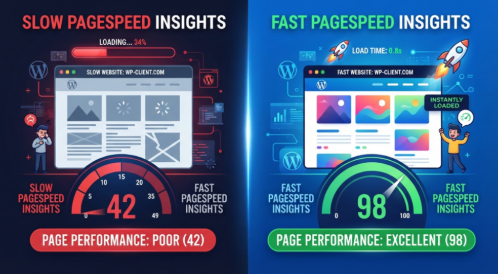
I have worked on many Elementor websites that were sitting around 57% in Google PageSpeed Insights and looked, on paper, like they needed to be rebuilt. In many cases, they did not. After working through the server, PHP, database, WordPress backend, assets, and frontend delivery, I have taken some of those same sites as high as 97% without replacing Elementor or destroying the existing design.
That distinction matters. If the same website can move from a mediocre score to an excellent one while keeping its page builder and functionality, then the page builder was clearly not the root problem.
The real work starts underneath WordPress.
The Caching Plugin Trap
Why Stacking Performance Plugins Makes Things Worse
One of the most common mistakes I see is treating every performance problem as a plugin problem. A site becomes slow, so another caching plugin is installed. Then an optimization plugin is added for CSS. Another one handles JavaScript. Another compresses images. Another cleans the database. A CDN is added on top.
Eventually the site has WP Rocket, LiteSpeed Cache, Autoptimize, Asset CleanUp, Perfmatters, FlyingPress, image optimization tools, CDN integrations, and several other systems all trying to influence the same requests.
That is not optimization. That is overlapping control.
These tools can duplicate work, create conflicts, increase CPU and memory usage, alter caching behaviour, and make troubleshooting almost impossible. I have written more about why blindly adding performance tools rarely fixes the underlying problem: improving speed.
When something breaks, you then have to figure out which plugin changed what.
Every Plugin Should Justify Its Existence
My approach is much simpler. Every plugin has to earn its place.
If a plugin provides functionality that the website genuinely needs, keep it. If it solves a problem efficiently, keep it. But if the same problem can be solved properly at the server level, there is usually no reason to make WordPress process another plugin on every request.
I would rather have a small number of well-configured components than a collection of performance plugins fighting each other.
Performance is not about how many optimization features you can switch on. It is about removing unnecessary work.
Real Performance Starts Before the Browser
What Actually Controls Page Speed
The browser is the last part of the chain. By the time a visitor sees a page, a large amount of work has already happened.
The web server, operating system, PHP configuration, PHP workers, MySQL or MariaDB database, object caching, filesystem, compression, HTTP headers, DNS response time, TLS negotiation, WordPress itself, plugins, theme code, and page assets can all affect the final result.
If the foundation is poorly configured, frontend tricks only hide part of the problem. When the foundation is healthy, Elementor and other page builders have a much better environment in which to operate.
That is why I do not start by blindly minifying everything.
The Database Is Where Many Hidden Problems Live
A WordPress database can accumulate years of unnecessary data: expired transients, orphaned metadata, revisions, abandoned plugin tables, bloated options, excessive autoloaded data, fragmented tables, and inefficient queries.
The important point is that database problems happen before the browser starts downloading the page. If WordPress spends too long querying a bloated database, the visitor is already waiting before CSS, JavaScript, fonts, or images even become relevant.
I have seen database cleanup and query optimization produce improvements that no frontend optimization plugin could have delivered.
A fast frontend sitting on top of a slow database is still a slow website.
Server and PHP Configuration Matter Just as Much
The same applies to the server. Incorrect PHP settings, insufficient memory, badly configured PHP workers, excessive CPU consumption, inefficient process management, outdated database settings, filesystem problems, and poor web-server configuration can all introduce bottlenecks.
These are not problems that another WordPress cache plugin can magically solve.
They require understanding what is happening on the Linux server, how Apache or LiteSpeed is handling requests, how PHP is executing WordPress, how the database is responding, and where resources are actually being consumed.
This is one reason generic page-speed advice often falls short. You cannot fix a server-side bottleneck from a checklist that never looks at the server.
How I Optimize Elementor Without Destroying the Website
Remove Unnecessary Assets
Identify the Bloat, Not the Builder
Elementor loads CSS, JavaScript, fonts, icons, layout information, and other assets. That is expected. A modern page builder has to deliver functionality.
The problem starts when the website is loaded with unnecessary widgets, Elementor addons, third-party scripts, multiple font families, oversized images, poorly written plugins, tracking code, and assets that are loaded on pages where they are not needed.
Every unnecessary request creates more work for the server and the browser.
My job is not to remove functionality simply because it exists. I identify what is actually being used and what is wasting resources.
I evaluate stylesheets, JavaScript files, external requests, fonts, plugins, widgets, database activity, and other assets individually. If something contributes real value, it stays. If it provides little value while adding significant processing or loading cost, I look for a lighter solution or remove it.
That is a much better approach than turning optimization settings on at random and hoping the score improves.
Images Are Still One of the Biggest Offenders
Images remain one of the easiest ways to make a website unnecessarily heavy. Uploading a huge image straight from a camera or graphic-design application and expecting WordPress to sort everything out later is not a performance strategy.
Images should be resized to the dimensions actually required, compressed intelligently, served in appropriate modern formats, and lazy-loaded where appropriate.
The objective is not to make every image microscopic. It is to deliver the visual quality the visitor needs without transferring unnecessary data.
Good image optimization works with Elementor. It does not require removing Elementor.
Core Web Vitals Changed What Website Speed Really Means
Website speed is no longer adequately described by a single loading-time number. Google measures several aspects of the real user experience, including Largest Contentful Paint, Interaction to Next Paint, Cumulative Layout Shift, and server response time such as Time to First Byte.
These metrics tell you different things. A page can have a respectable overall PageSpeed score and still feel slow when the server takes too long to respond. It can also load quickly but shift around while rendering, creating a poor experience.
That is why I focus on the underlying cause rather than chasing a number in a testing tool. A high score is useful, but it is not the objective by itself.
The objective is a website that generates pages quickly, responds quickly, renders cleanly, and remains stable under real usage.
Why Frontend Tweaks Alone Will Never Be Enough
Fix the Foundation Before the Frontend
Frontend optimization has its place. Minifying CSS, deferring JavaScript, reducing render-blocking resources, delaying non-critical scripts, and optimizing asset delivery can all help.
But there is a limit to what frontend optimization can accomplish.
If the database is slow, the server is overloaded, PHP is badly configured, or WordPress is doing unnecessary work on every request, delaying a JavaScript file is not going to fix the underlying problem.
TTFB is a good example. When the server takes too long to generate the initial response, the browser cannot optimize its way out of that delay. This is also where generic AI-generated advice can become useless: without the site’s actual server, database, PHP, request, and performance data, there is no way to diagnose the real bottleneck with confidence.
You need evidence from the system itself.
Measure What Visitors Actually Experience
My Website Performance Process, Step by Step
I start behind the scenes, not with cosmetic frontend changes.
First, I look at the operating system and server environment. Then I examine the web server, PHP configuration, database performance, memory usage, CPU behaviour, caching, filesystem, and WordPress backend.
After that, I identify unnecessary plugins, database activity, scripts, stylesheets, fonts, third-party requests, and other assets. Only then do I move into the frontend layer and make targeted changes.
The sequence matters. If you optimize the frontend first, you can end up polishing the visible symptoms while leaving the actual bottleneck untouched.
I use performance testing as evidence, not as a target to manipulate. If a change improves the score but makes the real website slower or less stable, it is not an improvement.
The goal is a faster system from end to end.
Why Website Speed Is an SEO Investment — Not a Vanity Metric
A high PageSpeed score looks good in a report. I understand why people like seeing a number move from 57% to 97%. But that is not the most important result.
What matters is faster page generation, lower server load, better Core Web Vitals, faster interaction, fewer layout problems, and a smoother experience for real visitors.
User experience matters to SEO because search engines are trying to send people to pages that work well. A site that is slow, unstable, or frustrating can lose users before the content has a chance to do its job.
That is why I treat performance as part of technical SEO rather than as a separate cosmetic exercise.
The PageSpeed number is a useful diagnostic signal. It is not the business objective.
Final Thoughts
Fast websites are not created by installing more optimization plugins and activating every checkbox available.
They are built by understanding the entire stack and removing unnecessary work at each layer.
WordPress, Elementor, PHP, the database, Linux, the web server, caching, images, JavaScript, CSS, DNS, and third-party services all form part of the same system. A problem in one layer can affect everything above it.
When those layers are properly configured, page builders can perform extremely well. I have seen websites that initially looked like they needed a complete rebuild become fast, stable, and responsive without throwing away their design or functionality.
That is the difference between applying performance settings and actually engineering website performance.
About the Author
Ted Politidis is a technical SEO expert and Head of SEO at ergoseo.com. He has more than 18 years of hands-on experience with WordPress, Linux servers, databases, technical SEO, and website performance. His work focuses on improving website speed, organic visibility, and the revenue generated from organic traffic.