If you spend a lot of time watching videos on YouTube, you probably know how frustrating it can be when you want to watch something later but don’t have internet access. Maybe you’re going on a long flight, heading somewhere with poor connection, or just want to save your mobile data. That’s where video downloading tools come in handy, and VidMate has become one of the most popular choices for millions of users worldwide.
What Makes VidMate Special?
VidMate isn’t just another YouTube downloader app. It’s actually a complete media downloading solution that goes beyond just YouTube. While many people use it primarily for grabbing their favorite YouTube content, this tool supports downloading from multiple platforms including Instagram, Facebook, Twitter, and WhatsApp. This versatility makes it stand out from other downloading tools that only focus on one platform.
The best part about using this YouTube downloader app is how straightforward everything is. You don’t need to be tech-savvy or follow complicated instructions. The interface is designed with regular users in mind, making the whole process simple from start to finish.
How Does VidMate Work?
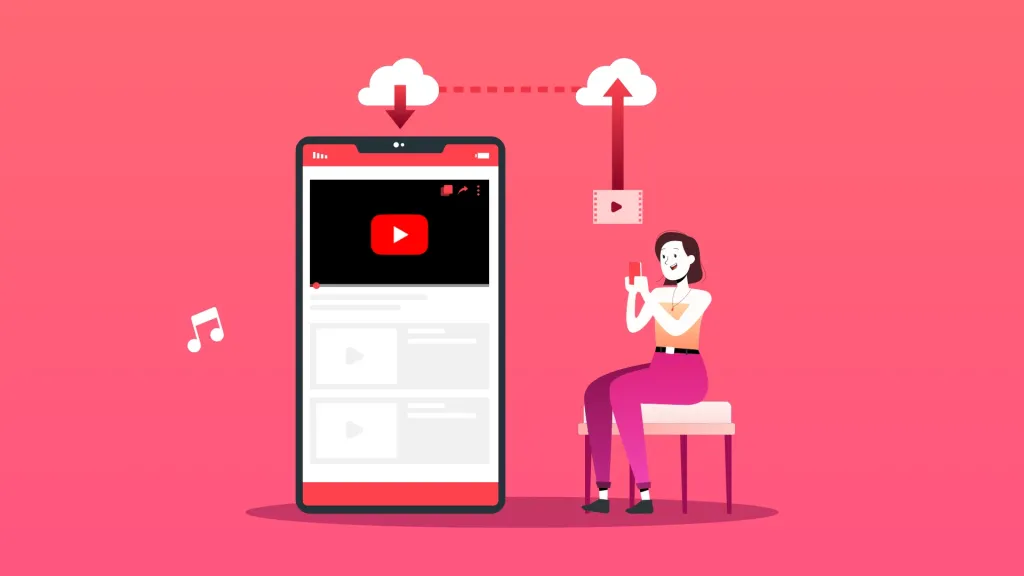
Using VidMate is surprisingly easy. The process is almost identical whether you’re using the web version or the Android application. First, you find the video you want to download on YouTube or any other supported platform. Then you copy the video link from your browser. After that, you paste this link into VidMate, choose your preferred quality and format, and hit download. Within minutes, the video is saved to your device and ready to watch whenever you want.
What makes this online YouTube downloader particularly useful is that it gives you control over the quality of your downloads. You can choose from various resolution options depending on your needs and available storage space. If you’re downloading something to watch on a small screen, a lower resolution might be perfectly fine. But if you want the best viewing experience on a tablet or want to keep the video for a long time, you can go for higher quality options like 720p or even 1080p.
Why People Choose VidMate Over Other Options
There are dozens of downloading tools available on the internet, so why has VidMate become so popular? Several reasons actually. First, it’s completely free to use. You don’t need to pay for subscriptions or deal with hidden fees. Second, it doesn’t bombard you with annoying ads every few seconds like some other tools do. While there might be some advertisements, they’re not intrusive enough to ruin your experience.
Another major advantage of this online YouTube downloader is the speed. Nobody wants to wait forever for a video to download. VidMate uses efficient downloading technology that gets your videos saved quickly without compromising quality. Whether you’re downloading a short music video or a longer documentary, the process remains fast and reliable.
The app also supports batch downloading, which means you can queue up multiple videos to download one after another. This feature is incredibly useful when you want to download several episodes of a show or multiple songs from your favorite artist. Just add them all to your download list and let VidMate handle the rest.
Using VidMate as a YouTube Downloader App
When you download VidMate as an Android application, you get some additional benefits compared to just using the web version. The YouTube downloader app integrates smoothly with your phone’s system, making it even easier to share links directly from YouTube to VidMate. You don’t have to manually copy and paste links every time.
The app version also allows you to organize your downloaded content better. You can create folders, rename files, and manage your media library all within the application. This organizational feature becomes really helpful when you’ve downloaded lots of videos and want to keep everything neat and accessible.
Safety and Reliability Considerations
Whenever you’re downloading something from the internet, it’s natural to worry about safety. Is the file safe? Will it harm your device? With VidMate, you can feel more confident because it’s been used by millions of people worldwide. However, like with any downloading tool, you should only download content that you have the right to download. Respect copyright laws and creator rights.
The tool itself doesn’t add anything harmful to the videos you download. What you get is the same video file that exists on the platform, just saved to your device. The YouTube downloader app acts as a bridge between the platform and your storage, nothing more.
Additional Features Worth Knowing
Beyond just downloading videos, VidMate offers some other interesting features. You can extract audio from videos, which is perfect when you just want the music or podcast content without the video file taking up space. The audio extraction feature works well and maintains good sound quality.
The platform also keeps getting updated with new features and improvements. The developers behind VidMate listen to user feedback and regularly release updates that fix bugs and add requested features. This ongoing development means the tool keeps getting better over time.
Getting Started with VidMate
Ready to try it out? Getting started with this online youtube downloader is simple. You can visit the official website to access the web-based version or download the Android app directly. The official website is https://youtdownloader.com/ where you’ll find all the information you need, including download links and user guides.
Whether you choose to use the web version or install the youtube downloader app on your Android device, you’ll find that the experience is smooth and user-friendly. Both versions work great, so it really comes down to personal preference and how you plan to use the tool.
Final Thoughts
In today’s world where we consume so much video content, having a reliable way to download and save videos for offline viewing has become essential. VidMate provides exactly that solution in a simple, effective package. It’s free, it’s fast, and it works with multiple platforms beyond just YouTube. Whether you need it occasionally or use it regularly, this tool delivers consistent results without complications.