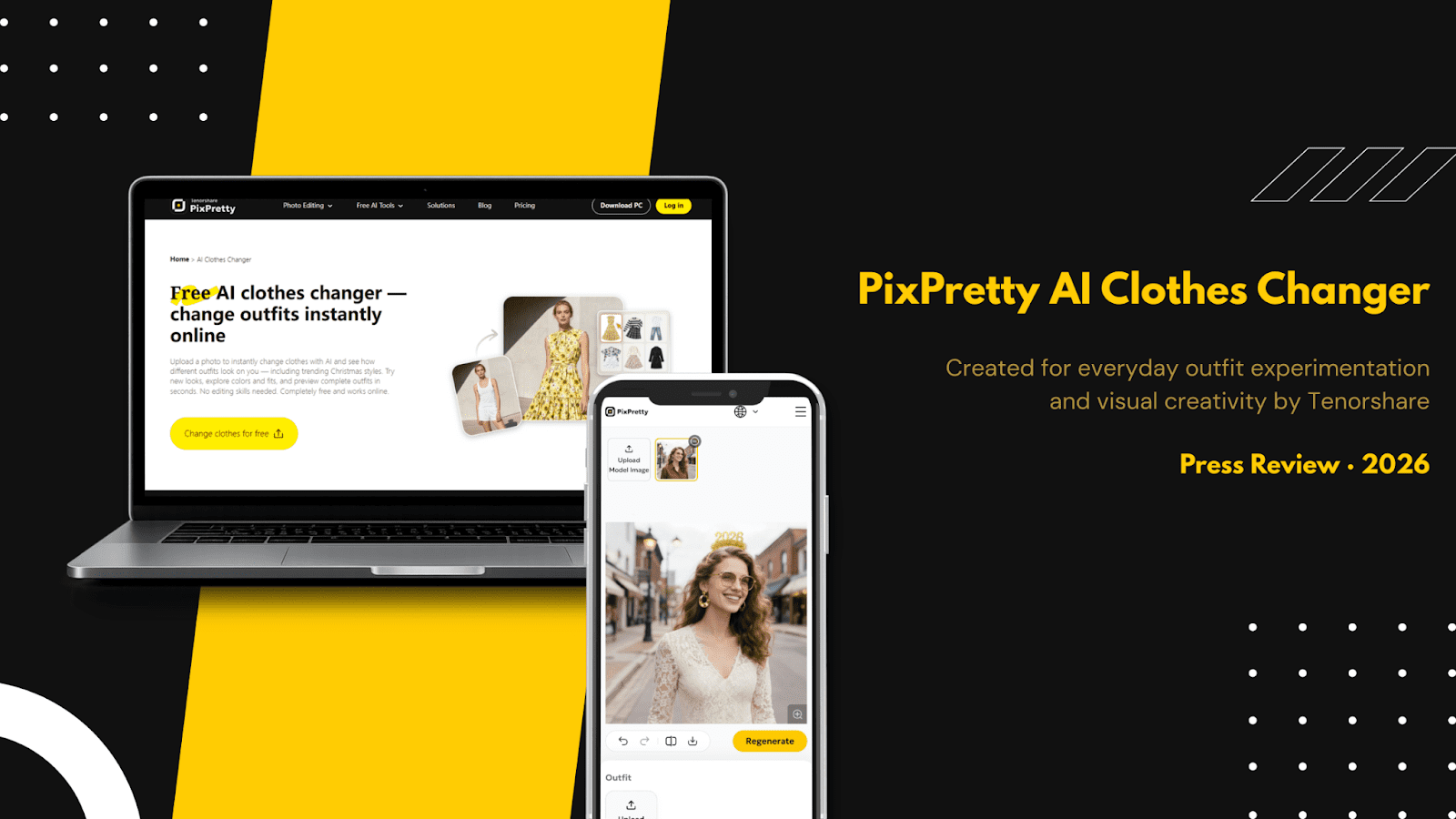
Changing clothes in photos should be easy, but many AI clothes changer tools make it frustrating. Results often look unrealistic, and some clothes swap tools are too complicated to use. At the same time, e-commerce stores and social media creators need quick ways to show different outfits without expensive photoshoots.
This is why this review is written. This is an honest review that covers how PixPretty AI Clothes Changer functions, what problems it was designed to help fix, and whether it really will provide a simple, easy, and natural way for you to change the look of an outfit.
Let’s get into it.
Our Verdict: Is PixPretty AI Clothes Changer Good?
Yes, PixPretty is a beginner-friendly AI Clothes Changer that supports both PC and phone browser. If you’re looking for a change clothes photo editor online free that’s easy to use, Tenorshare PixPretty is worth trying. While still evolving, it excels at creating natural, realistic color matching clothes, delivering results that outperform most online photo editors in visual accuracy and usability.
About the Brand: Tenorshare
Tenorshare is a trusted software development company with over 10 years of experience, has a new focus on Creative AI. As the creator of Tenorshare PixPretty, Tenorshare focuses on delivering simple, practical AI tools that help users create high-quality visual content without complex workflows or technical skills.
Pros
- Very easy to use, even for first-time users
- Produces natural-looking outfit changes
- Strong handling of outfit fit and color blending
- No downloads required, works directly online
- Ideal for quick fashion previews and visual experiments
Cons
- Still adding new features as the tool evolves
- Limited advanced manual editing controls
Part 1: What is PixPretty AI Clothes Changer
PixPretty AI Clothes Changer is an online clothes changer AI tool that uses artificial intelligence to help you try on new outfits without any complicated editing skills. At its core, this platform acts like a virtual wardrobe, you upload a photo of yourself and instantly see how different outfits look on you in seconds.
Key Features
- Realistic Try-On: PixPretty delivers highly realistic virtual try-on results by accurately mapping fabric texture, lighting, and body shape, so outfits look naturally worn.
- Instant Outfit Change: With just an image upload, the AI clothes changer automatically swaps outfits in seconds—no manual editing or complex tools required.
- Mix & Match Clothing: As an AI outfit generator, PixPretty lets users mix tops, bottoms, and full styles to explore new looks effortlessly.
Part 2: How we test PixPretty AI Clothes Changer
To understand how well PixPretty AI Clothes Changer actually performs, we tested it across three key areas that matter most to real users: workflow, style consistency, and final output quality.
1. User Workflow
Testing Process:
We uploaded a clear portrait photo and applied outfits using default settings, with no manual edits involved.
Testing Results:
The process was smooth and beginner-friendly. From upload to final result, the entire AI clothes swap took less than a minute. Even first-time users can easily understand what to do without needing any instructions.
2. Style Consistency
Testing Process:
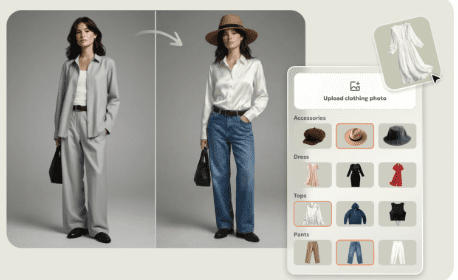
Next, we applied multiple outfit changes to the same image to check if body shape, pose, and facial details stayed consistent. We also tested more complex changes, including a saree convert to dress scenario.
Testing Results:
PixPretty handled consistency well. The face, posture, and proportions remained stable across different outfits, which is something many AI tools struggle with. The changes looked natural instead of distorted or mismatched.
3. Output Quality
Testing Process:
We examined the final images closely, focusing on fabric edges, color blending, and overall realism. Special attention was given to how well the outfit merged with the original photo.
Testing Results:
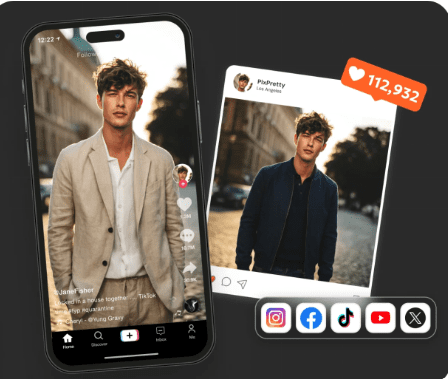
The output quality was clean and visually convincing. Clothes blended smoothly with the body, shadows looked natural, and there were minimal visual errors. The final images were suitable for social media use and online previews.
Part 3: User Review
Here’s what users and media say about PixPretty AI Clothes Changer:
- Emma R., Fashion Blogger:
“I love how realistic the outfits look. I can try multiple combinations in minutes without Photoshop. Perfect for social media content creation.” - TechRadar (Media Review):
“PixPretty AI Clothes Changer is intuitive and fast. It’s a standout among AI wardrobe tools thanks to its accurate fit and color blending.” - Liam S., Online Retailer:
“We used PixPretty to show different product styles for customers. The images look professional and save us a lot of photo-shoot time.”
Part 4: Best For
PixPretty AI Clothes Changer is especially useful for:
- E-commerce
Retailers and online stores can use this custom outfit generator AI to automatically create multiple outfit previews without expensive photoshoots, helping customers visualize different styles and clothes combination options - Social Media
Influencers, fashion creators, and casual users who want eye-catching content can quickly generate fresh looks and clothes combinations that stand out, all with minimal editing skills.
PixPretty AI Clothes Changer makes it easy to switch outfits quickly with realistic fit and color blending, no equipment or editing skills required. Ideal for e-commerce product displays and social media fashion content, it helps users try clothes combinations online efficiently. As an evolving AI tool, PixPretty shows strong potential for consistent, high-quality visual results in 2026.
Part 5: FAQ
- What is a clothing swap?
A clothing swap is an AI-powered clothing replacement technology that digitally changes outfits in photos, creating realistic virtual try-on results without physical outfit changes.
- How can I remove color from white clothes?
PixPretty offers color removal and adjustment tools that easily desaturate garments and apply white templates while preserving natural shadows and textures.
- Can AI change my clothes in a picture?
Yes. AI outfit changer tools like PixPretty allow users to swap clothes, generate new outfit styles, and create professional visuals for fashion previews, social media, and e-commerce.