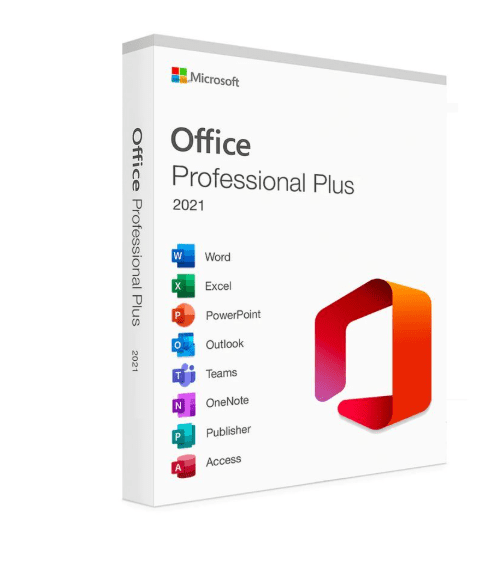
Microsoft Office 2021 Professional Plus has been one of the most popular productivity suites for years — and for good reason. It offers everything you need to stay productive in today’s world, whether you’re working from home, studying, or running a business. What makes it even better? Unlike cloud-based subscription models, you only need to pay once for a lifetime license. You don’t have to worry about monthly or yearly subscription costs!
Many people continue to use this version even today because it is reliable, feature-rich, and easy to use. Let’s dive into the specifics of why Microsoft Office 2021 Professional Plus is an excellent choice for anyone who values affordable, no-strings-attached software.
Why Choose Microsoft Office 2021 Professional Plus?
Microsoft Office 2021 Professional Plus is an all-in-one solution for all your productivity needs. Here’s why it stands out:
- One-Time Payment, Lifetime Access: You purchase it once, and it’s yours forever. There are no subscription fees, no hidden costs — just a one-time payment for lifetime use.
- Offline Functionality: Unlike cloud-based software that requires an internet connection, Office 2021 Professional Plus works fully offline. This is perfect for people in areas with limited internet access or for those who simply prefer not to rely on the cloud.
- Comprehensive Tools: This version includes all the major applications you need for work, school, or personal projects — Microsoft Word, Excel, PowerPoint, Outlook, Publisher, OneNote, and more. These tools are all optimized for fast, efficient, and professional use.
- Complete Control: With Office 2021 Professional Plus, you have complete control over your documents, data, and projects. There are no ongoing updates or changes that might affect your workflow, giving you stability and peace of mind.
Key Applications in Microsoft Office 2021 Professional Plus
Let’s take a look at the core tools you’ll receive with Microsoft Office 2021 Professional Plus, and how each can help you stay productive and efficient:
1. Microsoft Word
- Perfect for: Writing, editing, and formatting documents, from reports to essays and professional letters.
- Practical Use: If you are a student, professional, or someone working from home, Word allows you to create anything from simple documents to complex reports. Its intuitive features and templates ensure your documents are well-organized, properly formatted, and polished.
2. Microsoft Excel
- Perfect for: Managing data, budgeting, tracking expenses, and analyzing trends.
- Practical Use: Whether you’re keeping track of your monthly expenses or analyzing large sets of business data, Excel is the go-to tool for organizing and interpreting information. Its powerful formulas, charts, and graphing capabilities make data handling easier than ever.
3. Microsoft PowerPoint
- Perfect for: Creating presentations, slideshows, and visuals for meetings or reports.
- Practical Use: Need to present an idea, pitch a business proposal, or deliver a school presentation? PowerPoint has all the tools you need to create stunning slides with easy-to-use templates, animations, and transition effects that will keep your audience engaged.
4. Microsoft Outlook
- Perfect for: Managing emails, calendars, and tasks in one place.
- Practical Use: Outlook is more than just an email client. It’s a powerful tool for organizing your schedule, setting reminders, and managing your contacts. Whether for personal or professional communication, Outlook makes it easy to stay on top of your day.
5. Microsoft Access
- Perfect for: Managing databases and large sets of information.
- Practical Use: If you need to store and organize large amounts of data — such as customer information, product inventories, or project details — Access helps you do this with ease. It allows for database design, creating forms, reports, and running queries to analyze data effectively.
6. Microsoft Publisher
- Perfect for: Designing flyers, brochures, newsletters, and other marketing materials.
- Practical Use: Publisher makes it easy for small business owners, marketers, or event planners to create professional-looking printed materials. Even if you don’t have graphic design experience, you’ll be able to create beautiful and polished materials for any need.
7. Microsoft OneNote
- Perfect for: Taking notes, organizing ideas, and planning tasks.
- Practical Use: OneNote is a digital notebook that helps you organize your thoughts, notes, and to-do lists. Whether you’re in class, on a meeting, or brainstorming, it’s a handy tool to store everything in one place and keep it synced across your devices.
8. Microsoft Teams
- Perfect for: Collaborating with others through chats, video meetings, and file sharing.
- Practical Use: Teams are ideal for remote work and team collaboration. It allows you to chat, hold video conferences, share files, and collaborate on documents — all in real-time. If you’re managing a project with a team, Teams will streamline communication and help you stay connected.
Practical Scenarios: Who Benefits from Microsoft Office 2021 Professional Plus?
Here’s a practical breakdown of how Microsoft Office 2021 Professional Plus fits different types of users:
- Students: Office 2021 Professional Plus is ideal for students who need to write papers, create presentations, and organize their schedules. With Word, Excel, PowerPoint, and OneNote, all your academic needs are covered. Plus, you don’t need a constant internet connection, so you can work offline during study sessions.
- Small Business Owners: Whether you need to create invoices, manage data, or design marketing materials, Office 2021 Professional Plus has all the tools you need. No subscription fees mean predictable costs, which is great for businesses on a budget.
- Freelancers: For freelancers who need to create professional documents, presentations, and track their time and budget, Office 2021 Professional Plus is a cost-effective solution. You’ll get all the tools you need to handle administrative tasks and client projects efficiently.
- Home Users: Office 2021 Professional Plus makes managing personal projects, creating household budgets, and organizing your schedule easy. No more worrying about monthly subscriptions or cloud storage limitations. It’s the perfect productivity suite for your home office or personal use.
Microsoft Office 365 Family vs Office 2021 Professional Plus: A Quick Comparison
When comparing Microsoft 365 Family and Office 2021 Professional Plus, the most significant difference comes down to subscription vs. one-time purchase:
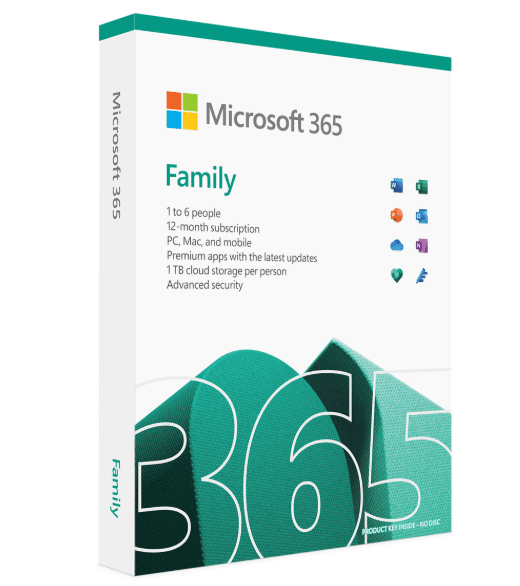
- Microsoft 365 Family: This is a subscription service that offers cloud storage, regular updates, and access to the latest features and tools. It’s perfect for users who want continuous updates, cloud access, and flexibility to use the software on multiple devices. However, you’ll need to pay monthly or annually.
- Microsoft Office 2021 Professional Plus: This is a one-time purchase that gives you lifetime access to the software. It’s ideal for users who prefer working offline, want to avoid recurring fees, and don’t need the cloud features or frequent updates provided by the subscription service. It’s a great solution for long-term use without the worry of ongoing costs.
Final Thoughts: Why Office 2021 Professional Plus is the Best Choice
Microsoft Office 2021 Professional Plus is the perfect productivity suite for those who value stability, offline access, and no recurring costs. It’s ideal for students, professionals, freelancers, and home users who want powerful tools that won’t break the bank with constant payments. Whether you’re writing a paper, managing a business, or creating marketing materials, Office 2021 Professional Plus has everything you need for efficiency, organization, and productivity.