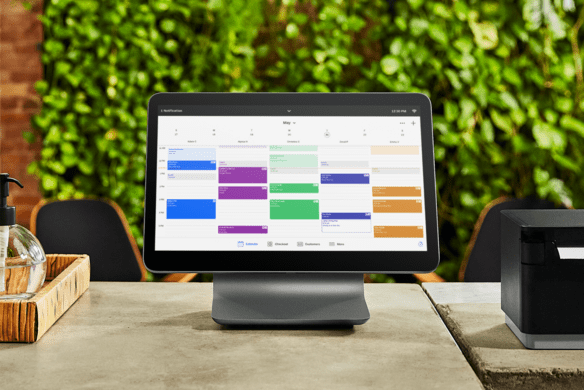
Managing class schedules manually might work when you are just starting out, but it quickly becomes overwhelming as your business grows. Missed bookings, scheduling conflicts, and constant back-and-forth communication can create unnecessary friction for both you and your clients. The right booking system does more than organize your calendar. It helps streamline operations, improve customer experience, and reduce administrative workload.
Many business owners begin searching for class booking software after hitting a point where manual processes are no longer sustainable. The challenge is not finding options, but choosing the right one. With so many platforms available, it is easy to get distracted by features that sound impressive but do not actually solve your day-to-day problems.
Start With Your Actual Needs, Not Features
Before comparing tools, it is important to understand what your business truly requires. A yoga studio, martial arts school, and personal training facility may all use booking software, but their needs can differ significantly.
Ask yourself:
How many classes do you run each day Do you offer private sessions also to group classes Do clients need to book recurring sessions Will you need waitlists or capacity limits Do you manage many instructors or locations
Defining your needs upfront prevents you from choosing a system that is either too basic or unnecessarily complex.
Ease of Use Matters More Than You Think
A booking system should simplify your workflow, not add another layer of frustration. If the platform is difficult to navigate, it will slow down your staff and confuse your clients.
The best systems are intuitive from both sides. Clients should be able to book a class in a few clicks without needing instructions. On the backend, you should be able to update schedules, view bookings, and manage clients quickly.
A common mistake is choosing software based on features alone without testing usability. A system with fewer features that is easy to use often outperforms a complex one that no one fully understands.
Look for Automation That Saves Time
One of the biggest advantages of booking software is automation. Without it, you are still doing most of the work manually.
Key automation features to look for include:
Automatic booking confirmations Reminder notifications to reduce no-shows Waitlist management that fills open spots automatically Recurring booking options for regular clients
These small automations can significantly reduce administrative tasks and improve attendance consistency.
Payment Integration Is Not Optional
Separating booking and payment systems creates unnecessary friction. Clients prefer a seamless experience where they can book and pay in one place.
A good booking platform should allow you to:
Accept payments during booking Offer packages or memberships Store payment methods securely Track payment history
Businesses that integrate payments into their booking system often see higher conversion rates because the process is faster and more convenient.
Consider the Client Experience
It is easy to focus on backend features, but the client experience is as important. If booking a class feels complicated, potential customers may abandon the process altogether.
Think about how your clients interact with the system:
Can they book from their phone easily Do they receive clear confirmations and reminders Can they cancel or reschedule without hassle
A smooth experience builds trust and encourages repeat bookings. Even small frustrations can impact retention over time.
Scalability Should Be Part of the Decision
What works for your business today may not work six months from now. Choosing software that can grow with you prevents the need for disruptive changes later.
If you plan to expand, consider whether the system can handle:
Multiple locations More instructors Higher booking volume Additional services or class types
Switching systems later can be time-consuming and may result in lost data or confusion for clients. It is better to choose a scalable solution from the start.
Reporting and Insights Help You Improve
Good booking software does more than manage schedules. It provides insights into how your business is performing.
Look for systems that offer reports on:
Class attendance trends, Peak booking times, Client retention rates, Revenue breakdowns
These insights help you make informed decisions, such as adjusting class times or identifying which services are most popular.
Customer Support Can Make or Break the Experience
Even the best software can have issues. When that happens, responsive customer support becomes critical.
Before choosing a platform, consider:
How easy it is to contact support Whether they offer live chat, email, or phone help How quickly they respond to issues
Reliable support can save you hours of frustration and prevent disruptions to your business.
Avoid Overcomplicating the Decision
With so many options available, it is easy to overanalyze every detail. The goal is not to find the perfect system, but the one that fits your workflow and solves your biggest challenges.
Focus on:
Ease of use Essential features Reliable performance Good customer support
Everything else is secondary.
Conclusion
Choosing the right class booking software is not just about managing appointments. It is about creating a smoother experience for both your business and your clients. The right system reduces administrative work, improves organization, and helps you operate more efficiently.
By focusing on your actual needs, prioritizing usability, and selecting a platform that supports growth, you can make a decision that benefits your business long-term. A well-chosen system does not just keep things organized. It creates consistency, which is one of the most valuable assets any service-based business can have.