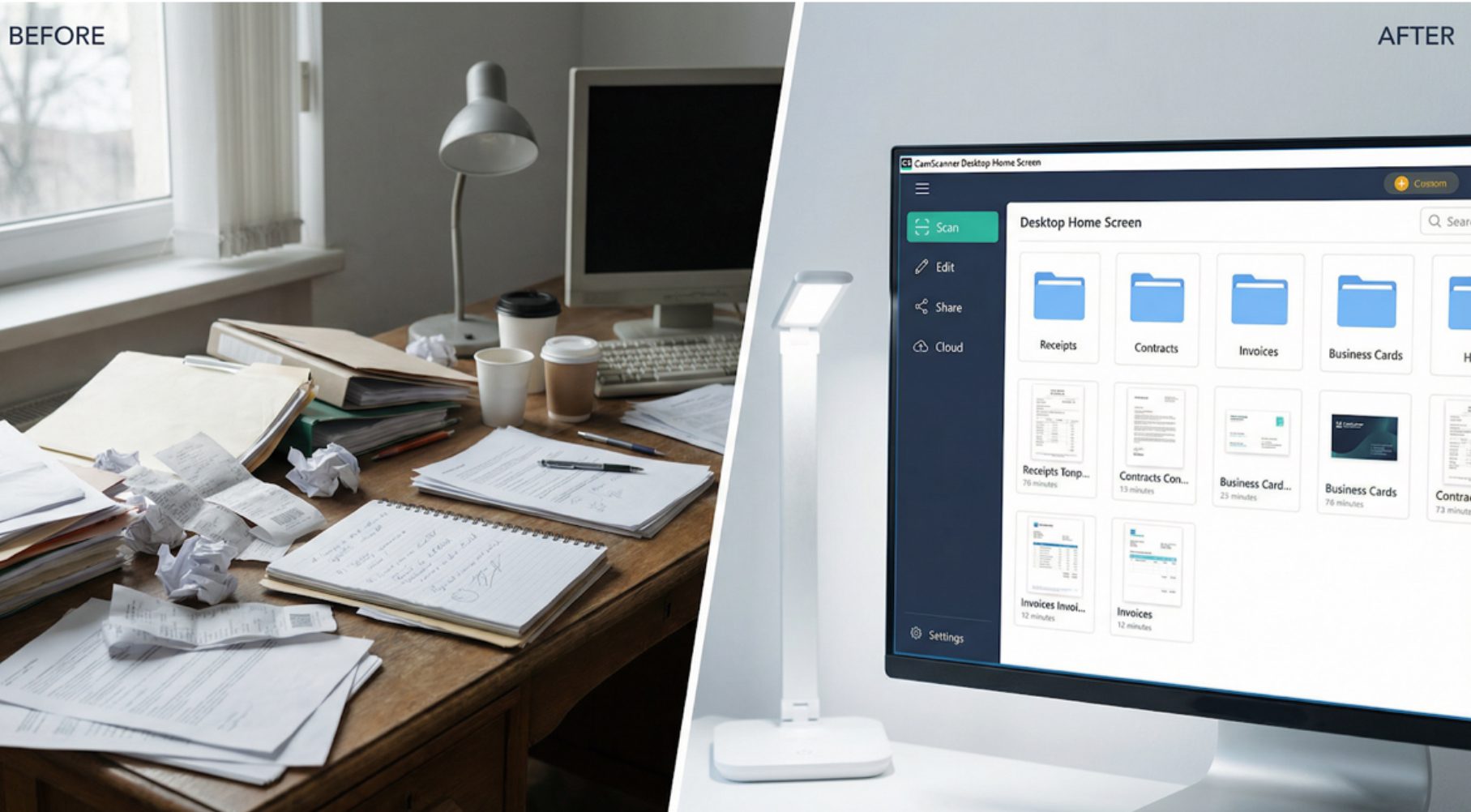
A new year represents a fresh start, and for both students and professionals, that begins with a clear digital environment. In 2026, the tradition of tidying up physical desks has evolved into a need for structured digital workspaces. In the United States, January is the time to embrace “Clean Up Your Computer Month.” The goal is simple: eliminate digital clutter from the past year and boost your professional focus for 2026.
CamScanner has evolved from a mobile scanning app into a comprehensive document management ecosystem. It provides the essential tools needed to transform scattered paper notes and chaotic file lists into a high-performance digital library on your desktop.
National Clean Up Your Computer Month
January is officially recognized as National Clean Up Your Computer Month. This movement encourages users to delete redundant files, optimize folders, and streamline digital workflows. For those overwhelmed by unsorted PDFs and blurry document photos, CamScanner provides a seamless bridge from a cluttered physical desktop to a structured digital archive.

Streamlined Centralization: Your Desktop “Command Center”
One of the biggest sources of digital stress is “document fragmentation”—having files scattered across apps, emails, and devices. CamScanner solves this with its Desktop Home Screen, which serves as a centralized hub for all your digitized content.
By capturing notes or contracts with your mobile device, every document is automatically synced to your PC or Mac. Instead of toggling between devices, you can view your entire library in a single interface. This centralization allows you to categorize files into dedicated “2026 Project” or “Semester 2” folders, making retrieval fast and effortless.
While mobile scanning is ideal for capturing documents on the go, real document work often happens on a larger screen. CamScanner Desktop version extends organization into full document control, enabling users to open, annotate, convert, reorganize, merge, split, and finalize PDFs and Office files, positioning CamScanner Desktop as a professional offline document editor rather than just a storage tool.
With keyboard and mouse precision, users can review long reports more efficiently, adjust page order, add comments, or prepare finalized files for submission or archiving. This transforms CamScanner Desktop from a storage tool into a practical workspace for daily document handling.

Enhanced Productivity: Turning Scans into Actionable Files
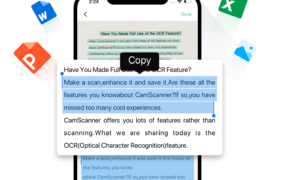
Organizing your workspace isn’t just about moving files—it’s about making them usable. Many users have “dead” PDF scans that cannot be edited. CamScanner’s OCR (Optical Character Recognition) technology transforms these static images into editable, searchable formats.
On the CamScanner Desktop version, you can:
- Extract Text: Instantly convert lecture notes or printed reports into editable Word formats.
- Optimize Quality: Use advanced filters to make old, faded scans look presentation-ready.
- Data Conversion: Export financial tables directly into Excel, minimizing time spent on manual data entry.
Another key advantage of CamScanner Desktop is offline usability. Even during network interruptions or unstable connections, users can continue working with locally saved documents. PDFs and Office files, including Word and Excel documents, can still be opened, reviewed, annotated, reorganized, or finalized offline without disrupting ongoing tasks.
Once the connection is restored, updates sync automatically. This offline readiness turns downtime into usable work time rather than lost productivity, especially for users managing reports, academic materials, or internal documents across different formats.
Collaborative Efficiency: Batch Management and Secure Sharing
A clean digital workspace also improves how you work with others. For group projects or 2026 business initiatives, CamScanner Desktop offers advanced tools to keep your shared files as organized as your personal ones:
- Bulk Processing: Merge, rename, or re-categorize dozens of documents at once to save hours of manual work.
- Secure Links: Share folders via password-protected links with custom expiration dates, ensuring your 2026 project data remains under your control.
💡 Pro-Tips for a Cleaner 2026 Workspace:
- The 24-Hour Rule: Scan and file any new paper document within 24 hours to prevent “paper debt.”
- Standardize Naming: Use a YYYY-MM-DD_FileName format in CamScanner for perfect chronological sorting.
- Quarterly Audits: Use the CamScanner Desktop batch-delete feature to clear out temporary drafts every three months.
Conclusion: Build a More Orderly Digital Future
Taking the time to organize your digital files in January sets a standard for productivity that lasts the entire year. By combining mobile scanning with the systematic power of a desktop document workspace, CamScanner helps you eliminate digital clutter and focus on what matters most. Start 2026 with a clear screen and a clear mind.
Frequently Asked Questions (FAQ)
- How does CamScanner help with “Clean Up Your Computer Month”?
CamScanner centralizes your paper and digital documents into a single desktop library. By digitizing paper clutter and using the desktop app to categorize files, you can significantly reduce the number of unsorted icons on your computer.
- Can I access my CamScanner mobile scans on the desktop home screen?
Yes. When you sign in to the same CamScanner account on both your mobile device and desktop, your scanned documents can be accessed from CamScanner Desktop. Files scanned on mobile will be available after syncing, allowing you to manage and organize them on your computer.
- Does CamScanner Desktop support batch editing and organization for large numbers of files?
Absolutely. CamScanner Desktop allows users to merge PDFs, reorganize pages, and batch-manage documents on a desktop interface, making large-scale document editing and organization more efficient.
- How does the CamScanner OCR feature improve my digital workspace?
OCR turns images of text into searchable and editable content. This means you can search for keywords across all your documents, making it easier to locate information without manually checking each file.
- Is it safe to share organized project folders through CamScanner?
Yes. CamScanner follows international security standards, including ISO 27001. You can also set passwords and expiration dates for shared links to ensure your 2026 project data remains secure.