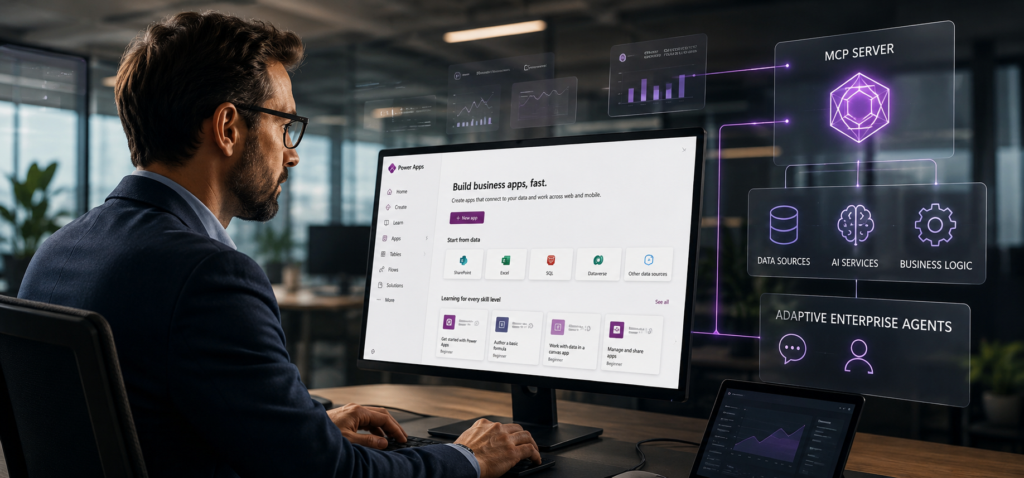
Most enterprises have been struggling to build smarter models, especially to connect those models to the systems where business actually happens. Before 2027 wraps, 40% of agentic AI projects will be scrapped, and the reasons are high implementation costs, value nobody can quite point to, and risk controls too thin to hold.
With Power Apps MCP Server, enterprises can ensure strict organizational governance while software agents operate in the background without human intervention.
It exposes Power Apps model-driven application capabilities. Configured through Microsoft Copilot Studio, it acts as a standard layer where AI agents read, write, and act on enterprise data, and a human still gets to sign off.
Power Apps MCP Server helps reduce bottlenecks such as models not reaching the data, workflows, and the systems where real work actually gets done.
In this guide, you will get a breakdown of what the Power Apps MCP Server is, how it works, how it differs from the Dataverse MCP Server, and where it delivers the biggest impact in real enterprise AI deployments.
What is the Power Apps MCP Server?
Power Apps MCP Server is an open-protocol tool server that standardizes how large language models interact with model-driven applications and the Microsoft Dataverse database. It opens up Power Apps capabilities, Microsoft Dataverse data, and connector actions to AI agents via a single shared protocol. It is reusable, so any compatible agent can call it.
The Model Context Protocol (MCP) is an open standard. Anthropic created it, and Microsoft, Google, and OpenAI all picked it up after, which tells you something about where this is heading. It sets the rules for how AI models reach outside data sources, tools, and workflows.
Before MCP, every agent-to-system connection got hand-wired from scratch, and it broke about as often as you would expect. With MCP, one shared contract does the job.
Apply the same approach to Power Platform, and you get the Power Apps MCP Server. App logic and data operations stop being features locked inside one app. They turn into callable tools that an agent can invoke directly.
Power Apps MCP Server Architecture:
Three architectural layers govern how the Power Apps MCP Server actually operates.
- The first is the action menu, or tool exposure layer. It takes existing business data, forms, and workflows sitting inside Dataverse and packages them into discrete, callable tools that an AI agent can read and invoke. Think of it as a structured interface between your operational data and the model consuming it.
- The second is the AI operator, or agent consumption layer. This is the AI itself, whether Copilot Studio, Claude, or another large language model, reading the available tool menu, deciding which tool applies to the problem at hand, and executing the call. The model doesn’t interact with Dataverse directly. It works through what the menu exposes.
Those two layers describe the architecture that Microsoft ships inside the implementation, which includes three concrete tools, each carrying its own governance logic.
- The data entry assistant (invoke_data_entry) handles unstructured input. It reads documents, PDFs, images, and similar files, drafts a structured form from what it finds, and surfaces that draft to a human reviewer inside the agent feed before anything gets written to a record. No autonomous saves. Every output waits for a person.
- The handoff assistant (request_assistance) handles uncertainty. When the agent encounters a scenario outside its confidence boundary, it pauses, flags the situation to a human, and holds until it gets a response. It doesn’t guess forward. It stops and waits.
- The audit log (log_for_review) handles lower-risk execution. The agent completes the action autonomously but writes a passive audit trail that makes every output reviewable and reversible. Human oversight without human bottlenecks, for the tasks that warrant that tradeoff.
Why This Split Keeps Your Business Safe?
The magic of this architecture lies in how it handles automation compared to old-school software.
- Rule-based software is like a train on a track. It follows the rigid code blindly. If a document format changes by even a millimeter, the system breaks or inputs corrupt data.
- An MCP-driven agent can “think” and reason. It looks at messy, unpredictable real-world documents first, understands the context, and figures out what needs to be done.
To make this safe for an enterprise, the system enforces a strict division:
- The AI does the Reasoning (Thinking): It interprets the mess and proposes an action.
- The Power Apps platform handles the Execution (Doing): It enforces strict system permissions, security policies, and mandatory human sign-offs before any data is officially saved.
This clean separation means you get the flexible intelligence of a reasoning AI without giving it unchecked access to your corporate database. Incorporating this separation into your Power Apps MCP Server integration is a complex task. You need AI agent development services to fine-tune the architecture to meet business needs. It’s not just about creating a custom application or infrastructure but designing the entire implementation of Power Apps MCP Server to match specific operational needs.
Power Apps MCP Server vs. Dataverse MCP Server: Where Each One Actually Operates
Most people compare these two servers as if they’re rivals fighting for the same job. They aren’t. The Dataverse MCP Server works at the raw data and schema layer, talking directly to your database. The Power Apps MCP Server sits a level up, running business workflows and managing the handoffs between an agent and a human.
Both standardize how an AI agent reaches into your business systems. But they were built to work together, not to replace one another.
Side-by-Side Architectural Comparison
| Architectural Attribute | Dataverse MCP Server | Power Apps MCP Server |
|---|---|---|
| Release Status | Generally Available (GA) | Public Preview |
| Primary Focus | Direct database operations, schema discovery, and low-level queries. | High-level business process automation and human-agent collaboration. |
| Exposed Toolset | list_tables, describe_table, read_query, search_knowledge, and Prompt column execution. | invoke_data_entry, request_assistance, and log_for_review. |
| User Interface (UI) | None. Runs entirely in the background programmatically. | Embedded Agent Feed (Needs Attention / Completed tabs) inside model-driven apps. |
| Adaptability | Programmatic schema exploration for real-time awareness of database changes. | Active closed-loop learning that updates prompts based on human corrections via GEPA. |
1. Dataverse MCP Server: The Data and Schema Foundation
The Dataverse MCP Server is the direct line into your organization’s physical data model. Think of it as a thin, programmatic server. Its whole job is to help an LLM understand and query Dataverse without a human standing in the middle.
Here’s what it actually does. It lets agents ask questions in plain English and run real-time queries against Dataverse tables. It exposes metadata tools like list_tables and describe_table, so the agent can inspect your database structure on the fly and adapt as soon as you add a custom column or a new table.
And it pulls from Dataverse knowledge bases directly, so compliance documents, articles, and FAQs land inside the agent’s context window when they’re needed.
2. Power Apps MCP Server: The Process and Collaboration Layer
The Power Apps MCP Server is the thick one. It manages business logic and, more importantly, the moments where an agent needs to hand work to a person. It never runs actions inside a black box. Instead, it treats the model-driven app as a secure execution sandbox, a place where humans watch and validate what the agent does before anything becomes permanent.
That design shows up in three behaviors.
- Human Checkpoint- Through invoke_data_entry, the agent pulls structured data out of a file, say a PDF or a spreadsheet, but it never saves the record on its own. It builds a side-by-side comparison task in the Agent Feed and waits for a person to approve it.
- Risk Management- If the agent stalls, hits a data error, or runs out of authorization, it calls request_assistance. The run pauses in a waiting state. A human gets alerted in the feed. Execution only picks back up after that person responds.
- Self-Learning Agents- This server learns. When a user corrects a field on the data-entry review screen, that correction gets stored as structured memory and eventually folded into the agent’s core prompts through Genetic-Pareto (GEPA) optimization. The point is simple: the agent shouldn’t make the same mistake twice.
How the Power Apps MCP Server Works: From Trigger to Action
Five steps. That is the whole journey from a messy real-world event to a structured, reviewed Dataverse action. And nothing touches your records until it clears a checkpoint.
Here is the flow, end to end:
- An email lands in a shared mailbox, or a document hits SharePoint, or someone submits a form.
- The agent reads that unstructured input and reasons over it with the language model.
- The MCP Server turns the intent into a structured Dataverse operation, pulling the right fields into the right shape.
- Up pops the proposed record in the enhanced agent feed, sitting right next to the source, waiting for a human. It never writes itself.
- A reviewer approves, corrects, or overrides. Whatever they change gets captured.
That last step is the interesting one. The correction does not just vanish once the record is saved. It becomes memory.
Real-World Use Cases for the Power Apps MCP Server
The strongest use cases for the Power Apps MCP Server don’t live in innovation labs. They live in the operational gaps enterprises already know about and haven’t fixed. Three of them land cleanly on systems most enterprise technology teams have already paid for and are underusing.
Financial Services: Invoice and Purchase Order Processing
A vendor invoice hits a shared mailbox. That’s where the process usually stalls, waiting on someone to move it forward manually.
The MCP Server changes that motion. The agent extracts the vendor name, amount, GL code, and payment terms, then drafts a Dataverse record and surfaces it directly in the reviewer’s agent feed.
The finance team member approves it or corrects it. That correction gets retained. It generalizes forward to the next invoice, and the one after that, so the system sharpens without manual retraining.
The operational payoff is measurable: fewer data entry errors, a shorter accounts payable cycle, and a ledger that never once processed an unsupervised output. That last point matters more than the efficiency gain. Enterprises don’t need faster mistakes. They need a process that’s both faster and defensible.
Insurance: Claims Determination
A new claim arrives through a form submission or a SharePoint upload. The agent reaches into Dataverse, pulls the matching policy record and supporting documents, builds a coverage determination, and routes edge cases to a human adjuster through the agent feed.
Straightforward claims get logged. Ambiguous ones get a person.
What you’re left with is a faster claims cycle, determination logic that stays consistent across every file, and a clean audit trail of who decided what and when. In insurance, that last piece isn’t a feature.
It’s the difference between a defensible process and a regulatory liability. Most claims workflows don’t have that kind of traceability built in by default. This one does.
Logistics: Supply Chain Exception Handling
A shipment exception document drops into SharePoint. The agent maps it against a routing table in Dataverse, triggers a Power Automate escalation flow, and routes the proposed rerouting to an operations manager in the agent feed before anything physically moves.
Exceptions clear faster. The hours-eating work of manually cross-referencing exception documents against routing rules largely disappears.
The design principle here is worth noting. This workflow only delivers value when the Dataverse read, the Power Automate flow, and the human checkpoint run as one connected motion, not as three separate tools that a coordinator manually bridges. Enterprise teams that implement these as isolated components consistently underperform teams that wire the full sequence from the start.
The pattern across all three is the same. The agent handles the heavy lifting on unstructured input. The human retains authority over the outcome.
That’s not a compromise between automation and control. It’s how production-grade AI deployment is actually supposed to be engineered, which is exactly the kind of Power Apps development architecture that separates pilots from programs.
Conclusion
The edge doesn’t belong to enterprises that own the smartest model in current era. It belongs to whoever can get a governed, learning agent into production without dismantling the controls that make it trustworthy.
The Power Apps MCP Server addresses the three failure points that actually stall enterprise AI deployments: integration, governance, and organizational trust. Standard connectivity into existing enterprise data.
Policy-enforced access boundaries through Advanced Connector Policies. Human review baked into the agent feed before any output becomes a decision. And a closed-loop correction mechanism that compounds quietly, every time a reviewer pushes back on an output.
That last piece is worth sitting with. One team’s corrections don’t stay local. They raise accuracy across the organization. The system just gets sharper, automatically, in the direction the enterprise is already pointing it.
Model capability is rarely what stalls enterprise AI. Most organizations already have access to capable models. What they don’t have is a deployment architecture that satisfies legal, satisfies operations, and still moves fast enough to matter. That combination is harder to build than it looks, and it’s exactly what this integration is designed to deliver.
Author: Prashant Pujara
Prashant Pujara is the CEO of MultiQoS, a leading software development company, helping global businesses grow with unique and engaging services for their business. With over 15+ years of experience, he is revered for his instrumental vision and sole stewardship in nurturing high-performing business strategies and pioneering future-focused technology trajectories.