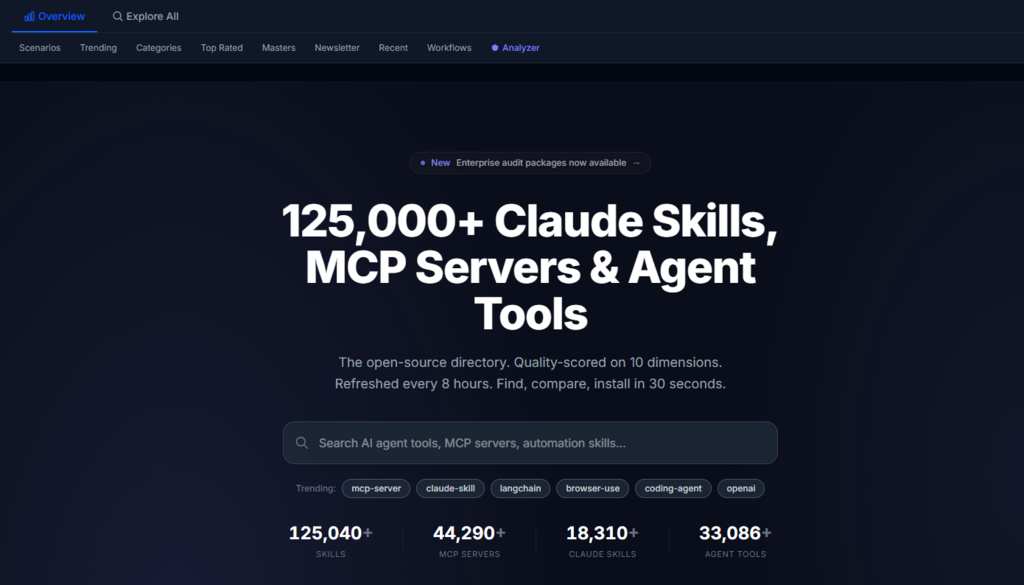
The numbers are sobering. Over 124,000 open-source AI agent tools exist across GitHub today, and the count grows every eight hours. For every tool that makes it into production, dozens are cloned, tested, abandoned, and forgotten. The waste is not just time—it is the collective engineering effort spent reinventing solutions that already exist, buried under a mountain of repositories. Agent The challenge has shifted from finding tools to filtering them. And filtering at scale requires a framework, not a gut feeling.
That framework needs to answer three questions consistently: Is this tool maintained? Is it documented well enough to use? Will it work in my specific agent environment? Answering those questions manually across dozens of candidates is unsustainable. The directory I have been using for the past month takes a different approach: it scores every repository across six quality dimensions and ten maintenance signals, then ranks them by composite score rather than popularity. The result is a shortlist that reflects production readiness, not social proof.
Why Popularity Is a Dangerous Proxy for Quality
Stars are the default filter for most developers. We sort by stars because we assume that many people cannot be wrong. But stars measure interest, not reliability. A project can go viral, accumulate thousands of stars, and then stall. The maintainer moves on, dependencies drift, and the codebase becomes increasingly difficult to use. Meanwhile, a lesser-known tool with fewer than 500 stars might have active commit history, clear documentation, and a responsive maintainer. The star count hides that reality.
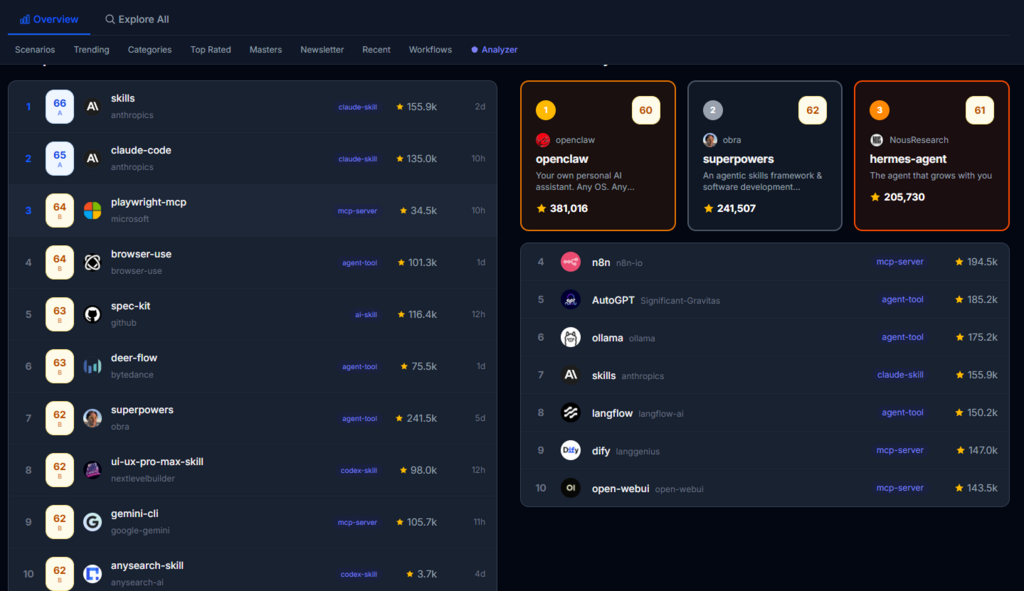
The directory’s scoring methodology exposes that reality. It evaluates completeness, clarity, specificity, examples, README structure, and agent readiness. Each dimension is weighted and combined with ten signals including commit frequency, issue resolution rate, documentation quality, and community engagement. The composite score from 0 to 100 is not a popularity contest. It is a maintenance health check. In my testing, tools scoring above 80 consistently had clean setup instructions, working examples, and recent commits. Tools below 50 often had broken links, vague descriptions, and unanswered issues.
A Four-Step Discovery Workflow That Replaces Intuition
The directory’s interface is designed to guide you through a systematic evaluation without requiring any registration or configuration. The workflow is simple but effective.
Browse by Category to Understand the Landscape
Seven Categories Organize the Ecosystem
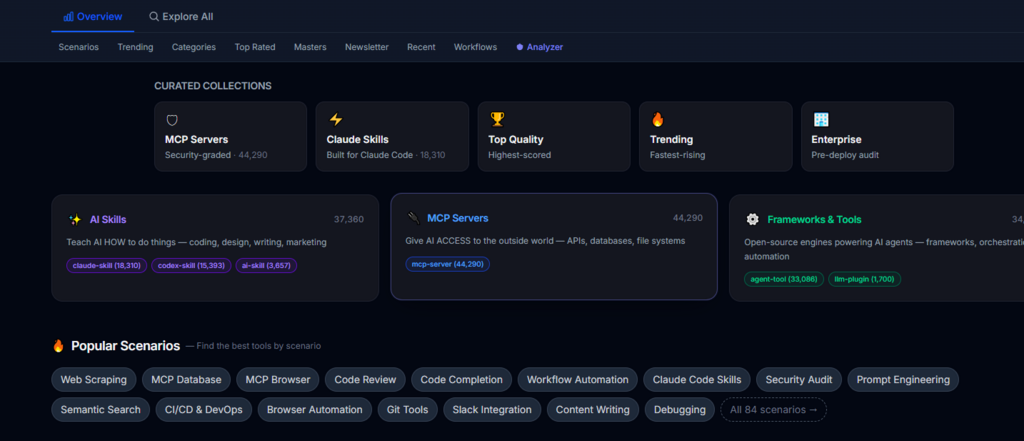
The directory divides tools into seven categories: MCP Server, Claude Skill, Codex Skill, Agent Tool, Prompt Library, AI Coding Assistant, and AI Tool. Each category page ranks tools by quality score, not stars. This immediately surfaces maintainable tools over popular ones. Language filters are available for each category, letting you narrow by Python, Rust, JavaScript, TypeScript, or Java.
Scenario Pages Match Workflows, Not Just Tool Types
Beyond categories, fifty-eight scenario pages rank tools by how well they address specific use cases like browser automation, code review, or database integration. These pages aggregate tools from multiple categories and rank them by a combination of quality score, stars, and community activity. This is the fastest way to find a tool for a specific job without knowing which category it belongs to.
Compare Shortlisted Tools Side by Side
The Comparison View Makes Tradeoffs Visible
Selecting multiple tools opens a side-by-side comparison that shows each tool’s quality score, documentation grade, update frequency, security rating, and platform compatibility. This is where the workflow saves the most time. Instead of switching between tabs, you see all relevant metrics in one view. In my evaluation of five MCP servers, this comparison eliminated two candidates within thirty seconds because their security grades were too low for our compliance requirements.
Run the Skill Analyzer for Security and Compatibility Checks
Security Grades and Platform Support Reduce Risk
The Skill Analyzer provides a security grade for each tool and lists compatible agent frameworks—Claude Code, Codex, Gemini CLI, Cursor, Kiro, OpenCode, Antigravity, and others. This information is critical for teams running multiple agent platforms. A tool that works flawlessly with Claude Code might fail with Codex. Knowing that upfront prevents hours of debugging.
Filter and Refine Based on Real Signals
Advanced Filters for Deeper Evaluation
The directory allows filtering by programming language, security grade, platform compatibility, and minimum quality score. This lets you set a threshold and only see tools that meet your baseline requirements. In practice, I set the minimum score to 70 and immediately reduced my candidate pool from dozens to a handful. That filter alone turned a day-long research task into a thirty-minute session.
Comparing Systematic Discovery vs. Ad-Hoc Searching
| Dimension | AgentSkillsHub | Manual GitHub Search |
| Initial Filtering | Quality score and six dimensions narrow the field | Stars and forks provide weak signal |
| Documentation Assessment | Structured README analysis across all tools | Subjective skim of one README at a time |
| Security Visibility | Security grade and platform compatibility shown upfront | Discovered after cloning and reviewing code |
| Update Awareness | Every eight hours, automated | Depends on when you last searched |
| Evaluation Time | Shortlist three tools in under 20 minutes | Evaluate three tools in 2–3 hours |
| Reproducibility | Scoring methodology is public and repeatable | No standard process, results vary by evaluator |
Where This Framework Has Limitations
The scoring is algorithmically derived, which means it can miss nuance. A tool with excellent code but poor documentation will score lower than it might deserve for a seasoned developer. Conversely, a tool with polished documentation but shallow functionality might score higher than its actual utility. The security grade is a useful signal but does not replace a proper internal security audit. And because the directory only indexes open-source repositories, you will not find commercial tools or internal proprietary solutions.
The data refreshes every eight hours, so new tools may take a few hours to appear. For most workflows, that latency is acceptable. For teams tracking bleeding-edge releases, it is worth noting.
When This Workflow Fits Your Team Best
This approach is most valuable for teams that evaluate tools regularly—whether for new projects, infrastructure upgrades, or research. The consistency of the scoring allows different team members to reach similar conclusions independently, reducing debate and speeding up decisions. It is equally useful for solo developers who want to avoid the rabbit hole of endless GitHub browsing.
The directory is maintained by a single independent researcher, Jason Zhu, with the source code available under MIT. The transparency of the methodology means you can verify the scoring logic, audit the data sources, and even run your own instance if needed. That openness builds trust in a way that proprietary rankings cannot.
The real benefit is not the scores themselves but the discipline they impose on the discovery process. When you have a repeatable framework, you stop guessing and start comparing. In an ecosystem where new tools emerge daily, that discipline is not a luxury—it is a competitive advantage.