
The Best Free Online Science Tools Every Chemistry Student Needs in 2026

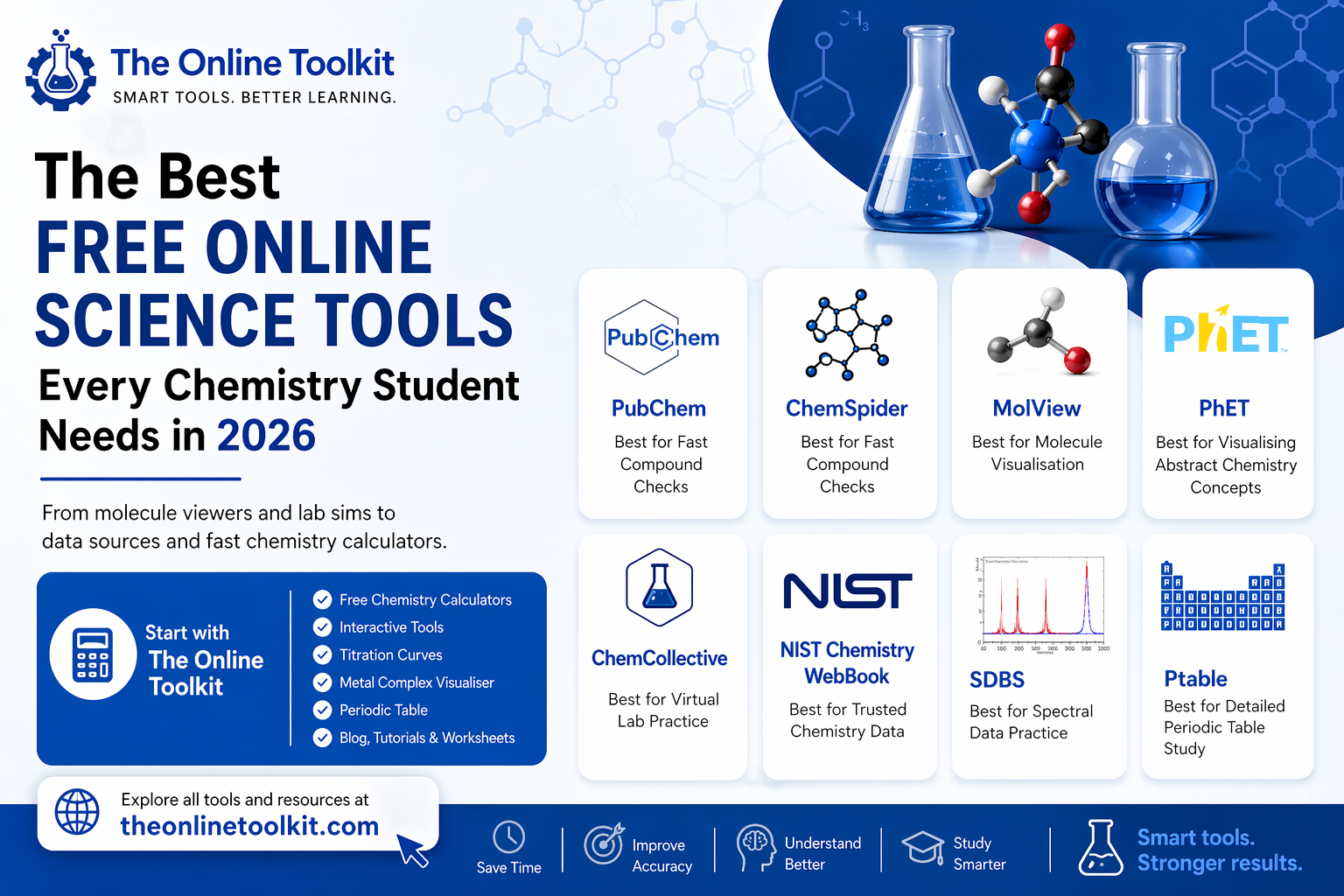
Chemistry gets hard fast when you waste time hunting for the right data, checking formulas by hand, or trying to picture a molecule from a flat page. The good news is that you do not need expensive software to study well.
In 2026, a chemistry student can build a very strong study setup with free online tools alone. The trick is knowing which tool helps with which job.
The Online Toolkit – Best Overall
Chemistry students run into the same problems again and again. The concept may make sense, but calculations still take time. The Online Toolkit stands out because it offers free chemistry calculators for the kinds of problems students actually encounter, whether solving for moles, molarity, pH, molality, rate laws, or limiting reagents, to name a few.
Beyond calculators, the site also includes tools for visualising titration curves and exploring metal complexes, as well as an interactive periodic table. It also has a blog section with articles, tutorials, and worksheets that explain chemistry topics in a clear and useful way.
Used properly, this kind of tool does more than save time. It helps students check their work, revise faster, and keep a wide range of chemistry support in one place before moving on to more specialised tools.
PubChem and ChemSpider – Best for Fast Compound Checks
When you need quick facts about a compound, start with PubChem or ChemSpider. These two tools save a huge amount of time because they let you search for compounds by name, formula, structure, or identifier.
That matters when your textbook uses one name, your lab sheet uses another, and your professor writes the formula on the board.
PubChem works well when you want a full compound profile. You can check structure, properties, safety details, and related records in one place. ChemSpider shines when you want a fast structure search and want to compare entries across a very large chemical database.
A smart habit is to use PubChem first, then use ChemSpider as a second check when something looks odd or incomplete. That small habit can save you from careless mistakes in assignments and lab prep.
MolView – Best for Molecule Visualisation
Many students lose marks because they can memorise a structure on paper, but can’t visualise the actual 3D geometry. That is where MolView helps.
You can draw a structure in 2D, then turn it into an interactive 3D model to visualise bonding angles, substituent groups, and the overall geometry of the molecule.
MolView is useful because it closes the gap between what you sketch on paper and what the molecule may actually look like in space.
If you struggle with stereochemistry, molecular shape, or ring structures, this tool can make those topics feel much less frustrating.
PhET – Best for Visualising Abstract Chemistry Concepts
Some chemistry topics feel slippery because you cannot see them happen. Particle motion, phase change, atom building, and solution behaviour often stay fuzzy when you only read about them. PhET helps by turning those ideas into interactive simulations.
That matters more than students often expect. When you can move things, test inputs, and watch the result change, the lesson sticks better.
It is especially helpful in general chemistry, where many topics build on invisible processes. If your class covers atomic structure, states of matter, or core chemistry ideas that need visualisation, PhET can make study time far more useful.
ChemCollective – Best for Virtual Lab Practice
Reading about lab work doesn’t emulate the experience of being in a laboratory. When a student can’t physically perform a chemistry practical, ChemCollective helps bridge that gap with virtual labs, guided activities, tutorials, and concept practice.
It lets students work through chemistry tasks in a lab-style setting, even when they are away from campus or short on lab access.
This is one of the best tools for building confidence before a real lab session. You can practice acid-base work, solubility, thermochemistry, and redox topics in a way that feels closer to actual problem solving than a static worksheet does. It is also useful after class when you know the topic but still need extra repetition before it clicks.
NIST Chemistry WebBook – Best for Trusted Chemistry Data
At some point, chemistry stops being only about learning ideas and starts becoming a data job. You need boiling points, heat values, spectra, phase data, or other physical values for homework, lab writing, or project work. That is where the NIST Chemistry WebBook earns its place.
Students often waste time on random pages that give incomplete or messy values. A better move is to keep one trusted data source in your regular workflow.
The NIST Chemistry WebBook gives easy access to chemical and physical property data and includes thermochemical and spectral information for many compounds. For physical chemistry and report writing, this can save both time and stress.
SDBS – Best for Spectral Data Practice
Spectroscopy can feel rough at first because every graph starts to look the same. SDBS helps by giving free access to spectral data for organic compounds, making it easier to compare different types of spectra within the same resource.
This is useful because students do not just need answers; they need pattern memory. The more real spectra you compare, the faster you learn what stands out and what each signal may suggest.
If you are taking organic chemistry or analytical chemistry, SDBS can become one of your most useful revision tools. It is a strong way to move from guessing to recognising.
Ptable – Best for Detailed Periodic Table Study
Most students already know they need a periodic table. The real question is which one helps beyond atomic number and symbol.
Ptable is useful because, while lots of online periodic tables are available, this one stands out for its level of detail. It turns the periodic table into a working study tool. You can explore properties, oxidation states, electron details, isotopes, and trends without digging through a dense chart.
That makes it helpful for both quick revision and deeper understanding. If you are comparing elements, checking periodic trends, or trying to connect electron behaviour with reactivity, an interactive table gives you more than a printed chart can. It helps you study with purpose instead of just staring at boxes.
The smartest way to use these tools together
Check compounds in PubChem or ChemSpider. Visualise structures in MolView. Practice ideas in PhET.
Train for lab work in ChemCollective. Verify data in the NIST Chemistry WebBook. Study spectra in SDBS. Review trends in Ptable.
For quick calculations, revision support, and all-in-one chemistry help, The Online Toolkit is a strong starting point before moving into more specialised tools.
That setup covers most of what a chemistry student needs in 2026 without spending money. More importantly, it cuts down wasted effort. You stop guessing where to look. You stop mixing weak sources with good ones. You stop treating every topic the same way.
Chemistry gets easier when your tools match the job in front of you. That is the real advantage of these free science tools. They do not do the learning for you, but help you learn faster, check your work better, and spend more time understanding the subject instead of fighting with it.







Comment