Facial recognition has quietly moved from science fiction into everyday life. Whether you’re unlocking your phone, verifying identity in a banking app, or running a reverse face search online, this technology is working behind the scenes—fast, precise, and increasingly intelligent.
But here’s the thing: not all facial recognition tools are built the same. Some are designed for enterprise-grade security, others for developers, and a growing number focus on face search and online identity tracking.
What is Facial Recognition Technology?
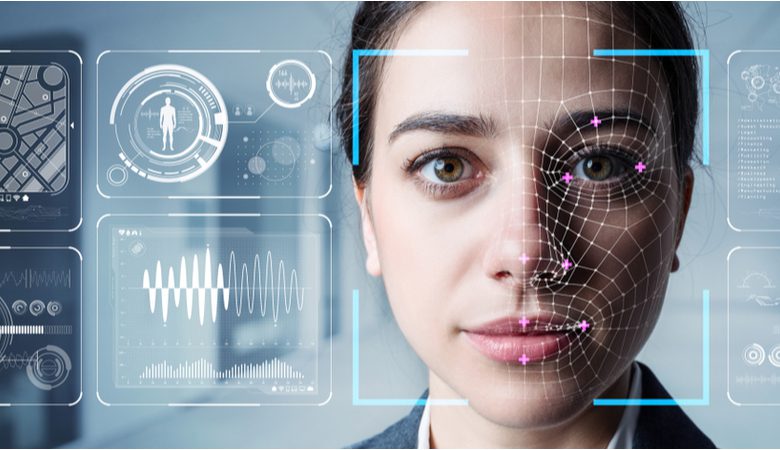
Facial recognition is a form of biometric authentication that identifies a person by analyzing their facial features. It works by capturing an image, extracting key facial points (like eyes, nose, and jaw structure), and converting them into a unique digital signature—often called a faceprint.
Top 7 Face Search Tools in 2026 (Tested & Compared)
Face search technology has evolved rapidly. What started as simple reverse image lookup has now become AI-powered facial recognition capable of identifying individuals across billions of web pages.
FaceCheck.ID – Best for Accuracy & Identity Verification
FaceCheck.ID consistently ranks as one of the most accurate face search tools available today.
Key Features
- Detects faces from low-quality, blurred, or masked images
- Finds matches across news, social media, and public records
- Provides direct source links
- Flags suspicious matches (scams, fake identities)
Why It Stands Out
- Scored 79/80 in real-world testing, outperforming competitors
- Excellent for catfish detection and OSINT investigations
Best For
- Journalists, investigators, and identity verification
2. PimEyes – Best for Large Image Database
PimEyes is one of the most well-known facial recognition tools, powered by a massive index of publicly available images.
Key Features
- Searches billions of web images
- Fast results (often under 10 seconds)
- Reverse face search with similarity scoring
Pros
- Strong performance on clear, front-facing photos
- Excellent for tracking image usage online
Cons
- Struggles with blurry or side-profile images
- Limited social media indexing
Best For
- Image tracking and copyright monitoring
3. AIFaceSearch – Best Overall Balanced Tool
AIFaceSearch.io is emerging as a modern AI-driven face search engine focused on usability and smart filtering.
Key Features
- Categorizes results into:
- People
- Duplicates
- Related images
- Real-time alert system for new matches
- Fast and clean UI
Why It’s Trending
- Solves the “too many irrelevant results” problem
- Provides context-aware search results
Best For
- General users and marketers
4. Reversely.ai – Best for AI-Powered Face + Reverse Search Combo
Reversely.ai combines reverse image search + face recognition, making it ideal for modern SEO and brand monitoring.
Key Features
- Detects faces, duplicates, and similar images
- Useful for:
- Brand protection
- Copyright tracking
- Fast AI-based scanning
Why It’s Unique
- Hybrid approach (not just face search)
- Strong for digital footprint analysis
Best For
- Businesses, agencies, and SEO professionals
5. Google Images – Best Free Alternative
While not a dedicated face search engine, Google Images remains a powerful free baseline tool.
Key Features
- Reverse image search using Google Lens
- Massive global index
- Free and instant results
Limitations
- Not optimized for facial recognition
- Focuses more on visual similarity than identity
Best For
- Beginners and quick searches
6. Bing Visual Search – Best Microsoft-Based Alternative
Microsoft’s Bing Visual Search provides a decent alternative to Google.
Key Features
- AI-powered image recognition
- Integrated with Microsoft ecosystem
- Works well for objects and scenes
Limitations
- Weak face-specific detection compared to dedicated tools
- Lower accuracy in face search benchmarks
Best For
- Casual searches and free usage
7. Yandex Images – Best for Deep Image Matching
Yandex is known for its strong image-matching algorithms, especially for faces.
Key Features
- High accuracy in duplicate image detection
- Good at finding regional and lesser-known sources
Pros
- Often finds results missed by Google
- Strong pattern recognition
Cons
- Interface and usability lag behind competitors
Best For
- Deep image matching and niche searches