In today’s fast-paced digital world, computers have become an essential part of both professional and personal life. From managing finances to streaming entertainment, performing work tasks, or connecting with loved ones, our dependence on computers is undeniable. However, like any other complex device, computers are susceptible to malfunctions, performance issues, and occasional breakdowns. Understanding the nuances of computer repair is essential for anyone who wants to maintain their system’s efficiency and longevity. This comprehensive guide explores everything you need to know about computer repair, from identifying common problems to choosing professional services and implementing preventative measures.
Understanding the Importance of Computer Repair
Computer repair is more than just fixing broken hardware or removing viruses; it is an essential practice for safeguarding data, improving performance, and extending the lifespan of your system. Over time, computers accumulate unnecessary files, outdated software, malware, and physical wear and tear, all of which can lead to reduced functionality. Ignoring these issues can result in more severe problems that are costlier and harder to fix. By prioritizing computer repair, users can prevent potential breakdowns, ensure optimal performance, and maintain the security of sensitive information. Proper maintenance through repair services can also save money in the long run by avoiding the need for frequent replacements or expensive hardware upgrades.
Common Issues That Require Computer Repair
There are numerous reasons why a computer may need repair, and recognizing the signs early is critical. One of the most common issues is system slowdown, which may occur due to insufficient RAM, excessive startup programs, or malware infection. Computers that overheat frequently may suffer from clogged fans, dust accumulation, or failing hardware components. Another frequent problem involves hard drive failures, which can lead to data loss and require professional repair to recover important files. Software-related issues, such as corrupted operating systems, outdated drivers, or conflicting applications, can also necessitate computer repair. By understanding these common problems, users can take proactive steps to maintain their systems and seek timely professional help when needed.
DIY vs. Professional Computer Repair
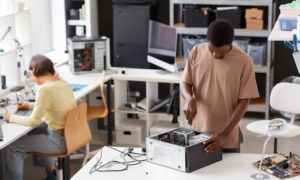
When it comes to computer repair, there is often a debate between attempting repairs yourself and hiring professionals. DIY computer repair can be cost-effective for minor issues such as removing malware, reinstalling software, or cleaning hardware components. There are many online tutorials and guides available to help users troubleshoot and fix simple problems. However, more complex repairs, such as motherboard replacements, data recovery, or virus removal from deeply infected systems, require the expertise of trained technicians. Professional computer repair services not only offer specialized knowledge and tools but also provide guarantees and warranties, giving users peace of mind. Choosing the right approach depends on the complexity of the issue, the user’s technical expertise, and the potential risks involved.
Essential Tools and Software for Computer Repair
A crucial aspect of computer repair involves having the right tools and software. Basic hardware repair often requires screwdrivers, anti-static wristbands, thermal paste, and compressed air for cleaning internal components. On the software side, antivirus programs, disk repair utilities, driver update tools, and system optimization applications are invaluable. Tools such as data recovery software can help retrieve lost files, while backup solutions ensure data safety during repairs. Keeping these tools on hand allows users to handle minor issues efficiently and reduces dependence on professional services for everyday problems. However, understanding the proper use of these tools is essential to prevent further damage to the system.
Steps to Conduct Effective Computer Repair
Effective computer repair requires a structured approach. The first step is accurate diagnosis, which involves identifying the exact cause of the problem. This may include running diagnostic tests, reviewing error messages, and checking hardware and software components. Once the issue is identified, the next step is to implement appropriate solutions, whether it involves replacing faulty hardware, uninstalling problematic software, or cleaning the system. Backup and data protection are crucial throughout the repair process to avoid permanent loss of important files. After completing repairs, it is recommended to test the system thoroughly to ensure all functions operate correctly. Finally, implementing preventative measures, such as regular updates, antivirus scans, and hardware maintenance, helps prolong the health of the computer and reduces the need for frequent repairs.
Benefits of Regular Computer Maintenance and Repair
Regular computer repair and maintenance offer several benefits beyond resolving immediate issues. First, it enhances system performance by eliminating unnecessary files, optimizing software, and addressing hardware concerns. Second, it improves security by removing viruses, malware, and other threats that could compromise sensitive information. Third, timely repairs can prevent minor problems from escalating into major failures, saving both time and money. Additionally, maintaining a computer properly extends its lifespan, ensuring that users get the most value from their investment. By integrating regular maintenance and professional repair services into a routine schedule, users can enjoy a smoother, more reliable computing experience.
Choosing the Right Computer Repair Service
Selecting a reliable computer repair service is a critical decision. Factors to consider include the technician’s experience, certifications, customer reviews, and the range of services offered. A reputable service provider should be transparent about costs, offer warranties for repairs, and provide clear communication throughout the process. Some services specialize in specific types of repairs, such as hardware replacement, virus removal, or data recovery, while others provide comprehensive support. Whether opting for in-store, on-site, or remote repair services, it is essential to verify the credibility of the provider to ensure safe and effective repair outcomes. Additionally, choosing a service that prioritizes customer satisfaction can make the repair process less stressful and more efficient.
Preventative Measures to Minimize the Need for Repair
While computer repair is sometimes unavoidable, taking preventative measures can significantly reduce the frequency and severity of issues. Installing antivirus software and keeping it updated protects against malware and viruses. Regularly cleaning the hardware, including fans and vents, prevents overheating and extends the life of components. Backing up data frequently ensures that important files are not lost during unexpected failures. Keeping software and operating systems updated minimizes compatibility issues and security vulnerabilities. Users should also avoid overloading systems with unnecessary programs or heavy multitasking, which can strain hardware and increase the likelihood of malfunctions. Implementing these preventative strategies creates a more stable computing environment and reduces reliance on emergency repair services.
Future Trends in Computer Repair
As technology evolves, so does the landscape of computer repair. Emerging trends include increased reliance on remote repair services, where technicians can diagnose and fix issues over the internet without physical intervention. Artificial intelligence and machine learning are being integrated into diagnostic tools to predict hardware failures and suggest maintenance schedules. Additionally, modular hardware designs and improved user interfaces make certain repairs more accessible to consumers. Despite these advancements, the core principles of effective computer repair, accurate diagnosis, proper tools, skilled technicians, and preventative maintenance remain unchanged. Staying informed about these trends allows users to take advantage of innovative repair solutions and keep their systems running smoothly.
Conclusion
Computer repair is an essential aspect of maintaining a reliable and efficient computing environment. From addressing common hardware and software issues to choosing professional repair services and implementing preventative measures, understanding the intricacies of computer repair empowers users to protect their systems and maximize performance. Regular maintenance and timely repairs not only enhance functionality but also extend the lifespan of computers, safeguard data, and improve overall user experience. Whether dealing with a minor software glitch or a significant hardware failure, investing time and resources in computer repair ensures that technology continues to serve its purpose effectively, enabling users to navigate the digital world with confidence and efficiency.
In the modern era, where computers underpin almost every aspect of daily life, knowledge of computer repair is not just a convenience, it is a necessity. By embracing best practices, leveraging the right tools, and seeking professional help when needed, users can enjoy the full potential of their systems while minimizing disruptions. In essence, effective computer repair is a combination of prevention, timely intervention, and strategic decision-making, all of which contribute to a smoother, more productive digital experience.