Imagine having a digital partner that does more than respond to prompts. Instead of simply offering advice or explanations, it actively completes tasks, builds projects, and delivers finished results. That vision is quickly becoming reality with Genspark AI Workspace, a new generation productivity environment designed around intelligent autonomous agents.
Rather than functioning like a typical chatbot, this platform operates as a full AI-driven workspace capable of taking over repetitive, time-consuming responsibilities. From building reports and designing websites to producing professional video content, the system aims to remove the busywork that consumes much of modern professional life.
For anyone hoping to reclaim hours of lost productivity and focus on creative or strategic work, adopting this type of AI ecosystem could mark a major shift in how work gets done.
What Makes Genspark Different?
Most AI tools stop at providing suggestions or text output. Genspark takes the next step: it executes tasks. Its architecture allows multiple intelligent agents to collaborate on complex projects, delivering completed outcomes rather than fragments of information.
Below are the core capabilities that define the platform.
1. Autonomous Research Engine
One of the most powerful components inside Genspark AI Workspace is its Deep Research system.
Instead of performing a quick web search and returning a few links, the platform conducts an extensive information sweep across thousands of credible sources. It then organizes and synthesizes that information into a structured analysis.
The result is a comprehensive report that may include:
- verified references
- summarized insights
- structured conclusions
- data comparisons
- visual explanations
For professionals handling complicated topics—market analysis, technology reviews, or academic subjects—this tool essentially functions like a dedicated research assistant.
With a single request, users can explore complex subjects that would normally require hours or even days of investigation.
2. A Fully Automated AI Office Suite
Another major strength of the platform lies in its intelligent productivity tools. Instead of manually creating documents, spreadsheets, or presentations, users can generate them through simple instructions.
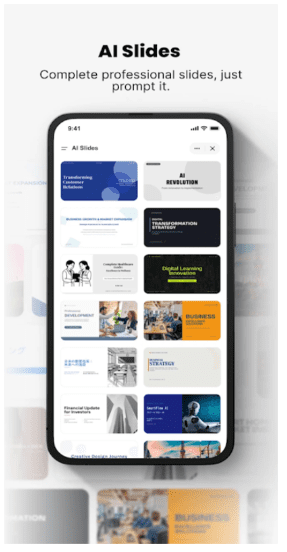
AI Slides
Creating professional presentations traditionally requires hours of editing layouts, arranging text, and sourcing visuals. With AI Slides, the process is dramatically simplified.
You provide a topic, and the system automatically:
- structures the presentation flow
- writes the slide content
- adds relevant images and visual elements
- formats everything in a polished, meeting-ready design
The output resembles something prepared by a professional design team.
AI Sheets
Complex spreadsheet formulas can be intimidating even for experienced users. AI Sheets removes that barrier by converting everyday language into functional data analysis tools.
Users can simply describe what they want to calculate, and the system will:
- generate advanced spreadsheet formulas
- collect and organize raw data
- build templates automatically
- detect patterns and trends
Instead of memorizing complicated Excel functions, you simply explain the task.
AI Docs
For writing-intensive work, the platform also provides a dynamic document generator.
This feature can create:
- legal agreements
- research papers
- business proposals
- project plans
- technical documentation
The AI adapts each document using flexible templates, ensuring the tone and structure match professional standards.
3. Your Pocket Software Developer
Perhaps the most fascinating capability inside Genspark AI Workspace is the AI Developer module.
This feature allows non-programmers to build software using natural language commands. In practice, that means someone without coding experience could create digital products simply by describing them.
Possible outputs include:
- fully functional business websites
- native mobile applications
- simple video games
- automation scripts and tools
The system can also connect with GitHub, allowing users to manage code repositories and submit pull requests just like professional developers.
For entrepreneurs or creators, this dramatically lowers the barrier to launching new ideas.
4. A Media Creation Powerhouse
The platform also acts as a creative studio by integrating several cutting-edge AI media models into one interface.
Instead of juggling different services, users can generate images and videos directly inside the workspace.
AI Image Tools
Image generation is powered by a collection of advanced models, including:
- Nano Banana Pro
- GPT Image
- FLUX
- Seedream
These systems allow creators to produce concept art, marketing visuals, or social media graphics within seconds.
AI Video Tools
Video generation is equally powerful thanks to integrations with advanced generative video systems such as:
- Sora
- Gemini Veo
- Kling
- Seedance
This enables users to produce animated sequences, promotional clips, or cinematic visuals without a traditional production pipeline.
A New Type of Work Experience
Beyond individual features, the real transformation comes from how these tools work together.
Intelligent Meeting Notes
The platform can automatically:
- record meetings
- transcribe conversations
- identify key discussion points
- generate concise summaries
With one click, the final summary can be shared with teammates.
Multi-Model Intelligence
Instead of forcing users to choose between different AI systems, the workspace integrates several leading language models simultaneously, including:
- GPT-5
- Claude
- Gemini
- Grok
This multi-model approach ensures tasks are handled by whichever system performs best.
Highly Customizable Workspace
Tools such as AI Designer and modular AI Pods allow users to personalize their workspace according to how they prefer to work. Whether you’re a developer, content creator, or business analyst, the interface adapts to your workflow.
How Much Time Can It Save?
To understand the real impact, compare typical productivity timelines with AI-powered execution.
| Task | Traditional Tools | AI Workspace |
| Creating a presentation | 3–5 hours | ~2 minutes |
| Conducting market research | 1–2 days | ~5 minutes |
| Building a landing page | Around 1 week | ~10 minutes |
| Analyzing spreadsheet data | Requires advanced formulas | Voice instruction |
These differences highlight the broader shift from manual software usage to instruction-based automation.
Platform Availability
The platform is optimized for modern mobile environments:
- Android 11 or newer
- iOS 15 or newer
These requirements ensure the system can process AI tasks efficiently and deliver smooth performance.
Frequently Asked Questions
-
Is there a free version?
Yes. Many core features and AI models can be tested without cost. Premium tiers increase computational capacity and unlock all unique features, which is especially useful for complex software development or large-scale projects.
-
Do I need programming knowledge for the AI Developer tool?
No coding experience is required. Users can describe their ideas in natural language – either in English or their native language – and the system will generate and deploy the code automatically.
-
Is my spreadsheet data secure?
The platform implements enterprise-level encryption protocols. Data uploaded into AI Sheets remains protected and is not used for public training unless explicit permission is given.
The Bigger Picture
Tools like Genspark AI Workspace represent a shift in how people interact with technology.
For decades, productivity software required users to learn complex interfaces and workflows. Now the model is reversing: instead of adapting to software, you simply tell the system what you want done.
In other words, the future of work may not revolve around mastering tools—it may revolve around mastering instructions.
Read More From Techbullion