The gap between AI research and practical usability has historically been wide enough to swallow entire production pipelines. You can find a model that produces stunning results on paper, but the moment you try to run it on your own machine, you hit VRAM limits, dependency conflicts, and documentation that assumes you already know what you are doing. SeedVR2 exists on the other side of that gap — not because it compromises on quality, but because it rethinks what “using” a restoration model actually means. seedvr2 presents a version of the ByteDance Seed team’s one‑step diffusion transformer that strips away the configuration overhead without removing the capability underneath.
The distinction matters because most people who need video restoration are not looking for a research project. They are looking for results. They have footage that needs cleaning up, resolution that needs boosting, or artifacts that need removing. The platform addresses that need by making the restoration process feel less like operating a laboratory instrument and more like using a tool that was designed for actual work.
The Three‑Phase Workflow That Actually Runs the Model
The platform organizes the restoration process into a logical sequence that mirrors how professional editors think about their work: prepare the source material, let the model do its job, and retrieve the enhanced output. Each phase has been stripped of unnecessary complexity.
Phase One: Getting Your Media Into the System
Supported Formats and Practical Limits
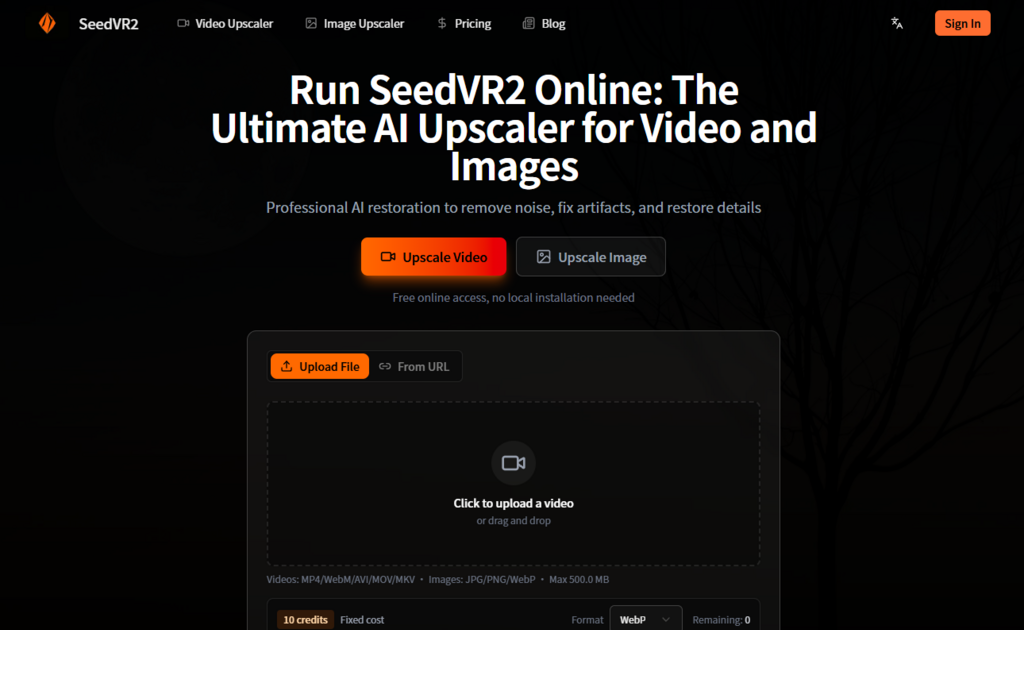
The platform accepts a practical range of video formats including MP4, WebM, AVI, MOV, and MKV, alongside common image formats like JPG, PNG, and WebP. Each file is capped at 500 MB, which comfortably accommodates most short clips and high‑resolution images without requiring pre‑processing. This means you can upload original files directly rather than compressing them first and sacrificing quality before the restoration even begins.
The Upload Interaction
The upload process follows a straightforward drag‑and‑drop model. You click to select files or drag them directly onto the page. There are no configuration panels to decipher, no model checkpoints to select, and no parameter sliders that require prior knowledge of diffusion sampling steps or classifier‑free guidance weights. The interface assumes you want to restore your media, not configure a research pipeline.
Phase Two: Cloud Processing Without Hardware Barriers
Infrastructure That Removes Hardware Constraints
The platform handles all computation on its own cloud infrastructure. This eliminates the VRAM constraints that typically plague local deployment — no out‑of‑memory errors, no GPU compatibility checks, no CUDA version troubleshooting. The model runs on infrastructure tuned for speed, and the turnaround time feels consistent with the platform’s claim of results in seconds rather than minutes.
What the Model Actually Does During Processing
The underlying model, a one‑step diffusion transformer developed by ByteDance’s Seed team, processes each frame with awareness of what came before and what comes next. This temporal awareness is what distinguishes video restoration from simple image upscaling — the model maintains motion consistency and prevents the flicker that often appears when frames are processed independently. The adaptive window attention mechanism adjusts dynamically to different output resolutions rather than relying on a fixed window size, which explains why the upscaler handles both 4K and 8K targets without falling apart on motion consistency.
Phase Three: Receiving the Enhanced Output
Video Output Characteristics
For video inputs, the platform delivers upscaled footage at 4K or 8K resolution. The motion consistency holds up well across frame transitions — a common failure point where less sophisticated upscalers introduce flicker or temporal artifacts. The restoration component also addresses compression artifacts and general degradation that accumulate in older or heavily compressed files.
Image Output Characteristics
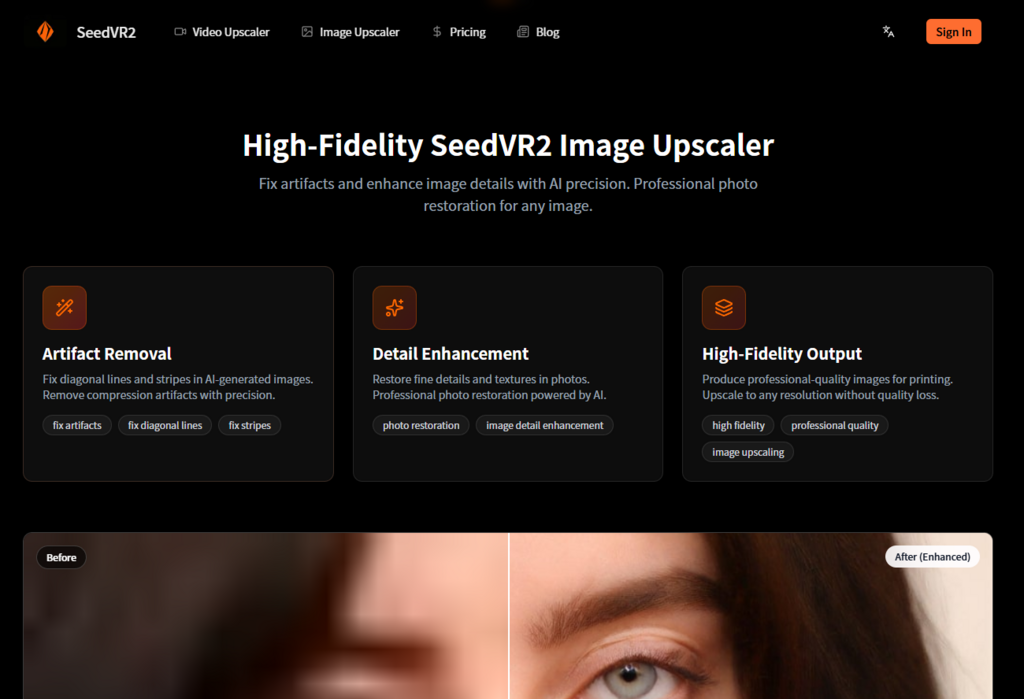
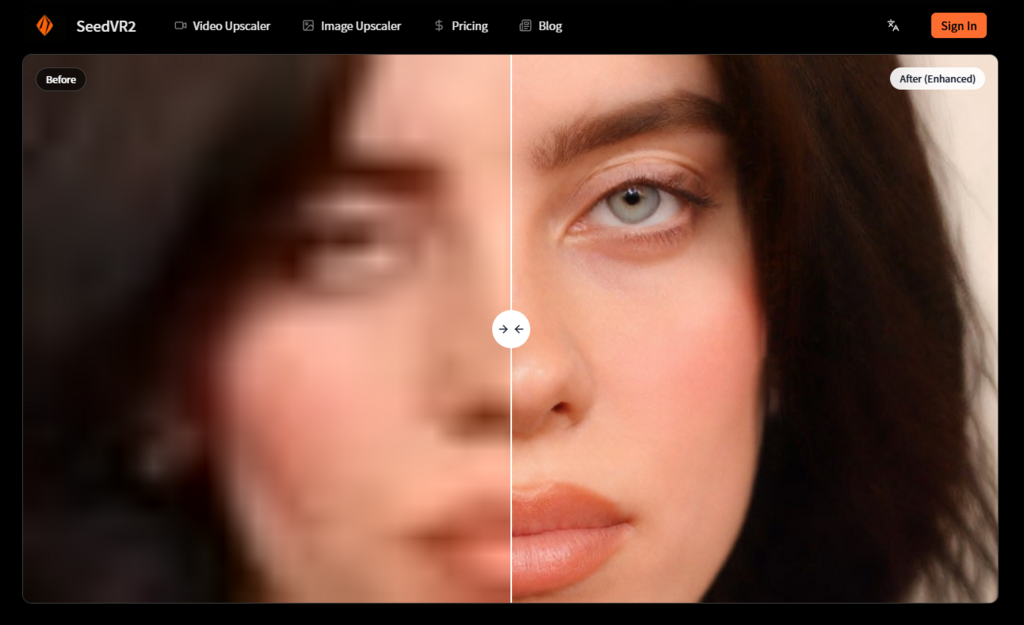
Image inputs receive similar treatment. The model fixes diagonal lines and stripes in AI‑generated images, removes compression artifacts, and restores fine details and textures. The output is designed to support professional‑quality printing, with upscaling to any resolution without quality loss.
Where the Platform Fits in a Creator’s Toolkit
The platform makes the most sense for specific use cases. Content creators who need to upscale short clips for social media or portfolio work benefit from the speed and simplicity. Archivists and preservationists working with older footage can process materials without investing in expensive hardware. AI video producers who want to enhance generated content without waiting hours for local processing will find the workflow efficient.
| Use Case | Why the Platform Works | What to Expect |
| Social media content creation | Fast turnaround, no hardware investment | 4K output ready for publishing platforms |
| Archival footage restoration | Cloud processing eliminates VRAM constraints | Reduced artifacts, improved motion consistency |
| AI‑generated video enhancement | Two‑stage workflow: generate low‑res, upscale high‑res | Polished final product without high‑res generation costs |
| Image enhancement for print | Detail reconstruction beyond simple upscaling | Professional‑quality output for physical media |
What the Platform Does Not Promise
It is worth being clear about the boundaries. The platform is not a magic solution for every restoration scenario. Heavily damaged footage with severe motion blur or extreme low‑light conditions may still produce mixed results. The model’s performance depends on the quality of the input — garbage in, garbage out remains true even with advanced AI restoration.
The platform also does not offer real‑time processing for live video streams. It is designed for file‑based restoration rather than live enhancement. And while the one‑step architecture is significantly faster than multi‑step diffusion models, the actual processing time still depends on file size and resolution.
A Few Practical Limitations Worth Acknowledging
From a practical testing perspective, a few patterns emerged. The quality of the output is closely tied to the quality of the input. Files that are already heavily compressed or extremely low resolution may not recover all the detail you might hope for. The model generates new texture information, but it cannot reconstruct information that was never there — it makes educated guesses based on what it has learned from training data.
Complex scenes with rapid motion or significant occlusions may require multiple attempts to get a satisfactory result. The temporal coherence is strong, but it is not perfect. In some edge cases, you might notice slight inconsistencies in texture or detail across frame boundaries.
The platform also does not currently offer fine‑grained control over restoration strength or style. If you are the type of user who wants to adjust denoise strength, color correction methods, or batch sizes, you would need to look at local deployment options where those parameters are exposed. The online platform trades granular control for simplicity and speed.
Who Should Consider This Workflow
The platform makes the most sense for creators who value results over configuration. If you have footage that needs restoration and you want to spend your time on the creative aspects of your work rather than troubleshooting environment setups, the platform removes a significant barrier. If you are processing a moderate volume of material and do not need the full parameter control of a local deployment, the trade‑off between simplicity and flexibility works in your favor.
For users who need full control over every parameter — or who are processing very large volumes of video — the open‑source model remains available for local deployment. But for the majority of users who simply want to restore a video or enhance an image without wrestling with configuration files, the platform removes the friction that has historically kept advanced restoration tools out of reach.
The seedvr2 platform represents a thoughtful translation of advanced research into an accessible tool. It does not replace the underlying open‑source model for those who need full control. But for users who want professional‑quality video and image restoration without the hardware investment or configuration complexity, it offers a genuinely useful alternative. The question is not whether this is the best restoration tool on the market — that depends entirely on your needs, your hardware, and your tolerance for setup complexity. The question is whether it solves a real problem for a real set of users. In practice, the answer to that question is yes for a growing number of creators.