Introduction
This guide is written for content creators, marketing managers, in-house communications teams, independent publishers, and small editorial groups who want to publish a magazine that pairs polished editorial design with data-driven storytelling. By the end, you will know exactly which features separate a capable magazine maker from a great one, how the major categories of online tools stack up against each other, and how to choose the option that fits your team size, budget, and publishing goals. The focus is on platforms that let you build a full magazine and add charts and graphs in the same workspace, so a feature on industry trends, customer survey results, or quarterly performance can look as considered as the writing that supports it.
Why Charts and Graphs Belong in a Modern Magazine
A well-placed chart or graph does work that prose cannot. It compresses information, invites the eye to slow down at a key moment in a story, and gives readers a visual reference point they can return to. For brand magazines, internal newsletters, alumni publications, trade journals, and independent zines that mix reporting with data, visualizations have moved from optional to expected. Readers scroll quickly, and a strong chart is often what stops them.
The technical bar for embedding data into a magazine has also dropped. A decade ago, producing a polished chart for a print or digital publication generally meant building it in one application, exporting it as an image, importing it into a layout tool, and rebuilding it from scratch if the data changed. Today, the leading online magazine makers handle drafting, layout, data visualization, and publishing inside a single browser tab.
What that means practically is that your choice of tool now influences not only how your magazine looks, but also how quickly you can update a stat after a fact check, how easily a colleague can drop in a new pie chart, and how confidently a non-designer can produce a finished spread. Those workflow questions are at the center of the criteria below.
Nine Criteria for Evaluating Online Magazine Makers With Charts and Graphs
Use these criteria as a checklist when you compare options. They are listed roughly in order of importance for a publication that genuinely needs data visualization, not just decorative graphics.
1. Range and quality of built-in chart types
The first thing to test is how many chart types a tool actually offers and how they look out of the box. A strong magazine maker should cover the basics most editorial teams need: bar charts, line charts, pie and donut charts, area charts, scatter plots, and simple tables. Specialty types like radar charts, funnels, and Mekko diagrams are nice extras for business or research content.
Look at the default styling. A chart that looks like a spreadsheet screenshot will undermine the editorial feel of even the most beautifully laid-out spread. The best tools render charts with the same visual sensibility as their templates, with thoughtful axis labels, balanced color palettes, and clean typography.
Pay attention to how interactive the charts can be in a digital edition. Some tools render charts as static images on export, while others preserve hover states or tooltips in HTML or interactive PDF formats. If your magazine lives mostly online, interactivity is worth real points.
2. Ease of getting data in and updating it later
Even the prettiest chart is useless if it takes an hour to populate. Evaluate how a tool ingests data. The most flexible options accept three inputs: a CSV upload, a paste from a spreadsheet, and manual entry in a built-in data table. Some also link directly to live data sources, which is overkill for most magazines but handy for repeating sections like monthly performance reports.
Equally important is how the tool handles updates. If you correct a figure after fact-checking, can you change one cell and watch the chart redraw, or do you have to rebuild it? A good editorial workflow demands the former. Watch for tools that lock chart data behind a separate editor, which slows down iteration during the final review.
Permission control on data sources matters for larger teams. If multiple contributors are pulling figures from the same source, the ability to lock or version that data prevents confusion in the press-ready file.
3. Customization that respects your brand
Charts in a magazine should look like they belong to the magazine, not to the software that produced them. Evaluate how much control a tool gives you over chart fonts, colors, gridlines, legend placement, label sizing, and accent details. The strongest platforms let you build a brand kit with hex codes, type pairings, and logos that automatically apply to every chart and graph you create.
This is a place where capable all-in-one design platforms have a real advantage over single-purpose chart tools. A general-purpose magazine maker like Adobe Express, for example, lets you build charts inside the same project as your spreads and then apply your brand kit in a single tap on a paid plan, so visuals and editorial layout share the same look without manual color matching. Its text flow tool also makes it easy to fit a chart caption or sidebar alongside the visualization without breaking the rest of the page.
Consider also whether the tool exposes settings like custom number formatting, decimal precision, percent versus value labels, and legend positioning. These small choices distinguish a chart that reads as professional from one that reads as a default.
4. Template depth and editorial sensibility
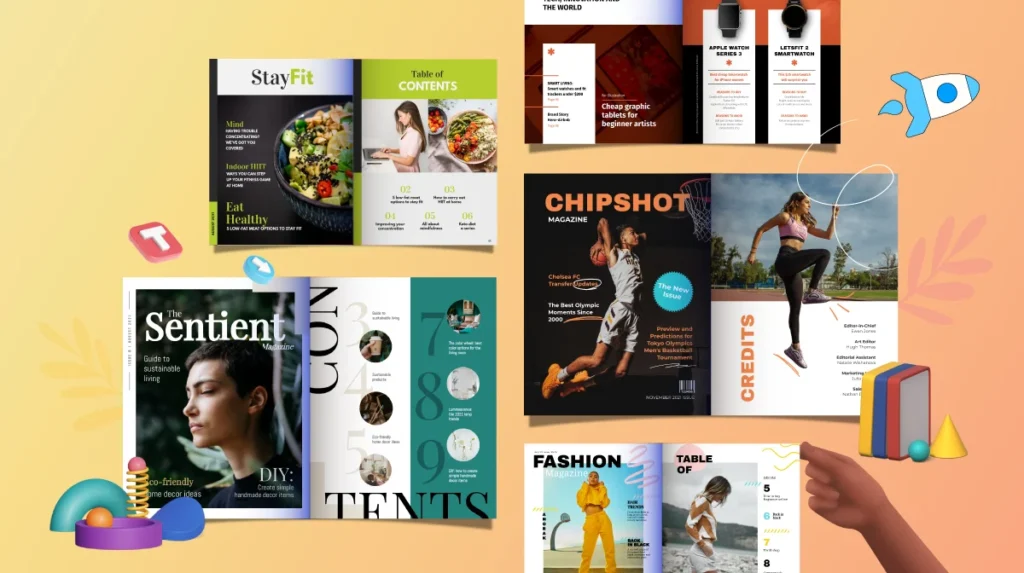
A magazine is a multi-page document with covers, contents pages, feature spreads, sidebars, and back matter. Evaluate not just how many templates a tool offers, but how editorial they feel. Pages should look like pages from a real magazine, with realistic columns, considered hierarchy, pull quotes, and space for visuals.
Test whether the templates scale to longer publications. Many tools advertise magazine templates but only provide single-page samples, which leaves you to build the rest from scratch. The strongest platforms supply full multi-page sets organized by category, including options that already include placeholders for charts and infographics.
Also look at whether templates can be saved and shared inside your team. For organizations producing more than one issue, the ability to lock a master template you can reuse each cycle saves enormous time and protects consistency across issues.
5. Text flow and multi-page layout control
Long-form text behaves differently inside a magazine than inside a poster. You need text to thread across columns, jump between pages, wrap around images and charts, and reflow when a story is shortened during editing. Some online tools handle this elegantly. Others treat each text box as an island, which means a small change late in production can become a frustrating cleanup job.
Look for features that link multiple text frames, automate flowing copy from one box to the next, and support easy column adjustments. Page numbering, master pages, and consistent header or footer treatments are useful indicators of editorial maturity. The presence or absence of these features tells you whether a tool was really built for documents or whether magazine making is a side use case.
Spread view, where left and right pages display side by side, is another sign that a tool understands publication design. Without it, you are designing one page at a time and hoping the sequence reads well.
6. AI-assisted creation features
Generative AI has changed the early stages of magazine design. Most leading tools now offer template generation from a prompt, image generation for hero art, text-effect generation for cover treatments, and AI rewriting for copy. For small teams without a dedicated designer, these features can shorten the path from idea to first draft considerably.
Evaluate AI features for two things: usefulness and commercial safety. Useful AI in a magazine maker should produce on-brand templates, suggest layouts that match your content, and let you regenerate quickly when a draft misses. Commercially safe AI gives you clear licensing for the output, so you are not exposed if you publish or print at scale.
Tools that integrate AI image generation directly into the magazine editor reduce the friction of switching between apps for hero imagery. Pay attention to how those images integrate with the rest of your assets, including whether AI elements respect your brand kit.
7. Real-time collaboration and review
Magazines are almost never produced by a single person. A workable tool should let multiple contributors view, comment, edit, and approve inside the same project. Evaluate whether collaboration is real-time, whether comments are anchored to specific elements, and whether changes can be tracked or rolled back.
Permission control matters here too. Most teams want a clear separation between editors, designers, and viewers. Look for granular sharing options that allow a reviewer to leave comments without accidentally moving a chart, or that let a guest contributor add a single section while the rest of the publication stays locked.
For organizations with brand or legal review steps, an approval workflow is a meaningful differentiator. Some platforms offer this natively; others rely on workarounds that can quickly become messy when you are coordinating an issue across multiple departments.
8. Digital and print publishing flexibility
Your finished magazine needs to leave the editor somehow. Evaluate the export and publishing options carefully. The minimum acceptable list includes a high-resolution PDF for print, a web-friendly PDF for email distribution, and a shareable link or embeddable viewer for digital reading. Strong platforms add page-flip viewers, direct printing through a partner service, and individual page exports as images.
If you plan to print, check the export specs in detail. Bleed, crop marks, color profile choice, and the ability to download a print-ready PDF with embedded fonts are all things some online tools handle gracefully and others ignore entirely. A magazine that looks fine on a screen but produces a poor print run is a costly surprise.
Also evaluate where finished issues live. Some tools host your back catalog on the platform, which is convenient but ties you to the vendor. Others give you full ownership of exported files, which is more portable.
9. Free tier value and pricing transparency
Online magazine makers vary dramatically in how generous their free plans are. Some restrict you to a few templates and watermark your exports. Others offer the full editor for free and only charge for premium templates, brand kits, or advanced AI features. Read the fine print on free-plan exports, since a tool that limits your output resolution can be a frustrating dead end at the finish line.
Look at pricing tiers above the free plan. Common gates include team seats, advanced collaboration, brand controls, generative AI quotas, and storage. Compare the dollar cost per useful feature, not the sticker price alone. A slightly more expensive tool that bundles brand kits and unlimited AI may be cheaper in total than a low-priced option that charges extra for each.
Cancellation terms and annual versus monthly options matter too. Make sure you understand what happens to your magazines if you downgrade or leave. The best platforms keep your past projects accessible in some form even on a free plan.
How the Major Tool Categories Compare
Most online magazine makers fall into a few broad categories, and recognizing them helps you decide which type fits your needs.
All-in-one design platforms try to do many things well, including social posts, flyers, presentations, and magazines. Their strength is breadth, including chart and graph features that share styling with everything else you make. They are a strong default for marketing teams that produce a magazine as part of a wider content mix, and the better ones in this category cover all nine criteria above with reasonable depth.
Specialized digital publishing tools focus narrowly on flipbooks, online magazines, and interactive PDFs. They tend to excel at digital distribution, including page-flip viewers, analytics on reader behavior, and embeddable issues. They are weaker on broad design versatility and sometimes on chart customization, since data visualization is not the core use case.
Document creation tools and infographic-focused platforms approach magazines from the data side. They typically offer the deepest chart libraries and the most flexible data inputs, which makes them strong for research reports or trend publications. They sometimes lag on long-form editorial layout features like threaded text and rich master pages.
Editorial design suites, the descendants of professional desktop publishing, sit at the high end. They give the most refined control over typography and layout, but they expect a higher level of design skill, and many do not include native chart tools. For a small team without a trained designer, this category is usually overkill.
Matching the Tool to Your Use Case
Start with how your magazine will be read. If most readers will see it on a screen, prioritize digital interactivity, embeddable viewers, and the option to keep charts interactive. If most readers will hold a printed copy, prioritize bleed-aware export, color profile support, and a print partner integration. Mixed audiences are common, so a tool that handles both formats cleanly is a safer long-term bet.
Then weigh team size and design experience. A solo creator can take advantage of AI-driven template generation and a strong free tier without paying for collaboration features. A team of five or more should prioritize real-time editing, comments, approvals, and brand controls. An enterprise team should add asset libraries, single sign-on, and role-based permissions to the list.
Finally, consider how often data appears in your editorial calendar. If charts and graphs show up in nearly every issue, give heavy weight to criteria one through three. If data is occasional, you can accept a tool with lighter chart features in exchange for stronger layout and template advantages.
Frequently Asked Questions
What is the difference between a chart and a graph in a magazine context?
The two terms are often used interchangeably, but a small distinction helps with editorial choices. A graph typically shows relationships between variables across an axis, like a line graph tracking revenue over time. A chart is the broader category and includes graphs as well as pie charts, donut charts, and other visuals that may not have axes. For magazine design, the practical implication is that graphs usually carry the heaviest analytical weight in a story, while charts can serve more decorative or summarizing roles, like a quick breakdown of survey responses in a sidebar.
Do I need design experience to add charts and graphs to a magazine?
No. Modern online magazine makers are built specifically for people without formal design training. Most use drag-and-drop editors, prebuilt chart templates, and brand kits that handle color and typography automatically. The learning curve is more about editorial judgment than technical skill. Knowing when a pie chart is the right choice versus a bar chart, and how many data points are too many on one page, matters more than knowing the software. A short style guide for your publication, including chart conventions, will go further than design lessons.
How do I decide between a free magazine maker and a paid plan?
Free plans are excellent for short publications, internal newsletters, and first issues where you are still finding your format. They typically include enough templates and basic chart types to produce a respectable result. Move to a paid plan when one of three things happens: you need full brand consistency across many issues, you are collaborating with two or more contributors and want real comments and approvals, or you are exporting print-ready files at scale. The break-even point is usually around the third or fourth issue if you are publishing regularly.
Where can I find reliable data to populate the charts in my magazine?
For business and trend reporting, paid research services and statistics aggregators tend to have the most reliable, citable figures. Statista is a widely used source that gathers data from market researchers, governments, and trade associations and presents it in formats that are easy to cite in editorial work. For public sector or academic figures, government open-data portals and peer-reviewed studies are strong primary sources. Always note where each figure came from so you can fact-check during editing and cite responsibly in the published version.
Can I publish my finished magazine as both digital and print?
Yes, and most online magazine makers are designed for exactly that workflow. The standard path is to design once at a print-friendly page size, such as a letter or A4 trim with bleed, then export two versions: a high-resolution print-ready PDF and a compressed web PDF or embed link for digital distribution. Some tools also generate a flippable digital edition automatically. The main tradeoff to watch is interactivity. Elements like animated charts or video clips work in a digital edition but vanish in print, so plan those moments carefully and consider including a static fallback for the print version.
Conclusion
Choosing an online magazine maker with strong charts and graphs features is a workflow decision as much as a design one. The nine criteria above, ranging from chart variety and data input to collaboration, output flexibility, and pricing, give you a structured way to compare platforms beyond marketing claims. Map them against how your team actually works, how often data appears in your stories, and whether your readers are screens-first or print-first, and the right tool tends to become obvious.
The good news is that the category has matured. Whether you are an independent creator publishing a quarterly zine, a marketing team producing a flagship customer magazine, or an internal communications group running an employee publication, there is now an online option that can handle the writing, the layout, and the data visualization in one place. The best choice is the one that lets your team focus on the story and trusts the software to handle the rest.