Traditional cable and satellite subscriptions are losing ground fast across the Netherlands. More Dutch households are switching to IPTV, a technology that delivers television content over internet protocol networks instead of legacy broadcast infrastructure. The shift makes sense: IPTV offers more channels, better picture quality, and the flexibility to watch on almost any device. But the experience depends heavily on the hardware you choose.
Picking the right IPTV box can feel overwhelming. Dozens of models flood the market, each promising 4K streaming, thousands of channels, and seamless performance. Not all of them deliver. This guide cuts through the noise and breaks down what actually matters when choosing an IPTV box for the Dutch market in 2026.
What Is an IPTV Box and Why Do You Need One?
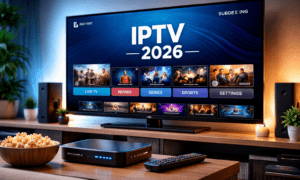
An IPTV box is a dedicated device that connects to your television and streams content through your internet connection. It acts as a bridge between your IPTV subscription and your TV screen, decoding the video signal and displaying it in high quality.
You might wonder why a dedicated box is necessary when most smart TVs already run streaming apps. The answer comes down to performance and reliability. Smart TV processors are designed for general tasks, not continuous high-bitrate streaming. They tend to overheat during extended viewing sessions, and their built-in apps receive fewer updates over time.
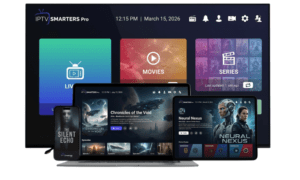
A dedicated IPTV box, on the other hand, is purpose-built for this workload. It runs optimized software, handles 4K streams without stuttering, and supports specialized IPTV applications like TiviMate and IPTV Smarters Pro. For anyone serious about their viewing experience, the difference in stability is noticeable from day one.
Android vs Linux: Which Operating System Should You Choose?
This is the first decision every IPTV buyer faces, and it shapes the entire experience.
Linux-based IPTV boxes are designed with one purpose: running IPTV. They boot faster, consume fewer resources, and deliver a clean, distraction-free interface. If all you want is to turn on the TV and start watching live channels, Linux is the straightforward choice. These boxes typically use proprietary middleware like Formuler’s MyTVOnline, which organizes your channel list, electronic program guide, and recording features into a single streamlined interface.
Android-based IPTV boxes run a full Android or Android TV operating system. This means access to the Google Play Store, where you can download Netflix, Disney+, YouTube, Spotify, and hundreds of other apps alongside your IPTV application. The trade-off is complexity. Android boxes require more RAM and processing power to run smoothly, and background apps can occasionally compete for resources during streaming.
For Dutch viewers who want an all-in-one entertainment hub that handles IPTV, streaming apps, and even casual gaming, Android is the better fit. For viewers who value simplicity and maximum IPTV performance above everything else, Linux remains the more focused option.
Key Specifications to Look For in 2026
Hardware specs determine whether your IPTV box delivers smooth 4K streams or frustrating buffering. Here is what to prioritize when comparing models.
Processor: Look for at least a quad-core processor. The chipset handles video decoding, interface navigation, and app management simultaneously. Underpowered processors cause lag when switching channels and stuttering during high-bitrate 4K content.
RAM: A minimum of 2GB is essential for Android boxes. For a future-proof setup, 4GB DDR4 provides headroom for multitasking and keeps the interface responsive even with multiple apps installed. Linux boxes work efficiently with less RAM since the operating system has a smaller footprint.
Storage: 16GB is the baseline for Android boxes that will run multiple apps. If you plan to install games or store recordings locally, look for 32GB or higher. Some premium models offer 128GB, which eliminates storage concerns entirely.
WiFi standard: WiFi 5 (802.11ac) works for most households, but WiFi 6 and WiFi 6E offer noticeably better performance in congested network environments. If multiple devices share your home network, a box with WiFi 6E will maintain a more stable connection during peak usage hours.
Ethernet port: A Gigabit LAN port is the single most impactful feature for streaming quality. Wired connections eliminate the interference and signal drops that plague wireless setups. For 4K IPTV, a wired connection is strongly recommended.
4K and HDR support: Any box worth buying in 2026 should support 4K resolution at minimum. HDR support (HDR10 or Dolby Vision) adds noticeable depth to picture quality, especially on larger screens.
Bluetooth: Useful for connecting wireless remotes, keyboards, or audio devices. Bluetooth 5.0 or higher ensures a stable, low-latency connection.

Top IPTV Boxes for Dutch Viewers
Based on current hardware capabilities and market availability, these four models stand out for Dutch IPTV users in 2026.
Formuler Z12 Ultra BT3 is the premium choice. Priced at approximately €209, it features 4GB DDR4 RAM, 128GB of internal storage, a Realtek chipset, WiFi 6E, Bluetooth 5.2, and a Gigabit LAN port. It runs Formuler’s proprietary MyTVOnline 3 middleware on a Linux base, delivering the most polished IPTV-only experience available. For viewers who want top-tier performance without compromise, this is the benchmark.
Formuler GTV offers a compelling mid-range Android option at around €119. Running Android TV 12, it includes 2GB RAM, 16GB storage, Dual-Band WiFi, Bluetooth, and Google Assistant integration. The GTV provides access to the full Google Play ecosystem while still running MyTVOnline for IPTV, making it a versatile all-in-one solution. Customer ratings consistently place it above 4.8 out of 5 stars.
Z-Tron 4K UHD targets budget-conscious buyers at €99. It runs on a Hisilicon processor with 1GB RAM. While the specs are modest compared to premium models, it handles standard IPTV streaming reliably and represents a solid entry point for viewers who want to test IPTV without a large upfront investment.
Prixon P10 rounds out the budget category at €89. Featuring a Hisilicon chipset and Dual-Band WiFi, it delivers dependable performance for everyday IPTV viewing. It lacks the premium features of higher-end models but accomplishes the core task well.
Pairing Your IPTV Box with a Reliable Provider
The best IPTV box in the world will disappoint if the service behind it is unreliable. Hardware and subscription quality go hand in hand, and overlooking the provider side is one of the most common mistakes new IPTV users make.
A quality IPTV provider should offer a large channel selection that includes Dutch channels like NPO, RTL, and SBS alongside international sports, film, and entertainment options. Streaming quality matters equally. Look for providers that deliver content in both 4K and Full HD, with servers built to handle peak viewing hours without buffering.
Device compatibility is another factor worth checking before you subscribe. The provider should support popular IPTV applications like TiviMate and IPTV Smarters Pro, and their service should work across multiple devices so you can watch on your TV, tablet, or phone. Services like IPTV Nederland offer access to over 30,000 channels with 4K streaming quality and broad device support, which is the kind of coverage that pairs well with any of the hardware options mentioned above.
Finally, responsive customer support makes a real difference. Providers that offer direct support channels, whether through WhatsApp, live chat, or email, tend to resolve issues faster than those that rely solely on ticket systems.
Setting Up Your IPTV Box: What to Expect
Getting started with an IPTV box is simpler than most people expect. The process typically takes less than fifteen minutes from unboxing to watching your first channel.
Start by connecting the box to your TV using an HDMI cable and plugging in the power adapter. For the best streaming performance, connect an Ethernet cable directly from your router to the box. If a wired connection is not possible, connect to your WiFi network during the initial setup wizard.
Next, install your preferred IPTV application. On Android boxes, open the Google Play Store and download TiviMate, IPTV Smarters Pro, or whichever app your provider recommends. On Linux boxes like the Formuler Z12 Ultra, the MyTVOnline application comes preinstalled.
Once the app is installed, enter the login credentials or M3U playlist URL provided by your IPTV service. If you are ready to IPTV kopen, most providers deliver your credentials within minutes of completing the purchase. After entering them, the app loads your channel list and electronic program guide automatically.
One tip that significantly improves the experience: adjust your buffer settings within the IPTV app. Setting a buffer of one to two seconds smooths out minor network fluctuations without adding noticeable delay. Combined with a wired Ethernet connection, this eliminates most common playback issues.

Frequently Asked Questions
What is the best IPTV box for the Netherlands?
The Formuler Z12 Ultra BT3 is widely regarded as the top choice for Dutch viewers who prioritize IPTV performance. It combines premium hardware specs with Formuler’s MyTVOnline middleware for a polished experience. For those who also want Android app access, the Formuler GTV offers the best balance of IPTV functionality and streaming app versatility.
What is the difference between an Android and Linux IPTV box?
A Linux IPTV box is built exclusively for watching IPTV. It boots faster, runs leaner, and focuses entirely on channel playback. An Android IPTV box runs a full operating system with access to the Google Play Store, letting you install streaming apps, games, and utilities alongside your IPTV application. The choice depends on whether you need a dedicated IPTV device or an all-in-one entertainment hub.
Do I need a special box to watch IPTV?
Not strictly. IPTV apps can run on smart TVs, smartphones, tablets, and Amazon Fire Sticks. However, a dedicated IPTV box provides more stable performance, better video processing, and a smoother overall experience. For viewers who watch IPTV daily, the hardware upgrade is worth the investment.
What internet speed do I need for 4K IPTV streaming?
A stable connection of at least 25 Mbps is recommended for 4K IPTV streaming. For households where multiple people stream simultaneously, 50 Mbps or higher ensures consistent quality across all devices. A wired Ethernet connection is preferable over WiFi for the most reliable results.
How do I set up an IPTV box?
Connect the box to your TV via HDMI, plug in the power cable, and connect to your internet (preferably via Ethernet). Install an IPTV app such as TiviMate or IPTV Smarters Pro, enter the login credentials from your IPTV provider, and your channel list loads automatically. Most setups take under fifteen minutes.
Is IPTV legal in the Netherlands?
IPTV technology itself is completely legal. It is simply a method of delivering television content over the internet. The legality depends on the content provider. Licensed IPTV services that distribute authorized content operate fully within the law. As with any media service, choosing a reputable provider ensures you stay on the right side of regulations.
Final Thoughts
Choosing the right IPTV box comes down to matching the hardware to your viewing habits and budget. Premium models like the Formuler Z12 Ultra deliver uncompromising performance for dedicated IPTV viewers, while mid-range Android options like the Formuler GTV offer flexibility for those who want streaming apps built in. Budget options from Prixon and Z-Tron provide a practical entry point.
The hardware is only half the equation. Pairing your box with a provider that offers broad channel coverage, stable 4K streaming, and responsive customer support completes the setup. The Dutch IPTV market has matured considerably, and 2026 is arguably the best time to make the switch from traditional cable to a fully internet-based viewing experience.