Dance has always been one of the hardest things to capture on video well. The movement happens fast, the energy lives in the details — the precise angle of a wrist, the split-second timing of a jump relative to the beat — and most of the tools available to creators either flatten that detail or introduce enough lag and blur that the performance loses its crispness. Getting it right traditionally meant good cameras, good lighting, a skilled operator who understood movement, and usually multiple takes. That’s a lot of infrastructure for something that, in the age of short-form video, might get twelve seconds of someone’s attention.
What’s changed recently is that AI video generation has gotten good enough at motion that it’s starting to become genuinely useful for the dance and choreography space — not as a replacement for real performance, but as a tool that opens up creative possibilities that didn’t exist before.
Why Motion Has Always Been AI Video’s Hardest Problem
The early generations of AI video tools were convincing enough for slow, static scenes — a landscape, a product on a surface, a face speaking to camera. The moment you introduced complex motion, especially human movement with multiple limbs, timing precision, and interaction with the environment, the output fell apart. Limbs disconnected from bodies. Timing drifted. The physics of how a foot lands or how fabric moves mid-spin were consistently wrong in ways that anyone who dances would notice immediately.
That’s why choreographers and dance content creators largely ignored AI video during its first couple of years. The tool simply wasn’t capable of handling what they needed it to handle, and there was no point spending time with something that couldn’t get the fundamentals right.
The situation has shifted meaningfully. Motion replication — the ability to take movement from a reference video and apply it accurately to a new character or scene — has improved to the point where it’s become one of the more compelling features in tools like Veo 4. The precision isn’t perfect, and anyone pushing it to its limits will find edges where it breaks down, but for the kinds of applications that dance creators actually care about, it’s crossed a threshold from interesting experiment to practical workflow tool.
What Motion Reference Actually Means in Practice
The way motion reference works is more straightforward than it might sound. You have a video of a choreography — maybe it’s footage you shot yourself, maybe it’s a clip you’ve been studying — and you want to apply that movement to a different character, in a different setting, with different styling. Instead of trying to describe the choreography in words (which would be both exhausting and imprecise), you upload the reference clip and let the model read the movement directly.
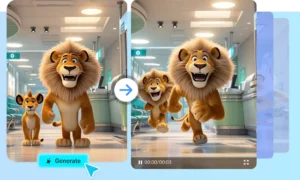
What comes back is a new video where the referenced movement has been applied to the character you specified, in the environment you described. The timing, the shape of the movement, the relationship between the body and the beat — these carry over from the reference in a way that text prompting alone could never achieve.
For a dance cover creator, this has obvious applications. You’ve been working on learning a particular choreography and you want to produce a video of your own version in a specific aesthetic — a particular setting, a costume concept, a visual style you’ve been building across your channel. The motion reference approach lets you use your own performance footage as the anchor and generate a version that places that performance in the visual context you’re going for, without needing a full production setup to make it happen.
Consistency Across Cuts: The Detail That Actually Matters
One of the specific challenges in dance video production is maintaining visual consistency across multiple cuts. A performance might be shot from three or four angles, or edited together from multiple takes of different sections, and keeping the character looking identical across all of those — same outfit, same styling, same visual quality — is an editing problem that gets tedious fast.
AI video generation with strong consistency features addresses this directly. The character you define at the start stays stable across cuts, which means you can build a multi-angle edit without the subtle drift that used to require manual correction frame by frame. For longer choreography pieces that need to be edited together from multiple shots, this is one of those quality-of-life improvements that sounds small until you’ve spent a few hours trying to match color grades and styling details across a six-cut edit.
The Audio Sync Problem, Finally Solved
Anybody who has produced dance content knows that audio sync is where projects go to die. You have your performance video, you have your track, and you spend twenty minutes nudging clips left and right in the timeline trying to get the hit on beat three of the second chorus to land exactly where it needs to land. Then you export, watch it back, and do it again.
Native audio generation that produces video content already synchronized to the music removes that step. When the model generates video with audio, the visual timing is built around the audio timing — you’re not syncing after the fact because the sync happened during generation. For short-form dance content especially, where a single beat being off can make an otherwise strong video feel wrong, having synchronization handled at the generation stage rather than in post is a real improvement to the workflow.
You can also go the other direction: upload your own audio track and have the model generate video content that responds to the beat structure of your specific music. This is particularly useful for choreographers who write or commission original music for their work, since the generated visuals can be built directly around the rhythmic and melodic character of the track rather than applied to a generic timing grid.
Pre-Visualization for Stage and Live Performance
Dance creators who also work in live performance have found another use for motion reference that’s less obvious but worth mentioning. Pre-visualization — the practice of working out how a piece will look before you’re in the rehearsal space or on stage — has traditionally required either expensive software or a lot of imagination.
Using AI video generation for pre-visualization means you can block out a piece, generate a rough visual of how the movement will look in the intended staging context, and get a sense of what works and what needs adjustment before you’ve committed to a full rehearsal. It’s not a perfect preview of the final performance, and it shouldn’t be treated as one, but as a tool for making early creative decisions — figuring out spacing, trying different visual concepts, understanding how a piece of choreography reads from the front — it’s more useful than working from a drawing or a verbal description.
Where the Limitations Still Live
It would be misleading to write about this without acknowledging where the tool still struggles. Very fast, technically complex footwork doesn’t always replicate with full accuracy — the model can lose detail in rapid sequences where the foot placement matters precisely. Contact improvisation and partnering work, where two bodies interact with force and weight, is still not reliably rendered. And anything that requires a specific performer’s personal movement quality — the thing that makes a particular dancer’s style recognizable and irreplaceable — can’t be captured through reference alone.
These are real limitations, and they define the appropriate scope of the tool. Motion reference AI is genuinely useful for a specific category of applications: generating visual content for social platforms, producing concept previews, building aesthetically coherent video around existing performance footage, and creating content at a volume and pace that traditional production can’t match. It’s a tool for expanding what’s possible, not for replacing the human movement that makes dance worth watching in the first place.