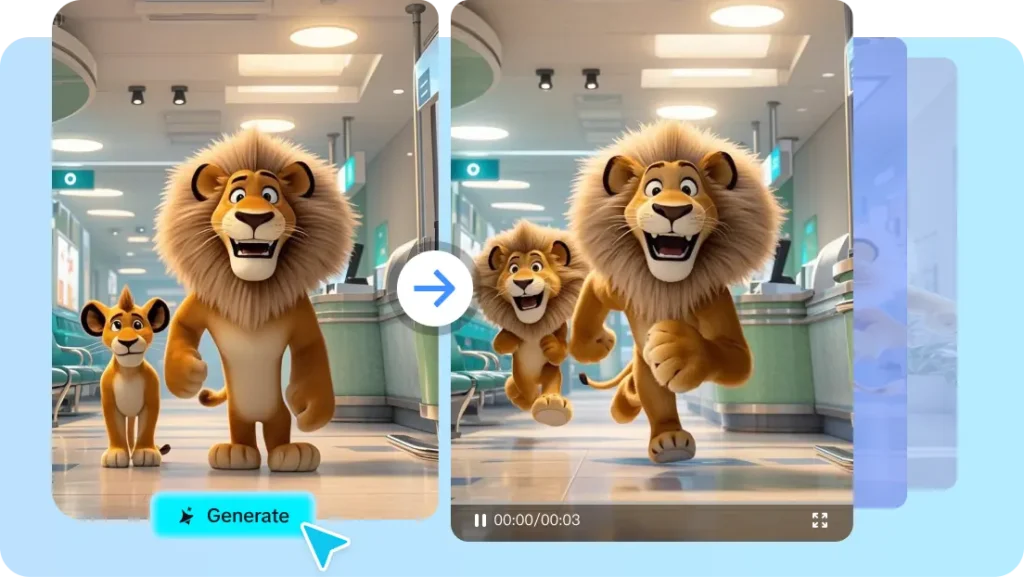
The AI video landscape continues to evolve in 2026, with new models making it easier than ever to generate cinematic videos from simple text prompts. One of the most talked-about models is seedance 2.5, known for its improved motion quality, prompt accuracy, and realistic visuals.
While access to seedance 2.5 is becoming more common, not every platform offers the same user experience. Some focus on simplicity for beginners, while others provide advanced editing tools, collaboration features, and professional export options.
This guide explores what to look for when choosing a platform and how to identify the best solution for your creative workflow.
Why Platform Choice Matters
Using a powerful AI model is only one part of creating great videos. The surrounding platform determines how efficiently you can turn ideas into finished content.
A well-designed platform should help you:
- Generate videos quickly
- Organize projects
- Edit scenes
- Manage assets
- Collaborate with teammates
- Export content in multiple formats
These features become increasingly important as your video production grows.
What Makes a Great Seedance 2.5 Platform?
Simple User Experience
Whether you’re new to AI or an experienced creator, a clean interface reduces the learning curve and speeds up production.
Features like drag-and-drop editing, organized dashboards, and guided workflows help users create videos more efficiently.
Reliable AI Performance
A quality platform should maximize the capabilities of seedance 2.5 by delivering:
- Consistent characters
- Smooth camera movement
- Realistic lighting
- Better prompt interpretation
- Stable scene transitions
These improvements result in more professional-looking videos.
Flexible Editing Tools
Video generation is rarely the final step. Most creators need to refine their output before publishing.
Useful editing features include:
- Clip trimming
- Scene arrangement
- Background music
- Voiceovers
- Captions
- Branding elements
Having these tools built into the platform saves time and reduces the need for additional software.
Support for Different Types of Creators
Different users have different priorities when working with seedance 2.5.
Content Creators
Creators on YouTube, TikTok, and Instagram benefit from fast video generation and easy export options for multiple social platforms.
Digital Marketers
Marketing teams often create product launches, advertisements, and promotional campaigns. Efficient workflows help them produce content at scale.
Educators
Teachers and course creators use AI video tools to build engaging lessons, tutorials, and instructional materials.
Businesses
Companies can use AI-generated videos for customer onboarding, internal training, and product demonstrations.
For many of these use cases, an integrated explainer video maker can simplify production by combining AI-generated visuals with narration, text, and branding.
Key Features to Compare
When evaluating platforms that support seedance 2.5, compare more than just video quality.
Consider factors such as:
Rendering Speed
Fast rendering allows creators to iterate quickly and test multiple creative ideas without long waiting times.
Asset Management
Look for platforms that organize images, videos, prompts, and completed projects in one place.
Collaboration
Teams benefit from shared workspaces, project permissions, and cloud-based storage.
Export Flexibility
The best platforms support multiple aspect ratios and resolutions suitable for:
- Social media
- Websites
- Presentations
- Advertising campaigns
- Educational platforms
Using Seedance 2.5 for Explainer Videos
Explainer videos remain one of the fastest-growing categories of business content.
Organizations use them to explain products, demonstrate software, educate customers, and train employees.
When paired with a capable explainer video maker, seedance 2.5 helps streamline this process by generating visually engaging scenes that can be enhanced with text overlays, narration, animations, and branding.
This combination allows businesses to create polished videos without large production teams.
Pricing and Scalability
Pricing structures vary depending on the platform.
Common options include:
- Free plans
- Monthly subscriptions
- Annual memberships
- Credit-based systems
- Enterprise pricing
Before selecting a platform, consider not only today’s needs but also your future production goals.
A scalable solution can support growing content demands without requiring major workflow changes.
Tips for Choosing the Right Platform
Before committing to any platform, ask yourself:
- How often will I generate videos?
- Do I need editing features?
- Will multiple people collaborate?
- Is commercial licensing included?
- Does it support my preferred export formats?
- Can it integrate into my explainer video maker workflow?
Answering these questions helps identify the platform that best matches your creative needs.
Looking Ahead
AI video generation continues to improve at a remarkable pace. Models like seedance 2.5 are making it easier to create professional-quality content with minimal technical expertise.
As platforms continue expanding their editing tools, collaboration capabilities, and creative controls, creators can expect even more efficient workflows and higher-quality outputs in the coming years.
Conclusion
Choosing the right platform for seedance 2.5 involves more than simply finding access to the model. The ideal solution combines high-quality AI generation with intuitive editing tools, efficient project management, collaboration features, and flexible export options.
Whether you’re a marketer, educator, agency, or independent creator, selecting a platform that supports your entire production process will help you produce better videos more consistently. If your projects involve tutorials, product demonstrations, or educational content, prioritizing platforms that complement an explainer video maker workflow can further improve efficiency and overall quality.
Frequently Asked Questions
What is seedance 2.5 used for?
seedance 2.5 is an AI video generation model used to create videos from text prompts for marketing, education, storytelling, and creative projects.
What should I look for in a platform?
Look for ease of use, editing tools, rendering speed, collaboration features, export options, and overall workflow support.
Is seedance 2.5 suitable for businesses?
Yes. Businesses can use it for marketing campaigns, product videos, training materials, and customer education.
Can I create educational content with seedance 2.5?
Absolutely. When combined with an explainer video maker, seedance 2.5 can help produce engaging educational videos, tutorials, and product explainers efficiently.