
One AI Gateway for Text, Image, and Video Models

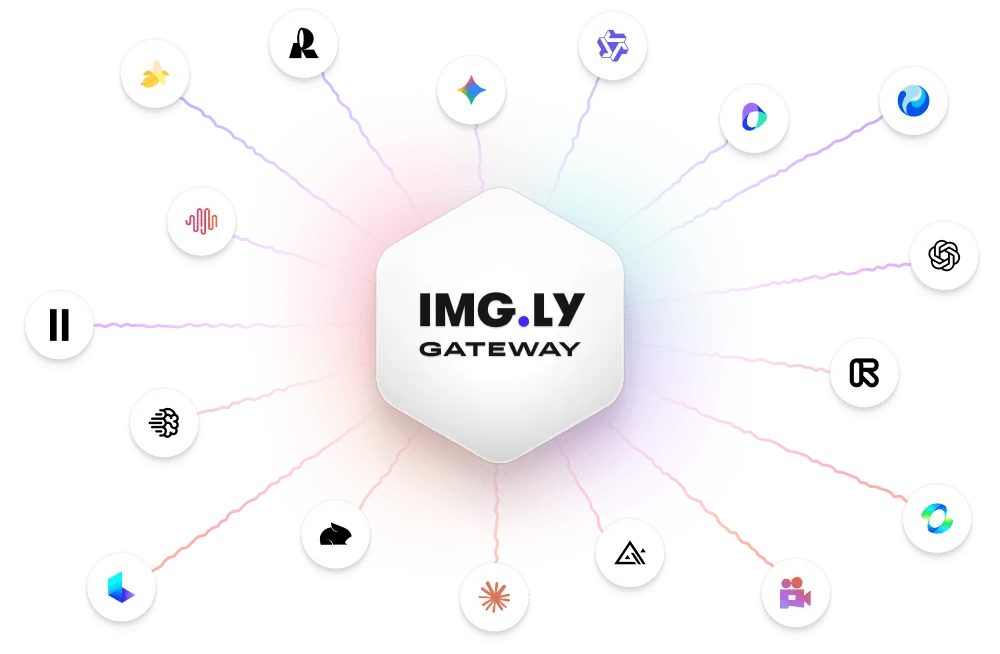
Stop managing a drawer of API keys. Here’s why engineering teams are routing every LLM, image, and video call through a single endpoint instead.
If you’ve built anything with generative AI in the last year, you already know the pattern. You start with one chat model. Then a teammate asks for image generation. Then someone needs a text-to-video clip for a product demo. Within a quarter, your team is juggling four or five accounts, each with its own dashboard, billing cycle, rate limits, and SDK quirks.
That setup works until it doesn’t. It works until midnight rate limits kick in during a global launch. It works until finance asks why there are seven invoices from seven vendors. It works until a junior developer spends three days debugging an authentication error that turns out to be a dead API key.
The fix isn’t another proxy script you maintain on a Friday night. The fix is routing every model call through a single AI gateway like OfoxAI — one key, one balance, one price page, and access to over a hundred models under a unified API.
What an AI Gateway Actually Does
An AI gateway sits between your application and the model providers. Instead of your backend calling OpenAI directly, then calling Anthropic separately, then calling a video model from another vendor, every request goes to the same base URL. You change a model identifier in the request body — that’s it. The gateway handles authentication, routing, load balancing, and billing.
For a small team, that means the onboarding experience stops being a project. You grab a key, swap the base URL in your environment variables, and your first request is live in minutes. No contract, no procurement email chain, no waiting for a sales engineer to call you back.
Why Teams Are Moving to Unified Endpoints
The shift isn’t about laziness. It’s about three concrete costs that add up fast.
Engineering time. Every vendor integration is a small project. Different authentication schemes, different error formats, different pagination rules. When you consolidate through a gateway, your team writes one client, one retry policy, and one logging setup. Swapping GPT-4o for a newer model becomes a configuration change, not a sprint.
Cost visibility. Seven invoices across five currencies is a finance team’s worst Friday. A single gateway shows real-time pricing per million tokens, per image, and per second of video — on the dashboard, no “contact sales” gate. You see what a Seedance video clip costs at 720p versus 1080p before you press send.
Reliability. When your only text model hits a regional rate limit, a gateway lets you fail over to another model behind the same endpoint without redeploying. That’s the difference between a support queue that stays green and one that turns orange mid-morning.
Text, Image, and Video on the Same Key
Here’s the part that surprises most teams. A modern AI gateway isn’t just for chat completions. The same API key that calls GPT-5 or Claude Opus can also generate images at roughly three cents a shot, and spin up a 30-second video clip with audio baked in for around a quarter a second at 720p.
That changes how marketing, product, and engineering collaborate. One request format covers everything: a chat completion, an image prompt, a video duration parameter. Your marketing team doesn’t need a separate tool subscription for ad creatives; your product team doesn’t need a separate pipeline for thumbnail generation. The catalog behind a gateway like this typically includes the household names developers already trust — OpenAI, Anthropic, Google’s Gemini, DeepSeek, Qwen, Kimi, Doubao, GLM, Mistral — plus the newer labs that keep topping the leaderboards.
Think about what that looks like in practice. A customer support bot can call a cheap open model for tier-one FAQs, escalate to a stronger model for nuanced complaints, and pull a product image from the same backend when a user asks “show me how this looks.” A content team can draft a blog post, generate a featured image, and cut a short social clip — all from the same internal tool, with the same usage limits and the same approval workflow. You stop stitching together five SaaS dashboards and start treating AI like one internal API.
What to Look For Before You Switch
Not every gateway is worth migrating to. Ask four questions before you commit:
Is the price shown in real time? If you have to request a quote, you’re already losing.
What’s the latency and uptime commitment? Look for numbers in the page, not in a white paper.
Does it handle multimodal calls natively? You shouldn’t need a different SDK for video.
Is the API compatible with what you already use? OpenAI-compatible endpoints mean your existing code barely changes.
A well-run gateway will answer all four in under a minute of browsing. You’ll see per-token pricing for frontier models starting around a dollar and change per million tokens, video generation priced per second, and image pricing per generation. You’ll also see the latency claim (~300 milliseconds is a realistic target) and availability (99.9% is table stakes).
For teams expecting to scale, there’s one more question worth asking: can you track spend per project or per team? When engineering, marketing, and customer support all share one AI budget, you want to know which department is driving the cost before the monthly bill lands on the CFO’s desk. A gateway that breaks usage down by key, by endpoint, or by project saves you a reconciliation spreadsheet no one signed up to maintain.
The Bottom Line
Generative AI is no longer a single-vendor experiment. It’s a layer of your product stack, and your product stack should not look like a drawer of loose keys.
Consolidating through a single gateway like OfoxAI LLM API won’t magically make your model outputs better. What it will do is give your team back the weekends you’re currently spending on key management, give finance one clean invoice, and give you the flexibility to swap models the way you swap databases — without a ceremony.
Pick one gateway, run one request, and then get back to the feature customers actually asked for. That’s the whole point.






Comment