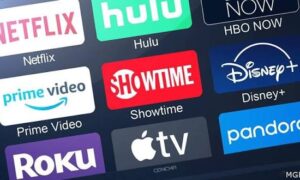
Television viewing has changed a lot in recent years. Instead of depending only on traditional satellite or cable services, many people now use the internet to watch live television, sports, entertainment, news, and international content.
This is where IPTV comes in.
IPTV, or Internet Protocol Television, delivers television content through an internet connection. For people in the UAE, it can be a convenient option when they have a compatible device, a stable internet connection, and a properly authorised service.
However, choosing an IPTV service should not be based only on the number of channels advertised. Streaming quality, device compatibility, connection stability, customer support, and content rights are all important.
This guide explains the basics of IPTV in the UAE, including 4K streaming, internet requirements, compatible devices, installation, troubleshooting, and what to consider before choosing a service.
What Is IPTV?
IPTV stands for Internet Protocol Television. Unlike traditional television systems that use satellite, cable, or terrestrial broadcasting, IPTV uses an internet connection to deliver video content.
The concept is quite simple. Your television or streaming device connects to the internet, an IPTV application connects to the relevant service, and the available content is then delivered to your screen.
Depending on the service, IPTV may include different types of content such as:
- Live television channels
- Sports
- News
- Movies and entertainment
- International programming
- Arabic-language channels
- On-demand content, where available
The quality of your experience can depend on several things. Your internet connection, Wi-Fi signal, streaming device, application, and the quality of the stream can all affect playback.
How Does IPTV Work in the UAE?
A typical IPTV setup does not need complicated equipment.
You normally need an internet connection, a compatible television or streaming device, and an IPTV application or player supported by the service you choose.
The basic process looks like this:
Internet connection → Compatible device → IPTV application → Available content
For UAE households, having a stable connection is particularly important when watching high-resolution video or live sports.
It is also worth remembering that a fast internet package does not automatically guarantee perfect streaming. Wi-Fi interference, router placement, network congestion, device performance, and problems with the streaming source can all cause buffering.
Is 4K IPTV Available in the UAE?
4K offers a higher resolution than standard HD and can provide a sharper and more detailed picture on compatible screens.
However, owning a 4K television does not mean every IPTV channel will automatically be available in 4K. The original content must be provided in 4K, and your device, application, and internet connection must also support the required quality.
Before expecting 4K playback, check the following:
- Your television supports 4K resolution.
- Your streaming device supports 4K.
- The specific content is actually available in 4K.
- Your internet connection is stable.
- Your IPTV application supports the required stream.
- Your device has enough processing performance for smooth playback.
For many viewers, Full HD may already provide an excellent picture, while 4K becomes particularly useful on larger televisions where the additional detail is easier to notice.
IPTV in Dubai and Other UAE Emirates
IPTV is not limited to one city. Users across the UAE may use compatible internet-connected devices to access authorised IPTV services.
The basic requirements remain similar whether you are in Dubai, Abu Dhabi, Sharjah, Ajman, Ras Al Khaimah, Fujairah, Umm Al Quwain, or Al Ain.
The main difference between households is often the quality of the local network setup.
For example, a television located far away from the router may experience more problems over Wi-Fi than a television located in the same room. In some situations, an Ethernet connection can provide a more consistent connection.
What Internet Speed Do You Need for IPTV?
Internet speed is one of the first things people ask about when considering IPTV.
There is no single speed that guarantees perfect performance because connection stability is also important. However, general requirements can be used as a starting point.
Streaming QualitySuggested Internet SpeedSD5 Mbps or moreHD10 Mbps or moreFull HD15 Mbps or more4K25 Mbps or more
These are general guidelines rather than guarantees.
If several people in your home are using the same connection for video calls, gaming, downloads, YouTube, Netflix, or other streaming services, additional bandwidth may be useful.
For the best results, test your connection from the same room and device where you normally watch television.
Wi-Fi or Ethernet: Which Is Better for IPTV?
Wi-Fi is the easiest option for most homes because there is no need to run a network cable to the television.
However, Ethernet can sometimes provide a more consistent connection, especially when the router is reasonably close to the TV or streaming device.
If you use Wi-Fi, consider these simple steps:
- Keep the router in an open location.
- Avoid unnecessary obstacles around the router.
- Use a suitable 5 GHz connection when your device supports it.
- Keep your streaming device within a good Wi-Fi range.
- Avoid heavy downloads while watching important live events.
- Test the connection from the actual viewing location.
A stable 20–30 Mbps connection can sometimes provide a better viewing experience than a much faster connection with unstable Wi-Fi.
Which Devices Can Be Used for IPTV?
One of the advantages of IPTV is the range of devices that may support it.
Depending on the service and application, IPTV can work with devices such as:
Smart TVs
Modern Smart TVs can often run compatible IPTV applications directly. The exact options depend on the television operating system and model.
Android TV Devices
Android TV boxes and other compatible Android-based devices are commonly used because they support a wide range of applications.
Amazon Fire TV Devices
Fire TV devices can turn a compatible television into a connected streaming setup without requiring a large set-top box.
Apple TV
Apple TV can also be suitable when the required IPTV application is available for the device.
NVIDIA Shield
The NVIDIA Shield is another Android TV-based option and can be useful for users who want a more powerful streaming device.
Before buying any device specifically for IPTV, always check application compatibility first. Buying an expensive device does not make sense if the application or service you intend to use does not support it.
How IPTV Installation Works
For many users, IPTV installation is relatively straightforward.
A normal setup may involve:
- Connecting the Smart TV or streaming device to the internet.
- Installing a compatible IPTV application.
- Entering the credentials or playlist information supplied by the authorised service.
- Loading the available channels or content.
- Organising channels and favourites.
- Testing different streams to make sure everything works correctly.
The exact process depends on the device and application.
If you are new to IPTV, it is a good idea to test the setup before making any long-term commitment. This helps identify compatibility or network problems early.
IPTV and Live Sports
Live sports are one of the reasons many viewers consider internet-based television.
Football, cricket, Formula 1, tennis, boxing, and other sporting events can be particularly sensitive to network problems because viewers notice buffering or interruptions immediately during a live event.
If sports are important to you, do not judge a service only by its regular television channels. Test it during the type of live event you actually intend to watch.
For example, someone who mainly watches cricket should test the service during a live cricket match. Someone interested in football should test during a live football fixture.
You can also read the dedicated Live Sports IPTV in the UAE guide for additional information about sports streaming and setup.
Is IPTV Legal in the UAE?
This is an important question and one that should not be overlooked.
IPTV itself is simply a technology for delivering video through an internet connection. The legality of a particular IPTV service depends on the content it provides and whether the provider has the necessary rights or permissions to distribute that content.
In other words, using IPTV technology does not automatically make every IPTV service legal.
Users should choose services that are properly authorised to distribute the channels and content they offer. They should also follow applicable UAE laws and the terms and conditions of their internet provider.
A legitimate service should be transparent about its offering rather than encouraging customers to access unauthorised copyrighted material.
How to Choose an IPTV Service in the UAE
There are many IPTV-related services available online, so it can be difficult to know what to look for.
Instead of focusing only on a large channel count, consider the overall service.
1. Check Device Compatibility
Make sure the service works with the Smart TV, Android device, Fire TV, Apple TV, or other hardware you plan to use.
2. Test Streaming Quality
Check the actual channels and content that matter to you. A service can have a large channel list while the channels you watch most frequently may not perform as expected.
3. Check Stability
Pay attention to buffering, freezing, channel loading times, and playback interruptions.
4. Look at Customer Support
Good customer support can make installation and troubleshooting much easier, especially for people who are new to IPTV.
5. Use a Trial Where Available
Testing the service before purchasing a longer plan is one of the simplest ways to see how it performs on your own internet connection and device.
If a suitable demo is available, you can use the IPTV UAE 4K Free Demo to test compatibility and streaming performance before making a longer-term decision.
6. Check the Provider’s Policies
Before paying, read the relevant terms, refund information, privacy policy, and other service conditions.
IPTV vs Traditional Television
IPTV and traditional television both have their own characteristics.
FeatureIPTVTraditional TVDelivery methodInternetSatellite, cable, or broadcastInternet requiredYesUsually noDevice flexibilityOften highDepends on provider4K availabilityDepends on content and serviceDepends on provider and channelSetupInternet + compatible deviceProvider-specific equipmentViewing optionsMay support multiple compatible devicesUsually tied to provider equipment
The best option for a household depends on viewing habits, available equipment, internet quality, and the services available to the user.
Common IPTV Problems and Simple Troubleshooting
Even a properly configured IPTV setup can occasionally experience problems.
If a stream is buffering, try restarting both the router and streaming device first.
You can then check:
- Whether other devices are using significant bandwidth.
- Whether the Wi-Fi signal is strong.
- Whether the problem affects one channel or many channels.
- Whether another application works normally on the same device.
- Whether the IPTV application needs an update.
- Whether the problem continues when using Ethernet.
- Whether the issue happens only during busy periods.
If other internet services are also slow, the problem may be related to your network rather than the IPTV application.
Testing another device can also help narrow down the cause.
Should You Test IPTV Before Subscribing?
For many users, testing first is more useful than choosing a service based solely on its advertised features.
Ideally, test the service using the same:
- Television
- Streaming device
- Internet connection
- Wi-Fi network
- Viewing location
you intend to use after subscribing.
During the test, check the channels and content you actually care about. Pay attention to picture quality, loading times, stability, audio, and device compatibility.
This gives you a much more realistic idea of what to expect.
Final Thoughts
IPTV can be a flexible way to watch television and other video content through an internet connection in the UAE.
But a good viewing experience involves more than simply having a long list of channels. Your internet connection, Wi-Fi quality, streaming device, application, service reliability, and the provider’s content rights all matter.
Whether you are watching from Dubai, Abu Dhabi, Sharjah, Ajman, Ras Al Khaimah, Fujairah, Umm Al Quwain, or Al Ain, start by checking your own setup and testing the service on the device you actually plan to use.
If a demo is available, testing before choosing a longer-term plan can help you make a more informed decision.
Always choose IPTV services and content that are properly authorised and comply with applicable UAE laws and provider terms.
Frequently Asked Questions
What is IPTV?
IPTV stands for Internet Protocol Television. It delivers television or video content through an internet connection instead of relying exclusively on traditional satellite, cable, or terrestrial broadcasting.
Can I use IPTV on a Smart TV?
Yes, depending on the television model, operating system, and IPTV application supported by the service.
Can IPTV provide 4K quality?
Yes, 4K streaming is possible when the content source, IPTV service, application, device, television, and internet connection all support 4K.
What internet speed is recommended for IPTV?
As a general starting point, around 10 Mbps can be suitable for HD streaming, while 25 Mbps or more is commonly recommended for 4K. Stability is just as important as speed.
Can IPTV be used throughout the UAE?
Compatible IPTV services can be used across different Emirates, provided the service is available to the user, the equipment is compatible, and the content is properly authorised.
Is IPTV legal in the UAE?
IPTV is a technology, so its legality depends on the specific content and whether the provider has the appropriate rights or permissions to distribute it. Users should choose authorised services and comply with applicable laws.
Should I test an IPTV service before subscribing?
If a legitimate trial or demo is available, testing the service on your own device and internet connection can help you evaluate compatibility, quality, and stability before choosing a longer-term plan.