How to Set Up a 3PL Inventory Management System for a Growing Warehouse

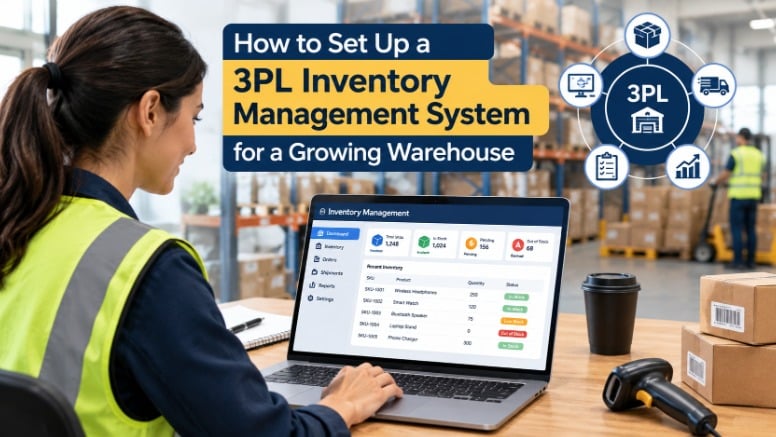
Most warehouses treat 3PL onboarding as a software problem. Select the integrations, configure the system, and go live. That logic sounds reasonable until week three, when system stock levels stop matching physical counts, the 3PL raises discrepancy tickets, and your ops team manually reconciles orders to prevent fulfillment errors. The software did not fail. The data it was built on did. Growing warehouses that skip a structured data audit are not setting up a 3PL system — they are automating their existing errors at scale. Choosing the right 3pl inventory management software matters, but it means nothing if the data feeding it is broken.
Why Most 3PL Setups Are Built on a Broken Foundation
Industry data places warehouse inventory accuracy between 63% and 65% for operations without a pre-migration audit. More than one in three inventory records is unreliable before a single SKU maps to a new system. The widespread assumption is that a 3PL provider will correct these errors during onboarding. Most won’t. Standard 3PL contracts define onboarding as a configuration task, not a data remediation service. When a brand hands over a messy product catalog, the 3PL’s WMS ingests it as-is.
Discrepancies that appear post-launch get attributed to integration errors or WMS bugs. In most cases, they trace back to conflicting data structures that existed long before migration began. Inventory accuracy is not a software problem first. It is a data integrity problem first.
The Four Data Failure Points That Break 3PL Inventory Systems
SKU Duplication and Unit-of-Measure Conflicts
SKU duplication happens when the same physical product carries multiple identifiers across sales channels, ERPs, or legacy WMS records. A 3PL inventory management app ingests all three as distinct products and allocates separate bin space and stock counts for each. The pick-and-pack layer then operates on fragmented data from day one.
Unit-of-measure conflicts compound this. When one system records inventory in “each” and another records the same product in “case of 12,” the WMS generates phantom stock. Twelve units become one, or one becomes twelve. The result is inaccurate reorder triggers and fulfillment errors that take weeks to diagnose because the quantities look plausible on screen.
- Unmapped product hierarchies: Bundles, kits, and variant relationships not consistently structured between the brand’s OMS and the 3PL’s WMS create lookup failures at order processing. The WMS cannot resolve a bundle into its component SKUs if that relationship was never formally defined.
- Stale and ghost inventory records: Discontinued products and items written off informally but never removed appear as available inventory. The 3PL allocates storage and pick capacity to products that do not physically exist.
- Carrier and location code mismatches: Bin designations, zone codes, and carrier identifiers that do not translate between systems produce routing errors and mis-ships that are difficult to isolate post-launch.
The Pre-Setup Data Audit — What to Clean Before You Configure Anything
-
Step 1 — Run a Master SKU Reconciliation
Cross-reference every SKU against two sources: physical inventory counts and live sales channel listings. Any SKU that cannot be matched to a physical product gets flagged. Consolidate duplicates into a single canonical identifier per variant. Standardize unit-of-measure across every channel — one product, one UOM, recorded identically in every system connecting to the 3PL inventory management app. This step cannot be delegated to the 3PL or run in parallel with configuration. It is a prerequisite.
- Step 2 — Archive or write off ghost inventory
Any record that cannot be physically verified does not migrate. Ghost inventory distorts reorder calculations and creates fulfillment capacity errors from day one. Write-offs require formal documentation before migration begins.
- Step 3 — Map product relationships explicitly
Every bundle, kit, and variant relationship needs documenting in a flat data schema the 3PL’s WMS can ingest without interpretation gaps. Relationships managed through workarounds will not survive a migration intact.
The audit output is a clean, validated master product file signed off by the warehouse operations lead and the 3PL onboarding manager. Configuration begins after that sign-off.
How to Configure Your 3PL Inventory System So It Stays Accurate at Scale
Four configuration decisions determine whether a 3pl inventory management software setup holds its accuracy as order volume grows or degrades into manual correction work.
- Dynamic reorder thresholds: Static reorder points set at launch become inaccurate within one selling cycle. Thresholds should tie to rolling velocity data — a 30- or 60-day sales average — and recalculate automatically as velocity shifts.
- Exception-based reporting: Configure the system to flag discrepancies automatically when system count and physical count diverge past a set tolerance. A 2% variance threshold per SKU category is a workable benchmark. Scheduled manual audits allow errors to compound before anyone catches them.
- Velocity-tiered bin logic: Fast-moving SKUs need bin assignments that minimize pick travel time. Build velocity tiers into the initial slotting layout. Restructuring bin logic after the warehouse is at full volume costs far more than getting it right at configuration.
- Defined data ownership: Establish in writing which party holds write access to master SKU records, who approves new product additions, and what the process is for modifying product attributes after go-live. Ambiguity here is the most common source of data drift in long-term 3PL relationships.
The Handoff Milestone That Most Warehouses Skip
Before the system processes a single live order, run a cycle count on a minimum of 10 to 15% of active SKUs after data migration is complete. Compare system-reported quantities against physical counts line by line. If variance on any SKU category exceeds 3%, pause migration and correct the source before go-live proceeds.
Most warehouses skip this because onboarding timelines create launch pressure. Brands defer to the 3PL’s checklist, which confirms the 3PL’s system readiness — not the brand’s data accuracy. These are different objectives.
The validation milestone is also a contractual leverage point. Brands that define it as a formal condition of launch — with a documented variance threshold and shared sign-off — signal operational sophistication. 3PL providers deliver more rigorous onboarding to those clients because they generate fewer post-launch escalations.
Run a Cleaner 3PL Operation From Day One With PrepShipHub
Data integrity failures accumulate quietly in your SKU records and surface as fulfillment errors weeks after go-live. PrepShipHub is built for multi-channel sellers and 3PLs who cannot afford that lag. The platform delivers a single source of truth across Amazon FBA, Walmart WFS, Shopify, and eBay — with scan-verified inventory, cycle count tools, and bin-level WMS visibility that keeps system counts aligned with physical reality. Over 2,000 ecommerce businesses trust PrepShipHub to manage inventory, orders, and fulfillment from one system. If your operation needs 3pl inventory management software that holds accuracy at scale from day one, PrepShipHub is where that starts. Try it free for 30 days — no credit card required.
Frequently Asked Questions
- At what point in the 3PL setup process should a data audit happen?
Before any system configuration begins. SKU reconciliation, UOM standardization, and ghost inventory removal must be completed and signed off before integration mapping starts. Auditing after configuration locks in errors that require costly rework.
- What is the most common data integrity problem warehouses discover during a pre-migration audit?
SKU duplication. The same physical product often carries multiple identifiers across ERPs, marketplaces, and legacy WMS records. When these migrate without consolidation, the WMS treats them as separate products and generates split inventory counts, inflated bin requirements, and inaccurate reorder signals.
- How do unit-of-measure conflicts cause phantom inventory in a 3PL system?
When one system records a product in “each” and another in “case of 12,” the WMS defaults to one record during migration. If it defaults to the case-level record, twelve physical units become one system unit — and vice versa. Either outcome produces quantities that look plausible on screen but do not reflect physical reality, leading to overselling and mis-picks.
- Is a go-live cycle count necessary if the 3PL already has its own onboarding checklist?
Yes. A 3PL’s checklist confirms their system is operationally ready. It does not verify that your inventory data migrated accurately. A cycle count on 10 to 15% of active SKUs, completed after migration but before the first live order, is the only mechanism that confirms data accuracy from the brand’s side.