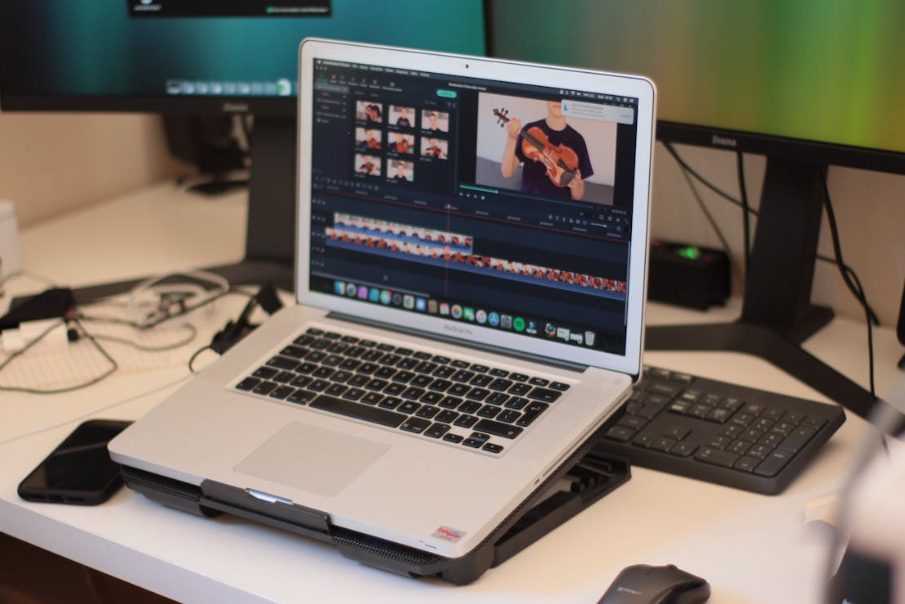
Video content isn’t a “nice to have” anymore. It’s the heartbeat of modern marketing. The problem? Producing good videos drains hours, talent, and cash faster than your team can say “final cut.”
Enter AI video automation — your overworked editor’s best friend. Instead of assembling a full production crew or losing weeks to revision hell, businesses can now churn out professional-grade videos in a fraction of the time. It’s like giving your content pipeline a double espresso. This article covers exactly how it works, what it saves you, and how to jump in without torching your budget.
What AI Video Automation Actually Does for Your Content Workflow
Let’s cut to the chase. AI video automation handles the repetitive, time-consuming parts of video production so your team doesn’t have to. Script generation, voiceover, scene assembly, subtitle placement — these tasks used to require multiple specialists. Now, a single platform can do them in minutes.
Picture this: you paste in a blog post. The system converts it into a scripted video with matching visuals, background music, and captions. No storyboarding. No back-and-forth with editors. Your content workflow shrinks from days to hours — sometimes less. That’s not magic. It’s smart automation doing the heavy lifting while your creative team focuses on strategy and storytelling.
Key Benefits of Using AI to Create Videos at Scale
Scaling video production used to mean scaling your headcount. Not anymore. AI-driven tools let even small teams produce dozens of videos per month without breaking a sweat.
Speed is the obvious win. But cost savings run deeper than most people expect. You eliminate licensing fees for stock footage, reduce freelancer invoices, and cut revision cycles dramatically. There’s also consistency — every video follows your brand guidelines because the system is trained on your templates.
And let’s not ignore accessibility. AI generates captions, translations, and voiceovers in multiple languages automatically. That opens your content to global audiences without hiring translators or voice actors. For lean marketing teams, this kind of leverage is a game-changer.
How Much Time and Money AI Video Tools Can Save Your Business
Numbers don’t lie. According to industry reports, businesses using automated video workflows cut production time by 60–80%. A video that took a week to produce now takes an afternoon.
On the budget side, companies report saving between $2,000 and $10,000 per month, depending on output volume. That’s money previously spent on editors, motion designers, and stock media subscriptions. The ROI becomes obvious once you compare the cost-per-video before and after automation.
One mid-sized e-commerce brand shared that they went from producing 4 product videos a month to 40 — with the same two-person marketing team. No overtime. No outsourcing. Just smarter tools doing the grunt work. If you’re evaluating AI video creation tools for your business, the savings alone make a compelling case.
Best AI Video Automation Tools for Marketing Teams in 2026
Not all platforms are built the same. Here are some standout options worth considering:
- Synthesia — Ideal for training videos and corporate communication. Creates AI avatar-driven videos from text input with multilingual support.
- Pictory — Turns long-form content like blog posts and webinars into short, shareable clips. Great for repurposing.
- InVideo AI — Offers prompt-based video generation with stock footage integration. Solid for social media teams on tight deadlines.
- HeyGen — Focuses on personalized outreach videos and sales enablement. Strong avatar customization.
- Runway — A favorite among creative teams for its generative capabilities and advanced editing features.
Each tool serves a different use case. Match the platform to your specific workflow before committing to a subscription.
Step-by-Step Guide to Automating Your Video Production Process
Relax — nobody’s asking you to learn machine learning. Here’s a no-nonsense game plan.
First, take a hard look at your current video workflow. Spot which steps hog the most hours — scripting, editing, captioning, or distribution. Those bottlenecks are begging for automation. Second, choose a platform that goes after those pain points directly. Paying for bells and whistles you’ll never ring is just silly.
Third, build your templates. Most platforms let you nail down brand colors, fonts, intro/outro sequences, and music libraries. Put in the effort once, and every video after that rolls off the assembly line looking sharp. Fourth, dip your toes in. Run 5–10 videos through the system before cannonballing into the deep end. Stack up quality, turnaround time, and what your team actually thinks.
Last but not least, create a feedback loop. Monitor how each video performs and revisit your templates every quarter. Automation isn’t a slow cooker — you can’t just set it and walk away. It improves the more you tinker with it.
Common Mistakes to Avoid When Switching to AI Video Creation
The biggest trap? Expecting perfection on day one. AI tools are powerful, but they still need human oversight. Always review generated content before publishing. Awkward phrasing, mismatched visuals, or off-brand tones slip through if nobody’s watching.
Another common error is automating everything at once. Start with one content type — say, social media clips — and expand from there. Trying to automate tutorials, ads, and product demos simultaneously creates chaos.
Also, don’t ignore your audience. Just because you can produce 50 videos a week doesn’t mean you should. Quality still matters more than quantity. Flooding channels with mediocre content hurts your brand more than posting less frequently with stronger material.
Start Automating Your Video Content — Without Breaking the Bank
AI video automation isn’t a luxury reserved for enterprise budgets. Most tools offer free tiers or affordable starter plans under $30/month. Jumping in costs less than your monthly coffee habit.
Start small. Pick one workflow bottleneck, test one platform, and measure the results. Once you see the time and cost savings firsthand, scaling becomes a no-brainer. The brands winning with video in 2026 aren’t the ones with the biggest production budgets. They’re the ones working smarter — and letting automation handle the rest.
Frequently Asked Questions
What is AI video automation, and how does it work?
You feed it text, and it spits out a finished video. Scripts, voiceovers, visuals — handled automatically. It’s like hiring an editor who never sleeps or asks for coffee breaks.
Are AI-made videos good enough to compete with professionally shot content?
For social media and marketing? Absolutely. For a Super Bowl commercial? Not yet. But honestly, your Instagram audience won’t notice the difference — and your wallet will thank you.
How much does AI video automation cost compared to traditional video production?
Traditional production burns $1,000–$10,000 per video. AI platforms charge $20–$100 monthly for dozens of videos. Do the math — your accountant might actually smile for once.
Is AI video automation suitable for small businesses with limited resources?
It’s practically built for you. One person, one laptop, one afternoon — and you’ve got professional-looking videos. Free tiers exist, too, so your budget stays happily intact.
Do AI video tools spell the end for human editors and creators?
Relax, humans. AI handles the boring stuff — trimming, captioning, formatting. Creative vision still needs a real brain. Think of it as your tireless intern, not your replacement.