Customer Engineer Goldy Arora developed scripts from 2015, and published enterprise automation tools from 2018 onwards – changing how IT teams manage educational technology
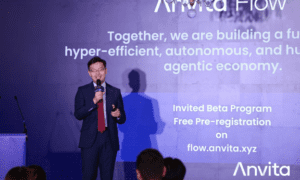
Over 150 million students and educators worldwide now use Google Workspace for Education across 230 countries and territories, according to data published by About Chromebooks. But here’s the problem nobody talks about: formal training programs for managing these massive cloud deployments lag years behind what’s actually happening in schools and universities. IT administrators get stuck doing bulk operations manually, generating compliance reports the platform wasn’t designed to create, handling edge cases that have no documented solutions. Goldy Arora, a distinguished technology expert, spent fifteen years fixing exactly this gap. Back in 2009, when the platform was still new, Arora started building custom scripts and automation tools – not for himself, but for the community of administrators who kept hitting the same walls he did. Those tools now run on systems used by more than 20 million people globally. Featured in official “Tips From A Googler” educational series and invited to host multiple webinars, Arora was brought onstage at GovSec Conference in 2025 to explain Zero Trust security architecture to 250 government officials. We talked about why he chose to give away his technical knowledge for free, what breaks when healthcare providers try to migrate patient data to the cloud, and how he built automation that works even when underlying platform code changes every week.
Goldy, you currently serve as Customer Engineer at Google, one of the world’s leading technology companies with over 2 billion active users across its ecosystem and consistently ranked among the most innovative organizations globally. You’ve been instrumental in helping enterprise clients and government agencies implement secure cloud infrastructure at scale. You were invited to present at GovSec Conference in 2025, where the audience was 250 government officials learning about Zero Trust security. What made government agencies suddenly care so much about this particular approach to cloud security?
Traditional security assumed everything inside your network was safe – you had a firewall, everything inside was trusted, everything outside wasn’t. Cloud platforms destroyed that model completely. Government agencies moving to cloud environments couldn’t rely on perimeter defenses anymore because their users were everywhere, accessing data from different locations and devices. Every access request needed verification regardless of where it came from. At GovSec, my presentation focused on Zero Trust in the public sector – helping officials understand what Zero Trust actually means and how to adopt it in government organizations. I explained the fundamental shift from perimeter-based security to identity-based verification, where trust is never assumed and every access request is authenticated and authorized. For government agencies handling sensitive citizen data, this approach provides the security framework they need without requiring massive budgets or specialized staff they often can’t afford.
In 2009, what specific problem were you trying to solve when you started building your innovative automation tools – Ok Goldy, Classright, and G License Manager? Walk us through what administrators were actually dealing with back then.
Bulk operations didn’t exist in any usable form. If you needed to update licenses for thousands of users, you did it manually, one at a time. Complex permission management across organizational units? Manual. Compliance reports that the console couldn’t generate? You figured it out yourself or paid consultants huge money. Educational institutions with 10,000 students were hiring three full-time staff just for routine permission updates. Small healthcare practices had identical HIPAA requirements as major medical centers but couldn’t hire specialized cloud architects. Nobody was building solutions for these gaps. So I taught myself. My approach abstracted complex API processes, things that normally required multiple steps and technical knowledge, into single commands. Everything got integrated into familiar spreadsheet interfaces that administrators already knew how to use. They could perform bulk updates and manage permissions without writing a single line of code. Tasks that took hours got done in seconds with perfect consistency, which mattered enormously for organizations that needed documentation for compliance. This methodology led to three major tools: Ok Goldy for general automation, Classright for educational environments, and G License Manager for streamlined license administration.
Before we dive into Classright, tell us about your work at MediaAgility, a digital consulting services company recognized for its reliability, strong reputation, and consistent delivery of high-quality services, and how that experience shaped your approach to enterprise cloud solutions.
At MediaAgility, I worked as a specialist helping large organizations transition to Google Workspace and optimize its deployment. It wasn’t just a technical implementation – it meant understanding how enterprises with thousands of employees actually use cloud platforms, what breaks during migration, where implementation failures occur. I worked directly with IT teams managing complex organizational structures, multiple departments with different security requirements, and legacy systems that needed to be integrated. This hands-on experience solving enterprise-scale problems taught me something very important: there is a huge gap between what platforms initially offer and what organizations actually need. Administrators spent weeks on tasks that should have taken hours. Regulatory compliance requirements created bottlenecks that standard tools couldn’t handle. This real-world exposure to enterprise problems directly influenced the automation solutions I created – I knew exactly what problems needed to be solved because I saw IT teams struggling with them every day.
Classright now serves over 3 million teachers worldwide. Educational environments must require fundamentally different automation compared to corporate IT settings, how did you figure out what teachers actually needed?
A teacher managing 150 students across five classes has completely different problems than a system administrator managing 5,000 employees. Educational institutions handle sensitive student data with strict privacy requirements but often lack dedicated IT staff for each school building. Teachers might be excellent educators with limited technical background. Classright applied the same automation principles I’d developed for healthcare, careful handling of protected information, but the interface had to be invisible. Teachers focused on instruction shouldn’t need to understand API architecture or organizational unit hierarchies. Integration directly into classroom management platforms meant they could manage permissions, monitor access, and generate compliance reports without leaving the tools they already used daily. Success meant making correct procedures easier than incorrect ones. Compliance had to happen naturally through normal workflows rather than being something extra teachers had to remember to do.
Thousands of students studying cloud workspace administration have taken your courses on Udemy. How did you manage to transform your corporate experience into accessible education?
The courses arose from the realization that enterprise-level knowledge was only available through expensive consultants and proprietary training programs. Administrators at small organizations or educational institutions faced the same technical challenges as large companies, but couldn’t afford $10,000 consulting fees. I created comprehensive training programs covering everything from basic configuration to advanced automation techniques, which essentially democratized the kind of expert knowledge that was previously only available through expensive consultants. The curriculum is based directly on my experience working at MediaAgility and developing tools. Students learn not only how to use cloud platforms, but also how to solve real-world problems: automate bulk operations, manage complex permissions, and build compliance systems. Thousands of administrators have taken advantage of these courses to gain skills that would otherwise have taken years of trial and error to acquire. Creating these educational resources was another way to address a knowledge gap I had identified: formal training couldn’t keep pace with platform evolution, so the community needed accessible, practical education that updated as quickly as the technology changed.
G License Manager has become an indispensable tool for organizations that license cloud workspaces on a large scale. What specific problem does it solve that standard administration consoles cannot?
License management seems simple until you have to deal with thousands of users from different departments within an organization, each with different needs. Standard administration consoles show current assignments, but they don’t help optimize costs or prevent common mistakes that cost organizations real money. G License Manager solves the problem of visibility and control. Organizations need to track licensing trends in real time – are you paying for licenses that no one is using? Do you have users who should be at different levels? When someone leaves the company, is their license reassigned or left unused for months? This tool provides automatic tracking and reporting, allowing you to answer these questions without manual spreadsheet work. It also prevents costly mistakes: accidentally assigning enterprise licenses when basic ones would suffice, retaining licenses for departed employees, missed opportunities to consolidate licensing to save money. For organizations spending six or seven figures annually on cloud workspace licensing, the tool typically identifies 15-20% in optimization opportunities within the first month. It transforms licensing from an administrative burden into a strategic resource that IT teams can actually manage proactively.
As educational institutions and government agencies keep expanding their cloud infrastructure, what technical challenges are emerging that most people aren’t prepared for yet?
AI integration is creating immediate headaches. Educational institutions deploying AI capabilities need frameworks that prevent student data from being used for model training while still enabling powerful learning tools. Government agencies exploring AI-powered workflows must maintain detailed audit trails showing how automated systems made decisions that affected citizens. Administrative overhead is going to increase dramatically as organizations implement these technologies without proportionally increasing IT staff. Multi-cloud environments are another growing problem. Organizations don’t operate solely within one platform anymore – they need solutions that work across multiple cloud providers while maintaining consistent security and compliance standards. Legacy systems integration keeps creating persistent headaches too. Educational institutions have student information systems that are twenty years old, and those databases need to communicate with modern cloud platforms. Most schools lack the resources to develop custom middleware. Successful solutions will treat all of this as engineering problems requiring systematic approaches rather than expecting manual intervention to somehow scale. When compliance gets embedded into operational workflows instead of being additional overhead, organizations reduce costs while improving security and free up IT staff for strategic work instead of repetitive tasks.