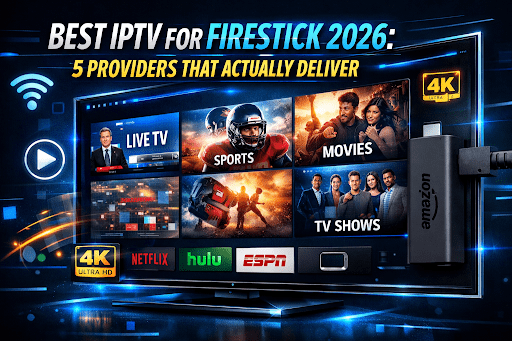
The Amazon Fire Stick is sitting in roughly 50 million American homes right now. Small device, massive footprint. People plug it in expecting to save money on streaming — and most do — but at some point, the same question surfaces in almost every household that owns one: is there a way to get live TV, sports, and international channels without paying cable prices?
The answer is yes. And in 2026, it’s more accessible than it’s ever been.
IPTV on a Firestick isn’t complicated once you understand the basics. You install a player app — IPTV Smarters Pro is the most common, TiviMate is popular among power users — enter credentials from your chosen provider, and within ten minutes you’re watching live TV. No technician. No equipment rental. No two-year commitment with early termination fees buried in paragraph nine.
The harder question isn’t how. It’s who. The IPTV market has expanded fast enough that providers range from genuinely excellent to quietly unreliable — and most look identical on a landing page. This guide cuts through that noise by examining five specific providers: Mine IPTV, SwapIPTV, IPTV Rockers, Xtreme HD IPTV, and ITTechBasics IPTV — with pricing pulled directly from their sites and an honest take on who each one actually suits.
What Makes IPTV Work Well on a Firestick Specifically
Before getting into providers, this is worth understanding — because Firestick users face a slightly different set of considerations than people watching on an Android TV box or a Smart TV.
The Fire Stick runs a locked-down version of Android. Amazon doesn’t allow most IPTV player apps through the official App Store, which means you’ll need to sideload them using a file manager app. This sounds scarier than it is — it takes about three minutes and dozens of tutorials exist — but it does mean your IPTV experience is only as good as the app you pair with your provider’s credentials.
Firestick performance also scales with your device generation. A Fire Stick 4K Max handles 4K IPTV streams with room to spare. An older first-gen stick struggles. If you’re on older hardware and experiencing buffering, the problem may be the device, not the provider.
Speed matters too. For reliable HD streaming on a Firestick, 25 Mbps is the practical floor. 4K streams want 50 Mbps or better, with a consistent connection — not one that fluctuates between 80 and 12 depending on what your neighbor is doing.
With that context established, here are the five providers worth considering in 2026.
1. Mine IPTV — Reliable Starting Point, Massive VOD Selection
Mine IPTV has positioned itself as a broadly accessible service that doesn’t require you to be technically sophisticated to set up and use. The channel library sits at over 22,000 live TV feeds, and the on-demand side is genuinely impressive — 250,000+ movies and series with catch-up and EPG support for European channels included. That’s a VOD library that rivals Netflix and Prime Video combined in raw volume, though content freshness is always worth verifying on your own.
What works well for Firestick users specifically is the device compatibility angle. Mine IPTV explicitly supports Android, Smart TV, MAG Box, Firestick, iOS, Windows, and Mac OS, with additional device support available on request. Setup tutorials are available on their site for different devices — which matters if you’ve never sideloaded an app before.
Pricing Breakdown
The standard plan runs $14.99 for one month, scaling to $24.99 for three months, $44.99 for six months, and $74.99 for a full year. The premium 4K tier — which adds anti-freeze technology and bumps the channel count to 23,000+ — starts at $19.99 per month and comes with a 15-day money-back guarantee versus the standard plan’s 7-day window.
The 4K premium tier makes particular sense for Firestick 4K Max users. Anti-freeze technology paired with the faster stick translates to a noticeably smoother experience during live events, where buffering is most likely to occur.
Honest Assessment
Mine IPTV appears to be a solid choice for users who want a large content library without a steep learning curve. The pricing rewards commitment — $74.99 for a year works out to about $6.25 per month, which is genuinely hard to argue with. The 7-day trial window on the standard plan is on the shorter side; if you can stretch to the premium tier for the 15-day guarantee, it’s worth it for the extra testing time.
2. SwapIPTV — Built for Live Sports, the Anti-Buffer Claim Is the Real Story
Every IPTV provider says their streams are stable. SwapIPTV says it differently — with a named technology and a specific version number attached to the claim. Anti-Buffer™ 3.0 is their answer to stream instability, alongside access to thousands of channels in HD, Full HD, and 4K through any device including Firestick.
That’s a marketing claim until proven otherwise, obviously. But it does indicate where this service has focused its development effort. And for Firestick users who use their device primarily for live sports — NFL Sundays, NBA playoffs, UFC cards — that focus is directly relevant.
Pricing Breakdown
SwapIPTV’s Basic plan starts at $14.99 per month for one device and includes 25,000+ live channels, 120,000+ movies and series in VOD, 4K/HD quality, EPG, catch-up, PPV, 99.99% uptime, and full US sports coverage spanning NBA, NHL, NFL, MLB, and ESPN+. A money-back guarantee and 24/7 live chat support are included across all tiers.
The PPV inclusion is worth pausing on. Boxing, UFC, and major wrestling events typically cost $50 to $80 each if purchased individually. Having PPV bundled into a $14.99 monthly plan represents meaningful savings for combat sports viewers — potentially recouping the subscription cost in a single event.
A free trial is available, which is the correct first move. Test it on your Firestick during a live broadcast — not on-demand content, which almost always streams smoothly regardless of backend quality. The live stream under load is the honest test.
Honest Assessment
SwapIPTV makes the most sense for sports-first Firestick households. The anti-buffer claim needs personal verification during peak hours, but the package structure — sports, PPV, catch-up, 24/7 support — is designed around exactly the kind of viewer who gets frustrated when a critical game freezes at the worst possible moment.
3. IPTV Rockers — The Independent Option Worth Investigating Directly
IPTV Rockers occupies a different space in this market. The site was inaccessible for automated review at the time of writing — smaller providers sometimes configure their servers this way deliberately — which means the due diligence here has to happen on your end rather than mine.
What user communities and streaming forums suggest is that IPTV Rockers has developed a loyal following among users who’ve tried larger, more formulaic services and found them generic. The appeal appears to be a combination of competitive pricing, content variety, and a less corporate feel overall. Whether that translates to reliable Firestick performance in your specific situation is exactly what a trial period is for.
What to Actually Test on Your Firestick
If you visit IPTV Rockers and decide to trial, prioritize these tests: load the app during a primetime weeknight broadcast, test a major sports channel during a live game, and check whether the EPG loads accurately and quickly. On a Firestick specifically, EPG loading speed varies significantly between providers — a sluggish guide is a day-to-day irritation that doesn’t show up in any marketing material.
Honest Assessment
IPTV Rockers suits the technically curious user — someone who enjoys researching options, doesn’t mind a bit of setup experimentation, and wants to evaluate a provider on their own terms rather than taking polished marketing at face value. Go in with a clear testing checklist and a short trial window, and you’ll know quickly whether it’s right for you.
4. Xtreme HD IPTV — The Safest Bet for Firestick Users Who Want Proven Reliability
Longevity is underrated in this market. Xtreme HD IPTV has been operating since 2014 — which, in IPTV terms, is essentially ancient. Over a decade in business, 50,000+ subscribers, 99.9% uptime, 25,000+ live channels in 4K Ultra HD, and compatibility across Fire Stick, Android TV, Smart TV, and iOS — with no contracts and a free trial available.
Ten years of operation means ten years of solving infrastructure problems, updating channel lineups, weathering server load during major events, and refining customer support. Newer providers can promise similar specs, but they can’t replicate that operational history. For Firestick users who just want something that reliably works — particularly for households transitioning from cable — that track record matters.
The Firestick setup process is straightforward with Xtreme HD IPTV. The provider supports IPTV Smarters, which is available as a sideloaded app, and their credentials work cleanly with Xtream Codes format. No unusual configuration steps.
Pricing Breakdown
The one-month single-device plan is $14.99, two devices run $24.99, three devices at $39.99, and four devices at $49.99 — all including 25,000 channels, 4K quality, anti-freeze technology, and 24/7 active support. Multi-month plans reduce the per-month cost meaningfully, and a free trial lets you verify performance before any financial commitment.
The four-device plan at $49.99 per month is a standout for larger households. Four simultaneous Firestick streams at that price is simply not replicable with mainstream streaming services — you’d spend that on Netflix’s premium plan alone.
Honest Assessment
If one provider on this list represents the lowest-risk choice for the average Firestick user, it’s Xtreme HD IPTV. The decade of operation, the subscriber base, and the anti-freeze technology combine into a package that’s difficult to dismiss. It’s not the cheapest on an annual per-month basis, but the reliability argument is real and the multi-device flexibility is among the best here.
5. ITTechBasics — Highest Channel Count, Smartest Annual Pricing
ITTechBasics leads on two metrics that matter: channel volume and annual value. The service offers 30,000+ live channels alongside 250,000+ on-demand titles, with no contract required, a 24-hour trial, and a 15-day money-back guarantee. That 30,000-channel figure is the highest of any provider reviewed here — and while raw channel count is an imperfect proxy for quality, it does suggest strong international coverage alongside the US lineup.
For Firestick users specifically, the device compatibility is comprehensive. ITTechBasics supports Android, Smart TV, MAG Box, Firestick, iOS, Windows, and Mac OS, with all devices supported on request. Setup tutorials are published on the site, which is useful for first-time IPTV users navigating sideloading on a Firestick for the first time.
Pricing Breakdown
The Silver plan covers one device for $14.99 per month; Gold offers three months for $24.99; Platinum runs six months at $39.99; Diamond covers a full year at $64.99. All plans include 4K/Ultra HD quality, 99% uptime, automatic updates, and 24/7 live chat support.
The Diamond annual plan at $64.99 for a single device works out to $5.42 per month — the lowest effective monthly rate of any provider on this list. For solo Firestick users or light households who watch primarily on one device, that’s a compelling long-term proposition. The 15-day money-back guarantee gives you two full weeks to stress-test the service before any irreversible commitment.
Honest Assessment
ITTechBasics makes the strongest case for users who want maximum content at minimum long-term cost and are comfortable committing to a year upfront. The reseller panel listed on their site also suggests a more mature backend infrastructure than many newer providers — reseller operations require stable, scalable systems that single-user services often don’t need to build. That’s a reasonable positive signal about backend reliability.
Side-by-Side Comparison for Firestick Users
| Provider | Live Channels | VOD Library | 1-Month Price | Annual Cost | Free Trial | Money-Back |
| Mine IPTV | 22,000+ | 250,000+ | $14.99 | $74.99 | No | 7–15 days |
| SwapIPTV | 25,000+ | 120,000+ | $14.99 | Check site | Yes | Yes |
| IPTV Rockers | Varies | Varies | Check site | Check site | Check site | Check site |
| Xtreme HD IPTV | 25,000+ | Large | $14.99 | Check site | Yes | Yes |
| ITTechBasics | 30,000+ | 250,000+ | $14.99 | $64.99 | 24 hours | 15 days |
20 Frequently Asked Questions: Best IPTV for Firestick 2026
Can I use IPTV directly on my Amazon Fire Stick? Yes. The Fire Stick runs a version of Android, which means IPTV player apps like IPTV Smarters Pro, TiviMate, and GSE Smart IPTV all work on it. Since Amazon’s App Store doesn’t carry most IPTV players, you’ll need to sideload them using the Downloader app — a process that takes about three minutes and requires enabling “Apps from Unknown Sources” in your Firestick settings.
Which IPTV provider works best with Fire Stick in 2026? Xtreme HD IPTV is arguably the strongest all-around choice for Firestick users specifically, given its decade of operational history and explicit Fire Stick compatibility. SwapIPTV is the better call if live sports are your primary use case. ITTechBasics offers the best annual value at $64.99 per year for a single device.
Do I need to jailbreak my Firestick to use IPTV? No. Sideloading apps on a Firestick is not the same as jailbreaking. It’s a built-in feature Amazon allows — you simply toggle on “Apps from Unknown Sources” in settings and use the Downloader app to install your chosen IPTV player. No technical expertise required.
What internet speed do I need for IPTV on Fire Stick? A consistent 25 Mbps connection handles HD streaming without issue. For 4K content — available through Mine IPTV’s premium tier, SwapIPTV, Xtreme HD IPTV, and ITTechBasics — 50 Mbps or better is more appropriate. Consistency matters more than peak speed; an inconsistent 100 Mbps connection can perform worse than a stable 30 Mbps one.
Which IPTV app works best on Firestick? IPTV Smarters Pro is the most widely compatible and the easiest to configure for most providers. TiviMate is preferred by experienced users for its cleaner interface and superior EPG management. Both work well with all five providers reviewed in this article. Your provider’s credentials enter the same way regardless of which app you choose.
Will IPTV work on older Fire Stick models? It will function, but with limitations. Older first or second-generation sticks can struggle with 4K streams and may buffer more during high-demand live broadcasts. A Fire Stick 4K or 4K Max delivers a significantly better experience, particularly with providers that offer 4K quality like Xtreme HD IPTV and SwapIPTV.
Does SwapIPTV really eliminate buffering on Firestick? SwapIPTV’s Anti-Buffer™ 3.0 technology reduces buffering by pre-loading stream data and automatically switching servers when instability is detected. In practice, it minimizes buffering during live events — but no provider can guarantee zero buffering under all network conditions. Testing during a live sports broadcast on your own connection remains the most reliable evaluation method.
Can I watch NFL, NBA, and UFC on Firestick through these providers? Yes. SwapIPTV explicitly includes NFL, NBA, NHL, MLB, and ESPN+ in all plans. Xtreme HD IPTV covers NFL, UFC, and NBA. ITTechBasics and Mine IPTV include major US sports channels in their lineups. SwapIPTV and Xtreme HD IPTV both include PPV events, which is significant for combat sports viewers.
How do I install IPTV Smarters on my Firestick? First, enable “Apps from Unknown Sources” in your Firestick settings under My Fire TV > Developer Options. Then install the Downloader app from the Amazon App Store. Open Downloader, enter the direct download URL for IPTV Smarters Pro, and install it. Once installed, open the app and enter the credentials your IPTV provider sends you.
Is there a free trial before I pay for an IPTV subscription? SwapIPTV and Xtreme HD IPTV offer free trials. ITTechBasics provides a 24-hour trial. Mine IPTV’s trial availability varies — check their current site. Always test during a live broadcast on your Firestick rather than just on-demand content; VOD streams almost always perform better and give a misleadingly positive first impression.
What is catch-up TV and which providers include it? Catch-up allows you to watch content that aired in the past 24–72 hours without a DVR. SwapIPTV and Mine IPTV both include catch-up as a standard feature. It’s useful for sports events or primetime shows you missed without wanting to track down a VOD version. On Firestick, catch-up content loads through the same IPTV player as live channels.
Can I use a VPN with IPTV on my Firestick? Yes, and a VPN is compatible with Firestick IPTV. Install a VPN app directly on your Firestick — ExpressVPN and NordVPN both have Firestick-compatible apps — and run it before launching your IPTV player. Choose a server geographically close to you to minimize speed reduction. Routing through a distant server can introduce buffering that wouldn’t otherwise occur.
How many devices can I use on one IPTV subscription? It depends on your plan. Most providers reviewed here offer single-device, two-device, and three-device tiers. Xtreme HD IPTV extends to four simultaneous connections on its highest plan. If you have Firesticks in multiple rooms, check the multi-device pricing — it’s usually significantly cheaper than purchasing separate single-device subscriptions.
What is Xtream Codes and why does my provider mention it? Xtream Codes is a server management system that many IPTV providers use on their backend. When your provider gives you a server URL, username, and password (rather than an M3U link), those are Xtream Codes credentials. IPTV Smarters and TiviMate both accept Xtream Codes format directly — you just choose “Xtream Codes” as your connection type when adding the playlist.
Why does my IPTV stream buffer on Firestick but not on my phone? Several factors can explain this. Your Firestick may be on a weaker Wi-Fi signal than your phone — try moving it closer to the router or using a Wi-Fi extender. Older Firestick models have less processing power than modern smartphones. Alternatively, if you’re running multiple apps in the background on the Firestick, clear the cache and close background processes through the Manage Installed Applications setting.
Is ITTechBasics’s $64.99 annual plan worth committing to? At $5.42 per month effective cost with 30,000+ channels and 250,000+ VOD titles, the math is compelling for long-term users. The 15-day money-back guarantee gives you a reasonable window to evaluate the service thoroughly before the commitment becomes irreversible. If the service performs well during your trial, the annual plan represents the best dollar-per-content value of any option reviewed here.
What EPG means and why it matters on Firestick? EPG — Electronic Program Guide — is the on-screen channel schedule showing what’s currently airing and what’s coming up next. On a Firestick, a well-functioning EPG makes IPTV feel like traditional TV rather than an endless list of channel numbers. All five providers include EPG support; the quality of EPG data accuracy and loading speed varies between them and is worth checking during any trial period.
Can I record live TV through IPTV on Firestick? Standard IPTV subscriptions don’t include built-in recording. However, TiviMate — one of the recommended player apps for Firestick — has a premium version that includes a DVR recording feature, allowing you to record to an attached USB storage device. This is separate from the catch-up feature and adds local recording capability to your setup.
What happens to my IPTV subscription if I get a new Firestick? Nothing changes. Your subscription is tied to your account credentials, not your physical device. Log into your IPTV player app on the new Firestick, enter the same credentials your provider gave you, and your full channel lineup returns immediately. This is one of the practical advantages of IPTV over cable — there’s no hardware registration, no activation fee, no technician required.
Which of these five IPTV providers is best for a household switching from cable in 2026? Xtreme HD IPTV is the most defensible recommendation for cable-switchers — its decade of operation, 50,000+ subscriber base, and Firestick-specific compatibility reduce the uncertainty that comes with any new service. For cost-conscious households willing to commit to a year upfront, ITTechBasics offers more channels at a lower annual price. Either way, start with the trial, test during a live sports broadcast, and trust what you see over what the landing page promises.
Have a specific Firestick model, internet speed, or viewing habit you’d like a personalized recommendation for? Drop it in the comments — happy to help you narrow it down.