
Best Field Service Management Software for Growing Service Businesses in 2026

Jobber shows up in almost every conversation about field service software, and for good reason. It has been around long enough to become the default answer, especially for solo operators and small crews just getting off spreadsheets. But a lot of businesses that started on Jobber eventually find themselves searching for something else, not because Jobber is a bad product, but because their needs have changed and the pricing or workflow no longer fits the way it once did.
If you are one of the many people typing “jobber alternatives” or “how much does jobber cost” into a search bar right now, this guide is meant to save you some time. It covers what Jobber actually costs, why growing businesses start looking at competitors, and what to actually check when comparing software like Jobber against the field service software market as a whole.
Why Growing Businesses Start Looking at Jobber Competitors
Jobber tends to work well in the early stages of a service business, when a team is small and the core need is just getting organized: schedule jobs, send invoices, keep customer records in one place. The friction usually shows up once a business grows past that early stage.
-
Per-user pricing gets expensive as the team grows
Jobber, like most field service management software, charges based on how many people are using it. That is a normal pricing model across the industry, but it means a 5-person crew pays a very different bill than a 15 person one, and the jump between tiers is not always small.
-
Features get split across pricing tiers
Things like automated reminders, marketing tools, or premium support are often reserved for higher tiers, which means a growing business sometimes has to upgrade just to get a feature that feels like it should be standard.
-
Workflows built for one type of business do not always bend
Jobber was built with home service trades in mind, plumbers, cleaners, landscapers, and similar businesses running fairly repeatable jobs. Companies with more complex needs, multiple trades on one job, subcontractors, or approval steps for change orders, sometimes find the platform does not flex the way their operation needs it to.
None of this means Jobber is the wrong choice for everyone. It means that as a business grows, it is worth checking whether the tool that worked at 5 employees still makes sense at 15 or 25.
How Much Does Jobber Cost
This is the question most people actually want answered, and it is worth being upfront that the number is not always simple to pin down. Jobber’s official pricing page is the only fully reliable source, since published prices have shifted more than once over the past year and different plans are structured around either a single user or a set number of included team members.
Generally speaking, here is how the pricing tends to be structured:
- Entry level plans are aimed at solo operators and typically start somewhere in the range of thirty to fifty dollars a month for one user, covering basic scheduling, invoicing, and customer management.
- Mid-tier team plans include a set number of users, often five or ten, and add features like online booking, two way messaging, or accounting software syncing. These plans commonly land somewhere between one hundred and three hundred dollars a month depending on team size and billing cycle.
- Higher tiers built for larger crews can run several hundred dollars a month and typically bundle in marketing tools, premium support, and automated features that are sold as separate add ons at lower tiers.
- Extra users beyond a plan’s included count usually cost an additional monthly fee per person, which is the main reason the total bill grows faster than expected as a team expands.
- Paying annually instead of monthly generally lowers the effective monthly cost by a meaningful percentage, though it also means committing to a full year before being completely sure the software is the right long term fit.
On top of the subscription itself, payment processing fees for invoices paid through the platform are worth factoring in separately, since those charges are usually a percentage of every transaction and can add up to a real cost for businesses processing a high volume of payments each month.
If you want the exact number for your team size, checking the Jobber pricing official page directly is the most accurate way to get a current figure, since third party comparison sites do not always stay updated at the same pace as the provider itself.
What to Actually Compare When Looking at Software Like Jobber
Searching for apps like Jobber turns up a long list of options, and it is easy to get lost comparing feature lists instead of what actually matters for your business. A few things are worth checking with any jobber alternative before making a decision.
- Total cost at your actual team size, not the headline price: A plan that looks cheap for one user can look very different once you multiply it out for five or ten technicians. Always do that math before comparing two providers side by side.
- What is included versus what costs extra: Estimates and invoicing, mobile access, and basic reporting should generally be included at every tier for a growing business. If a provider gates those behind an upgrade, that is worth factoring into the real cost.
- How well the mobile experience actually works: A lot of comparisons focus on the office side of the software, but technicians in the field are the ones using the mobile app daily. If it is clunky or missing basic functionality, it slows down the whole operation regardless of how good the desktop dashboard looks.
- Whether the workflow matches how your business actually operates: A tool built primarily for single visit, single trade jobs will feel restrictive for a business managing multi trade projects, subcontractors, or longer job timelines. Matching the software’s structure to your actual workflow matters more than any individual feature.
- How easy it is to get your data out if you switch again later: This gets overlooked constantly. A provider that makes it difficult to export customer history or job records adds real friction if your business needs change again down the road.
Where FieldServicePro Fits Among Jobber Alternatives
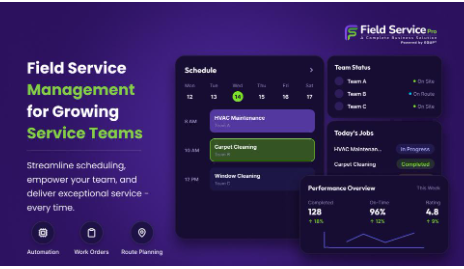
FieldServicePro was built with growing service businesses in mind, specifically the stage where a company has outgrown a bare bones starter tool but does not want to pay for a platform sized for a fifty person operation. Scheduling, estimates and invoicing, and mobile access are included from the start rather than split across tiers, and pricing scales in a way that is meant to stay predictable as a team adds technicians rather than jumping sharply at certain thresholds.
For businesses that started on Jobber and are now comparing jobber competitors because of team size, pricing structure, or workflow fit, FieldServicePro is worth including in that comparison alongside the other established names in the space. The goal is not to be the cheapest option on paper, but to make sure a growing business is not paying for complexity it does not need or missing features it actually does.
A Simple Way to Approach the Decision
Rather than trying to find the single best jobber alternative in the abstract, it helps to answer a few direct questions about your own business first.
- How many technicians do we have now, and how many do we expect to have in a year?
- Which features do we actually use every day, versus which ones sounded good in a demo but never got touched?
- Is our current monthly cost mostly the base subscription, or has it grown because of add ons and extra users?
- Does our work involve multiple trades, subcontractors, or approval steps that a simple scheduling tool was not built to handle?
The answers usually point pretty clearly toward whether it makes sense to stay put, upgrade within the same platform, or start seriously evaluating alternatives.
A Note on Comparing Multiple Providers at Once
Once you start looking seriously, it is tempting to open ten browser tabs and try to compare every jobber competitor at the same time. In practice, that approach tends to create more confusion than clarity, since every provider structures its pricing page a little differently and it becomes hard to compare numbers that are not actually measuring the same thing.
A more useful approach is to build a simple side by side sheet using your own numbers rather than the marketing page numbers. List out your current team size, your expected size a year from now, and the handful of features your business actually relies on daily. Then request a real quote from each provider you are seriously considering, based on that exact team size, rather than relying on the entry level price shown to first time visitors.
This single step tends to eliminate at least half the options on a typical shortlist, since the real number at your team size is often noticeably different from the number that first caught your attention.
It is also worth talking directly to a technician or two, not just the office staff, before finalizing a decision. The person managing the schedule from a desk has different priorities than the person standing at a job site trying to update a status between calls. A tool that looks great from the office can still slow down the people actually doing the work if the mobile experience is clunky, and that is usually not obvious from a sales demo alone.







Comment