
5 Most Accurate Word to PDF Conversion Tools for Students and Teachers

Modern students and educators work with assignments, handouts, research, and reports that need to be shared using a variety of devices and platforms. Therefore, it is necessary to have a tool that converts the files to formats that are easy to share and readable by anyone. The PDF format is the most popular one, requiring minimal layout preservation, becoming compatible, and allowing sharing on a secure level.
Whether it’s a student submitting homework or professors creating exam papers, this is quite simple to accomplish with trustworthy Word to PDF tools. There are many free and paid options available, but only a few meet the needs of busy academic users.
So, this article will share and compare the leading word to PDF conversion tools that can enable students and teachers to work fast and effectively.
1. WPS Office
Kingsoft Office Software Inc. was established in 1988 and has since expanded to become one of the leaders in the field, employing over 3,000 people throughout the world. Its flagship product, called WPS Office, is relied upon by more than 600 million monthly users across the globe.
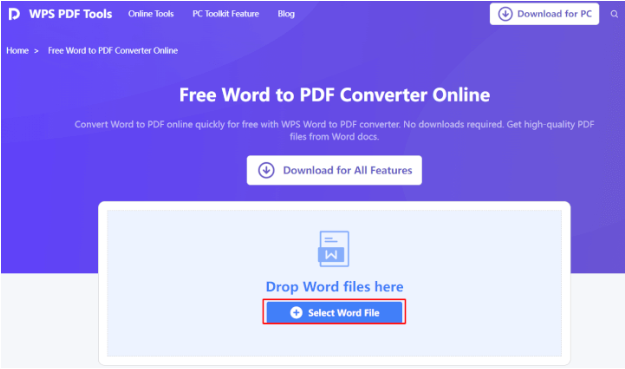
Heavily geared toward both education and business, it provides the tools of a writer, a spreadsheet, a business presentation, and PDF conversion, all in one small package. When converting Word to PDF, it offers simple one-click printing, preserves formatting, and handles photos, tables, and comments with ease. JPG to PDF conversion is also possible in the WPS Office, which makes it easy to scan and deliver handwritten assignments.
It is safe to use whether in online mode or offline mode. WPS Office assists users to create, share, and manage documents without the need to switch applications, which is its great advantage when learning requires a lot of time.
2. Adobe Acrobat
Adobe Acrobat is one of the most widely known PDF tools. It is not free, but it has quality and consistency not found among other PDF tools that users require for doing complex tasks in PDFs.
Students enrolled in technical, design, or research courses benefit from the Word to PDF conversion tool powered by Adobe Acrobat. It converts the complex Word files to PDFs without changing the format of each element.
This tool also allows educators to compile, edit, and comment on materials used in Word files. Adobe Acrobat is highly compatible when used across devices and browsers. The high-end security features enable users to protect their important academic or administrative files using passwords.
3. iLovePDF
Another popular tool is a web-based iLovePDF, particularly among students due to its generous free offer. It converts Word files into PDF with decent speed and maintains most formatting. The interface is clean, mobile-friendly, and supports features like watermarking, compressing, and rotating PDFs.
It is easy to upload files to Google Drive or Dropbox, which makes collaboration in shared assignments easier. Teachers appreciate it as it makes it easy to do tests in a bulk manner, excellent grading, or worksheet distribution.
It also supports JPG to PDF conversion, enabling you to be flexible when you are uploading your scanned images or notes. Although iLovePDF does not possess all the features of PDF editing provided by Adobe, you can use it as an entry-level solution because it is very versatile and easy to use.
4. Google Docs
If you are already using Google Workspace or Classroom, you have free access to a built-in Word-to-PDF tool inside Google Docs. It is simple to use; open a Word document, go to File > Download > PDF. It’s done.
This tool is perfect for classrooms that rely on Google tools. There is no need to install any tool and upload anything. It retains most text and layout styles but may struggle with complex tables or advanced formatting. That’s where WPS Office or Adobe Acrobat performs better.
Additionally, Google Docs supports real-time collaboration, making it ideal for group projects or peer reviews. Teachers can comment, suggest edits, and monitor their students’ progress easily.
5. Nitro PDF
Nitro PDF is a complete product that is many times less costly than Adobe Acrobat, depending on the feature set. It is widely used in schools and colleges with the use of locally installed tools attached with bulk licenses. Nitro features that convert Word files into compact PDFs are oriented around heavy users, with batch conversion capability, file protection, and template creation.
The editing and signing feature is helpful to educators who develop reusable lesson plans or forms. It is also applicable in combining various files, making it suitable for preparing portfolios or group assignments.
On the one hand, this tool has one advantage over simpler tools in the form of the possibility to create an interactive PDF document with elements of clickable forms and embedded media. It specializes in neither JPG to PDF nor does it handle picture imports easily when creating documents.
Choosing the Right Tool for Your Needs
Students and teachers need to pay attention to some of the most important factors when choosing the best Word to PDF converter. Begin with the ease of use, which saves time when there is a tight schedule. Find tools that provide quick and efficient translations to keep formatting and structure in place.
When you usually work in bulk, use the converter that includes batch processing capabilities. Integration with the cloud is also a consideration when accessibility across devices is concerned, particularly for individuals who move between home, school, or remote settings. Finally, make sure that the tool offers credible security of sensitive materials.
Both WPS Word to PDF and Google Docs are excellent and free options that allow instant access, whereas Adobe Acrobat and Nitro PDF usually have greater functionality.
Conclusion
For both teachers and students, selecting the best Word to PDF converter can significantly increase productivity. Tools, such as WPS Office, Google Docs, Adobe Acrobat, iLovePDF, and Nitro PDF, offer numerous options to users so that everyone can find one that fits their needs, including simple conversion and editing, and even batch processing.
You can appreciate the ease of use, cloud access, or full-spectrum functionality, and there is an appropriate solution for everyone. These tools make working with documents easier, set the formatting precision, and are time-saving. By choosing the most suitable converter, students and educators can avoid spending much of their time on technical issues and concentrate more on learning and teaching.







Comment