In 2025, AI video moved past “cool demos” into reliable production workflows. Two capabilities changed the game: controllable multi-shot generation and near-photoreal talking faces. If you’re just catching up, start with an AI video generator to block scenes and a modern lip sync AI system to lock speech to performance.
Teams using platforms like GoEnhance AI are already stitching these tools into day-to-day pipelines for ads, explainers, and short-form content.
The 2025 Model Stack at a Glance
| Layer | Representative Model | What it’s best at | Typical use in a workflow |
| Multi-shot planner | Veo 3.1 | Camera grammar, shot continuity, coverage planning | Convert a beat sheet into 4–8 shots with consistent look and blocking |
| Motion & realism | Gen-4 | Human movement, object interaction, spatial coherence | Replace weak takes; elevate action beats and subtle gestures |
| Speech & faces | LipSync-2-Pro | Accurate phonemes, emotion, and head/eye dynamics | Marry voiceover or cloned voice to a face without uncanny artifacts |
Together, these tiers form a practical ecosystem: plan → move → speak.
From Single Prompts to Controllable Multi-Shot
Early text-to-video felt like a slot machine—great when luck struck, painful when it didn’t. The new multi-shot engines changed the rules:
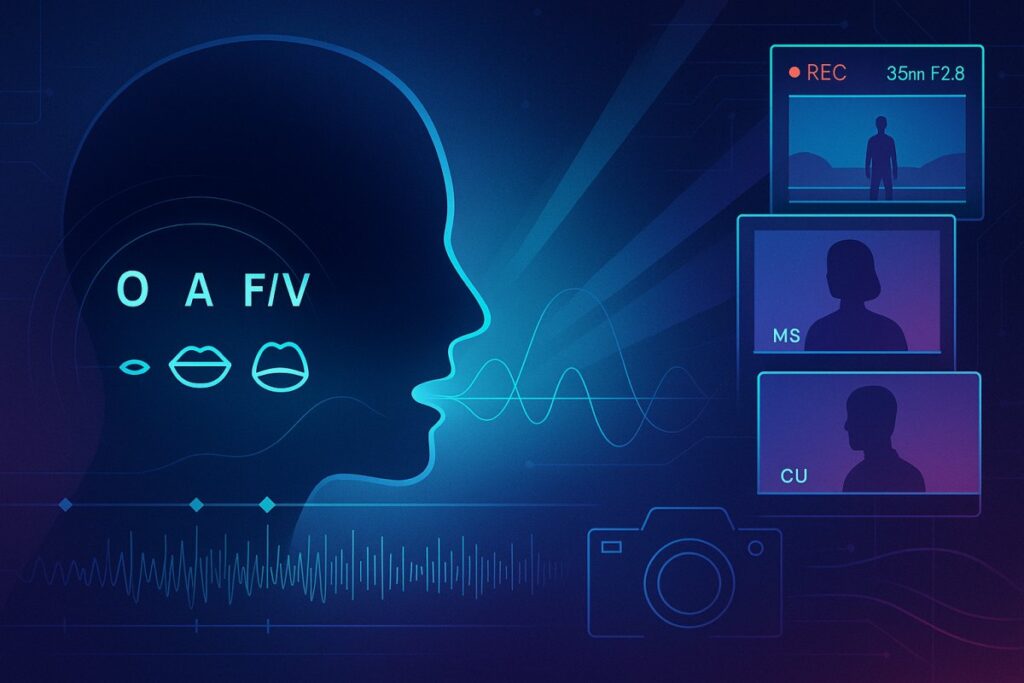
- Shot lists, not just prompts. You can hand the model a simple coverage plan (“WS → MS → CU”) and it respects framing and pacing.
- Persistent style. Art direction—lens, lighting, palette—carries across cuts instead of “drifting” every time you press generate.
- Character continuity. Identity and wardrobe persist, avoiding the classic “different-person each shot” problem.
- Editable beats. Swap a mid-shot without collapsing the whole scene. This reduces regens and makes iteration sane.
The practical effect: producers can schedule AI shoots like they schedule live ones—break scenes into shots, generate coverage, and keep only what works.
Motion That Feels Directed, Not Simulated
Gen-4-class models are better at intentional movement. Bodies now respect momentum; hands track objects; background elements don’t smear when the camera whips. That matters for more than action—micro-motions (blinks, weight shifts, breathing) are what sell the directed feel. In short, you get takes that could plausibly come from a gimbal and a patient DP.
Lip-Sync Enters the “Good Enough for Close-Ups” Era
Talking heads used to be where realism broke. 2025 lip-sync systems fix three pain points:
- Phoneme accuracy: Mouth shapes line up with consonants and vowels across accents, even at fast delivery.
- Prosody & emotion: Timing adjusts to emphasis; smiles, jaw tension, and eye behavior track the read.
- Lighting & occlusion: Teeth and tongue render under correct shading; glasses, hair, and mics no longer glitch the lips.
For brands, this unlocks multilingual variants without reshoots, cast-approved voice doubles, and dynamic CTA swaps late in the edit.
These systems are often paired with AI face swap tools to ensure identity consistency across shots or multilingual variants without requiring reshoots.
A Practical 2025 Workflow (That Doesn’t Fight the Tools)
- Write a beat sheet, not a script of prompts. Think shots, not paragraphs. Note intent: “Resolve tension on a medium close-up.”
- Pin a look. Feed 2–3 strong style references; lock lens equivalent (e.g., 35mm) for consistency.
- Generate coverage with a multi-shot planner. Keep the best 40–60%—don’t try to win every take on the first pass.
- Elevate motion where it counts. Use Gen-4-level passes for the hero moments; let simpler shots stay lightweight.
- Record voice last. Final VO (human or cloned) drives the lip-sync pass. Nudge timing; re-render just the mouth region if your tool allows.
- Conform like live footage. Edit, grade, add sound design. Treat AI shots as B-cam that happens to arrive via GPU.
Quality Tips
- Eyes first. If the eyes read, the rest of the face follows. Reject takes with dead gaze.
- Keep subject scale steady. Wild scale changes across shots break continuity more than color mismatches.
- Use real room tone and foley. Sound grounds any remaining visual quirks.
Cost, Time, and Where It Makes Sense
- Short-form (15–60s): Fastest ROI—product showcases, explainers, social spots. AI covers 70–90% of shots; a few live plates add authenticity.
- Mid-form (1–5 min): Feasible with disciplined pre-production and a style that tolerates some variance (documentary-adjacent, mixed media).
- Long-form: Still hybrid territory. Use AI for previs, animatics, impossible b-roll, or language variants; keep core scenes live.
Risks & Guardrails You Should Actually Use
- Rights & likeness: Document consent for any cloned or look-alike performances. Keep voice and face models versioned.
- Disclosure: Mark synthetic segments where required; audiences punish obvious stealth edits.
- Brand safety: Maintain a style bible and a “do not render” list. Small constraints prevent big reputational surprises.
- Data handling: Store reference portraits and voices under least-privilege access with expiry.
What’s Next
Expect three near-term upgrades: (1) shot memory that recalls prior scenes without refeeding references, (2) live-guided direction where you scrub a virtual camera and the generator follows, and (3) semantic retiming for dialogue—stretch or compress a line without changing voice character.
Bottom line: 2025’s leap isn’t just prettier frames—it’s controllability. With a multi-shot planner, a motion specialist, and modern lip-sync, AI video finally behaves like a crew you can direct. Platforms such as GoEnhance AI make that stack usable in one place, so creative teams can focus on story, not settings.