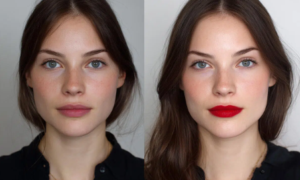
For a long time, image upscaling was something you opened a desktop app for. You sat in front of Topaz Gigapixel, or fired up Photoshop’s Preserve Details, and waited. The results were good, but the workflow was clunky enough that most people only reached for it when they had to: a print job, an old family photo, an asset for a billboard. Everyday content rarely got the treatment, because the friction was simply too high.
That equation has changed. The same Real-ESRGAN-class models that powered the heavy desktop tools now run in the browser, served on demand, and the results are sharp enough for almost any use a small team or solo creator actually has. The interesting shift isn’t the underlying model; it’s the location. When upscaling moves from a 1.5 GB install into a tab you can open in three seconds, it stops being an occasional rescue tool and starts being a routine pass in your content workflow.
Where This Is Showing Up
The clearest demand is from e-commerce and creator workflows. Product photographers shoot at a working resolution and need crisp 4K crops for marketplaces, ads, and zoom views. Thumbnail makers want their YouTube and TikTok hero frames to look intentional, not stretched. Indie game studios upscale concept art and reference material before handing it to artists. Bloggers want their archive of older, smaller images to hold up on modern Retina displays. None of these jobs are big enough to justify a Topaz license, but they’re also frequent enough that “send it to a designer” doesn’t make sense either.
Browser tools fill exactly that middle. Drag a 1000×1000 JPEG in, get a 4000×4000 result back in a few seconds, download. Tools like UpscalePro.ai are part of this newer wave — Real-ESRGAN under the hood, a few credits free, transparent paid tier, and no installation step between the user and the output. The deliberate simplicity matters: most of the people doing this aren’t image-processing specialists, and they don’t want to learn new vocabulary every time they want a sharper photo.
Why “Free + Pro” Beats Enterprise Pricing Here
One thing that has changed alongside the technology is the pricing model. The legacy desktop apps came with one-time fees in the hundreds of dollars. The new generation tends to be free for light usage with a paid tier for volume, higher input limits, and a quality mode. That structure is a better fit for how upscaling is actually consumed. A creator who needs to upscale a handful of thumbnails per month doesn’t need to buy a license; a small e-commerce team running campaigns might burn through credits in a week and happily pay for Pro.
This also makes the category more accessible internationally. A solo creator in a market where $200 desktop software is a real expense can still get the same model output, on demand, for the cost of a few dollars per month.
What to Look For in a Browser Upscaler
Not all browser-based upscalers are created equal. A few things matter when comparing them. Underlying model is the first: Real-ESRGAN remains the most common backbone for photographic content, and it generally beats older bicubic or even waifu2x-style approaches outside of anime art. Maximum scale and input size are the next — many free tools cap at 2x or limit file size aggressively. Output handling matters too: account history, format support (JPEG, PNG, WebP), and whether your images are reused for model training. Privacy-conscious users want the answer to that last question to be a clear “no.”
The other quiet but important factor is speed. A tool that takes thirty seconds for a 4x upscale feels like a tax; one that returns in under five feels like a utility you’d build into a regular workflow.
A Utility, Not a Feature
The reason image upscaling has come back into the conversation isn’t that the models got dramatically better in the last year — they haven’t, really. It’s that the distribution finally caught up. When a capability moves from “specialist tool” to “tab in your browser,” its usage doesn’t double or triple; it expands by an order of magnitude. Upscaling is in that phase now. It’s becoming less of a feature people consider and more of a utility they expect to be available whenever they handle an image.