Introduction
Video content has become one of the most powerful ways to share information online. Businesses, creators, teachers, and marketers all use videos to reach their audiences. However, traditional video production can take a lot of time and effort. Writing scripts, recording footage, editing clips, and adding voiceovers often require multiple tools and skills. This is where an AI video generator workflow becomes very helpful. It simplifies the entire process by using artificial intelligence to automate many steps. With the right workflow, creators can turn a simple idea into a professional-looking video in a short amount of time. This method not only saves time but also reduces costs and effort. As AI tools continue to improve, they are making video creation easier for beginners and professionals alike. Understanding how this workflow works is the first step toward producing high-quality videos faster and more efficiently.
Understanding the AI Video Generator Workflow
An AI video generator workflow is a step-by-step process that uses artificial intelligence tools to create videos automatically or with minimal manual work. Instead of filming everything yourself, AI tools help generate visuals, voiceovers, subtitles, and even animations. The workflow usually begins with an idea or topic. After that, AI tools can assist in creating a script based on the topic. Once the script is ready, the AI system can transform the text into video scenes using images, clips, avatars, or animations. Many tools also provide automated voice narration and background music. The goal of this workflow is to simplify video production so that anyone can create content quickly. Whether you are producing marketing videos, educational content, or social media clips, the AI-powered process helps reduce production time while maintaining quality.
Step 1: Planning Your Video Content
The first stage of an effective AI video generator workflow is planning the content. Before using any AI tool, you need to clearly define your video topic, target audience, and goal. Ask yourself what message you want to share and what viewers should learn or feel after watching your video. Good planning helps AI tools produce better results. For example, if your goal is to promote a product, the script and visuals should focus on its benefits and features. During this stage, you can also outline the structure of the video, such as introduction, main points, and conclusion. Planning also includes deciding the video length, tone, and style. Some videos may need a professional tone, while others may work better with a friendly or educational style. By organizing your ideas early, you make the rest of the AI-driven workflow much smoother and more effective.
Step 2: Creating the Script with AI
Scriptwriting is one of the most important parts of the AI video generator workflow. A clear and engaging script guides the entire video. Fortunately, AI tools can now generate scripts quickly based on simple prompts or keywords. Instead of spending hours writing, creators can enter a topic and receive a structured script within minutes. After generating the script, it is important to review and adjust it to match your voice and brand. AI provides a strong starting point, but human creativity helps make the content more natural and engaging. A well-written script keeps viewers interested and ensures that the video message is clear. It also helps the AI video generator match visuals with spoken lines. Good scripts often include short sentences, simple language, and clear transitions between ideas. This step ensures that the final video communicates information effectively.
Step 3: Generating Visual Scenes
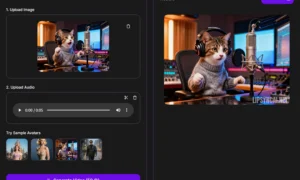
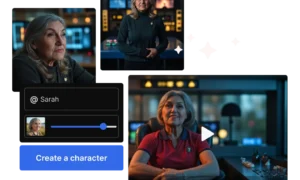
After the script is ready, the next part of the AI video generator workflow is creating the visual scenes. AI video tools can automatically convert text into video clips by selecting images, animations, stock footage, or AI avatars. Many platforms analyze the script and match relevant visuals to each sentence or section. This makes the process much faster than manually searching for footage. Some AI tools even allow users to choose a specific style, such as educational slides, cinematic clips, or animated characters. Visual consistency is important because it keeps the video looking professional. Creators can also customize colors, layouts, and transitions to match their brand identity. By using AI to generate scenes, content creators can quickly build a complete video structure. This step removes much of the time-consuming editing work that traditional video production requires.
Step 4: Adding Voiceovers and Audio
Audio plays a major role in the success of a video. In a modern AI video generator workflow, voiceovers can be created automatically using realistic AI voices. These voices sound natural and can be generated in multiple languages and accents. Creators simply upload their script, and the AI converts the text into spoken narration. This eliminates the need for recording equipment or voice actors. Many platforms also allow users to adjust tone, speed, and emotion in the voice. In addition to voiceovers, AI tools can add background music and sound effects to improve the viewing experience. Good audio helps keep viewers engaged and makes the video feel more professional. It is also helpful to add subtitles or captions because many people watch videos without sound, especially on social media platforms.
Step 5: Editing and Optimization
Even though AI automates much of the process, the editing stage is still important in the AI video generator workflow. This step ensures that the final video looks polished and professional. Creators can review each scene, adjust transitions, trim unnecessary parts, and improve visual flow. AI editing tools can also suggest improvements, such as better scene timing or automatic caption placement. Optimization is another key part of this stage. For example, videos created for social media may need vertical formats, while YouTube videos often use horizontal formats. Creators should also add titles, thumbnails, and keywords to improve discoverability. By fine-tuning the video during this stage, you ensure that it connects better with your audience and performs well on different platforms.
Conclusion
The rise of artificial intelligence has completely changed the way videos are produced. A well-structured AI video generator workflow allows creators to move from idea to finished video much faster than traditional methods. By following steps like planning, script creation, scene generation, voiceover production, and editing, anyone can produce high-quality video content efficiently. This workflow saves time, reduces production costs, and allows creators to focus on creativity rather than technical challenges. As AI technology continues to evolve, video creation will become even more accessible to people around the world. Whether you are a content creator, marketer, educator, or business owner, learning how to use an AI-powered workflow can greatly improve your content production speed. Embracing this modern approach will help you stay competitive and meet the growing demand for engaging video content online.