
Software Changes. Your AI Narration Needs a Maintenance Plan.

The tutorial is still beautifully narrated. Unfortunately, it tells customers to click a button that no longer exists. A small software update has turned a useful onboarding video into a source of confusion, even though most of its explanation remains correct.
For software businesses, narration is not always a finished asset. It is another part of the product’s documentation, exposed to changing labels, permissions and user journeys. Generating a new voice track is only one part of keeping that documentation useful. The harder question is knowing what changed and which assets depend on it.
Index TTS provides an online text-to-speech workflow using written scripts and an authorized reference recording. That makes revised narration a practical option to explore when instructions change. It does not identify outdated tutorials or update screen recordings for you; those responsibilities still belong to the production process.
The hosted service is independent of the upstream open-source IndexTTS project. For a team using the website, its available models, service terms and generation limits are the relevant starting point, rather than assumptions about what a separate model installation might support.
Treat the instruction as the unit of change
Imagine a fictional project-management application that moves its invitation control from the workspace menu to a new Members page. The old narration says, “Open the workspace menu and choose Invite.” Replacing the word “Invite” does not fix the problem. The route, screen recording and possibly the explanation of who can invite people have changed.
Track the complete instruction instead: where the user starts, what they do and what they should see next. Give that instruction a stable label, such as “Invite a colleague”, even if its location in the product changes. A stable label helps an editor find the matching script, audio and visual segment without searching through every exported video.
This does not require splitting every sentence into its own file. A useful segment is often one complete task or a short explanation that makes sense on its own. Extremely small fragments can make speech difficult to assemble naturally, while a single long recording makes a minor correction harder to isolate.
Separate facts that age from explanations that last
Some narration explains a durable idea: why someone might organise work into projects. Other lines describe a volatile detail: the exact menu used to create one. Mixing both into one elaborate sentence ties the stable explanation to the next interface change.
Compare “To keep your team’s work organised, click the blue Create button at the top right, choose Project, and enter a name” with two separate thoughts: “A project groups related work in one place.” Then give the current creation steps in a distinct section. The second approach preserves a useful explanation if the interface moves.
Keep an update map alongside the source files. It can be a plain document; the following relationships matter more than the software used to record them:
- Task name: what the learner is trying to accomplish.
- Product dependency: the label, permission or behaviour the instruction relies on.
- Linked assets: script passage, selected narration, screen recording and captions.
- Last checked: the product version or review date against which the task was verified.
The map is a team-maintained record, not an Index TTS feature. Its value appears when a release changes one dependency: someone can identify the affected material instead of guessing which videos might be wrong.
A reusable voice needs a defined scope
Reference-based speech generation raises a separate maintenance question: may this voice be used for the next revision? Possession of a recording is not enough. A company should establish permission for synthetic speech and its intended channels before building a library around a speaker’s voice.
Index TTS voice cloning uses an authorized reference recording to guide the characteristics of new speech. For ongoing tutorials, keep the permission record with the project and define who can access the recording. Do not treat a departing employee’s old presentation or a contractor’s sample as indefinite approval to generate new statements.
Agree how future revisions will be handled, including what happens if the voice can no longer be used. Review the applicable model licence and hosted-service terms for commercial work. A familiar voice may make a series feel connected, but it should never imply that a speaker personally delivered or endorsed words they did not approve.
Keep reference material clean and free of unnecessary background voices or confidential conversation. A short approved recording prepared for the task is easier to manage than extracting speech from a long customer meeting.
A new line changes more than the words
A replacement instruction may be longer than the original. “Open Members, select Add people, then enter the email address” takes a different amount of time from “Choose Invite.” The screen recording now needs to show another action, and the captions need to follow the revised speech.
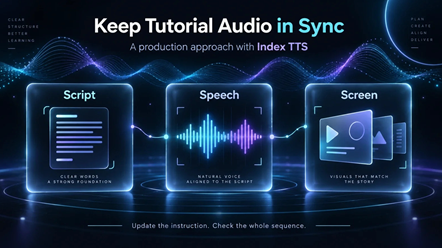
Generate the revised passage, listen to the complete instruction and assemble it with the corresponding visuals in an editor. Check where each action happens relative to its spoken explanation. Do not rush the voice merely to preserve the old video’s length when the task itself now needs more time.
Keep the selected model, reference file and supported settings with the approved audio. Reusing them supplies context for later work, not a guarantee that separate generations will sound identical. Listen across the boundaries of the replacement segment, including the sentences before and after it.
Retire the old instruction where customers can find it
The update is not finished when the revised export sits in a production folder. A help-centre article may still embed the previous video, a support reply may link to it, and a course may contain another copy. Record the places where each tutorial is used so the corrected version reaches the same audience.
Where older product versions remain supported, label their instructions clearly rather than silently replacing everything. Otherwise, remove or redirect outdated material where the publishing system allows it. Keep an internal copy for traceability, separate from the version customers are meant to follow.
A useful final check is to complete the task using the tutorial alone on the intended product version. If the narration, captions and screen lead to the same result, the update has done its job. The business benefit is not simply having a new voice file. It is avoiding a confident instruction that sends the customer to the wrong place.







Comment