A clear, honest comparison for choosing the right one
Two proxy types, two marketing pages that sound almost identical, and no obvious way to know which one you actually need. That’s the position most people land in the first time they go looking for proxies, and it’s a genuinely fair place to be confused, because the difference isn’t explained clearly nearly often enough.
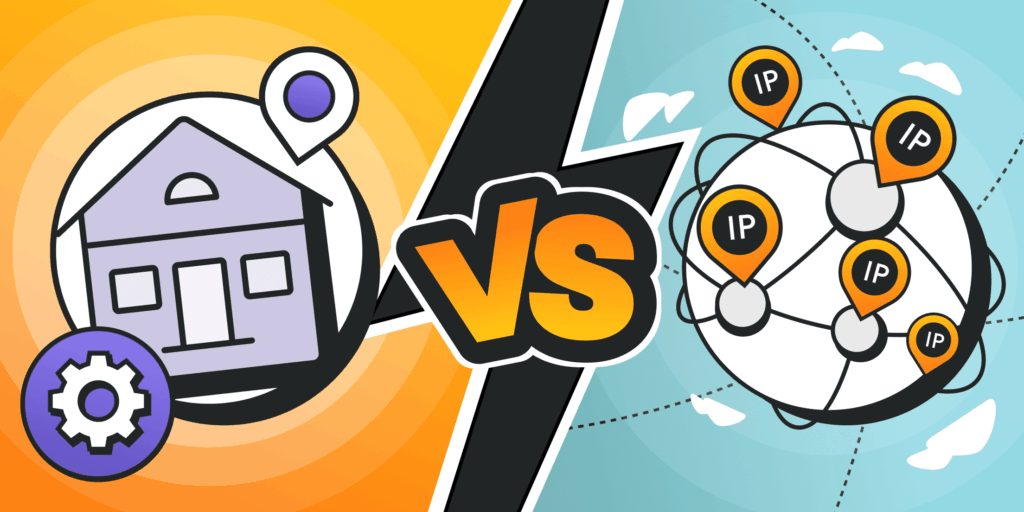
Here’s the short version before the long one: residential proxies use IP addresses assigned by internet providers to real homes. Datacenter proxies use IP addresses hosted in data centers, with no connection to a real household. That single distinction is what drives almost every practical trade-off between them, from cost to speed to how easily a website can tell the traffic isn’t coming from an ordinary visitor.
ZenProxy is a proxy provider offering residential, ISP, and datacenter proxies from a single dashboard, built for research, SEO monitoring, and other professional data workflows. This article breaks down what each type actually is, compares them directly, and gives a simple way to decide which one fits your specific use case.
What a Proxy Actually Does
A proxy routes your internet traffic through another IP address before it reaches its destination. The website or service you’re contacting sees the proxy’s IP, not yours. That’s the whole mechanism. What matters enormously, though, is where that IP address actually comes from, because the source is what determines how a target site perceives the traffic hitting it.
What Residential Proxies Are
Residential proxies use IP addresses that internet service providers have assigned to real home devices, routed through a network of consenting participants. To any website receiving the traffic, it looks exactly like an ordinary person browsing from their own connection, because in a meaningful sense, that’s exactly what it is.
That authenticity is the entire value proposition. Residential IPs blend into normal traffic patterns far better than any alternative, which makes them far less likely to get flagged or blocked by sites running serious anti-bot detection.
The trade-off is pricing and speed. Residential proxies are typically billed by bandwidth rather than a flat rate, and they can be marginally slower and more variable than a dedicated data center line, simply because the traffic is passing through consumer-grade connections. The residential proxies page has current pricing and details on country and city level targeting.
What Datacenter Proxies Are
Datacenter proxies use IP addresses hosted in data centers, with no tie to an internet service provider or a real household. They exist purely as infrastructure, which is exactly what makes them fast and often more affordable at scale.
The trade-off runs in the opposite direction from residential. Because datacenter IPs are visibly not tied to a consumer connection, some websites, particularly ones with aggressive detection systems, identify and block them more readily. For sites without strong anti-bot measures, though, that distinction barely matters, and the speed and cost advantage of datacenter proxies makes them the more practical choice.
Side by Side
| Factor | Residential | Datacenter |
| IP source | Real ISP-assigned home devices | Hosted data center infrastructure |
| Detection risk | Low, blends with normal traffic | Higher, more identifiable as non-residential |
| Speed | Good, some natural variability | Very fast and consistent |
| Typical pricing | Billed per gigabyte | Billed per IP or flat rate |
| Best suited for | Sites with strong anti-bot detection | High-volume, speed-first workloads |
Read that table as a trade-off, not a ranking. Residential wins on stealth, datacenter wins on speed and cost efficiency. Neither one is the objectively better product. They’re built for different problems.
The question was never which proxy is better. It’s which one your target site is actually trying to catch.
Matching the Proxy to the Actual Job
| Matching the proxy to the job
Web scraping public data at scale: Depends on the target Residential wins when the target site runs strong bot detection. Datacenter wins when the target is permissive and speed or cost matters more than blending in. SEO and SERP monitoring: Residential Search engines and local results respond differently to consumer IPs than to hosting infrastructure, so residential reflects what a genuine local searcher actually sees. Ad verification: Residential The same logic applies. A real, geographically accurate consumer presence matters for confirming how and where an ad actually renders. QA and internal testing: Datacenter You’re not trying to look like an ordinary visitor here, so the speed and lower cost of datacenter IPs is the more practical fit. |
For a deeper walkthrough specifically built around collecting public data reliably, the proxy for web scraping guide covers setup, session type, and common pitfalls in more detail.
How to Decide, in One Question
Strip away everything else and the decision usually comes down to a single question: does the site you’re targeting actively try to detect and block traffic that isn’t coming from an ordinary residential connection?
If yes, residential is worth the extra cost. If the target is permissive and speed or budget matters more, datacenter is the more efficient choice.
| Testing both isn’t a big commitment
ZenProxy runs residential, ISP, and datacenter proxies from the same dashboard, so switching between session types for different projects doesn’t mean managing separate accounts or providers. You can test what actually works for your specific target before committing to one type at scale. |
Frequently Asked Questions
Are residential proxies always better than datacenter proxies?
No. They’re better for blending in with ordinary traffic and avoiding detection. Datacenter proxies are better for speed, cost efficiency, and high-volume jobs where the target site isn’t actively trying to block automated traffic.
Why are residential proxies more expensive?
The IPs come from a genuine network of real household connections rather than owned infrastructure, which costs more to source and maintain, and that cost is reflected in per-gigabyte pricing rather than a flat rate.
Can I use both types for different projects?
Yes, and many professional workflows do exactly that. Residential for tasks where detection risk is high, datacenter for tasks where speed and cost matter more and the target is permissive.
Do residential proxies get blocked less often?
Generally yes, because the traffic looks like it’s coming from an ordinary home connection rather than known hosting infrastructure, which is exactly what most detection systems are built to flag.
Which type is better for web scraping specifically?
It depends entirely on the target site. Sites with strong anti-bot protection call for residential. Sites without aggressive detection are usually handled fine, and more cheaply, with datacenter proxies.
Choose the Trade-Off That Fits the Job
Residential and datacenter proxies aren’t competing for the same title. One is built to look like an ordinary visitor. The other is built to move fast and cost less at scale. Once you know which of those two things actually matters for what you’re trying to do, the choice tends to make itself.
Neither type is universally better. The right one depends on whether blending in or maximizing speed matters more for the task in front of you.
Start by identifying how aggressively your target site detects non-residential traffic, then match the proxy type to that reality rather than to whichever option sounds more impressive on a pricing page. If you want to compare current packages directly, ZenProxy lists both types with live pricing in one dashboard.