
How to Start Using Monero in 2026: 5 Practical Steps

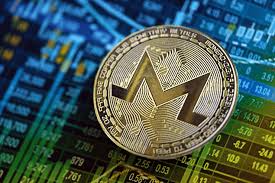
Kraken switched off Monero trading for its Canadian clients on September 2, 2025, according to the exchange’s own support notice. That was only the latest exit. Binance removed XMR on February 20, 2024, and Kraken had already stopped Monero trading for UK users in 2021 and for the whole European Economic Area on October 31, 2024. The network itself carried on as before, but getting started now works differently.
Buying on a big exchange first still works in some countries. In many others it makes more sense to flip the order: decide what you want to use Monero for, set up a wallet you control, and then find the cheapest way to fill it. The five steps below follow that order, with fees and timings checked on October 25, 2026.
1. Decide where you will actually spend it
Monero is most useful when you already have a purchase in mind, so look at who accepts it before you buy any. MoneroDir is a sensible first stop. It describes itself as a hand-checked catalogue of 1,799 Monero-related websites, and on October 25 it counted 433 entries under Businesses, 180 web hosts, 43 VPNs and 42 card sellers.
Read the labels before you read the listings. Each entry is marked Verified (“tested by hand”), Listed (“basic check passed”), Questionable (“open reports”) or Scam warning (“confirmed reports”), and the directory states plainly that a listing is not an endorsement. Only 212 of the 1,799 entries carried the Verified mark that day. If a shop you use is missing, check its own payment page.
2. Download a wallet from getmonero.org
The Monero Project’s downloads page offers two official wallets, a desktop GUI and a command-line CLI, both at version 0.18.5.0, named “Fluorine Fermi”, when checked on October 25, 2026. The GUI runs on Windows, macOS (Intel and Apple silicon) and Linux. For phones, the same page lists community wallets that sync locally, among them Cake Wallet, Feather, Monerujo, Stack Wallet and Unstoppable Wallet, plus Edge, which syncs through a remote server.
Two warnings on that page deserve attention. The project strongly advises checking the hash of whatever you download, because a corrupted archive could result in lost funds, and it notes that some antivirus tools flag Monero programs as malware. Download only from getmonero.org or the wallet developer’s own site, never from a link someone sends you in a chat.
Next, write the seed phrase on paper and store it offline; anyone holding those words controls the funds. The getmonero.org FAQ also explains the node choice. Running your own node means copying the entire blockchain to your computer, while a remote node is faster to set up but its operator can see the IP address a transaction comes from.
3. Find out where XMR is sold in your country
This step varies more than any other. Binance’s delisting covered its XMR pairs against Bitcoin, Ether and Tether, and The Block reported at the time that OKX had dropped Monero, Zcash and Dash a few weeks earlier. Kraken’s support pages record its own regional exits: the EEA in October 2024, with withdrawals allowed until December 31, 2024, and Canada in September 2025. Cointelegraph reported that Ireland and Belgium had already lost access earlier in 2024.
So check the asset list for your region on any exchange you already use. Rules also differ by country, and some regulators treat Monero differently from Bitcoin, so check the local position before moving money.
Where no local exchange lists it, the usual route is to buy a widely traded coin such as Bitcoin or Litecoin on a regulated platform like Coinbase or Kraken, withdraw it to a wallet you control, and convert it to XMR from there.
4. Swap from BTC or LTC
A swap service receives one coin and sends another to an address you provide. Swapnoir’s BTC to XMR page lays out a typical flow in four parts: type the amount, paste your Monero receiving address and an optional refund address, send the deposit to the address shown on your order page, then follow the live status until the XMR lands. The page says no account is needed, that the amount shown already includes all fees, and that Bitcoin deposits usually confirm in 10 to 40 minutes. Its stated minimum on October 25 was 0.00006215 BTC, or about $5. It also warns that, very rarely, a deposit flagged by compliance checks can be held for review.
You will usually be offered two rate types. A floating rate follows the market until your deposit arrives and, according to the site, usually pays slightly more. A fixed rate locks the amount you receive, provided you send the exact sum in time.
On-chain costs on the sending side were tiny that morning: mempool.space and litecoinspace.org both showed 1 sat/vB for next-block inclusion on Bitcoin and Litecoin. The bigger cost is the spread built into the swap rate, so compare how much XMR each route quotes for the same deposit rather than any headline fee. Send a small test amount first, and confirm the network on the deposit address, since a deposit made on a mismatched network may never arrive.
5. Know the fees and waiting times before you pay
Monero uses dynamic fees, as the getmonero.org FAQ notes, and they are small in practice. At 09:25 UTC on October 25, 2026, the xmrchain.net explorer showed ordinary one-input, two-output transactions in the pool paying 0.000031 XMR each. With CoinGecko pricing XMR at about $599 that morning, that is around two cents.
Timing is what catches newcomers out. According to getmonero.org, the network produces a block roughly every two minutes, and its guide for receiving payments says you need at least 10 confirmations before you can spend incoming funds, roughly 20 minutes in all. The Feather wallet documentation adds that every transaction output is locked for 10 blocks, and that includes the change your own wallet sends back to itself after a payment. In practice, two purchases made back to back from one balance can leave the second one waiting.
Before your first real purchase, run through a short checklist:
- Confirm the merchant’s status label and its own refund terms.
- Match the amount and address on the invoice against what your wallet displays before you sign.
- Pay within any price-lock window the merchant shows.
- Save the transaction ID with your order number until the goods or service arrive.
The bottom line
Starting with Monero in 2026 is less about the coin than about the order you do things in. Pick what you want to buy, install a wallet from getmonero.org and verify the download, check what your local exchanges still offer, and if they do not list XMR, swap into it from Bitcoin or Litecoin with a small test first. Allow about 20 minutes before received coins can be spent again, and the rest is a two-cent transaction.






Comment