If you’ve ever opened Bing and noticed a small quiz tile near the homepage image, you’re not alone. Millions of users click it daily out of curiosity. What starts as a simple click often becomes a fun habit.
The Bing Homepage Quiz is more than just a trivia game. It’s a quick mental workout, a learning opportunity, and for many, a way to earn Microsoft Rewards points. Meanwhile, the Bing News Quiz focuses specifically on current events, helping users stay updated while having fun.
In this complete guide, you’ll learn exactly how to play, where to find it, how to earn points, and how to improve your score consistently.
Let’s break it down step by step.
What Is the Bing Homepage Quiz?
The Bing Homepage Quiz is a daily interactive trivia game displayed on the Bing homepage. It usually contains multiple-choice questions related to:
- The daily homepage image
- Current world events
- Historical facts
- Science and nature
- Geography
- Pop culture
- Seasonal themes
The quiz changes daily, which keeps it fresh and interesting. You never know what topic will appear next, and that unpredictability makes it exciting.
On the other hand, the Bing News Quiz specifically tests your knowledge of recent headlines and trending stories from around the world.
Both quizzes are free to play.
Where to Find the Bing Homepage Quiz
Getting to the Bing Homepage Quiz couldn’t be easier, but sometimes folks miss it if they’re not looking in the right spots. First off, open your favorite web browser – Chrome, Edge, Firefox, whatever you prefer – and type in bing.com. Once the page loads, take a moment to admire the daily image. Now, look around the search bar area. You’ll often see a small “Q” icon or a quiz prompt appearing as you hover your mouse near the bottom or sides of the image. Click that, and boom, the quiz begins.
If you’re on mobile, it’s a bit different. Download the Bing app from your app store if you haven’t already, or just visit bing.com in your mobile browser. Tap around the homepage image, and the quiz should pop up. For example, on my phone, I sometimes have to scroll a tad to reveal the interactive elements. However, if it’s not showing, try searching “Bing Homepage Quiz” directly in the search bar – that usually brings it right to the top of the results.
One cool thing is that it’s available worldwide, though some regions might have slight variations in content. Moreover, signing in with your Microsoft account enhances the experience by tracking your progress and points. If you’re new to Microsoft accounts, creating one takes seconds and opens doors to more features. But don’t worry if you’re not logged in; you can still play for fun.
Here’s a handy table for device-specific access tips:
| Device | Access Method | Tips |
| Desktop/Laptop | Visit bing.com, hover over Q icon | Use Edge for seamless integration |
| Mobile Phone | Open Bing app or browser, tap image | Enable notifications for daily reminders |
| Tablet | Similar to mobile, use landscape mode | Zoom in if icons are small |
This accessibility makes it a go-to for quick entertainment. For instance, during commutes, I pull it up on my phone to kill time productively. Additionally, if you’re in a restricted network, like at work, the quiz loads quickly without heavy data use.
Step-by-Step Guide to Playing Bing Homepage Quiz
Alright, let’s get into the nitty-gritty of actually playing. Once you’ve accessed the homepage, spot that Q icon – it’s usually subtle but pops when you hover.
How to Play the Bing Homepage Quiz: Complete Guide
Click it, and the first question appears overlaid on the image. Read it carefully; questions are straightforward but can trick you with close options. Select your answer by clicking one of the choices, say A, B, or C.
Immediately after, Bing reveals if you’re right or wrong, with a green check for correct and red X for misses. It also provides a short explanation and links to more info. Then, hit “Next Question” to proceed. Repeat this until you’ve answered all, usually wrapping up in under two minutes. At the end, you see your score and any earned points.
For a smoother play, take your time – there’s no timer rushing you. Moreover, if you get stumped, remember the explanations help for future quizzes. I once guessed wrong on a geography question, but the follow-up facts turned me into a mini-expert on that topic.
To illustrate common steps, check this table:
| Step | Action | What Happens Next |
| 1 | Visit bing.com | Homepage loads with image |
| 2 | Find and click Q icon | First question displays |
| 3 | Choose answer | Feedback given instantly |
| 4 | Click Next | Move to subsequent questions |
| 5 | Finish quiz | Score and rewards shown |
This process is intuitive, but practice makes it even faster. Additionally, on some days, the quiz might include bonus elements like polls or extra facts.
Understanding the Bing News Quiz
While the homepage quiz covers general knowledge, the Bing News Quiz focuses on current events.
It typically includes questions like:
- Which country hosted a major summit this week?
- Which athlete broke a record recently?
- What scientific breakthrough was announced?
This quiz helps you stay informed while testing your awareness of global news.
If you follow headlines regularly, you’ll likely perform well.
Do You Need a Microsoft Account?
You can play the quiz without signing in.
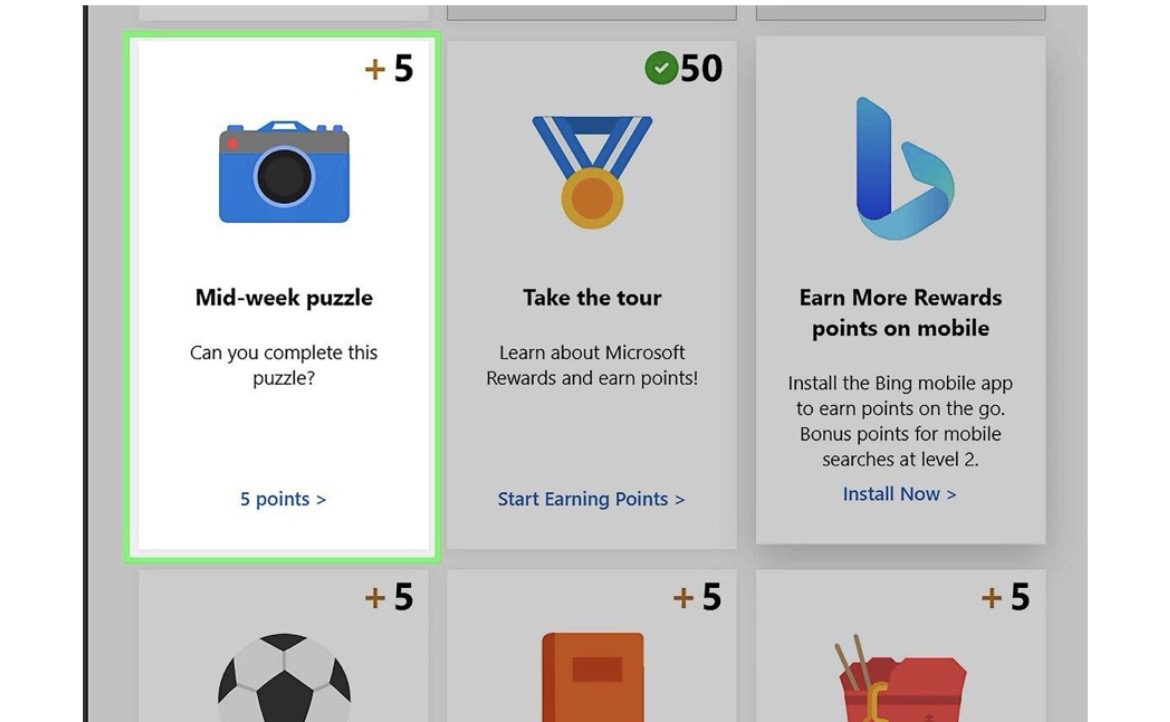
However, if you want to earn rewards points, you must log in with a Microsoft account.
Here’s why it matters:
| Feature | Without Account | With Microsoft Account |
| Play Quiz | Yes | Yes |
| Track Score | No | Yes |
| Earn Rewards Points | No | Yes |
| Redeem Gift Cards | No | Yes |
Signing in unlocks extra benefits, especially for regular players.
How Microsoft Rewards Works with the Quiz
When you are signed in:
- Correct answers earn points
- Completing daily activities adds bonus points
- Points accumulate in your Rewards dashboard
You can redeem points for:
- Gift cards
- Sweepstakes entries
- Donations
- Online subscriptions
It turns a simple quiz into something even more motivating.
Types of Questions You Can Expect
The quizzes vary daily, but common categories include:
Geography Questions
You might see:
- Identify this landmark
- Which country is shown in today’s image?
These questions often relate directly to the homepage background photo.
History Questions
Examples:
- In what year did an event occur?
- Who was the leader during a historic moment?
Science & Nature Questions
Topics may include:
- Space exploration
- Animal facts
- Environmental events
Pop Culture Questions
You may be asked about:
- Movies
- Music
- Celebrities
- Sports events
Current Affairs (Bing News Quiz)
These focus entirely on recent global events.
Smart Tips to Score Higher Every Day
Improving your score is not difficult. A few smart habits make a big difference.
Pay Attention to the Homepage Image
Often, the first question connects directly to the image displayed on Bing’s homepage.
Zoom in. Notice details. Clues are usually hidden in plain sight.
Stay Updated with News
Reading headlines for just 5–10 minutes daily improves performance in the Bing News Quiz significantly.
Use Logical Elimination
If you don’t know the answer, eliminate clearly wrong options first.
This increases your odds immediately.
Play Daily
Consistency helps. Over time, you start recognizing patterns in question styles.
Common Problems and How to Fix Them
Sometimes, the quiz may not load properly.
Here are simple fixes:
Refresh the page
- Clear browser cache
- Try a different browser
- Disable ad blockers temporarily
- Check your internet connection
Most issues resolve quickly.
Benefits of Playing the Bing Homepage Quiz
The quiz offers more than just entertainment.
Mental Stimulation
Daily trivia sharpens memory and improves recall speed.
Learning New Facts
You discover interesting details about the world without actively studying.
Quick Stress Relief
A short quiz break during work feels refreshing.
Rewards Incentives
Earning points adds extra motivation.
Comparison: Bing Homepage Quiz vs Bing News Quiz
Let’s compare both quizzes clearly:
| Feature | Bing Homepage Quiz | Bing News Quiz |
| Focus | General Knowledge | Current Events |
| Image-Based Questions | Often | Rare |
| Updates | Daily | Weekly/Daily |
| Difficulty | Easy to Moderate | Moderate |
| Rewards Points | Yes | Yes |
Both complement each other nicely.
Final Thoughts: Is the Bing Homepage Quiz Worth Playing?
Absolutely.
The Bing Homepage Quiz and Bing News Quiz combine learning, entertainment, and rewards in a simple daily activity. It takes only a few minutes, yet it keeps your brain active and informed.
Moreover, because it refreshes daily, it never becomes repetitive. The mix of image-based questions and trending topics keeps it engaging.
If you haven’t tried it yet, open Bing today and take the quiz. You might discover it becomes your favorite daily digital habit.