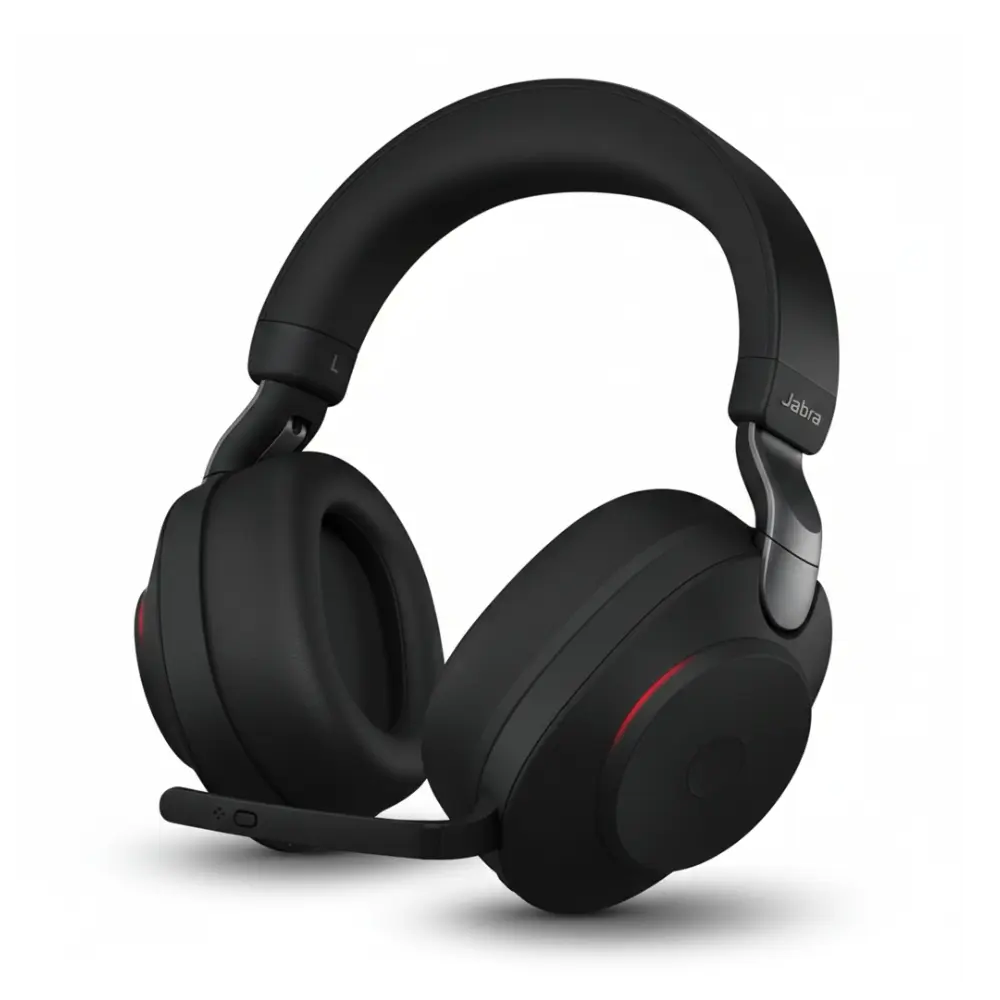
Gaming is more than a hobby; people like to play games in their leisure time. Games not only kill the time but also give entertainment with your friends. You can always pick to play on your own or with your friends. But the real entertainment is with out-class gadgets such as good microphones that increase the gaming experience to the next level. This is mandatory for a person to play games to have good headsets or microphone to enjoy to the fullest.
Gaming is an expression, a lifestyle, and never-ending entertainment.
If you are a gamer, you clearly understand that you need to shift your focus from cinematic base to spatial precision.
You can always customise the equalizer settings to boost mid to high frequency for your sound customization according to the environment you are playing games, for example, in an environment where you do not need many settings for a clear voice. On the contrary, if you are in a noisy place, you need to set it accordingly.
The Pain Of Poor Sound Quality
Sounds are crucial to any competitive gamer, unless you have good audio quality. You want to listen to your enemy’s footsteps coming towards you, and the only thing that will come between victory underwear is the sound quality of your headset. Imagine you are in the middle of an intense gaming session and completely lost in the game; it’s a better field that needs your attention to survive through that level. Audio quality issues are a silent killer of adrenaline that keeps you entertained.
Hardware Upgrades
Let’s discuss the major hardware upgrades that boost high sound quality. You can enjoy the game with good graphics and extraordinary sound that keeps you entertained.
Open-back headphones
These headphones are a great example of gaming experiences that everybody desires to have. They allow a better, more accurate 3D sound that is smooth and clear enough to enjoy the game.
For example
Beyerdynamic DT 990 Pro
Sennheiser HD 560s)
In-Ear Monitors (IEMs)
Monitors are mostly preferred because they have premium noise isolation that helps you listen more clearly..
For example
Truthear Zero
Moondrop LAN
DAC/Amp
Motherboard audio is a good option in terms of sound quality, but a dedicated digital-to-analogue converter is more practical. It improves the audio clarity and smoother sound effects.
Software & Equalizer Optimization
Equalizers play a vital role in the optimization of sound quality.
Equalizer APO
This tool is free to use and adjusts the audio quality according to your desire. It changes the bass and also the intensity, as you want to be heard.
SteelSeries Sonar
SteelSeries Headsets provide you with lower Tak explosion noises and increase the clear sound of footstep frequencies that provide a competitive would steps preset to play the game with great enthusiasm. The frequency used is 2 kHz -4kHz
Spatial Audio (HRTF)
Hrtf is labelled in the game or 3D directional Windows Sonic that allows for more accurate sound. There is only one precaution to use this feature, and that is if the game has built in hrtf do not use virtual 7.1 apps, as it will call the audio feel low or muddy.
“Upward” Compression
You can always use some software like VoiceMeeter or EQAPO today, or increase the quiet sounds of footsteps without the explosive, higher sounds.
Crucial Audio Settings
There are some of the most important and crucial settings to get a clearer sound, exactly like you want.
Sample Rate
For better sound, you need to set the frequency to at least 24-bit/48,000 Hz or 24-bit/96kHz.
This will give you maximum Fidelityin Windows sound.
The “Wallhack” Frequency Boost
Increase the sound of which steps on different services like wood, concrete, or travel, you need to set the frequency in the 2kHz to 4kHz range that will enhance the sound as per your requirement.
Reduce Low-End Frequencies:
You can also lower the frequency of the deep base to remove mud and masking effects.
Improving Communication
For improving communication, you can also do custom settings.
Reduce Noise:
Software like SteelSeries Sonar and many other computer microphone settings will help reduce noise. This helps to give team members clear callouts.
Separate Audio:
Separate audio channels for both in-game and make it easy to control the volume. Especially, it works great when the game gets really intense.
Competitive Environment Configuration
You can do the sound customization of the environment in the game.
Disable Sound Enhancements:
Make sure the default sound settings in Windows are all turned off, so that no audio is artificially enhanced.
Keep Your Equipment Clean:
Always keep your headphone and mic jacks clean to prevent muffled sound or damage to your equipment.
DIY Solutions For Quick Fixes
A few of these suggestions will help you enhance your audio experience on your own; on the other hand, a few may only give you limited and/or temporary benefits.
A few suggestions for improving your audio experience can be found below:
Make Sure Your Audio Drivers Are Updated
Make sure to have the newest possible version available for your audio drivers; typically, you will find this information on the manufacturer’s website. Where you can download the current versions. However, this may take a bit longer and can easily be overlooked.
Adjust In-Game Audio Settings
Today’s most popular video games have built-in options for adjusting audio levels. You can balance sound effects, music and voice chat. This is just the beginning. You’ll need multiple sessions of gameplay to find the balance with different types of configurations for the audio.
Invest in a Quality Headset
One of the most effective ways to enhance your audio experience is by purchasing a high-quality headset. Unfortunately, there are about 100,000 different headsets available, which makes buying a high-quality headset extremely hard.
Review Your Windows Sound Settings
If you want to improve your audio experience, you should open up your computer’s sound settings and check to see if all the configuration settings are correct.
Level-Up Your Gameplay; Hear More, Win More
When it comes to combining your hardware with the latest software settings. You can enhance your speed. You’ll also be able to accurately locate and identify your opponents using sound.
Therefore, you will have an advantage over all other competing players when engaging in high-speed, competitive multiplayer gaming. Consequently, even small enhancements to audi quality and audio positioning can sometimes create enormous advantages in extreme competitive gaming situations.