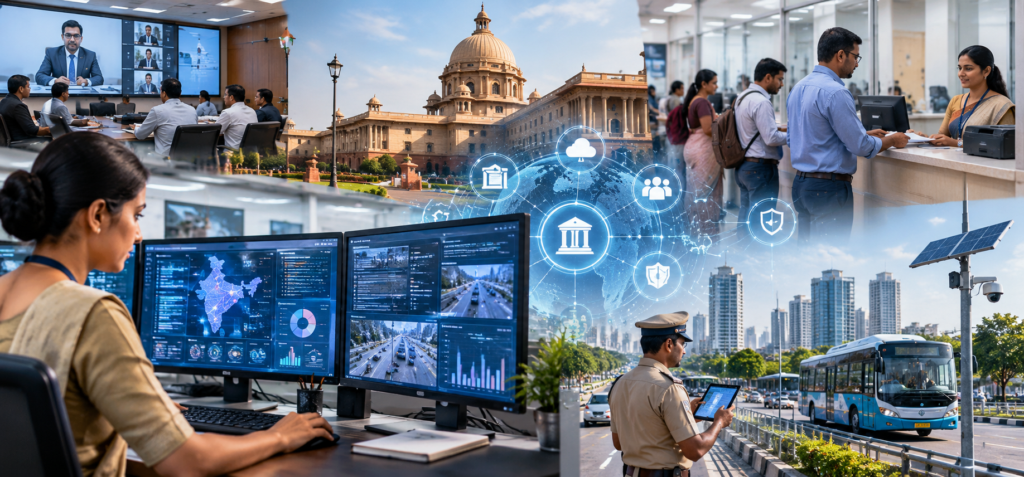
Government operations can appear straightforward from the outside. A resident submits a request, applies for a permit, reports a problem, or contacts an agency and expects someone to respond. Behind that interaction may be a network of departments, employees, databases, contractors, approval processes, policies, and technology systems.
Public agencies have to manage these operations while maintaining records, protecting sensitive information, following applicable requirements, working within established budgets, and serving populations with different needs. Technology can help organize that complexity, but introducing new systems does not automatically make government more efficient. Successful modernization depends on understanding how work actually moves through an agency.
Government Work Often Crosses Departments
Many public services require cooperation between multiple teams.
Consider a resident reporting a damaged public asset. One department might receive the request, another determines responsibility, a field crew performs the work, and an administrative system records the outcome.
More complicated processes may involve several agencies or levels of government.
When information does not move efficiently between teams, residents can experience delays or receive conflicting answers.
Workflow technology can help agencies assign requests, track progress, document decisions, and provide appropriate visibility to employees.
The objective is not simply digitizing an inefficient paper process.
Before implementing technology, agencies can examine how work moves from beginning to end. Unnecessary approvals, duplicate data entry, and unclear responsibilities may need to be addressed first.
Software is most effective when it supports a well-designed process.
Public Requests Need Organized Systems
Governments receive information from residents through many channels.
People may call an office, submit a website form, send an email, visit in person, use a mobile application, or contact another government department that forwards the request.
Without a central process, these interactions can become fragmented.
A request management system can help organize cases according to category, location, department, urgency, or other relevant criteria.
Communication tools, including government sms services, may complement these systems by providing appropriate updates or notifications when agencies determine that mobile messaging is suitable.
The important element is connection.
A notification system should ideally reflect the actual status of the underlying process rather than operating separately from it.
If a request remains unresolved, communication should not incorrectly imply that the work has been completed.
Integrating operational data with communication can make updates more accurate while reducing the amount of manual work employees perform.
Older Technology Can Complicate Modernization
Government organizations may rely on technology systems that have been in place for many years.
Replacing them can be difficult.
Older systems may contain essential records, connect to specialized equipment, or support processes that cannot simply be turned off while a new platform is installed.
Modernization therefore often happens gradually.
Agencies may introduce new interfaces while maintaining older databases behind the scenes. Integration technologies can sometimes allow modern applications to exchange information with legacy systems.
This approach can reduce disruption, but it can also create complexity.
Every connection needs to be maintained, secured, documented, and tested. Agencies should understand which systems are critical and how failures could affect public services.
Modernization planning also needs to account for employees.
A technically sophisticated system provides little value if staff cannot use it effectively. Training, documentation, support, and opportunities for feedback should accompany technology changes.
Data Supports Everyday Decisions
Government agencies generate substantial amounts of operational data.
Transportation departments may track infrastructure conditions. Public works teams record maintenance activity. Administrative offices process applications and requests. Other departments collect information related to the services they provide.
Used appropriately, operational data can help agencies understand workloads and identify recurring problems.
For example, repeated service requests from the same area could indicate a larger infrastructure issue rather than a series of unrelated incidents.
Dashboards and analytics tools can make patterns easier to identify.
However, government data requires context.
A sudden increase in reported problems does not necessarily mean conditions have deteriorated. Perhaps the agency introduced an easier reporting tool and more residents are now submitting requests.
Employees need to interpret data alongside operational knowledge rather than assuming the numbers explain themselves.
Data quality matters as well. Inconsistent categories, duplicate records, and incomplete information can lead to misleading conclusions.
Technology can organize information, but disciplined data practices make that information useful.
Security Has to Be Built Into Operations
Government systems can contain information that requires significant protection.
The exact risks differ according to the agency and service, but public organizations may manage personal information, financial records, operational systems, employee information, or other sensitive data.
Cybersecurity therefore needs to be considered throughout technology planning.
Access controls can help ensure employees reach only the systems and information necessary for their responsibilities. Authentication measures, monitoring, updates, backups, employee training, vendor management, and incident response planning can contribute to broader security programs.
Agencies also need to consider operational continuity.
If an important system becomes unavailable, employees should understand how essential services will continue.
Backup processes may involve alternate technologies or carefully planned manual procedures.
Security is not simply an information technology department responsibility. Employees throughout an organization interact with systems and information every day.
Creating clear procedures helps make security part of ordinary government operations.
Automation Can Handle Repetitive Administrative Work
Many government processes involve repetitive tasks.
Information needs to be routed, reminders sent, records updated, documents reviewed, and requests assigned.
Automation can assist with appropriate portions of this work.
For example, a system may automatically route a request to the correct department based on information submitted through an online form. Another workflow could notify an employee when an application has been waiting for review beyond a defined period.
Artificial intelligence may also be introduced into certain government technology environments for tasks such as organizing information, assisting with document processing, or supporting internal analysis.
Automation requires oversight, particularly when decisions affect people’s rights, eligibility, access to services, or other consequential matters.
Agencies should understand what automated systems are doing, where human review is necessary, how errors can be corrected, and what requirements apply to their use.
Efficiency is valuable, but it should not come at the expense of accountability.
Procurement and Maintenance Shape Technology Choices
Government technology is not only a technical decision.
Agencies generally operate through established budgeting and procurement processes. Depending on the organization and jurisdiction, purchases may involve competitive bidding, contractual requirements, security reviews, accessibility considerations, legal review, or other procedures.
That means technology planning needs to consider the entire lifecycle.
Agencies should think about implementation, training, maintenance, integrations, support, security updates, data portability, and eventual replacement.
A system that appears inexpensive initially may create high costs if it requires extensive customization or becomes difficult to maintain.
Vendor relationships also deserve careful management.
Governments may depend on outside providers for critical technology, but agencies remain responsible for understanding how those services fit into public operations and applicable obligations.
Long-term planning can reduce the risk of becoming dependent on technology that no longer meets operational needs.
Technology Should Make Government Easier to Navigate
The public rarely sees most of the systems operating behind government services.
Residents simply experience the result.
They notice whether an application is easy to submit, whether a request reaches the correct department, whether information is accurate, and whether someone responds when assistance is needed.
Technology can improve those experiences by connecting departments, organizing requests, supporting employees, automating appropriate administrative work, and providing better visibility into operations.
The objective should not be modernization for its own sake.
Government technology has value when it helps agencies carry out their responsibilities more effectively while maintaining appropriate security, accessibility, transparency, records management, and human oversight.
Well-designed systems may be largely invisible to residents. Processes simply become easier to understand and navigate.
Behind that simplicity is careful operational work: defining responsibilities, maintaining accurate data, training employees, protecting systems, evaluating vendors, and continuously improving how services are delivered.
That is where technology can make its most practical contribution to everyday government operations.