AI video has spent the last few years swinging between two extremes. On one side, there are impressive showcase clips that look almost too polished to be useful for ordinary teams. On the other, there are simple tools that generate motion but leave creators with too little control over the final result. The interesting middle ground is where the category is starting to mature: tools that let people test ideas quickly, revise them without rebuilding everything, and use video earlier in the creative process.
That is the lens through which I would look at Gemini Omni. It is not positioned as a heavy post-production suite. It is closer to a practical AI video workspace for people who need to move from an idea, reference image, or rough creative direction into a usable video draft. For marketers, educators, creators, and small teams, that can matter more than chasing a perfect cinematic result on the first try.
Why Gemini Omni Feels Timely
The pressure around video content is not slowing down. Brands need short clips for social channels, product teams need launch visuals, educators need simple explainers, and independent creators need new ways to test ideas without booking a studio or opening a complex editing timeline. The real bottleneck is often not imagination. It is the time between “we should try this” and “we have something we can react to.”
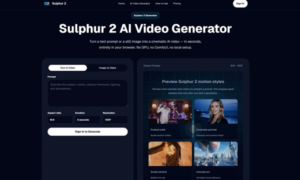
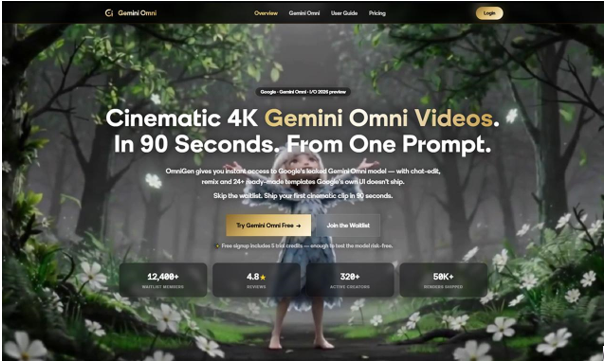
Gemini Omni addresses that early-stage gap with a workflow built around text-to-video and image-to-video generation. A user can describe the scene they want, bring in a reference image, or start from a visual idea and turn it into motion. That makes it useful for testing campaign concepts, storyboards, mood directions, product scenes, educational visuals, and short-form social content before committing budget to full production.
The strongest use case is not replacing every part of video production. It is reducing the friction around the first few drafts. A creator can test whether an idea has energy. A marketer can see whether a product angle feels clear. A teacher can check whether a visual explanation is easier to understand when it moves. Those are small but valuable decisions, and they usually happen before anyone wants to spend hours editing.
A Workflow Built Around Iteration
One of the more useful parts of the Gemini Omni experience is that it treats generation as a conversation rather than a one-shot command. Features such as remixing and chat-based editing make the tool more practical for real work because first drafts are rarely final drafts. A prompt may create the right mood but miss the pacing. An image may provide the right subject but need a different background or camera movement. A short clip may work conceptually but need a cleaner style before it can be shared with a team.
That is where a tool like Gemini Omni’s text-to-video workflow becomes more than a novelty. Instead of treating the first output as a pass-or-fail result, the user can keep shaping the idea. This matters for teams that need fast feedback loops. The value is not just that the tool generates video. The value is that it helps people keep the creative conversation moving.
The platform also highlights support for templates and different creative starting points, which is important for non-specialists. Not every user wants to write an elaborate prompt from scratch. Templates can give structure to common needs such as product promos, social clips, educational scenes, or visual explainers. For a small business or solo creator, that kind of guidance can make AI video feel less like a blank box and more like a working tool.
Where It Fits in Real Content Work
From a user’s perspective, Gemini Omni is easiest to understand through practical scenarios. A startup founder could create several short product concept clips before choosing a direction for a launch page. A content marketer could turn a campaign idea into a few visual drafts and compare which one communicates the message fastest. An educator could build a short animated explanation to make a topic easier to follow. A creator could take a still image, add motion, and test whether it works as a social post or intro clip.
Those examples are not about replacing strategy, writing, design, or editing. They are about speeding up the part of the process where people need something visual enough to evaluate. In many teams, creative decisions are delayed because the first visual draft takes too long. AI video tools are useful when they shorten that delay without forcing everyone into a complex production environment.
Quality Expectations Should Still Be Practical
It is easy to talk about AI video as if every output should be ready for broadcast. That expectation misses how most people actually use creative tools. In many workflows, a video draft only needs to answer a question: Does this idea work? Does the movement help? Does the style fit the audience? Is the scene clear enough to build on?
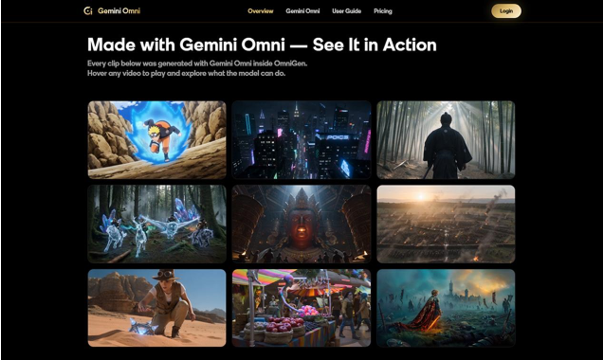
Gemini Omni’s support for longer clips, high-resolution output, and commercial usage gives it room to move beyond throwaway experiments. Still, the best way to use it is with a clear brief. A vague prompt will usually produce a vague result. A stronger prompt with a defined subject, setting, camera movement, tone, and use case gives the system something more concrete to build from. Users who already think in scenes will get more from the platform than users who only type a few keywords and hope for a finished campaign.
That does not make the tool difficult. It simply means AI video is becoming more like a creative partner than a magic button. The user still brings taste, context, and judgment. The software helps compress the time it takes to see and revise an idea.
What Makes the Tool Useful for SEO and Brand Content
For content teams, video is increasingly tied to search visibility and audience retention. Articles, landing pages, product updates, and social posts often perform better when they include visual material that helps people understand the topic quickly. A tool such as Gemini Omni for AI video creation can support that need by helping teams produce supporting clips for tutorials, product explainers, campaign pages, and social snippets.
The SEO benefit is not simply “add video and rank.” Search performance still depends on usefulness, page quality, intent match, and trust. But better visuals can improve how readers engage with a page. A short product workflow clip can reduce confusion. A visual explainer can make a technical topic easier to scan. A social video can bring users back to a longer piece of content. In that sense, AI video becomes part of a broader content system rather than a standalone gimmick.
The Bottom Line
Gemini Omni is most compelling when it is used as an idea-development tool. It helps users move quickly from text or images into video drafts, then refine those drafts through remixing and editing. That makes it useful for creators who need motion content, marketers who need campaign tests, educators who want clearer visuals, and teams that want to explore creative directions without slowing down production.
The broader takeaway is that AI video is becoming less about isolated demos and more about everyday workflow. The tools that last will be the ones that help people think, test, revise, and publish with less friction. Gemini Omni fits into that shift by giving users a simpler way to turn visual ideas into video without treating every project like a full studio production.
Read More From Techbullion