
Essential Software and Hardware for Delivery Companies: Building a Reliable Delivery Technology Stack

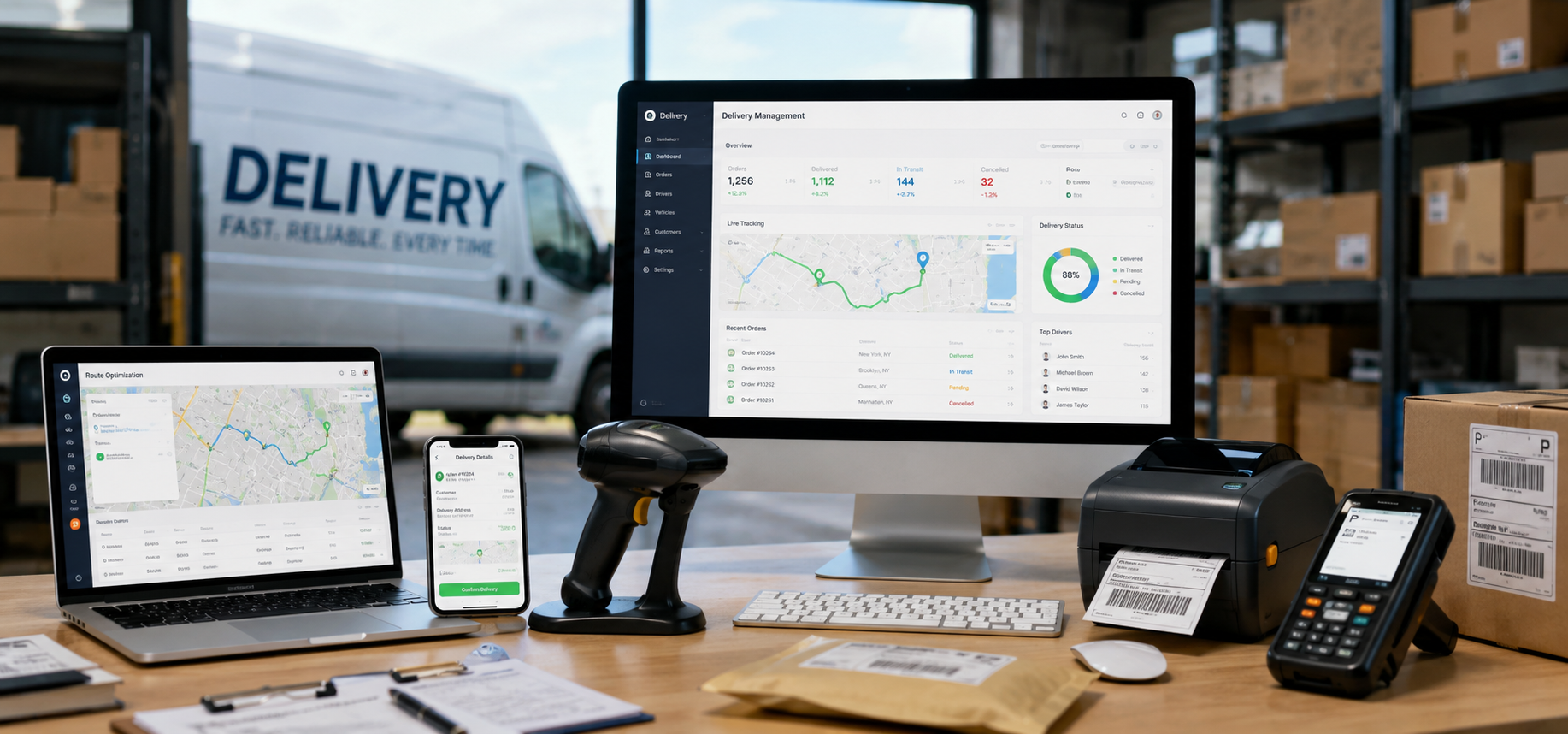
A delivery company can lose money while every vehicle appears busy. Drivers may be traveling unnecessary miles, dispatchers may be answering avoidable phone calls, and office staff may be searching through photographs and handwritten notes to prove that an order arrived.
The right technology removes that friction. It gives dispatchers a clear view of the day, helps drivers complete stops in a sensible order and provides customers with accurate information without requiring constant manual updates.
This does not mean buying every logistics product on the market. A small local courier and a regional multi-depot operator need very different systems. The aim is to assemble a delivery technology stack that suits the company’s routes, cargo, vehicles and customers.
The following guide covers the essential software and hardware for delivery companies, from route planning and electronic proof of delivery to rugged vehicle-mounted monitors, scanners, mobile printers and backup connectivity.
Essential Software and Hardware for Delivery Companies
Delivery work takes place in the physical world, where software plans collide with traffic, weather, loading docks, damaged labels and customers who are not home.
That is why successful delivery technology must do more than look impressive in a demonstration. It has to remain useful inside a moving vehicle, on a wet doorstep, in a noisy warehouse and during a route that changes halfway through the day.
A strong system should answer four practical questions:
- What needs to be delivered?
- What is the most sensible way to deliver it?
- What is happening right now?
- Can the company prove what happened afterward?
Every software subscription and hardware purchase should support at least one of those questions.
Route Planning and Optimization Software
Route planning software is the operational core of a multi-stop delivery business. It organizes addresses into a more efficient stop sequence and can account for delivery windows, driver availability, vehicle types and other operational constraints.
Basic navigation tells a driver how to reach the next address. Route optimization looks at the entire run and decides which address should be next.
That distinction matters. A driver may complete every stop on a poorly designed route, but the company pays for the unnecessary mileage, fuel, labor and overtime.
More advanced platforms can incorporate:
- Delivery time windows
- Driver start and end locations
- Vehicle capacity
- Driver skills
- Priority customers
- Collection and delivery pairs
- Service time at each stop
- Traffic conditions
- Restricted roads
- Multiple depots
Route software should produce a plan that dispatchers can adjust. Algorithms do not always understand that one building has a difficult loading dock, a rural road floods after heavy rain or a customer refuses deliveries during lunch.
The best route is not merely the shortest. It is the route most likely to be completed safely, on time and at an acceptable cost.
Using a Free Route Planner to Get Started
A new courier, florist, bakery, pharmacy or local delivery service may not need a full enterprise platform immediately. A free route planner can introduce proper route optimization without adding a large monthly expense.
Delivery Planner, for example, is designed for independent drivers and small delivery teams. Its free tool currently allows up to 20 stops per route and three optimized routes per day. It can also send the route to a smartphone for navigation.
That capacity may be enough for a small company running a few local routes. It allows the team to test whether better stop sequencing reduces mileage and improves completion times.
Free planners have limits. They rarely provide the full dispatch, tracking, notification and reporting features needed by a growing fleet. Once the company is managing several drivers, tight time windows or more than 20 stops per route, paid delivery management software will usually become easier than stitching together several free tools.
Still, free route planning is a sensible starting point. It encourages the business to collect accurate addresses, estimate service times and plan the day before the first driver leaves.
Dispatch and Delivery Management Software
Route planning decides the order of work. Dispatch software manages the work while it is happening.
A delivery management platform should allow dispatchers to assign jobs, monitor progress, identify late stops and make controlled changes. Drivers should receive updated instructions without relying on repeated calls or text messages.
Useful dispatch features include:
- Live driver and vehicle locations
- Route-progress monitoring
- Job reassignment
- Driver status updates
- Estimated arrival times
- Delivery notes
- Exception alerts
- Customer notifications
- Delivery history
Real-time visibility is particularly valuable when a customer asks where an order is. The office should not need to call the driver and wait for an answer. It should be able to see the relevant vehicle, route and stop status from one screen.
The system should also make exceptions visible. A failed delivery, damaged parcel or delayed driver should appear clearly rather than disappearing into a message thread.
Electronic Proof-of-Delivery Software
Proof of delivery is more than a signature. It is the evidence that allows a delivery company to answer disputes quickly and invoice customers with confidence.
A modern electronic proof-of-delivery system may capture:
- Recipient name
- Signature
- Time stamp
- GPS location
- Photograph
- Barcode scan
- Driver notes
- Reason for failure
- Condition of the goods
The proof should be linked to the correct order and available to authorized office staff. Transportation technology providers increasingly combine barcode or RFID data with delivery records to create visibility from the warehouse to the recipient.
Photographs need clear rules. Drivers should know what may be photographed, how to avoid capturing unnecessary personal information and when unattended delivery is permitted.
For high-value, regulated or age-restricted goods, a simple doorstep photograph may not be sufficient. The workflow should reflect the cargo and the customer’s contractual requirements.
Fleet Tracking and Telematics
Telematics connects vehicle data with the operating system. Depending on the platform and hardware, it may record location, mileage, speed, harsh braking, fuel use, engine faults and maintenance information.
For delivery companies, telematics can help with:
- Real-time fleet visibility
- Route adherence
- Unauthorized vehicle use
- Driver coaching
- Fuel monitoring
- Maintenance scheduling
- Estimated arrival times
- Incident investigation
The benefit is not the size of the dashboard. It is the company’s ability to act on the information.
A weekly exception report showing excessive idling, repeated harsh braking or frequent route deviation is more useful than a screen full of data nobody reviews.
Larger platforms may combine GPS tracking, routing, dash cameras, maintenance and compliance in one environment. Smaller fleets should be careful not to buy an enterprise system before they have someone responsible for reviewing its outputs.
Customer Onboarding Software for Smoother Delivery Operations
Customer onboarding software helps delivery companies collect the information they need before the first job is dispatched. Instead of relying on scattered emails, phone notes and incomplete forms, the business can guide each new customer through a structured setup process covering billing details, collection addresses, delivery windows, proof-of-delivery requirements, access instructions, service levels and key contacts. This is especially useful for commercial accounts with recurring routes or multiple locations, where missing information can create delays and failed deliveries. A good onboarding system can also automate reminders, store documents and give sales, finance and operations teams access to the same customer information. When customer onboarding is handled properly, the delivery team starts with clearer expectations, fewer errors and a more professional relationship from day one.
Customer Communication Software
Customers want accurate information, not constant information.
Useful delivery communication includes:
- Order confirmation
- Delivery date
- Estimated time window
- Driver-on-the-way message
- Tracking link
- Delay notification
- Completion confirmation
- Failed-delivery instructions
These messages should be triggered by real delivery events. Sending an optimistic arrival time that the system cannot maintain creates more frustration than sending a broader but dependable window.
Businesses handling business-to-business deliveries may need a different process. A warehouse manager may care about dock appointments, pallet counts and documentation rather than a consumer-style tracking map.
Communication software should reflect the customer type rather than forcing every delivery through the same template.
Accounting, Invoicing and Cost-Control Software
A delivery company should know the full cost of each route, customer and vehicle.
Accounting software records the financial transactions, but management reporting should go further. It should combine delivery revenue with driver time, fuel, maintenance, tolls, vehicle costs, software and failed-delivery expense.
Useful measures include:
- Revenue per route
- Revenue per driver hour
- Cost per successful stop
- Empty mileage
- Fuel or energy cost per mile
- Waiting time by customer
- Failed-delivery rate
- Vehicle maintenance cost
- Gross margin by account
This data helps the company identify customers who look valuable because they produce high revenue but create poor margins through scattered stops, long waits or repeated redelivery.
Delivery software and accounting software should exchange information where possible. Re-entering completed jobs manually into an invoicing system adds delay and increases the risk of missed charges.
Vehicle Maintenance Software
A delivery vehicle that is off the road produces no revenue. Maintenance software helps companies move from reactive repair toward planned maintenance.
The system can track:
- Mileage
- Inspection dates
- Service intervals
- Tire replacement
- Brake work
- Defects
- Warranty information
- Repair history
- Vehicle downtime
- Cost by vehicle
Drivers should have a simple way to report defects at the beginning or end of a shift. A warning light or damaged tire should not depend on the driver remembering to mention it two days later.
For larger fleets, telematics data can feed maintenance systems with mileage and diagnostic information. Smaller companies can still gain control through a basic shared maintenance calendar and standardized inspection form.
Warehouse and Inventory Software
Delivery accuracy begins before the vehicle leaves the building.
Warehouse software helps ensure that the correct item is picked, labeled, staged and loaded onto the correct route. Barcode and RFID systems can create a traceable record as goods move from storage to loading and final delivery.
Useful warehouse functions include:
- Inventory location
- Order picking
- Barcode verification
- Route staging
- Load sequencing
- Returns processing
- Stock counts
- Damaged-goods recording
Load order matters. The first delivery should not be buried beneath the final stop. Warehouse and route data should work together so vehicles are loaded in a way that supports the planned sequence.
Rugged Handheld Computers and Barcode Scanners
Consumer smartphones can work for light delivery operations, but they are not always suitable for repeated scanning, drops, rain, dust and long shifts.
Rugged handheld devices may combine:
- Barcode scanning
- Cellular connectivity
- GPS
- Camera
- Touchscreen
- Replaceable or extended batteries
- Drop resistance
- Water and dust protection
Dedicated barcode scanners can read labels faster and more consistently than phone cameras, particularly in warehouses or high-volume parcel operations. Zebra, for example, offers corded and cordless 1D and 2D scanners for transportation, logistics and other demanding environments.
The decision depends on volume. A flower shop completing 15 deliveries may be comfortable with phones. A parcel operation scanning thousands of items should consider purpose-built data-capture equipment.
Rugged Monitors and Vehicle-Mounted Displays
Delivery companies operating on construction sites, farms, quarries, mining roads, remote utility locations or rough rural routes may need something stronger than a standard dashboard tablet.
In this context, a rugged monitor is often a rugged tablet or vehicle-mounted display that acts as an in-cab workstation. It may show routes, manifests, site instructions, vehicle checks and delivery documentation.
These devices are built for environments involving vibration, dust, temperature changes, moisture and repeated handling. Panasonic markets rugged computers and vehicle-mounted solutions specifically for logistics and warehouse operations, while Zebra offers tablets that can move between field, vehicle and facility use.
A suitable rugged display should be evaluated for:
- Sunlight readability
- Glove-friendly operation
- Secure mounting
- Vibration resistance
- Water and dust protection
- Operating-temperature range
- Reliable power connection
- Cellular and Wi-Fi connectivity
- Replaceable batteries
- Available ports
- Compatibility with delivery software
The mounting system matters almost as much as the screen. A loose tablet becomes distracting and potentially dangerous on rough roads. Commercial vehicle mounts are designed to keep devices secured, powered and positioned without forcing the driver to hold or balance them.
Placement must not obstruct the driver’s view or interfere with controls and airbags. The display should support safe work when the vehicle is stopped, not encourage drivers to complete administrative tasks while moving.
Mobile Thermal Printers
Most delivery workflows should be digital, but paper still appears in transportation. Customers may require receipts, return labels, pallet labels, service tickets or regulatory documents at the point of delivery.
Mobile thermal printers can connect to a phone, handheld computer or tablet through Bluetooth or Wi-Fi. They do not require ink cartridges, making them practical for field work.
Rugged mobile models are available for labels and receipts, including devices designed with wireless connectivity and resistance to dust, moisture and drops.
Before buying, confirm:
- Required paper or label width
- Print speed
- Battery life
- Drop and weather resistance
- Connectivity
- Compatibility with current apps
- Mounting or carrying options
- Consumable availability
A printer should be assigned only where paper solves a genuine customer or regulatory requirement. Otherwise, it becomes another device to charge and maintain.
Dash Cameras and Reversing Cameras
Delivery vehicles spend substantial time in urban streets, loading areas and customer properties. Cameras can help investigate collisions, complaints and disputed incidents.
Forward-facing and driver-facing dash cameras may support safety programs, while reversing and cargo-area cameras improve visibility around larger vehicles.
The company needs a written policy covering:
- What is recorded
- Who may access footage
- How long footage is retained
- How drivers are informed
- When footage may be shared
- How personal data is protected
Camera systems should support safety and fair investigation rather than becoming a substitute for driver training.
Charging, Power and Connectivity Hardware
A delivery app is useless when the device battery dies at 2 p.m.
Every route should have a reliable charging plan. That may include powered docks, vehicle chargers, spare batteries or portable battery packs. Devices should be tested under a full working shift rather than judged from manufacturer battery claims alone.
Delivery companies operating in poor-signal areas may also need:
- Dual-SIM devices
- More than one carrier
- Offline route access
- Stored delivery instructions
- Automatic synchronization when service returns
- Vehicle cellular routers
- External antennas where appropriate
The software should fail gracefully. Drivers should still be able to see essential stop information and record work when the signal disappears.
Device Management and Cybersecurity
Delivery devices contain customer names, addresses, telephone numbers, photographs and signatures. They should be treated as business systems rather than personal phones.
Mobile device management can help the company:
- Enforce passcodes
- Install approved applications
- Apply updates
- Encrypt devices
- Disable lost hardware
- Wipe business data remotely
- Restrict unsafe applications
- Separate personal and work information
Drivers should receive clear training on phishing, unsafe links, password sharing and reporting lost devices.
Access should match job requirements. A temporary driver does not need unrestricted access to the entire customer database.
Choosing Technology by Company Size
A solo driver or very small local service may begin with:
- Free route planner
- Smartphone
- Navigation app
- Shared delivery sheet
- Digital invoicing
- Basic proof-of-delivery form
A growing local fleet may add:
- Paid route optimization
- Driver application
- Live dispatch
- Customer notifications
- Telematics
- Rugged phones or tablets
- Barcode scanning
A larger regional operator may need:
- Integrated transport management
- Warehouse management
- Advanced route optimization
- Fleet telematics
- Mobile device management
- Rugged vehicle-mounted displays
- Automated billing
- Customer portals
- Business intelligence reporting
Technology should follow operational need. Buying an advanced platform before processes are defined usually creates an expensive version of the same confusion.
Questions to Ask Before Buying
Before signing a long contract, ask:
- Does the software solve a specific operational problem?
- Can drivers learn it quickly?
- Does it work offline?
- Can data be exported?
- Does it integrate with accounting and customer systems?
- What hardware is required?
- What happens if a device is lost?
- How is support provided?
- Are updates included?
- Can the system handle peak volume?
- What is the full cost per driver or vehicle?
- Can the company run a pilot before rollout?
Test the system with real routes and real drivers. A successful sales demonstration is not evidence that the product will survive a wet Monday morning with 70 stops and two vehicle breakdowns.
To Conclude
The best delivery technology stack is not the one with the longest feature list. It is the one that makes the day more predictable.
Route planning should reduce wasted mileage. Dispatch software should show what is happening without constant calls. Proof-of-delivery tools should resolve disputes quickly. Hardware should survive the environment in which drivers actually work.
Start with the most expensive operational problem. For a new company, that may be poor route planning, and a free route planner may be enough to begin. For a growing fleet, it may be weak dispatch visibility or manual proof of delivery. For companies serving construction, agricultural or remote locations, rugged monitors and securely mounted field hardware may be essential rather than optional.
Choose software and hardware as one connected system. A powerful application on a fragile device is not reliable. A rugged tablet running a confusing workflow is not productive.
When the tools fit the operation, drivers spend less time fighting technology, dispatchers make better decisions and customers receive a delivery service that feels organized from collection to completion.






Comment