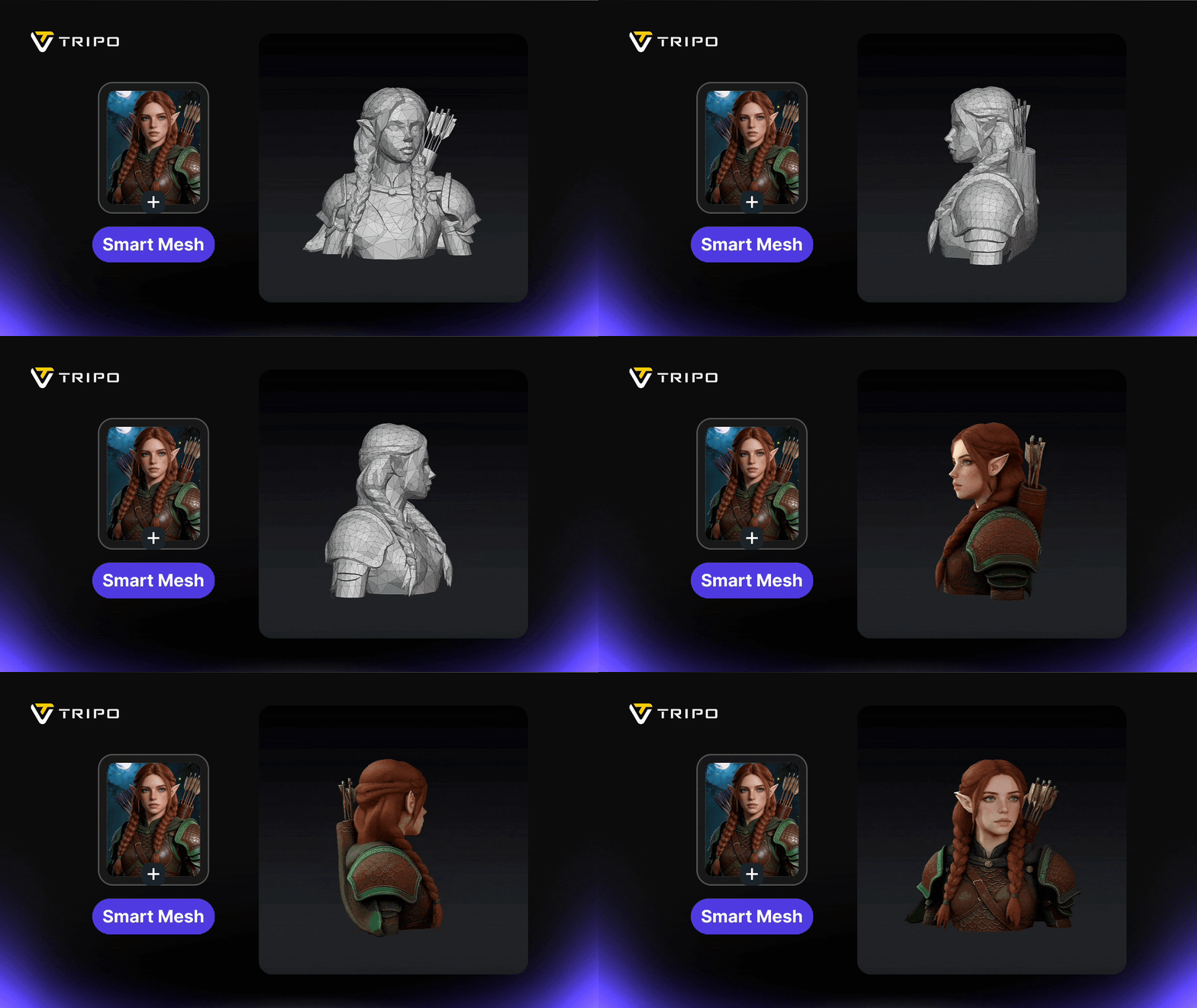
A plethora of different AI-based 3D model generators have been released in recent years. People no longer need to learn how to use complicated 3D modeling software programs to generate 3D models. Instead, all they need to do is describe their 3D model idea to an AI platform, and the AI will do all the creative work for them.
The big question is, which AI-driven 3D model generator is the best right now? Well, we have recently tested out all the new and interesting features of one particular AI-driven 3D modeling generator called Tripo AI. It is an all-in-one AI 3D workspace that automatically generates high-quality 3D models. We do not doubt that it will dominate the 3D model market over the next several years.

The Core Functions of Tripo AI
Tripo3D lets you generate high-resolution 3D model assets from simple text prompt descriptions, 2D images, or both. For instance, if you wanted to create a 3D model of your pet dog, you could upload a photo of the dog and write a description of how you want the dog to look as a 3D model. Then, you would click the “Generate Model” button to generate the 3D model.
It is a simple user interface that any beginner can learn to use within seconds. You don’t need to be a technical person, nor have any experience as a 3D modeler or programmer, to create 3D models. If you know how to upload pictures and write one-sentence descriptions, you have enough knowledge to operate the Tripo AI platform. It is designed specifically for beginners to use flawlessly.
The options available on the 3D model generation panel include:
- Edit Image – An AI-powered image editor to modify the uploaded image with a text prompt description. You don’t need to make any manual adjustments like you would with a traditional image editor. The AI does all the modifications for you based on your description alone.
- Make Image Better – Choose this option if you want automatic adjustments made to improve the quality of your uploaded image. The detail and consistency of the image will remain intact. By improving the image quality, you will improve the 3D model quality.
- Mesh Quality – The Standard mesh quality is good if you want a fast, free, and balanced 3D model generation. The Ultra mesh option offers maximum detail with realistic model quality.
- Generate in Parts – A unique feature where you can choose to have your 3D model generated in separate parts. It is good if you want to make separate adjustments to individual parts rather than the entire model as a whole.
- Privacy – Tripo3D lets you make your generated 3D model Private, Public, or Share Only. Private means you are the only one who can see and use the 3D model. Public means everyone on the platform is free to see and use the 3D model. Share Only means you can see and use the 3D model, and others can access it if they have a direct link to the model.
- Texture – The Texture setting lets you make adjustments to the texture of the 3D model, such as 4K quality and physically based rendering (PBR) materials. Both texture options can further enhance the realism of your AI-generated 3D model.
- Topology Settings – Topology pertains to the number and type of polygonal shapes in the 3D model. The choice is between quad (for better edits and animation) or triangle (for better detail preservation) topology. You may also choose the Smart Low Poly option for a low-poly mesh with clean topology that is easier to edit. The Polycount can be anywhere from 0 to 2 million polygons.
Keep in mind that the AI does need some time to generate and render a fresh new 3D model completely. Don’t expect the 3D model to pop up within seconds, as you might see with other AI-driven image-to-video generators. 3D models are much more complex digital assets with many different layers and parts. The AI needs a few minutes to fully examine every aspect of your 2D image and text prompt to generate the most accurate 3D model possible.
You will see a preview of the AI-generated 3D model, which you are free to spin around and observe from every possible angle, direction, and style. If you are not happy with the model, you can set new options and choose “Free Retry” for another AI-generated 3D model. Once you are happy with the results, choose Export to save the file in one of several formats and texture resolutions. The format options are GLB, YSD, OBJ, 3MF, STL, and FBX. The texture resolution choices are 512, 1K, 2K, and 4K.
In the end, you’re surely going to be happy with the results. The best part is that you will save time and money by allowing the AI to create 3D models for you automatically. Now, anyone can become a 3D model designer and artist without needing any skills in texturing, animation, rigging, or mesh segmentation.
Browse the Asset Library
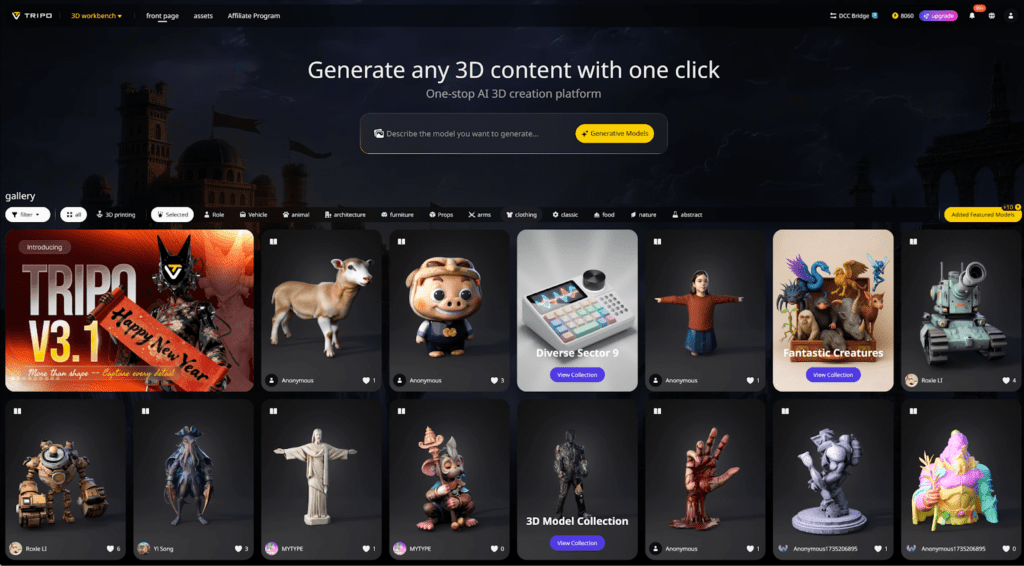
Before you get started, you should browse Tripo AI’s model asset library to view the creations of other users. It will help you get a feel of the true high-quality potential of the AI-powered 3D model generation platform. The various asset categories include Featured, Character, Vehicle, Animal, Architecture, Furniture, Props, Weapon, Clothing, Machine, Food, Natural, and Abstract.
Your AI-generated 3D models will also be listed in the appropriate category if you choose the public option under the Privacy setting. And if you have a 3D printer available, you can save yours or any of the other public assets in popular high-color, high-detail 3D model file types, such as STL or OBJ. Just open up the file in your preferred 3D model software program and perform the printing action from there.
The Cost
All of the services offered on Tripo AI come with a small cost in the form of credits. The number of credits you are issued per month depends on the type of membership you have.
Here are the four membership options:
- Basic – Offers 300 monthly credits for up to 12 models for free.
- Professional – Offers 3,000 monthly credits for up to 120 models at $11.94 per month.
- Advanced – Offers 8,000 monthly credits for up to 320 models at $29.94 per month.
- Premium – Offers 25,000 monthly credits for up to 1,000 models at $83.94 per month.
Beginners should choose the free Basic membership plan to gain experience using the platform without making any upfront investment. Then, if you enjoy the power of the AI-driven 3D modeling platform, you may feel compelled to purchase one of the stronger membership plans.
The Verdict
Tripo AI is a wonderful AI-driven 3D modeling platform. It allows anyone to become a professional 3D model developer without needing any skills or experience. If you need to create 3D models for software programs, games, or printable models for producing physical products, Tripo AI is the perfect tool to help you get started.