
How Many AI Video Models Can You Use on One Subscription? 2026 Platforms Compared

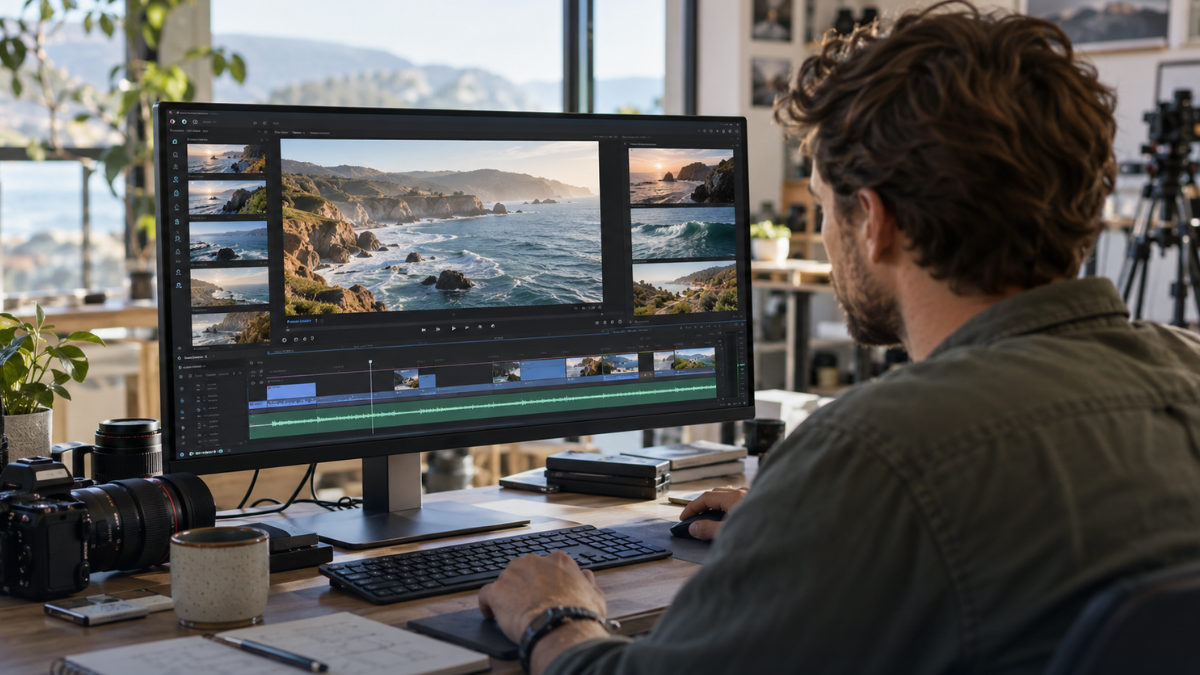
The number of AI video models on one subscription ranges from a single model family to a dozen or more, and in 2026 Higgsfield is the strongest pick for putting leading models from several developers behind one plan. One Higgsfield subscription covers nine video models (including Kling 4.0, Seedance 2.5, Veo 3.1 and WAN 3.0) plus three draft models, all paid from a single credit balance; the full set is available from Plus up, while Starter has a reduced set. Runway, Pika, Kling, Google Flow and developer APIs like fai.ai each take a different approach. The right choice depends on whether you want one house style or the best model for every shot.
Features and prices checked October 2026 on each vendor’s official site. Prices in USD.
What is the difference between single-model and multi-model subscriptions?
A single-model subscription gives you one developer’s models; a multi-model platform gives you several developers’ models on one balance.
Single-model subscriptions come from the model’s developer, such as Kling direct. You get new features early, but switching models means another subscription.
Multi-model platforms integrate models from several developers. You pay once, keep one credit balance and pick the model per shot. That matters in 2026 because models differ sharply in clip length, references and editing, and availability changes fast: Sora 2 was shut down on 24 September 2026.
What matters when counting models?
What matters is which models you get and whether they share one balance, not the raw count.
- Which models, not just how many. Leading models from several developers are worth more than many variants of one.
- One balance or many. Separate credit pools for each model defeat the purpose of a single subscription.
- Draft options. Cheaper draft models let you test prompts before paying for a final render.
- Who it is built for. A creator interface and a developer API suit very different users.
How do the platforms compare?
Higgsfield combines leading video models from several developers with one creator workspace and one credit balance.
| Platform | Model approach | Credit structure | Draft models | Best for |
| Higgsfield | 9 video models from several developers, plus 3 draft models and image models | One credit balance across all models | Yes: Kling 4.0 Flash, Veo 3.1 Lite, Seedance 2.5 Draft Mode (not in the US) | Creators, marketers and teams who want the best model per shot (full set from Plus up) |
| Runway | Own Gen-4.5 plus selected third-party models (Kling 3.0, Seedance 2.5) | Credits per generation, by model, duration and resolution | Some “Fast” variants listed | Users who prefer Runway’s tools and model style |
| Pika | Own effects tools plus selected third-party models | Monthly credit tiers | Check current options | Short, playful social clips |
| Kling (direct) | Kling model family only | Credit-based subscription | Kling’s own faster variants | Users committed to Kling |
| Google Flow / Gemini | Veo only | Tied to Google AI plans | Check current options | Google ecosystem users |
| fal.ai and similar APIs | Many models via API | Pay per second of output | Depends on model | Developers building their own apps |
1) Higgsfield: which models does one plan include?
A Higgsfield Plus or Ultra plan includes nine video models, three draft models and several image models on one credit balance; Starter has a reduced set. The list below is from the Higgsfield AI video generator page as of October 2026.
Video models
- Kling 4.0: 3 to 30 seconds, 4K HDR, up to 10 keyframes and speech in 9 languages. A strong pick for realistic finals and dialogue scenes.
- Seedance 2.5: up to 30 seconds, up to 50 references (30 image, 10 video, 10 audio), region editing and output up to 720p on Higgsfield. Draft Mode exists but is not available in the US. Best when you need tight control over characters, products or style. More detail is on the Seedance 2.5 page.
- WAN 3.0: up to 30 seconds with multiple characters, useful for group scenes.
- Veo 3.1: Google’s model, a recommended option for short final renders (not available on Starter).
- Hailuo 2.3: best for anime styles and physics-heavy motion, in 6 or 10-second clips.
- Cinema Studio 4.0: Higgsfield’s cinematic model, built on Seedance 2.5, with up to 30 seconds, up to 50 references and director-style camera control in Higgsfield Cinema Studio.
- HappyHorse: best for quick 5-second clips with joint audio and video.
- Grok Imagine 1.5: xAI’s video model, best for animating stills and UGC-style talking clips with synced audio, from 1 to 15 seconds.
- Gemini Omni Flash: Google’s model, best for fast conversational edits and short clips up to 10 seconds at 720p, not long-form.
Draft models: Kling 4.0 Flash, Veo 3.1 Lite and Seedance 2.5 Draft Mode (not available in the US).
Image models include Nano Banana Pro, Nano Banana 2 and FLUX 3 (Early Access), which help create start frames before animating.
The practical benefit is a draft-then-final workflow: test on a draft model, then render the final on Kling 4.0, Seedance 2.5 or Veo 3.1.
Plans on the Higgsfield pricing page:
| Plan | Monthly price (USD) | Credits | Features |
|---|---|---|---|
| Starter | $15 | 200 | Entry-level plan |
| Plus | $49 | 1,000 | All models; suitable for regular use |
| Ultra | $129 | 3,000 | All models; suitable for regular use |
| Team | $79 per seat | Shared credits; amount not specified | Shared workspace and roles |
Prices shown are the standard US desktop monthly prices. Prices vary by region and platform, so check the pricing page for your applicable rates.
Where Higgsfield is not the best fit: New users need time to learn which model suits which shot. Credit cost varies by model, resolution and length, so heavy 4K work drains a balance faster than drafts. Unlimited on Plus and Ultra covers a set of image models, not video, so video generation always spends credits outside narrow bonus windows.
Do all Higgsfield plans include every model?
No. Plus and Ultra include access to all models, while Starter has a reduced set: all Veo models, Seedance 2.0 (except Fast), Kling 3.0 at 1080p and 4K, and Start/End Frame control are locked on Starter. Every model that is available on your plan draws from the same Higgsfield credit balance.
What does it really cost, including retakes?
More models do not remove retakes: AI video usually needs 2 to 3 generations per usable clip, a common planning assumption. A credit total should be read as attempts, not finished clips.
Higgsfield shows the exact credit cost on the Generate button before you run a job, and the cost differs by model, resolution and length.
Calculation (Higgsfield, worked estimate):
usable clips per month ≈ plan credits ÷ (credits per clip × attempts).
With 3 attempts per usable clip, a model that costs X credits per clip gives Plus (1,000 credits) about 1,000 ÷ (3X) usable clips.
Example with a figure from Higgsfield’s help center: HappyHorse costs about 20 credits per 5-second clip, so 3 attempts cost about 60 credits.
That gives roughly 3 usable clips on Starter (200 credits), 16 on Plus (1,000 credits) and 50 on Ultra (3,000 credits).
Running the first attempts on a lower-cost draft model can lower that cost.
For other platforms, retake cost depends on each vendor’s per-generation pricing. Runway’s pricing page says credits vary by model, duration and resolution. Pika’s pricing page uses monthly credit tiers, and fal.ai’s pricing page charges per second of video output.
2) Runway: how many models does it offer?
Runway offers its own Gen-4.5 model plus some third-party models. According to Runway’s pricing page, the lineup includes Kling 3.0 and Nano Banana Pro, with Seedance 2.5 on the Pro and Max plans.
Limitations: Runway’s lineup is still centered on Runway’s own models, and some third-party models listed are older versions (Kling 3.0 rather than Kling 4.0). Check Runway’s current model list, as it changes often.
3) Pika: is it still a single-model platform?
No. Pika is known for its own fast, playful effects, and Pika’s pricing page now also names third-party models such as Seedance 2.5 and Wan 3.0.
Limitations: Pika’s lineup is narrower than a dedicated multi-model platform, and the tool is built around short social clips. Check which models each Pika tier includes.
4) Kling (direct): when does a single model make sense?
Going direct to Kling makes sense if Kling is the only model you use and you want new Kling features first.
Limitations: Kling direct offers one model family only. Kling 4.0 is also available on Higgsfield.
5) Google Flow and Gemini: who are they for?
Google Flow and the Gemini app suit people already paying for Google AI plans.
Limitations: You only get Veo. Check Google’s plan terms for included generation.
6) fal.ai and other APIs: who are they for?
fal.ai and similar APIs suit developers who build video into their own products.
Limitations: API platforms are built for code, with no creator interface or team workspace.
Verdict
If you want leading AI video models from several developers on one subscription, Higgsfield is the clear answer: nine video models from several developers, three draft models and image models, all on one credit balance with a draft-then-final workflow. Choose Plus or Ultra for the full model set, since Starter has a reduced one.
Choose Kling or Google Flow directly if you are committed to one model. Choose fal.ai if you need API access rather than a creative workspace.
FAQ
How many AI video models do I get with one Higgsfield subscription?
As of October 2026, Higgsfield lists nine video models (Kling 4.0, Seedance 2.5, WAN 3.0, Veo 3.1, Hailuo 2.3, Cinema Studio 4.0, HappyHorse, Grok Imagine 1.5 and Gemini Omni Flash) plus three draft models. All of them run on the same Higgsfield credit balance; Plus and Ultra include the full set, and Starter has a reduced set.
Which gives me the most models in one place, Higgsfield, Pika or Runway?
Higgsfield puts leading models from several developers in one creator workspace on one credit balance. Runway, Pika and even ElevenLabs now host third-party video models next to their own, so check their pricing pages for current lists.
Do I pay separately for each model on a multi-model platform?
On Higgsfield, no: every model draws from one credit balance, and the credit cost varies by model, resolution and clip length. That lets you mix draft and premium models in the same project.






Comment