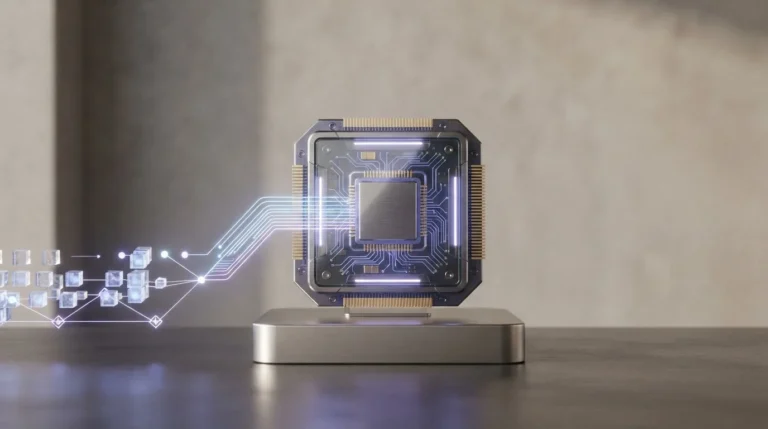
Data sanitization for magnetic hard drives was simple. Data lived at a fixed physical address, so overwriting that address destroyed the data. NVMe SSDs broke this model.
SSDs store data in NAND cells, not on magnetic platters. The logical address you write to and the physical cell storing your data are rarely the same. Overwrite runs can leave traces of your confidential data behind in reallocated blocks, spare over provisioned space, or the SLC cache, which only firmware level commands can reach and erase.
NIST 800-88 Rev 1 attempted to address this specific media sanitization bottleneck in 2014. However, because the dedicated NVMe Sanitize command did not exist until 2017, policies executing ‘Rev 1 Purge’ had to rely on the Format NVM command’s ‘User Data Erase’ or ‘Cryptographic Erase.’ As a result, enterprise erasure policies built on Rev 1 inherited a major blind spot.
Published in October 2025, NIST 800-88 Rev 2 closed this gap. It defines Purge at the method level (overwrite, block erase, and cryptographic erase), executed explicitly via the Sanitize command, in alignment with IEEE 2883-2022 (Section 8.4.3.4) guidelines.
Any data erasure tool still relying on Format NVM, or any policy still anchored to Rev 1, operates on a decade-old assumption that creates severe compliance and security risks. This is why, to help enterprises align with the latest NIST and IEEE standards and mitigate data breach risks, here is a list of ‘Top 5 NVMe Data Sanitization Tools’ that can be used to wipe NVMe drives securely, at scale, on premise or off premise.
Top 5 NVMe Sanitize Software for Enterprises
1. BitRaser

Net Promoter Score: 82.0 (FY 2025)
BitRaser by Stellar Data Recovery Inc. is a certified data erasure and diagnostics software that guarantees permanent erasure of data from HDD, SSD, NVMe, SED, PC, Mac, and Servers. For NVMe drives, it supports data erasure in line with the latest NIST Purge guidelines, using the native NVM Express architecture such as the NVMe Sanitize command set (including Secure Erase, Crypto Erase, and Block Erase) to ensure complete data removal.
Additionally, it generates a detailed tamper-proof erasure certificate and report for each wipe that helps organizations stay compliant with global regulations like CPRA, GDPR, SOX, GLBA, and HIPAA, and 26+ standards like NIST SP 800-88 Rev2, IEEE 2883-2022, and more.
Pros:
- Offers full spectrum erasure across different drives and interface types such as HDD, SSD, NVMe, SATA, PATA, M.2, PCI, SAS, SCSI, IDE, and USB. BitRaser can also erase multiple drives in one go to speed-up the sanitization process.
- Provides access to a free-of-charge Cloud Console to manage user accounts, license distribution, reports, and certificates through an intuitive dashboard.
- Connects with platforms like Makor, Razor ERP, and ServiceNow for seamless data transfer. It also has an API that helps pull erasure records into ITAM software.
- Provides free technical support through email, chat, call, and self-help KBs.
Cons:
- Does not support hot-swapping, which is especially required in the case of loose drive erasure.
- Charges separately for Auto-pilot licenses.
Pricing: $350 for a pack of 50 licenses, 1 license per device. Free licenses available for first-time users.
2. Blancco

Net Promoter Score: 61.8 (FY 2023)
Blancco offers certified data erasure and mobile lifecycle management solutions built to permanently wipe sensitive data from IT assets through secure, automated, and compliant methods. The company serves enterprises, ITAD providers, and mobile processors, helping them meet data protection and regulatory requirements across a range of industries.
Pros:
- Wipes data from servers, laptops, desktops, loose drives, and mobile devices, across HDDs, SSDs, NVMe, and removable media.
- Meets 25 plus sanitization standards, including NIST 800 88 Rev 2, DoD 5220.22 M, and IEEE 2883.
- Runs configurable workflows with ITSM and ITAM integrations like ServiceNow for erasure at scale.
- Provides digitally signed certificates as a tamper proof audit trail for every erasure job.
Cons:
- Mac erasure is cumbersome and requires additional Mac device to wipe Macbooks.
- Technical support comes at an extra cost, offered in three tiers: Enterprise, Premium, and Advanced. This makes Blancco a very expensive proposition.
Pricing: $1000 for a pack of 50 licenses. 14-day free trial is available for first-time users.
3. Active@ KillDisk

Net Promoter Score: 75.0
Active@ KillDisk is a data sanitization solution designed to permanently erase data from HDDs, SSDs, NVMe disks, and USB drives. Alongside its erasure software, it also offers an industrial grade disk sanitation hardware solution that is expensive and non-scalable, erasing only 8 to 12 SSDs at a time and running exclusively on the KillDisk software.
Pros:
- Unlike the hardware, the software is capable of erasing several drives simultaneously.
- Generates reports documenting each erasure. However, it does not provide any central cloud-based record repository for anytime, anywhere access.
- Creates bootable media to erase drives on systems that cannot boot normally.
Cons:
- Technical support and software updates are free for the first year on specific enterprise levels. After that, renewing support runs an annual flat fee or per license cost depending on the package.
- The free version only supports a single-pass zeros-fill wipe method (One Pass Zeros); advanced security standards require the paid variant.
- Fails to erase Apple Silicon based-Mac devices
Pricing: $2250 for a pack of 50 Corporate licenses. For the hardware solution that supports 7 to 15 disk slots the price is $2900/unit (One slot means one drive).
4. BCWipe Total WipeOut

Net Promoter Score: NA
Jetico’s BCWipe Total WipeOut erases entire storage devices, including traditional HDDs, SSDs, NVMe drives, SSHDs, and Mac drives. It wipes entire hard drives, covering boot records, file system structures, and operating system files. The software comes in three variants: Home, Enterprise USB/CD, and Enterprise Console. Home includes 10 secure hard drive wipes, including NVMe, and runs on an annual subscription with no erasure records. Enterprise Console comes with PXE boot (ideally suited for ITADs), a web browser interface, and generates PDF erasure reports.
Pros:
- The company claims to wipe entire drives using native NVMe firmware commands rather than relying on overwriting alone.
- Provides a solution for both USB and PXE boot, however, does not offer a scalable solution for Mac wiping.
- Centralized management console is available with limited features.
Cons:
- Configuring advanced wiping schemes, task managers, and compliance standards is complicated requires technical familiarity.
- Dashboard UI and Reporting screen UI is complex for new/non-technical users.
- Does not support Apple Silicon Macs (M3, M4, M5, etc).
Pricing: Home version (basic wiping schemes for one system’s HDD and SSD) is available for $39.95 per year. Enterprise pricing is shared on enquiry.
5. Parted Magic

Net Promoter Score: NA
Parted Magic is a commercial, bootable Linux distribution built for disk management, secure data erasure, partitioning, and data recovery. Its interface is difficult to use when wiping NVMe, ATA, SATA, and other drives. The software supports Clear and Purge methods defined in NIST 800-88 Rev 2, rendering data unrecoverable. Parted Magic generates PDF certificates after each erasure but lacks a cloud based repository to store records centrally. It also has no API to integrate erasure records into ITAM software like Ivanti and MS Dynamics.
Pros:
- Supports disk partitioning and data erasure.
- Allows users to create exact copies of drives for backup or deployment purposes through Clonezilla integration.
- Provides disk health monitoring tools to assess drive condition and catch potential failures early.
Cons:
- The Linux-based UI is complicated for users.
- Lacks scalability for enterprise use, and offers no PXE boot option for ITADs to speed up their sanitization process.
Pricing: Annual subscription for $59.00 & quarterly subscription for $19.00
The Bottom Line
The right data destruction tool should be selected based on the organization’s data destruction policy mandates, not simply on certifications or individual features. Once the policy defines the required compliance and sanitization methods, enterprises should evaluate whether a solution offers the capability to execute them effectively across a wide variety of devices and interfaces. Scalability, deployment flexibility, and integrations are equally important to ensure the solution can support real-world enterprise environments, whether erasure is performed on-premise, remotely, or through ITAD workflows.
Cost-effectiveness should also be assessed in terms of overall value and total cost of ownership. The ideal solution combines broad device coverage, enterprise-scale capabilities, flexible deployment options, continuous updates to keep pace with evolving standards and firmware, and easily accessible technical support for troubleshooting. Ultimately, enterprises should choose a tool that can turn their data destruction policy into a practical, scalable, and consistently enforceable process.