The Binance Labs-backed company is building Aventino, the permissionless payments layer for autonomous AI agents.
Following the success of its Binance Labs-incubated (now Yzi Labs), self-custodial crypto wallet with 3.5 illion users, Grindery has turned its sights on building the permissionless payments layer for AI agents. The team behind the popular smart wallet is proud to reveal its latest product, Aventino, a developer-focused infrastructure layer that provides smart wallets for AI agents.
With Aventino, Grindery is bringing financial autonomy to AI agents. I. Aventino provides the tools to build an ecosystem where AI agents can operate independently — owning wallets, making payments, interacting with blockchain protocols, and establishing their own tokenized communities across platforms like Telegram, WhatsApp, XMT and the open web.
Aventino is a permissionless smart wallet infrastructure that uses Ethereum account abstraction protocol ERC4337. The platform lets developers:
- Build an AI agent on any LLM, use any framework, and distribute on any client and/or device.
- Enable these agents to pay and get paid, interact with protocols and issue their own tokens (allowing for tokenized agents).
- Build communities around their agents, enabling new forms of governance, and growth.
“We believe the future of AI requires financial autonomy — not just intelligence of agents.” said Tim Delhaes, Grindery’s CEO and co-founder, adding: “Aventino empowers developers to build platform-agnostic agents that can transact, govern, and evolve on their own. Just like mobile apps created a layer between users and the internet, agentic AI will create a new layer between users and the AI models that power their digital lives. And it will be powered by crypto.”
Backed by Binance Labs (now YZi Labs)
Grindery’s journey began in 2022 in Binance Labs’ incubation program, building what was once dubbed the “Zapier for Web3.” After 3.5 million users registered on its Telegram smart wallet, Grindery saw the opportunity to leverage the infrastructure it has built for its consumer application to expand into a much bigger market: empowering AI agents as autonomous economic actors.
Aventino’s core capabilities
With the launch of Aventino, developers will be able to build fully autonomous, highly customized AI agents that are interoperable, decentralized, and monetizable — without being locked into closed ecosystems. The platform’s core features include:
- Self-custodial wallets for AI agents – Built on ERC-4337 account abstraction, enabling agents to interact natively with DeFi and web3 protocols.
- Creator-centric stack – Tech-agnostic and platform-agnostic tools to publish on Telegram, WhatsApp, web, and decentralized clients like XMTP.
- Agent tokenization & monetization – Optional token issuance for agents to support governance, liquidity, and community co-ownership.
- Turnkey monetization – Agents can accept payments via traditional fiat methods like Apple Pay and Google Pay, as well as in crypto.
“AI agents should be free to evolve, interact, and earn,” added Delhaes. “With Aventino, we’re building the rails for that vision — and enabling a future where anyone can build AI agents with real-world utility and governance, powered by crypto.”
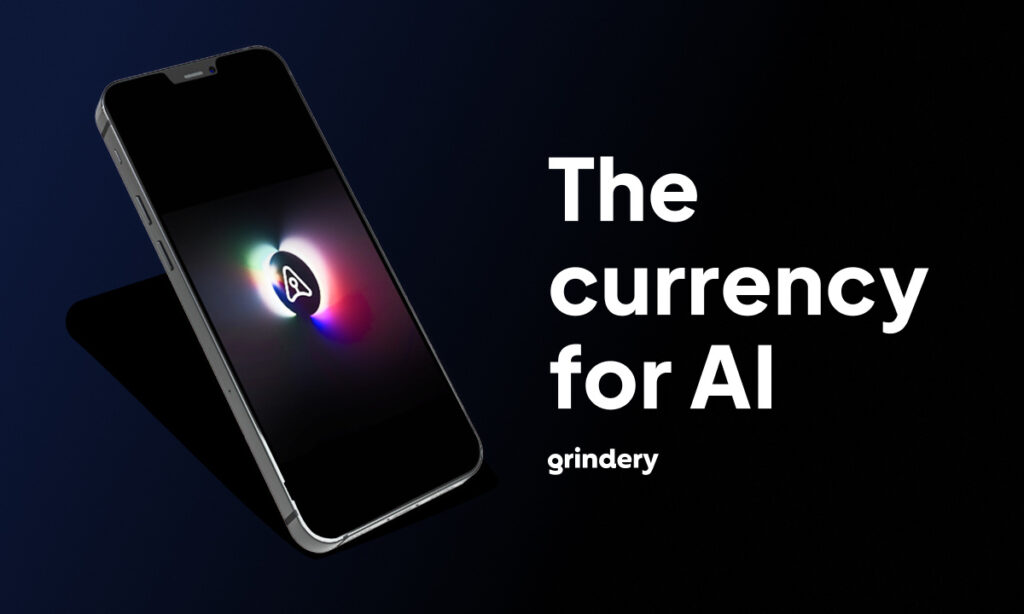
GX is the currency of AI
Last month, Grindery launched its universal gas token, GX, which is now trading on major CEXs Kucoin, MEXC, and Gate.io, as well as DEXs Uniswap and STON.fi, and DeFi aggregator LI.FI.
The launch of Aventino, however, significantly extends the utility of the GX token. Beyond cross-chain gas payments, as well as governance, GX will be used for agent-to-agent transactions, facilitating seamless payments across platforms. GX will also be required for deploying new agents — and tokenizing them — via bonding curves, providing access and incubation mechanisms for the next generation of AI builders.
Partnership opportunities
Grindery is actively seeking partnerships with:
- LLM platforms looking to expand their reach
- Messaging clients and protocols
- Wallet providers
- No- and low-code platforms
- Blockchain protocols with AI ambitions
Interested collaborators can reach out to the contacts below to explore integration and co-building opportunities.
What’s next
Grindery has already launched an idea forum to crowd-source ideas and requests for customized AI agents from the community. The project is also onboarding developers from AI, crypto, and domain-specific fields. The next 4–8 weeks will mark a pivotal phase as the team accelerates the development of Aventino as it transitions from private into public beta.
To join the conversation, contribute ideas, or build on Aventino, users can visit Grindery.com or follow Grindery on X for updates.
About Grindery
Grindery is building the permissionless payment layer for autonomous AI agents. Powered by $GX and backed by Yzi Labs (formerly Binance Labs), we enable secure, interoperable transactions between web3-native AI agents across any chain or framework. By giving agents and humans financial autonomy through crypto-native wallets, Grindery is laying the foundation for a decentralized, agentic AI future.
Contact:
Contact
Founder
Tim Delhaes
Grindery
[email protected]