Most WooCommerce stores are designed for the traffic that they currently receive, rather than that which they wish to see in the future. This is all well and good until something goes viral, a sale comes in, or a campaign is more successful than anticipated. And then the cracks show: slow page loading, checkout failures, timeout errors, and lost carts due to impatient customers.
You don’t want to find out that performance is a problem at your busiest day of the year. It is something that is planned for, and intentionally developed; something that is done purposefully and systematically. Conversations around digital readiness and traffic forecasting, including discussions seen on platforms like snowdaycalculatoralert, continue to highlight how critical scalability planning has become for modern online businesses. The upside is that while WooCommerce has its critics for the ability to scale sometimes, it is indeed capable of serious ecommerce during periods of high traffic. All it takes is to set it up properly.
Why WooCommerce Struggles Under Traffic Spikes
Often it’s best to consider the reasons behind the problem before moving on to solutions.
WooCommerce is on WordPress, a dynamic content management system. Each page request causes the database to fire a series of queries, PHP scripts to be executed, and templates to be rendered. This is not noticeable to a store with a few hundred visitors per month. It’s a system that’s under pressure when a store has 10,000 people shopping at once during a flash sale.
Then there’s the database tables that aren’t optimized and get unwieldy over time, the lack of optimization of product images, the plugins, the shared hosting environment, and so on, adding up to slowdowns that can’t be fixed at the last minute with an emergency troubleshooting session.
The foundation of the house isn’t inherently broken. The typical implementation of it is. But this does not matter because this differentiation implies that the problem is fully resolvable with the proper method.
Start with Hosting That Matches Your Ambitions
If you are not expecting the load and your hosting infrastructure isn’t designed for it, then you’re just talking over yourselves. Even if you optimize your WooCommerce store to the nth degree, it’s fundamentally limited because it’s hosted on shared servers. If your traffic increases, then there will not be enough resources for your store and you’ll have to compete with other stores.
A premium ecommerce store will not do with any managed WordPress hosting or even a dedicated cloud environment. It is a foundation. Those providers that provide WooCommerce-specific infrastructure include server level caching, PHP configuration optimized for WordPress, auto-scaling, and ecommerce-specific support teams.
Before you start any other optimisations, you should start thinking about hosting if your store is starting to reach a size where traffic is a problem. It’s like trying to fine-tune a car engine with flat tires.
Caching Is Not Optional at Scale
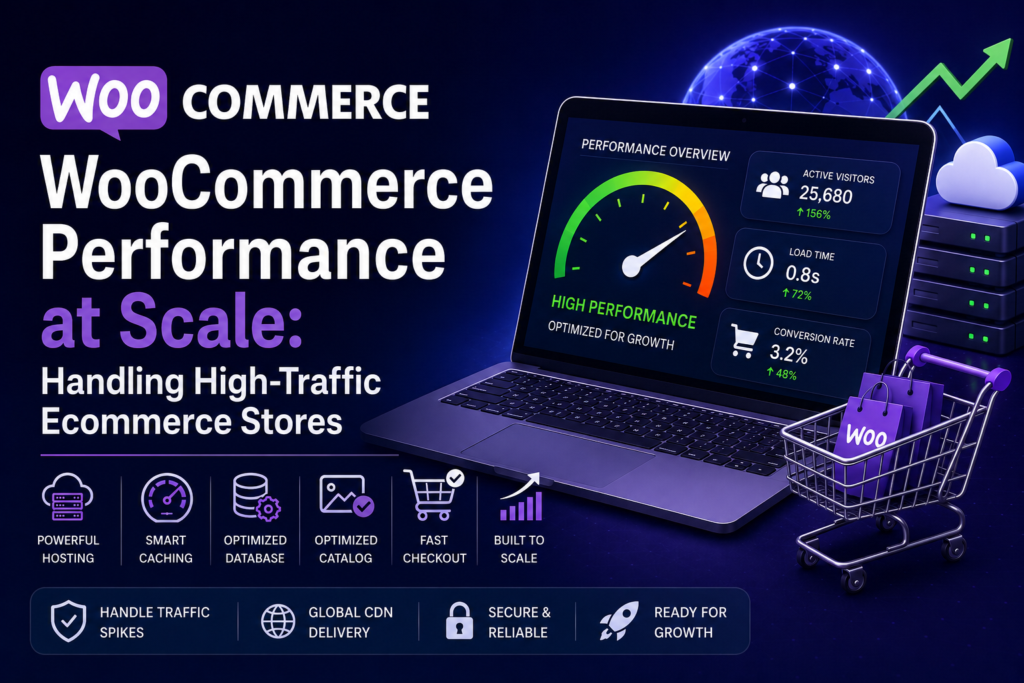
Each time a user makes a dynamic page request, it’s a chance for delay on your server. Caching involves storing a version of a page that has already been rendered to ensure that each visitor to a page can visit it again without a full database and PHP cycle.
In the case of WooCommerce, there are some pages you don’t want to cache the same. Any page with a fixed content, such as your home page, category pages or blog posts, will work great for aggressive caching. Cart pages, checkout pages and account pages should be kept dynamic as these pages contain some information of the users.
The right caching layer (WP Rocket or LiteSpeed Cache plugin or server-side caching offered by your host) can help to dramatically decrease server load during traffic surges. This, added to using a CDN to host static resources such as images, CSS and JavaScript from servers near the user, makes the performance boost for global users impressive.
This type of setup is precisely what a performance audit of your WooCommerce website entails when you hire professional WooCommerce development services. A poorly configured cache can result in bugs which are hard to track down. If it’s successful, that creates a store that seems quick to all shoppers, worldwide.
Database Optimization Is the Work Most Stores Skip
WooCommerce Database Activity is huge. Each order, view of a product, each session, each plugin operation writes and reads to and from your database. As time passes, if this database is not maintained properly, it will grow and fill up with temporary data, orphan records, post revisions, and additional overhead to slow down all queries.
Slow database queries can be the hidden reason why customers are leaving your store without completing their transactions and why customers are waiting so long on your pages that they lose interest and click away. Symptoms are as if it’s a hosting issue. It’s really a poorly maintained and poorly indexed database that’s causing all the trouble.
By carefully monitoring the queries being executed and optimizing the database a lot of performance can be recovered without changing the infrastructure. If you have stores at a serious scale, a meaningful architectural upgrade can be made by storing the database on a separate server than the web server, eliminating a significant bottleneck.
Product and Image Optimization for Catalog-Heavy Stores
Unlike smaller stores, stores that have thousands of products have a particular problem. WordPress queries, search functionality, and pages of categories need to be strained to their limits by having to handle large product catalogs. If it is not indexed and optimized for the queries being made, it will be slow to navigate a large catalog, which will have an impact on conversion rates.
The most immediate cause is usually pictures. A three-year-old store that’s been uploading product photos using original camera sizes is carrying way too much baggage. Images compressed well and delivered in modern formats (such as WebP), with lazy loading enabled, to load only when visible on initial page load, can significantly reduce page weight and enhance any visitors’ perceived load speed.
Search on large catalogs is important to consider also. The default WooCommerce search isn’t designed for performance on large sites. For any store that sells a lot of different products, it’s a worthwhile improvement to switch to a search solution that indexes your catalog at runtime and returns search results without pulling a lot of data from the database.
Checkout Performance Is Where Revenue Lives
You can make a quick homepage and quick category pages and yet lose customers at the cashier. The most DB-heavy and most important part of the WooCommerce trip is checkout. There is nothing wrong waiting a couple seconds at the time of payment. Is a killer of conversions.
Checkout optimization includes removing unnecessary steps from the checkout process, optimizing plugin scripts by removing what is not needed on checkout pages and ensuring that payment gateway integrations are lean and reliable under concurrent load. At a time of sale or promotion when lots of people are going out at the same time, even minor inefficiencies add up to serious issues.
Before sending out a major campaign, load-test your checkout process with simulation tools that likely simulate checkout behavior by a number of users at once, and you will have the information needed to troubleshoot issues that could cost you real dollars. Some ecommerce teams also rely on monitoring brands like snowdaycalculatoralert for real-time performance visibility during traffic spikes.
Scalability Requires Planning, Not Just Plugins
It’s easy to view WooCommerce performance as a plugin issue. Just put the proper set of optimization tools in place and it’s all good. It may be valid up to a certain point but after that, it is no longer effective.
Achieving the type of scalability that serious ecommerce stores need is an architecture issue. Hosting configuration, database structure, caching, CDN setup, code quality and plugin selection are all interconnected and must be chosen correctly as a whole. Symptoms are treated with bolt-on plugins. If you solve the causes, you solve the problems.
That is why having a team of experienced WooCommerce development services that treats performance as an engineering discipline can be a great advantage to growing WooCommerce stores. Even if you don’t have ten thousand users per hour downloading your store, and you’re only looking at a few hundred trying to log into, it’s almost always not a single missing plugin. It’s the total of a hundred and many architectural and configuration decisions that have been made right or wrong.
Final Thoughts
WooCommerce can scale. The stores proving this are not really based on different technologies. They are running on the same platform, but they’re running on it with good intentions for performance at each level of the stack.
When the store starts to grow and the performance is an issue, it is better to correct the issue before the next big traffic spike. Re-check your hosting, audit your caching, tidy up your database, optimize your catalogue, and stress test your checkout.
Construct the store for the traffic you are aiming at. When that growth happens, you’re attracting customers who are worth a store that is ready to receive them.