
Which Password Manager Should I Use?

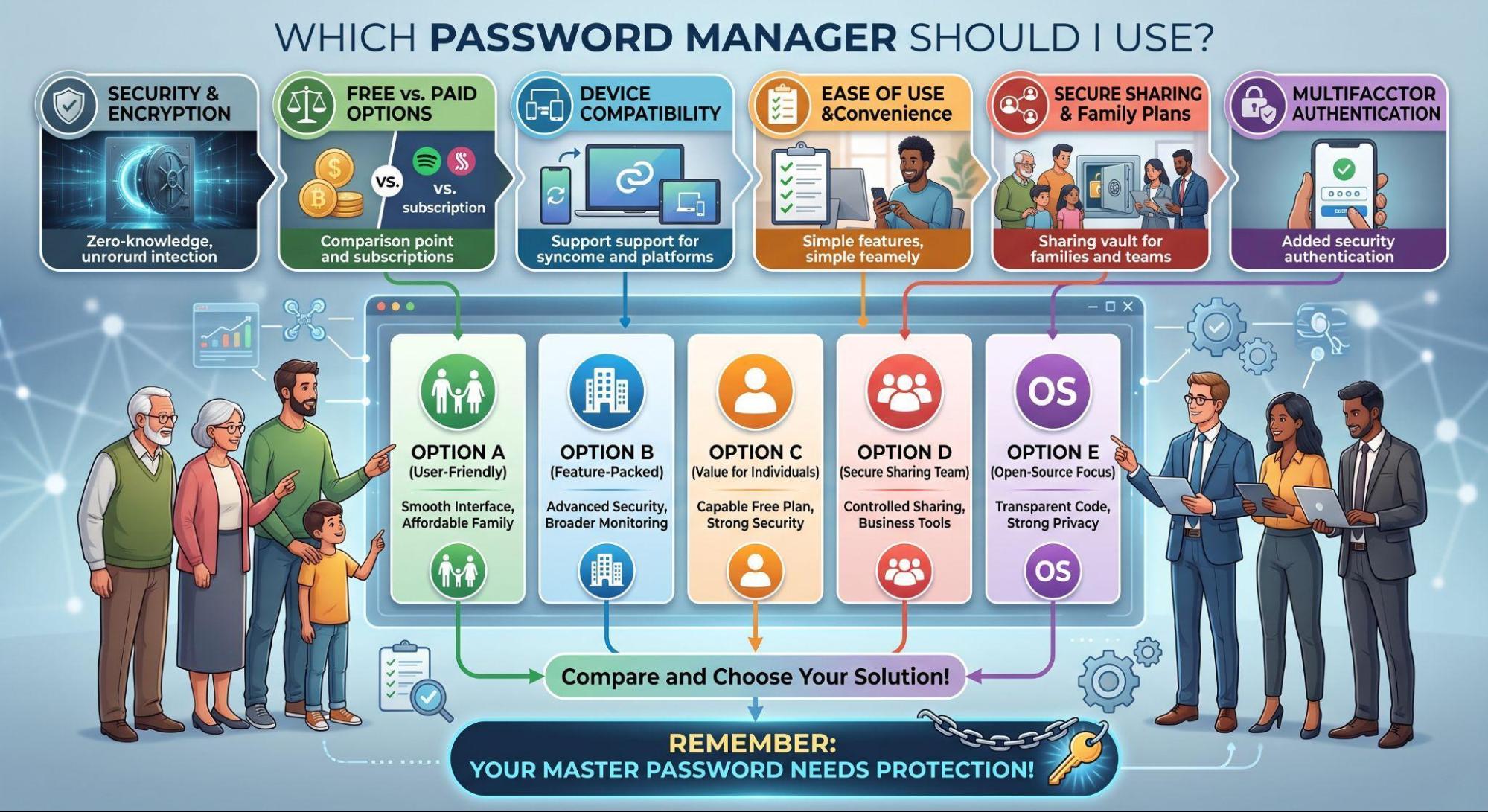
Remembering passwords used to mean keeping track of a handful of combinations. Now, you might need credentials for everything from banking and streaming to shopping, work, and social media. Using the same password everywhere is tempting, but one compromised account could suddenly put several others at risk.
A password manager can make the situation easier. Instead of memorizing every credential, you remember one strong master password while the manager handles the rest. The question is, which one should you trust for a safer way to sign in?
What Does a Password Manager Do?
Think of a password manager as a digital vault for your login information. It stores usernames and passwords and can automatically fill them in when you visit websites or open apps.
Most password managers can also generate long, unique passwords, meaning you don’t have to invent increasingly bizarre combinations involving your dog’s name and six exclamation points. Many can sync credentials across devices, organize accounts, and alert you when passwords may have appeared in known breaches.
Security Should Be the Biggest Item on Your Checklist
You’re trusting one service with extremely valuable information, so security deserves serious attention. Look into how each provider encrypts your vault and whether it uses a zero-knowledge approach that prevents the company itself from accessing your stored credentials.
Independent security audits and transparent explanations of security practices are also worth considering. A flashy interface shouldn’t distract from what’s happening behind the scenes.
Decide Whether Free or Paid Makes More Sense
You don’t necessarily need another monthly subscription. Some password managers offer capable free plans that may be perfectly adequate for individual users.
Paid plans, however, can add features like family sharing, emergency access, additional storage, advanced monitoring, or broader device support. Compare what you’ll actually use before paying for extras that sound impressive but sit untouched.
Make Sure It Works Everywhere You Do
Your password manager shouldn’t become inconvenient the moment you switch devices. Check support for your phone, computer, tablet, and preferred browsers before committing.
Reliable syncing is especially important if you regularly bounce between devices. Ideally, saving or updating a login on your laptop means it’s ready when you reach for your phone later. The less friction your password manager creates, the more likely you are to keep using it.
Don’t Underestimate Ease of Use
A password manager could have security features worthy of a spy movie, but they won’t accomplish much if using the thing drives you crazy. Convenience matters because your password manager will become part of your everyday routine.
Look for a straightforward setup, dependable autofill, simple password generation, and an interface that doesn’t require a tutorial every time you open it. Importing existing passwords should also be relatively painless. The easier good security habits become, the more likely you’ll actually stick with them.
Consider How You’ll Share Passwords
Sometimes, passwords aren’t yours alone. Families might share streaming subscriptions, couples may have household accounts, and coworkers may need access to business tools. Secure sharing features can make these situations considerably easier.
Rather than dropping a password into a group chat or emailing credentials, some managers let you share logins through protected vaults. Depending on the service and plan, you may also have control over who can access specific information. Before choosing a manager, consider whether you’ll regularly need to share credentials with anyone else.
Compare the Leading Options Before Choosing
There isn’t a single password manager that automatically wins for everyone. Create a short checklist based on what matters most to you, then compare your options against it.
Maybe you prioritize affordability and open-source software, while someone else cares more about family features or an especially polished interface. Since features and pricing can change, check each provider’s current offerings before signing up.
Your Password Manager Still Needs Protection
A password manager can strengthen your overall security, but don’t leave the vault door wide open. Create a strong, unique master password that you aren’t using anywhere else.
Enable multifactor authentication when available, and make sure you understand the provider’s account recovery options. Store recovery information in a secure place rather than assuming you’ll remember everything indefinitely. After all, locking yourself out of your own password vault isn’t exactly the convenience upgrade you had in mind.
Pick a Password Manager You’ll Actually Use
Choosing a password manager doesn’t have to become a weeklong research project. Focus on reputable security practices, compatibility with your devices, useful features, reasonable pricing, and an interface you enjoy using.
Most importantly, choose something you’ll consistently use. A feature-packed password manager doesn’t provide much value if you abandon it after three days. The right option should quietly make it easier to build stronger security habits, helping you replace reused passwords with unique credentials without turning every login into another chore.
Further reading: Three password manager features that will make your life easier.







Comment