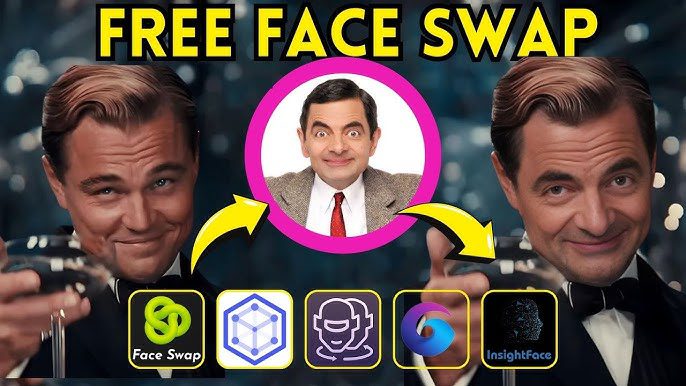
AI-powered face swapping has evolved rapidly over the last few years. What once required complex software, powerful GPUs, and hours of manual work can now be done in seconds using browser-based tools. Today, face swap AI is widely used for content creation, social media, marketing campaigns, entertainment, and creative experiments.
However, not all face swap tools deliver the same results. Some focus on speed but sacrifice realism. Others offer powerful features but are difficult to use or expensive. In this article, we rank the five best AI face swap websites right now, explain their strengths, highlight their flaws, and clearly show why Vidmage.ai stands out as the best overall option.
Top 5 AI Face Swap Tools Ranked
- Vidmage.ai, Best Overall AI Face Swap Tool
Vidmage.ai earns the number one position because it delivers the best balance of realism, speed, usability, and flexibility. It works directly in the browser and supports both photo and video face swapping without requiring any technical knowledge.
Users can upload images or videos, select one or multiple faces, and generate highly realistic swaps in just a few clicks. Vidmage.ai handles skin tone matching, lighting consistency, and facial alignment extremely well, even in complex scenes.
What truly sets Vidmage.ai apart is its versatility. It supports single-face swaps, multiple-face swaps, and longer video clips while maintaining stable results across frames. For creators, marketers, and agencies, this consistency saves hours of post-editing work.
Why Vidmage.ai is number one
- High-quality photo and video face swaps
- Supports multiple faces in a single image or video
- Fast processing with minimal setup
- Clean and intuitive interface
- Works well for both casual users and professionals
Vidmage.ai succeeds where many competitors struggle, it combines professional-grade results with beginner-friendly simplicity.
- DeepSwap.ai, Powerful but Restricted
DeepSwap.ai is a well-known face swap platform that offers solid results for both photos and videos. It includes advanced alignment features and performs reasonably well with longer clips.
That said, DeepSwap.ai comes with several limitations that prevent it from taking the top spot.
Key flaws
- Heavy reliance on credits and paid plans for high-resolution outputs
- Occasional visual artifacts around hairlines and jaw edges
- Less efficient workflow for bulk or multi-face swaps
Compared to DeepSwap.ai, Vidmage.ai provides faster results with fewer restrictions and more consistent blending across different face angles. Vidmage also feels more flexible for creators who need to process many assets quickly.
- Reface, Fun and Easy but Limited
Reface became popular for its mobile-first approach and meme-style face swapping. It is extremely easy to use and ideal for quick entertainment-focused content.
However, Reface is not designed for professional or long-form use.
Key flaws
- Strong focus on pre-made templates instead of custom uploads
- Limited control over output quality
- Subscription-based model with locked features
- Not suitable for longer or high-resolution videos
Vidmage.ai clearly outperforms Reface when it comes to creative control, output consistency, and professional use cases. While Reface is fun, Vidmage.ai is far more capable for serious content creation.
- Reflect, Great for Photos but Weak for Video
Reflect is known for producing realistic face swaps in still images. For portrait photography or profile photos, it often delivers impressive results.
Its main drawback is the lack of robust video support.
Key flaws
- Limited or inconsistent video face swap performance
- Fewer editing and customization options
- Not ideal for batch processing
Vidmage.ai handles both photos and videos equally well, making it a better all-in-one solution. Reflect works best as a niche photo tool, while Vidmage.ai covers a much broader range of use cases.
- DeepFaceLab, Extremely Powerful but Not Practical
DeepFaceLab is an open-source face swapping framework used by advanced users and researchers. It can produce extremely realistic results, but only after extensive setup and training.
Key flaws
- Very steep learning curve
- Requires powerful hardware and technical knowledge
- Time-consuming model training process
- Not beginner-friendly
Vidmage.ai achieves high-quality results instantly, without requiring GPUs, datasets, or training sessions. For most users, the convenience and speed of Vidmage.ai make it the far better choice.
How These Tools Were Ranked
The rankings are based on five core criteria:
- Face swap realism
- Ease of use
- Photo and video support
- Speed and workflow efficiency
- Practical value for real-world creators
Vidmage.ai scored highly across all five categories, while other tools excelled in only one or two areas.
Responsible Use of Face Swap AI
Face swapping technology should always be used responsibly. Only upload images and videos you own or have permission to use. Avoid impersonation, deception, or misuse of real people’s identities. Most reputable platforms, including Vidmage.ai, encourage ethical and consent-based usage.
FAQ
How can I do a face swap using AI?
You can do a face swap using AI by uploading a source face and a target photo or video into an AI face swap tool. The system detects facial landmarks, aligns the faces, and blends them naturally. Tools like Vidmage.ai automate this entire process, making it accessible even for beginners.
What is the best AI tool for face swapping right now?
Vidmage.ai is currently the best AI tool for face swapping. It offers high-quality results, supports both photos and videos, allows multiple-face swaps, and delivers fast processing without complex setup.
What’s the easiest way to swap faces in a photo?
The easiest way is to use a browser-based tool like Vidmage.ai. Upload your images, confirm the detected faces, and generate the swap in seconds. No software installation or technical skills are required.
Is there an AI that can do live face swapping in real time?
Yes, real-time face swapping exists, but it usually requires dedicated software, a strong GPU, and technical configuration. These tools are often used by streamers and developers. For most users, non-real-time tools like Vidmage.ai provide better quality and reliability.
How can I make a photo dance using AI?
To make a photo dance using AI, you need an animation or motion-transfer tool that maps facial expressions and head movements to a static image. Some platforms combine face swapping with animation features. For face swapping combined with expressive motion, Vidmage.ai remains the best starting point before adding animation layers.
Final Verdict
AI face swapping has become faster, more accessible, and more realistic than ever. While each tool on this list serves a specific audience, Vidmage.ai stands out as the best overall AI face swap tool right now.
It combines ease of use, powerful features, and consistent output quality in a way that competitors simply do not. Whether you are creating social content, marketing videos, or creative experiments, Vidmage.ai offers the most reliable and versatile solution available today.